Time Management for Software Developers
SkillVeris Team
Careers Team
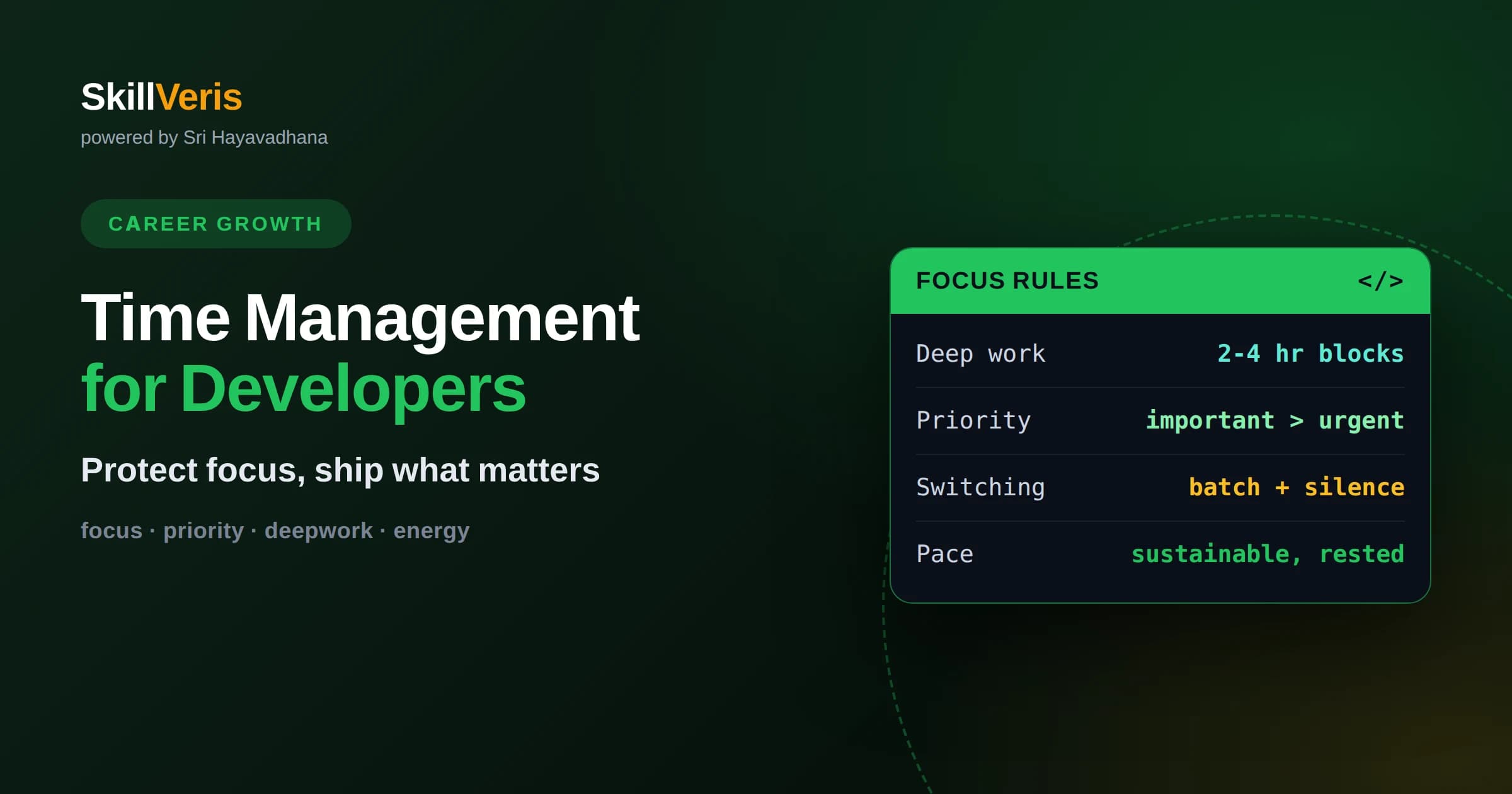
Software work depends on uninterrupted deep focus, so protecting large blocks of concentration is the highest-leverage time management move you can make.
In this guide, you'll learn:
- Ruthless prioritization matters more than raw speed, because doing the right task poorly beats doing the wrong task perfectly.
- Meetings, notifications, and context switching are the biggest silent drains on developer time, and each can be managed deliberately.
- Sustainable pace and rest are part of time management, not the opposite of it, because tired developers produce slow, buggy work.
1What Time Management Means for Developers
Time management for software developers is really the management of attention: the core skill is protecting long, uninterrupted blocks for deep work while ruthlessly cutting or batching everything that fragments them. Coding is not like answering emails, where progress is linear and interruptions cost little. It requires holding a complex mental model in your head, and every interruption shatters that model and forces an expensive rebuild.
This is why generic time management advice often fails developers. Filling every fifteen-minute slot with a task looks productive but destroys the conditions programming needs. For developers, the goal is not to be busy every minute but to arrange your day so that a few hours of genuine, undistracted concentration are possible.
Once you accept that attention, not time, is the scarce resource, the priorities become clear: guard focus, remove friction, and choose the right work. Everything in this article follows from that single reframing.
2Protect Deep-Work Blocks Above All Else
The single most valuable thing you can do is reserve blocks of two to four hours where you do nothing but focus on one hard problem. During these blocks, close chat, silence notifications, and let people know you are heads down. This is when real engineering progress happens, because complex problems need sustained, unbroken thought to solve.
Research and lived experience agree that it takes significant time to fully immerse in a coding problem, and even a brief interruption can cost far more than the interruption itself in lost context. A five-minute question can easily cost twenty minutes of rebuilding where you were. Protecting the block protects that hidden cost.
Schedule these blocks at your best hours, whenever your energy and concentration naturally peak, and defend them like important meetings. If you protect even one or two deep-work blocks a day, you will out-produce a colleague who is nominally available every minute but never truly focused.
3Prioritize Ruthlessly Before You Optimize Speed
Working faster on the wrong thing is a loss, not a gain, which is why prioritization outranks efficiency. Before starting your day, identify the one or two tasks that would matter most if completed, and do those first, before the day fills with reactive demands. A single important task finished beats a dozen trivial ones checked off.
A useful lens is to separate the urgent from the important. Many demands feel urgent but contribute little, while the truly important work, such as the core feature or the risky unknown, often has no deadline screaming at you. Deliberately protect time for the important-but-not-urgent, because it is what actually moves your projects and career forward.
Be willing to say that some tasks will not get done, and that is fine. A finite day cannot hold infinite work, so choosing what to drop is as much a part of time management as choosing what to do. The developers who ship are the ones who decide what not to build.
4Tame Interruptions and Context Switching
Context switching is one of the largest hidden taxes on developer productivity. Every time you jump from coding to a message to a different ticket, your brain pays a switching cost, and a day of constant switching can leave you exhausted with little to show for it. Reducing switches is often more impactful than working faster.
Batch similar tasks so you handle them in one pass rather than scattering them. Check messages at a few set times instead of continuously, group your code reviews into a single window, and cluster small administrative chores together. Batching keeps you in one mode longer and preserves the deep-focus mode for what needs it.
Manage notifications aggressively. Turn off non-essential alerts, because each ping is an invitation to switch. You can still be responsive on genuinely urgent matters while refusing to let every trivial notification interrupt your thinking.
Set expectations with your team so protecting focus does not read as being unresponsive. A simple shared norm, such as replying to non-urgent messages within a few hours rather than instantly, gives everyone permission to concentrate. When the whole team respects focus time, the collective output rises noticeably.
5Get Meetings Under Control
Meetings are the most common destroyer of developer schedules, not only for the time they consume but for how they fragment the day. A single meeting dropped in the middle of the morning can split a potential deep-work block into two useless fragments. Protecting large contiguous time often means being deliberate about when meetings land.
Where you have influence, advocate for clustering meetings into certain parts of the day or week, leaving other parts clear for focused work. Decline or delegate meetings where your presence adds little, and ask whether a written update could replace a live discussion. Every meeting you avoid gives back a chunk of usable focus.
For the meetings you do attend, insist on a clear purpose and come prepared. A short, focused meeting with an agenda respects everyone's time, while an open-ended status meeting quietly drains hours that could have been spent building.
Protect a recovery buffer around meetings as well. Jumping straight from a call back into deep code rarely works, because your mind is still on the discussion. A few minutes to jot notes and reset before diving back in prevents the meeting from bleeding into and spoiling the focus block that follows it.
6Estimate Realistically and Break Work Down
Developers are famously optimistic about how long things will take, and poor estimates wreck schedules and create stress. The habit that helps most is breaking large tasks into small, concrete pieces you can actually picture completing. A vague large task hides its true size; a list of small steps reveals it.
Small tasks are also easier to start, easier to finish, and give a steady sense of progress that sustains motivation. When you can complete something in a focused session, you get a clean stopping point and a genuine milestone, rather than an amorphous effort that drags on for days.
Add buffer for the unknown. Software work routinely uncovers surprises, so a realistic estimate assumes that something will go sideways. Padding your estimates is not laziness; it is honesty about the nature of the work, and it protects both your schedule and your credibility.
7Use Simple Techniques, Not Complicated Systems
You do not need an elaborate productivity system. A few simple techniques cover most needs. Time-blocking, where you assign chunks of your calendar to specific kinds of work, turns intentions into a concrete plan and protects your focus blocks by making them visible commitments.
The Pomodoro approach, working in focused intervals separated by short breaks, helps some developers start when momentum is low and prevents the fatigue of marathon sessions. It is not for everyone, but it is a cheap experiment worth trying when you struggle to begin.
Keep a single trusted list of what needs doing so your mind is not spending energy remembering tasks. The value of any system is that it frees your attention for the actual work; if a system becomes a hobby in itself, it has failed its purpose.
8Manage Energy, Not Just Hours
Time is uniform but your capacity is not; you think far better at some hours than others. Managing energy means matching your hardest cognitive work to your peak hours and saving low-energy periods for routine tasks like email, code review comments, or administrative chores. This alignment can dramatically increase what you accomplish in the same number of hours.
Notice your own rhythm rather than copying someone else's routine. Some developers are sharpest early, others late, and forcing yourself into a schedule that fights your natural pattern wastes your best hours on your dullest tasks. Observe when you do your clearest thinking and defend that window.
Breaks are part of energy management, not a break from it. Stepping away lets your mind consolidate, and many solutions arrive during a walk rather than at the keyboard. Working straight through without pause tends to produce diminishing, error-prone output.
9Save Time by Reducing Rework
The fastest code is the code you do not have to write twice. A surprising amount of lost developer time comes from rework: fixing bugs that thought would have prevented, rebuilding features whose requirements were unclear, or untangling messy code written in a rush. Slowing down slightly to understand the problem first often saves far more time than it costs.
Invest a little time up front in clarifying requirements, sketching an approach, and writing tests where they pay off. This front-loaded effort feels slower in the moment but prevents the expensive cycle of shipping something wrong and redoing it. Quality and speed are allies over any horizon longer than a single afternoon.
Automate the repetitive. Scripts, snippets, and tooling that remove manual toil pay back their setup cost many times over. Every recurring chore you automate is time returned to the work that actually requires your judgment.
Communicate early when something is uncertain or slipping. A quick heads-up the moment a task looks bigger than expected lets others adjust and often surfaces help, whereas silence until the deadline turns a manageable delay into a scramble. Good communication is a quiet but real time saver for the whole team.
10Guard Against Burnout and Overwork
Sustainable pace is a time management issue because a burned-out developer is a slow, error-prone one. Long stretches of overwork borrow productivity from the future at a punishing interest rate: fatigue breeds bugs, bugs breed rework, and rework breeds more overwork. The apparent gain from working late is often erased by the mess it creates.
Protecting rest, boundaries, and time away from the screen is not a luxury but part of maintaining the sharp mind your work demands. Consistent, moderate effort over months beats heroic sprints followed by exhausted collapses. The tortoise really does win in software.
Set boundaries around your hours and honor them. Being reachable at all times trains everyone, including yourself, to expect constant availability, which erodes the very focus that makes you effective. Clear limits protect both your output and your health.
11Review, Reflect, and Adjust Regularly
Time management is a practice you refine, not a formula you set once. A brief regular reflection, such as looking back at the end of each week, helps you see where your time actually went versus where you intended it to go. That gap is where the lessons live.
Ask what pulled you off your priorities, which interruptions cost the most, and what small change would help next week. Then adjust one thing at a time rather than overhauling everything. Steady, incremental improvement compounds into a very different working life over months.
Be honest but kind with yourself in these reviews. The point is not to judge lost time but to learn from it, so that each week is slightly better arranged than the last.
12Practice Deliberately and Keep Improving
The best way to internalize these habits is to apply them to your own learning. As you work through courses and projects on SkillVeris, schedule real deep-work blocks, prioritize the concepts that matter most, and notice which techniques help you focus. Your study time becomes a low-risk training ground for the same skills you will use at work.
Pick one change from this article and try it for a week: protect a single focus block, batch your messages, or break your next task into smaller pieces. One habit at a time is how lasting change actually happens.
Keep learning and building on SkillVeris with these practices in place, and you will find you ship more meaningful work in less frantic time. Managing your attention well is a career-long advantage that improves everything else you do.
Get The Print Version
Download a PDF of this article for offline reading.
About the Publisher
SkillVeris Team
Careers Team
Our careers team helps you navigate tech job markets, build portfolios, and land the roles you want.
View all postsRelated Posts




Never miss an update
Get the latest tutorials and guides delivered to your inbox.
No spam. Unsubscribe anytime.