How to Switch to a Tech Career in 6 Months
SkillVeris Team
Careers Team
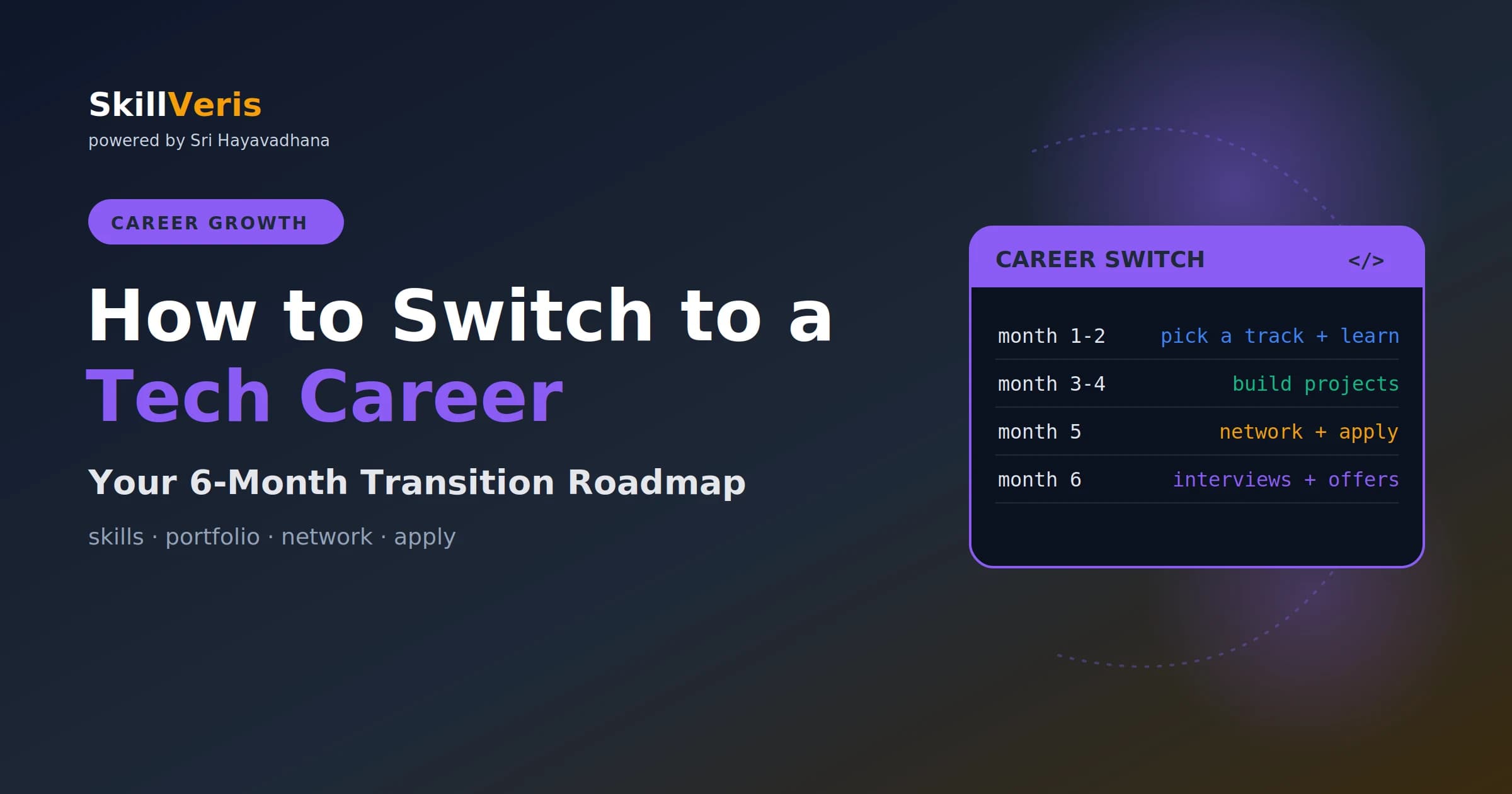
You don't need a computer science degree to switch into tech — one deeply learned skill set, two or three proof-of-skill projects, and consistent networking can take you from zero to a first offer in six months.
In this guide, you'll learn:
- Six months is realistic for entry-level roles like frontend, data analytics, QA, or cloud/DevOps if you can commit 2-4 focused hours a day.
- Pick one track and go deep rather than spreading thin across many — depth in one beats shallow knowledge in three.
- Build 2-3 original, deployed projects with READMEs and a public GitHub profile; evidence of ability is what gets you hired.
- Start applying from month 4 and network consistently — referrals convert far better than cold applications.
1Is a 6-Month Switch Realistic?
Yes — with caveats. Six months is achievable for entry-level roles in frontend development, data analysis, QA engineering, or cloud/DevOps support, especially if you can dedicate 2-4 hours per day. It's not enough time to become a senior engineer.
The goal is your first role, which then becomes the foundation for everything else. Thousands of people make this switch every year, and the pattern is consistent: pick one track, go deep rather than broad, build evidence of your skills, and apply consistently.
2Which Track to Choose
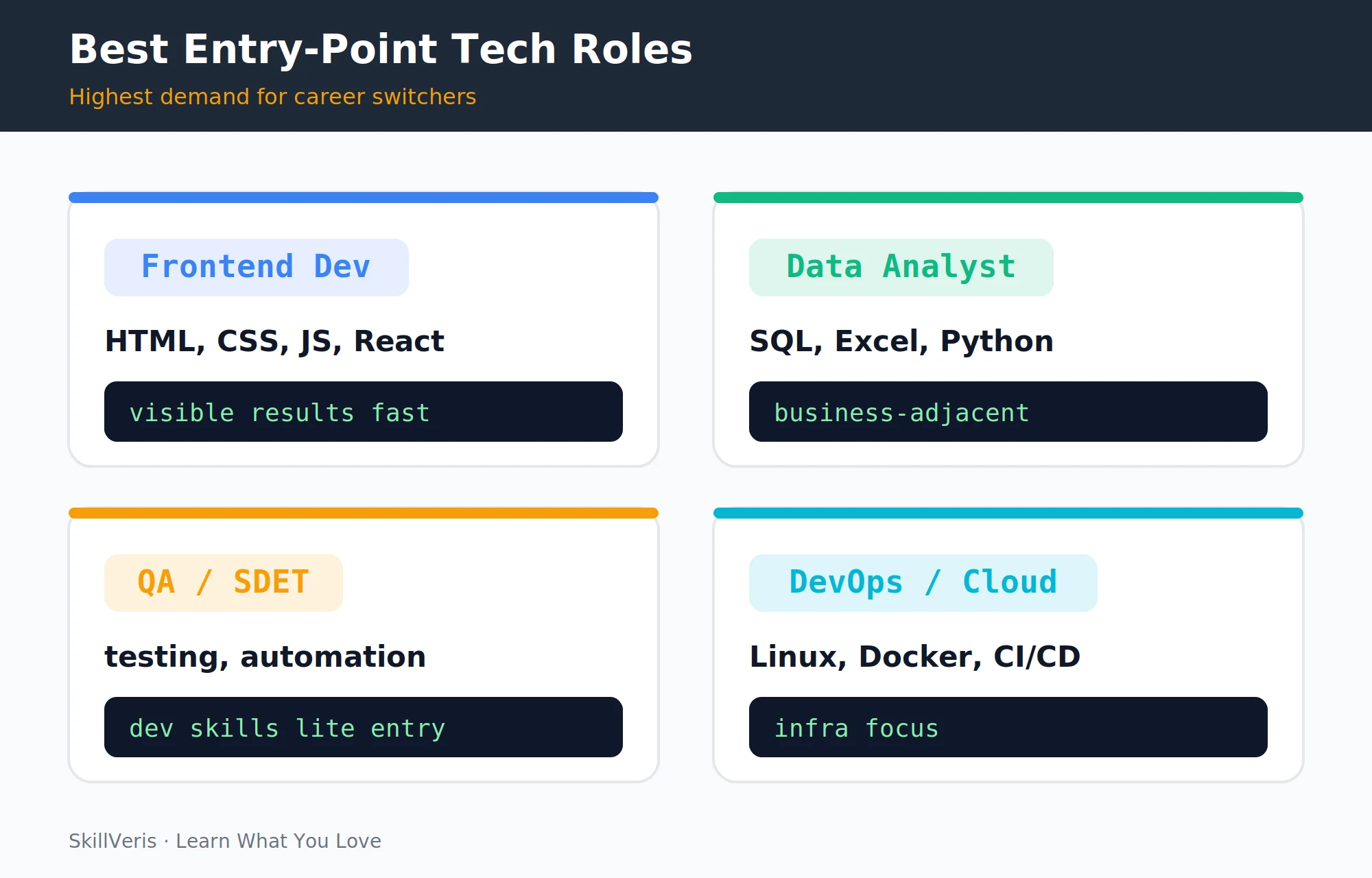
Four tracks are most accessible to career switchers in 2026. Choose based on your background and interests — not just job demand.
Pick one. Spreading across multiple tracks for six months produces shallow skills in all of them — not the hire-ready depth in any single one that employers want to see.
- Frontend Development: best for visual thinkers. Start with HTML/CSS, then JavaScript, then React. Results are visible in the browser, which keeps motivation high.
- Data Analytics: best for people with a business, finance, or research background. SQL + Excel + Python is the stack.
- QA / Test Engineering: best for methodical thinkers. Automated testing with Selenium or Playwright; Python or JavaScript. Lower competition than pure dev roles.
- Cloud/DevOps: best for sysadmins or infrastructure-curious people. Linux + Docker + AWS + CI/CD.
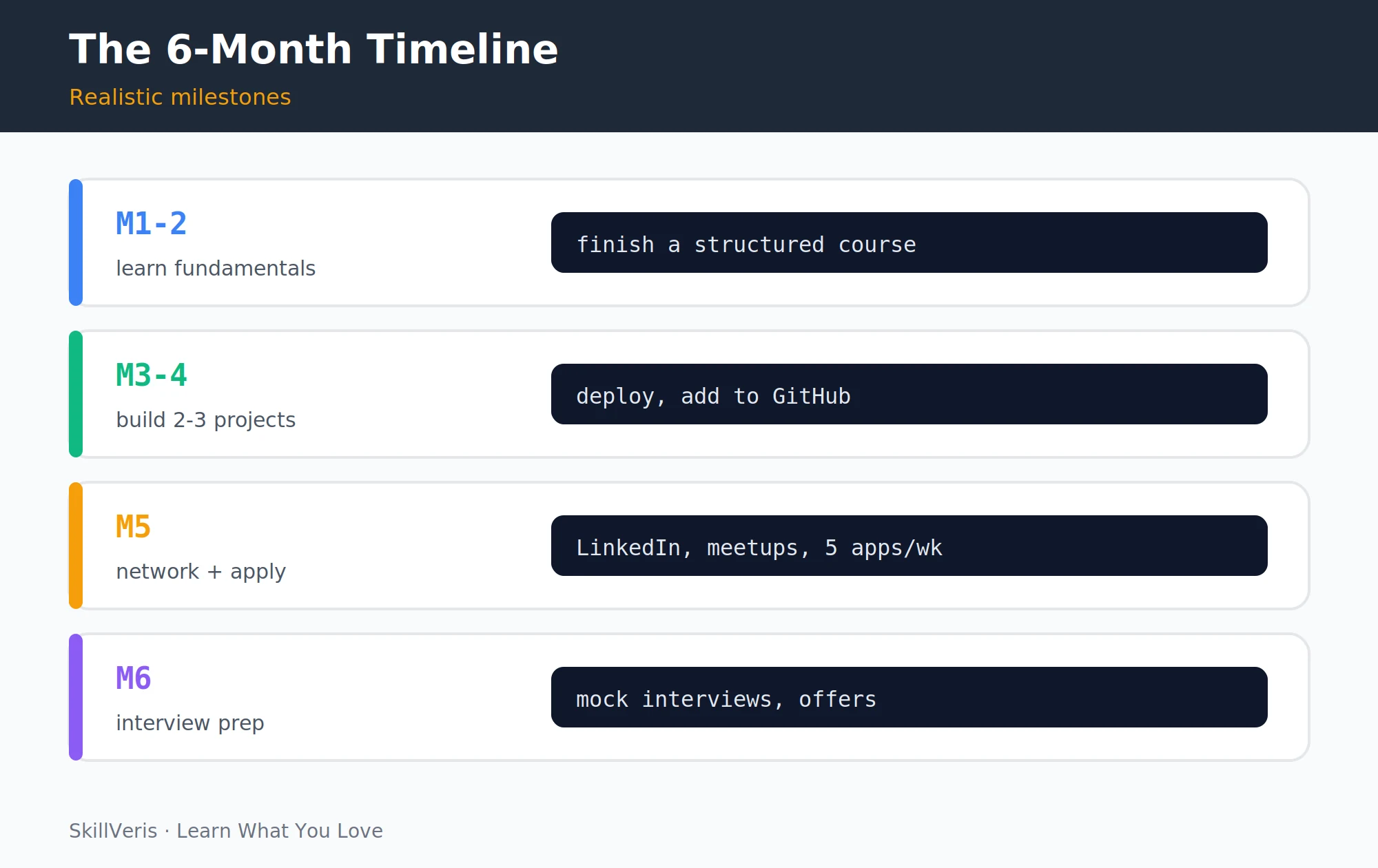
3Month 1-2: Learn the Fundamentals
The goal in months 1-2 is foundational knowledge, not building projects yet. Choose a structured course and finish it before moving on.
- Pick a structured course (The Odin Project for web, Kaggle Learn for data, A Cloud Guru for cloud — all free or low-cost).
- Code every day, even for 30 minutes. Consistency beats intensity.
- Join a community (Discord server, subreddit, local meetup) for your chosen track.
- Don't buy five courses. Finish one.
💡Pro Tip
The Odin Project (web) and freeCodeCamp (web + Python + data) are genuinely excellent and free. Paid courses aren't necessary to get hired — what matters is what you build with the knowledge, not the certificate.
4Month 3-4: Build Projects
This is the most important phase. Employers hire based on evidence of ability — projects are that evidence.
Good project ideas come from things you actually use: a cricket scorecard app, a budget tracker, a recipe search tool, a data dashboard for public transport. Real problems, even small ones, make better portfolios than tutorial clones.
- Build 2-3 projects end-to-end. Not tutorials — original projects solving a problem you chose.
- Deploy them (Vercel/Netlify for web, Heroku/Railway for backend, Tableau Public for data dashboards).
- Write a README for each: what it does, why you built it, the stack, setup instructions, and screenshots.
- Push everything to a public GitHub profile.
5Month 5: Network and Start Applying
Month 5 is when you put your work in front of people. Update your profile, apply at volume, and reach out directly to people in your target roles.
- Update LinkedIn with your new skills, projects, and a headline that says what you're targeting ("Aspiring Frontend Developer | React - JavaScript - Open to opportunities").
- Apply to 5-10 positions per week. Volume matters, but tailor the resume for each.
- Reach out to people in your target role for a 20-minute informational interview. Most people are generous with time when asked respectfully.
- Attend local or online tech meetups — in-person introductions convert to referrals faster than cold applications.
6Month 6: Interview Preparation
By month 6, you should be getting responses. Interview prep focuses on technical practice, portfolio walkthroughs, and behavioural questions.
- Technical interviews: practice on LeetCode Easy/Medium (for dev roles), SQL challenges on HackerRank (for data roles), or scenario questions (for cloud/DevOps). Aim for 30-45 minutes daily.
- Portfolio walkthroughs: be ready to explain every project in depth — decisions you made, problems you hit, how you solved them.
- Behavioural questions: prepare STAR (Situation, Task, Action, Result) answers for common questions like "Tell me about a time you solved a difficult problem" and "How do you learn new technologies?"
7Building Your Online Presence
A consistent online presence signals serious engagement to recruiters long before you interview.
- GitHub: pin your best 6 repos. Green contribution squares signal consistency; aim for daily commits even if they're small.
- LinkedIn: post once a week about what you're building or learning. It's not self-promotion — it's a signal of serious engagement.
- Portfolio site: a single-page site listing your projects, stack, and contact. Free via GitHub Pages or Netlify.
8What Hiring Managers Actually Look For
For entry-level roles, hiring managers are not expecting perfection. They're looking for a small set of clear signals.
Your career-switch story — why you're making this move, what you've built to prove it — is an asset, not a liability.
- Evidence you can learn independently and see something through to completion.
- Code that's clean enough to read and maintain.
- Ability to talk through your thinking in a technical conversation.
- Genuine interest in the problem space — not just "I want a tech job because it pays well."
9Common Mistakes Career Switchers Make
Most failed switches trace back to a handful of avoidable mistakes. Watch for these patterns and correct course early.
- Tutorial purgatory: consuming content endlessly without building anything. Stop after one course; build.
- Waiting until "ready": there's no readiness threshold for applying. Start from month 4; early applications teach you what gaps to fill.
- Applying without networking: 50-70% of roles are filled through connections. Cold applications alone have very low conversion rates.
- Trying to learn everything: one deep track beats three shallow ones. Breadth comes after the first job.
⚠️Watch Out
Bootcamps can accelerate the timeline but carry significant cost — verify job placement rates, look at recent graduate outcomes, and confirm the curriculum is current before committing. Self-taught paths with the same projects produce equivalent results at a fraction of the cost.
10Financial Planning for the Transition
Money pressure makes the whole transition harder, so plan the financial side as deliberately as the technical side.
- Keep your current job during the learning phase (months 1-4) if possible. Desperation makes interviews harder.
- Build 3-6 months of emergency savings before quitting.
- Freelance work (small websites, data cleaning) during the transition builds experience, income, and portfolio entries simultaneously.
11Success Signals to Watch For
These indicate you're on track, even if you haven't received an offer yet.
- Recruiters are viewing your LinkedIn profile after you post about your projects.
- You're getting first-round interviews (even if you're not advancing yet — that's feedback, not failure).
- People in online communities are engaging with what you're building and asking technical questions.
- You can explain your projects confidently without notes.
12Key Takeaways
The path is well-trodden. Stick to the fundamentals and trust the process.
- Pick one track and go deep — frontend, data, QA, or cloud/DevOps.
- Build 2-3 original, deployed projects with READMEs and GitHub links.
- Start applying from month 4; don't wait until you feel "ready."
- Network consistently — referrals convert far better than cold applications.
- Your switch story is an asset: you brought yourself, you taught yourself, you proved it with projects.
13What to Learn Next
Complete your career switch toolkit with these companion guides.
- How to Build a Standout Tech Resume — your primary application tool.
- How to Build a Developer Portfolio — the evidence behind the resume.
- LinkedIn Tips for Developers — make recruiters find you.
14Frequently Asked Questions
Do I need a computer science degree to work in tech? For most roles (frontend, data analytics, QA, cloud support, DevOps), no. A portfolio of real projects and demonstrable skills carries more weight than a degree in an unrelated field. Senior and specialist roles (ML research, compilers, systems programming) often do expect formal training.
How many hours per day do I need to study? 2-4 hours of focused, deliberate practice daily is enough for a 6-month switch. Quality and consistency matter more than marathon sessions. Building something for 90 minutes is more effective than watching tutorials for 4 hours.
Is it too late to switch at 30, 35, or 40? No. The tech industry has people entering from other careers at all ages. Your prior experience — in finance, teaching, healthcare, operations — is a differentiator in roles at the intersection of tech and that domain. Domain knowledge plus technical skills is a valuable combination.
What if I get rejected a lot in month 5-6? Rejection is part of every job search, not a signal that the plan isn't working. Track your application-to-interview ratio; if it's below 5-10%, tweak the resume. If you're getting interviews but not progressing, focus on interview prep. Rejection is data, not verdict.
Get The Print Version
Download a PDF of this article for offline reading.
About the Publisher
SkillVeris Team
Careers Team
Our careers team helps you navigate tech job markets, build portfolios, and land the roles you want.
View all postsRelated Posts
Never miss an update
Get the latest tutorials and guides delivered to your inbox.
No spam. Unsubscribe anytime.