How to Contribute to Open Source
SkillVeris Team
Careers Team
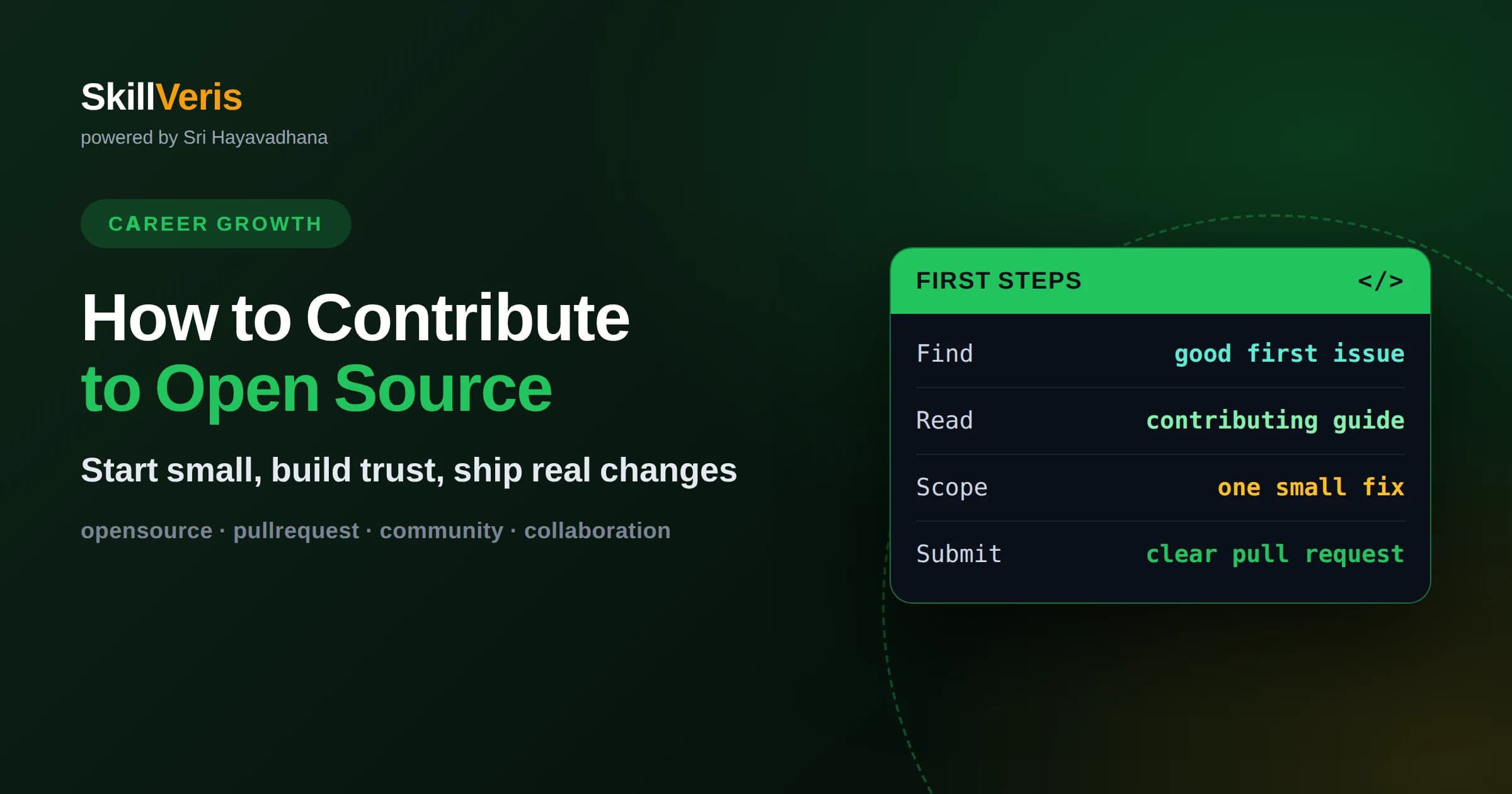
Your first contributions can be documentation fixes or good-first-issues, which build trust before you tackle harder work.
In this guide, you'll learn:
- Reading the contributing guide and respecting project conventions matters more than the size of your change.
- A clear pull request that explains the why gets reviewed and merged faster than a large, unexplained one.
- Open source is a long game of reputation, so consistency and good communication compound into real career value.
1How to Start Contributing to Open Source
To start contributing to open source, pick a project you already use, read its contributing guide, find a small issue labeled something like good first issue, and submit a focused pull request that fixes it. The single most important shift is to start small and build trust, rather than trying to land a major feature on your first attempt. Maintainers reward reliability, and small merged contributions establish you as someone worth reviewing.
Contributing is less about heroic code and more about being a good collaborator. Projects are run by people with limited time who must decide whether your change is worth their attention. A tidy, well-scoped contribution that respects their process is far more welcome than an ambitious one that ignores it.
Everyone starts somewhere, and every prolific contributor once submitted a nervous first pull request. Treat your early contributions as a way to learn the rhythm of a project, and the confidence to do more will follow naturally.
2Why Contributing Is Worth Your Time
Open source contribution builds skills that are hard to gain any other way. You read real production code written by experienced developers, you receive detailed reviews on your own work, and you learn how large collaborative projects coordinate. This is professional-grade experience available to anyone willing to participate.
It also creates public evidence of your abilities. A history of merged contributions to respected projects is a credential that speaks for itself, visible to any employer who looks. Unlike a private work project, your open source record is something you can point to directly.
Beyond career benefits, contributing connects you to a community. You meet people who share your interests, you help tools you rely on get better, and you experience the satisfaction of your work being used by others. That sense of participation is a genuine reward in itself.
3Choose the Right Project
Start with projects you actually use and understand. Familiarity gives you context for what a change should do and helps you spot real problems worth fixing. Contributing to a tool you rely on daily is far more motivating than picking something unfamiliar just because it is popular.
Look for signs of a healthy, welcoming project. Recent commits, active maintainers who respond to issues, a clear contributing guide, and issues labeled for newcomers all suggest a place where your effort will be received well. A project that has not merged an outside contribution in a long time may be a frustrating first choice.
Match the project to your current level. Some codebases are enormous and intimidating, while others are small and approachable. Beginning with a moderately sized project lets you understand the whole picture before you dive into something vast and complex.
4Read the Contributing Guide First
Nearly every serious project includes a contributing guide, and reading it before you write any code saves everyone time. The guide typically explains how to set up the environment, how the team wants commits and pull requests formatted, coding conventions, and how to run the tests. Following it signals respect and competence.
Ignoring these instructions is one of the fastest ways to have a contribution rejected or ignored. Maintainers see a mismatch with their conventions as extra work, and they may simply move on. A little reading upfront removes that friction entirely.
Also read the code of conduct and any community norms. Open source communities have cultures, and understanding the expected tone of discussion helps your interactions land well. Being a pleasant collaborator is as important as writing correct code.
5Find Your First Issue
Look for issues labeled good first issue, help wanted, or documentation. These are curated for newcomers and signal that maintainers expect and welcome outside help there. Documentation fixes are especially valuable first contributions because they are low-risk, genuinely useful, and teach you the submission process.
You can also find your own issue simply by using the software. If you hit a confusing error, a broken example, or a typo in the docs, that is a real problem you are well positioned to fix. Bugs you personally encountered come with built-in context and motivation.
Before you start coding, comment on the issue to say you are working on it. This prevents duplicated effort and gives maintainers a chance to offer guidance or steer you away from work that is already in progress. A quick note is common courtesy and often opens a helpful conversation.
6Set Up the Project and Make Your Change
Fork the repository, clone it locally, and follow the setup instructions until you can build and run the tests successfully. Getting the project running is sometimes the hardest step, and if you struggle here, others probably do too, which itself may be worth a documentation contribution.
Create a dedicated branch for your change with a descriptive name. Keep the change focused on the single issue you are addressing; resist the urge to also reformat unrelated files or sneak in extra improvements. A tightly scoped change is dramatically easier to review and merge.
Run the existing tests before and after your change to confirm you did not break anything, and add a test if your fix warrants one. Matching the project's style and testing expectations shows that you understand how to work within an established codebase.
7Write a Clear Pull Request
A good pull request explains what you changed and, more importantly, why. Link to the issue it addresses, describe the problem briefly, and summarize your approach. If a reviewer can understand the change without reading every line, you have made their job easy, and easy pull requests get merged.
Keep the description honest and complete. Note anything you were unsure about, any alternative approaches you considered, and how you tested the change. This transparency invites collaboration rather than defensiveness, and it helps reviewers trust your work.
Format matters too. Follow the project's commit message conventions, keep the diff clean, and avoid unrelated noise. A polished pull request suggests you will be a careful contributor, which makes maintainers more willing to invest time reviewing your future work.
8Respond Well to Code Review
Expect feedback, and treat it as a gift rather than criticism. Maintainers may ask you to change your approach, add tests, or adjust style. Responding graciously and promptly, even when you disagree, builds the reputation that makes future contributions smoother. The way you handle review says as much about you as the code itself.
If you do not understand a comment, ask a clarifying question rather than guessing. Reviewers generally appreciate genuine curiosity and are happy to explain project norms. A short, respectful exchange often teaches you more than the change itself.
Sometimes a pull request stalls because maintainers are busy. A polite, patient follow-up after a reasonable wait is fine, but avoid pressuring volunteers. Understanding that maintainers give their time freely will keep your interactions positive and productive.
9Contribute Beyond Writing Code
Code is only one way to help. Improving documentation, writing tutorials, triaging issues, reproducing bug reports, answering questions from other users, and reviewing pull requests are all valuable contributions that many projects desperately need. These activities also teach you the project deeply.
Non-code contributions are especially good entry points because they are lower risk and highly appreciated. A maintainer overwhelmed by unlabeled issues will remember the person who helped organize them. This kind of help builds relationships that make later code contributions easier.
Over time, sustained non-code participation can grow into a maintainer role. Many projects invite reliable helpers to take on more responsibility, and that trust is earned through consistent, thoughtful involvement rather than a single flashy pull request.
10Play the Long Game of Reputation
Open source is fundamentally a reputation economy. Each helpful, well-communicated contribution adds to how others perceive you, and that reputation opens doors to more interesting work, mentorship, and career opportunities. Consistency matters more than occasional grand gestures.
Focus on being reliable and easy to work with. Deliver what you say you will, communicate clearly when plans change, and respect the time of the people around you. These behaviors, repeated over months, quietly build a standing that no single project could.
Your public contribution history becomes a durable asset. Employers, collaborators, and future project maintainers can all see how you work, and a track record of steady, quality contributions speaks louder than any resume line. That compounding trust is the real long-term payoff.
11Avoid Common Beginner Pitfalls
A frequent mistake is submitting large, unsolicited changes that rewrite significant portions of a project. Maintainers rarely accept these, because reviewing them is costly and the changes may conflict with plans you cannot see. Discuss big ideas in an issue before writing the code.
Another pitfall is disappearing after opening a pull request. If a reviewer asks for changes and you never respond, your work stalls and your reputation suffers slightly. Finishing what you start, even small things, is part of being a good contributor.
Finally, do not take rejection personally. Not every contribution fits a project's direction, and a declined pull request is not a judgment of your worth. Learn what you can, thank the maintainers for their time, and move on to the next opportunity.
12Understand Licenses and Etiquette
Open source runs on licenses, and a basic understanding of them keeps you out of trouble and marks you as a thoughtful contributor. Every project has a license that governs how its code may be used, modified, and shared, and your contributions fall under it. You do not need to be a lawyer, but knowing that the license matters and respecting it is part of participating responsibly.
Etiquette matters just as much as legality. Be patient with volunteer maintainers, keep discussions focused and civil, and assume good intentions when misunderstandings arise. Communities remember contributors who are gracious under pressure, and that goodwill smooths every future interaction you have.
When in doubt, observe before acting. Read a few recent issues and merged pull requests to absorb how the community communicates and what it values. Matching the established tone and norms shows respect and dramatically increases the chance your contributions are welcomed.
13Turn Contribution Into a Habit
One merged pull request is a milestone, but the real value comes from making contribution a recurring part of your routine. Set a small, realistic cadence, such as one contribution a month, and stick with it. Regular participation deepens your familiarity with projects and steadily grows your reputation over time.
As you contribute more, you naturally take on harder issues and become known within a project. That growing trust can lead to review privileges, mentorship of newer contributors, and eventually a maintainer role if you want it. These opportunities emerge from consistency, not from a single dramatic effort.
Keep a light record of what you contribute, since this public trail becomes a genuine asset for job searches and professional credibility. Over months and years, a steady stream of thoughtful contributions tells a compelling story about who you are as a developer and collaborator.
14Build the Skills to Contribute on SkillVeris
Contributing to open source is easier when you are comfortable reading unfamiliar code, using version control, and writing clean changes, and these are exactly the skills SkillVeris helps you practice through hands-on lessons. The more fluent you become with real tools, the more approachable open source feels.
Set a small goal this week: find one project you use, read its contributing guide, and open a single documentation fix. That first merged pull request removes the fear of the unknown, and from there the habit of contributing becomes a steady, rewarding part of your growth as a developer.
Get The Print Version
Download a PDF of this article for offline reading.
About the Publisher
SkillVeris Team
Careers Team
Our careers team helps you navigate tech job markets, build portfolios, and land the roles you want.
View all postsRelated Posts
Never miss an update
Get the latest tutorials and guides delivered to your inbox.
No spam. Unsubscribe anytime.