What Is Hugging Face? A Beginner's Guide
SkillVeris Team
AI Research Team
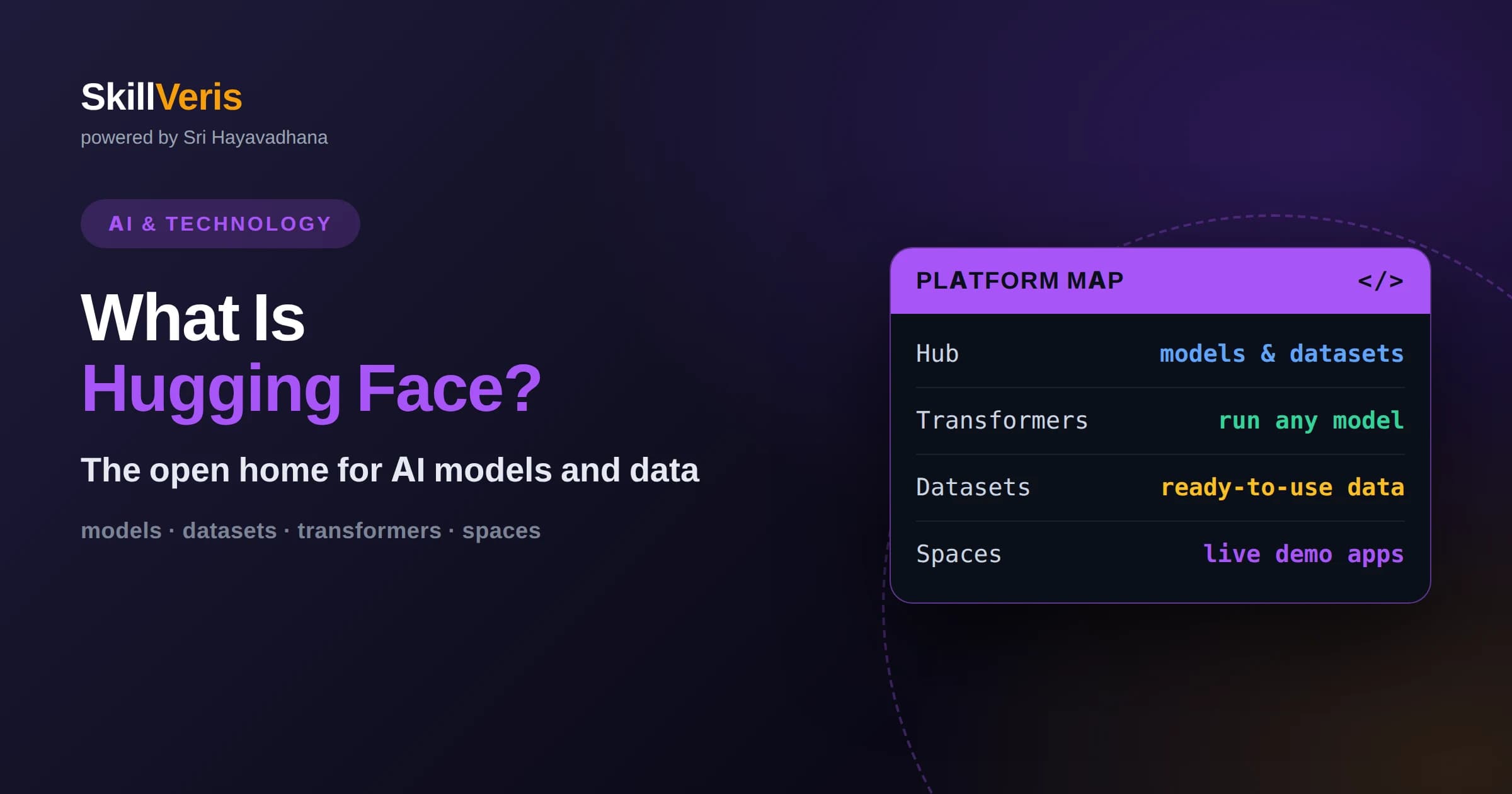
Hugging Face is a platform and community that hosts pretrained models, datasets, and demo apps so you can build AI features without training from scratch.
In this guide, you'll learn:
- The Hub, Transformers, Datasets, and Spaces are the four building blocks most beginners use first.
- You can run a working model in a handful of lines of Python using the pipeline helper.
- Understanding model cards, licenses, and inference options helps you choose responsibly and avoid surprises in production.
1What Is Hugging Face?
Hugging Face is an open platform and community for machine learning, best known for hosting hundreds of thousands of pretrained AI models, datasets, and interactive demos that anyone can download and use. Instead of building a model from nothing, you search the platform for one that already solves your problem, load it in a few lines of code, and adapt it to your needs. That single shift, from training everything yourself to reusing shared work, is why so many developers start their AI journey here.
The company behind the platform also maintains widely used open-source libraries, most notably Transformers, which gives a consistent interface to thousands of models across text, images, audio, and more. Because these tools are free and the community contributes constantly, Hugging Face has become a common meeting point for researchers publishing new work and developers who want to put that work into real applications.
Think of it as a combination of a code-sharing site, a model marketplace, and a set of programming tools. You get discovery, distribution, and the software glue to actually run what you find, all in one place.
In everyday terms, if you want your application to understand language, recognize images, or process speech, Hugging Face is often the first place you look, because someone has likely already published a model that does most of the work and documented how to use it.
2Why Hugging Face Matters
Training a capable model from scratch requires large datasets, significant computing power, and deep expertise. For most teams that is neither practical nor necessary. Hugging Face lowers the barrier by making high-quality pretrained models available for immediate use, so a small team or a solo learner can add speech recognition, translation, or text classification to a project in an afternoon.
The platform also standardizes how models are packaged and described. When every model follows similar conventions for loading, inputs, and outputs, switching between them becomes low-friction experimentation rather than a rewrite. This consistency is a quiet but powerful productivity gain.
Finally, the open community aspect means you learn in public. You can read how others solved similar problems, fork their demos, and see real usage examples, which shortens the distance between curiosity and a working prototype.
3The Hub: Where Models And Datasets Live
The Hub is the central repository where models, datasets, and demo applications are stored and versioned, much like a code hosting service but built for machine learning artifacts. Each item lives at its own address and carries a history, so you can track changes and pin to a specific version for reproducibility.
You browse the Hub by task, such as text generation, image classification, or automatic speech recognition, and by other filters like language or library. This task-first organization helps beginners because you can start from what you want to accomplish rather than from a model name you have never heard of.
Every serious model on the Hub should include a model card, a document that explains what the model does, how it was trained, its intended uses, and its known limitations. Reading the card before you commit to a model is one of the most valuable habits you can build.
Versioning is more than a convenience. When you pin your application to a specific model version, you protect yourself from surprise changes, and you can reproduce results months later, which is essential for debugging and for meeting quality or compliance requirements.
4The Transformers Library
Transformers is the flagship open-source library that lets you load and run models from the Hub with a consistent Python interface. It hides the differences between model architectures behind shared classes, so the code you write to load one text model looks almost identical to the code for another.
The library supports popular deep learning backends, so you can work in the framework you already know. It also handles the unglamorous but essential steps around a model, such as turning raw text into the numeric tokens a model expects and turning the numeric outputs back into human-readable results.
For beginners, the most important idea is that Transformers removes boilerplate. You focus on choosing a model and shaping your inputs, and the library takes care of the plumbing that would otherwise take days to learn.
This consistency compounds over a career. Once you learn the core pattern of loading a tokenizer and a model and running inference, that knowledge transfers to thousands of models, so your investment in learning the library keeps paying off long after your first project.
5Your First Model With Pipeline
The fastest way to see results is the pipeline helper, a high-level function that wraps model loading, input preparation, and output formatting into a single call. You tell it a task like sentiment analysis, it downloads a sensible default model, and you immediately get predictions from plain text.
This approach is ideal for exploration and prototypes. You can swap the task name to try translation, summarization, or question answering, and you can point the same helper at a specific model when the default is not right for you. In practice, many production features begin life as a few lines of pipeline code that a developer then refines.
Once you are comfortable, you can drop below the pipeline to load a tokenizer and model directly. That lower level gives you full control over batching, device placement, and custom post-processing, which you will want as your needs grow.
6Working With Datasets
The Datasets library and the datasets section of the Hub give you access to a large collection of ready-to-use data for training and evaluation. Loading a dataset is often a single function call, and the library streams large collections efficiently so you do not have to fit everything in memory at once.
Good data handling is half of any machine learning task. Having curated, documented datasets available means you can evaluate a model fairly, fine-tune it on relevant examples, or benchmark two candidates against the same test set without assembling data by hand.
As with models, datasets carry cards describing their contents, sources, and licenses. Always check that a dataset's license permits your intended use, especially for commercial projects.
7Spaces: Live Demos And Apps
Spaces let you host small interactive machine learning applications directly on the platform, so you can show a working demo through a web page rather than asking someone to run your code. Many are built with lightweight app frameworks that turn a Python script into a shareable interface.
For learners, Spaces are a gift twice over. You can try other people's demos to understand what a model actually does, and you can publish your own to build a portfolio that shows real, clickable results. A link to a live demo communicates far more than a screenshot.
Because Spaces run in the cloud, they are also a gentle introduction to deployment concepts like environment configuration and resource limits, without the full complexity of managing servers yourself.
8Running Models: Local Or Hosted
You can run Hugging Face models in two broad ways: download them and run locally on your own hardware, or call a hosted inference service that runs the model for you over the network. Each choice trades control against convenience, and the right answer depends on your project.
Running locally keeps your data on your machine and avoids per-request costs, which matters for privacy-sensitive work and high-volume batch jobs. It does require enough memory and, for larger models, a capable graphics processor, so hardware becomes a real consideration.
Hosted inference removes the hardware burden and scales on demand, which is attractive for early prototypes and spiky workloads. The tradeoff is ongoing usage cost and sending data to a third party, so weigh both factors against your requirements.
Many teams evolve across this spectrum. They start with hosted inference to validate an idea quickly, then move popular or sensitive workloads to local hardware once volume grows and the economics or privacy needs justify the operational effort of self-hosting.
9Fine-Tuning And Customization
Fine-tuning means taking a pretrained model and training it a little further on your own examples so it performs better on your specific task or domain. Because the model already understands general patterns, you usually need far less data and compute than training from scratch.
Hugging Face provides training utilities that manage the loop of feeding data, computing loss, and updating weights, so you can concentrate on preparing quality examples. Techniques that update only a small portion of a model's parameters have made fine-tuning accessible even on modest hardware.
Fine-tuning is not always necessary. For many tasks a well-chosen pretrained model or a carefully written prompt is enough. Reach for fine-tuning when general models consistently miss the nuances of your domain.
Before committing to fine-tuning, it is worth measuring how far a strong pretrained model gets you out of the box, because that baseline tells you whether the extra effort is justified and gives you a clear target to beat once you do fine-tune.
10Licenses, Safety, And Responsibility
Not every model or dataset on the Hub can be used freely for any purpose. Licenses range from permissive open terms to restrictions on commercial use or specific applications, and using an asset outside its license can create legal and ethical problems. Read the license on the model card before you build on top of it.
Pretrained models can also reflect biases present in their training data and can produce incorrect or unsafe outputs. Treat model outputs as suggestions to be validated, not as ground truth, especially in domains where mistakes have real consequences.
Responsible use means testing on your own data, being transparent with users about AI involvement, and adding safeguards where the stakes are high. The platform gives you the tools, but the judgment about appropriate use remains yours.
11When To Reach For Hugging Face
Hugging Face shines when you want to add an established capability such as classification, translation, transcription, or summarization to an application without reinventing it. The breadth of the Hub means a suitable starting model usually already exists.
It is also excellent for learning. Because you can run real models quickly and read how others use them, the platform turns abstract machine learning concepts into concrete, hands-on experience faster than reading theory alone.
If your problem is genuinely novel, you may still need custom research and training, but even then Hugging Face is often the place you publish and share your results with the wider community.
A useful rule of thumb is to search the Hub before writing any custom machine learning code. More often than not you will find a model, a dataset, or a demo that gives you a running start, turning what looked like weeks of work into an afternoon of adaptation.
12Community And Open Source
A large part of what makes Hugging Face valuable is not the code but the community around it. Researchers publish new models the day their work appears, practitioners share fine-tuned variants for niche tasks, and educators post demos that teach concepts through interaction. This constant flow means the platform stays current with the fast-moving field.
Openness also builds trust. Because models, training details, and code are shared in the open, you can inspect how something was built rather than accepting a black box. For learners this transparency is a gift, because you can trace an idea from a research description all the way to running code.
Contributing back, even in small ways such as improving a model card or sharing a demo, is a low-risk way to participate in the field and to build a visible track record that others can find.
13Common Beginner Mistakes
The most common early mistake is reaching for the largest, most famous model when a smaller, task-specific one would be faster, cheaper, and just as accurate. Start from your task and let it guide the choice rather than chasing names.
Another frequent misstep is skipping the model card. Ignoring intended use, limitations, and license leads to surprises later, from poor accuracy on your data to legal problems in a commercial product. Two minutes of reading saves hours of trouble.
Finally, beginners often forget that a downloaded model can be large and that hardware matters. Checking memory requirements before you commit to a model prevents the frustration of a project that will not run on the machine you have.
14Start Building On SkillVeris
The best way to understand Hugging Face is to load a model and watch it work. Pick a small task you care about, such as classifying a few sentences or transcribing a short clip, and get an end-to-end result before worrying about optimization.
On SkillVeris you can follow structured, hands-on lessons that walk you from your first pipeline call to fine-tuning and deployment, with exercises that reinforce each idea as you go. Learning by building, one small working step at a time, is how the concepts truly stick.
Begin with a single model, read its card, run a prediction, and then ask what you would change to make it fit your project. That loop of try, read, and refine will carry you a long way.
Related Reading
Get The Print Version
Download a PDF of this article for offline reading.
About the Publisher
SkillVeris Team
AI Research Team
Our AI team covers the latest in machine learning, generative AI, and emerging tech — clearly and accurately.
View all postsRelated Posts




Never miss an update
Get the latest tutorials and guides delivered to your inbox.
No spam. Unsubscribe anytime.