Vibe Coding: How to Build Faster with AI Without Losing Control
SkillVeris Team
AI Research Team

AI coding tools make you faster, not smarter; you still need to understand what the code does.
In this guide, you'll learn:
- The safe workflow is to generate a starting point, read every line, test it, and iterate.
- Tools range from inline autocomplete like Copilot to full agentic systems like Claude Code.
- AI consistently helps with boilerplate, debugging, documentation, and test generation.
- It falls short on business logic, security, performance at scale, and genuinely novel problems.
1What Is Vibe Coding?
'Vibe coding' entered the tech lexicon in early 2025 to describe a mode of development where the programmer describes what they want in natural language, an AI generates the code, and the programmer iterates on the output without necessarily reading every line carefully. The name captures both the appeal of a fast, flow-state-like experience and the risk of shipping code you don't fully understand.
In 2026, AI coding assistance ranges from inline autocomplete to full agentic systems that can read your codebase, write tests, fix failing CI, and open pull requests autonomously. The speed gains are real, and so are the risks of over-reliance.
2The Current Tool Landscape
The AI coding market in 2026 spans inline completers, AI-first editors, and CLI agents, each with a different interaction model and strength. Tool capabilities evolve rapidly, so check current features and pricing before committing to a subscription.
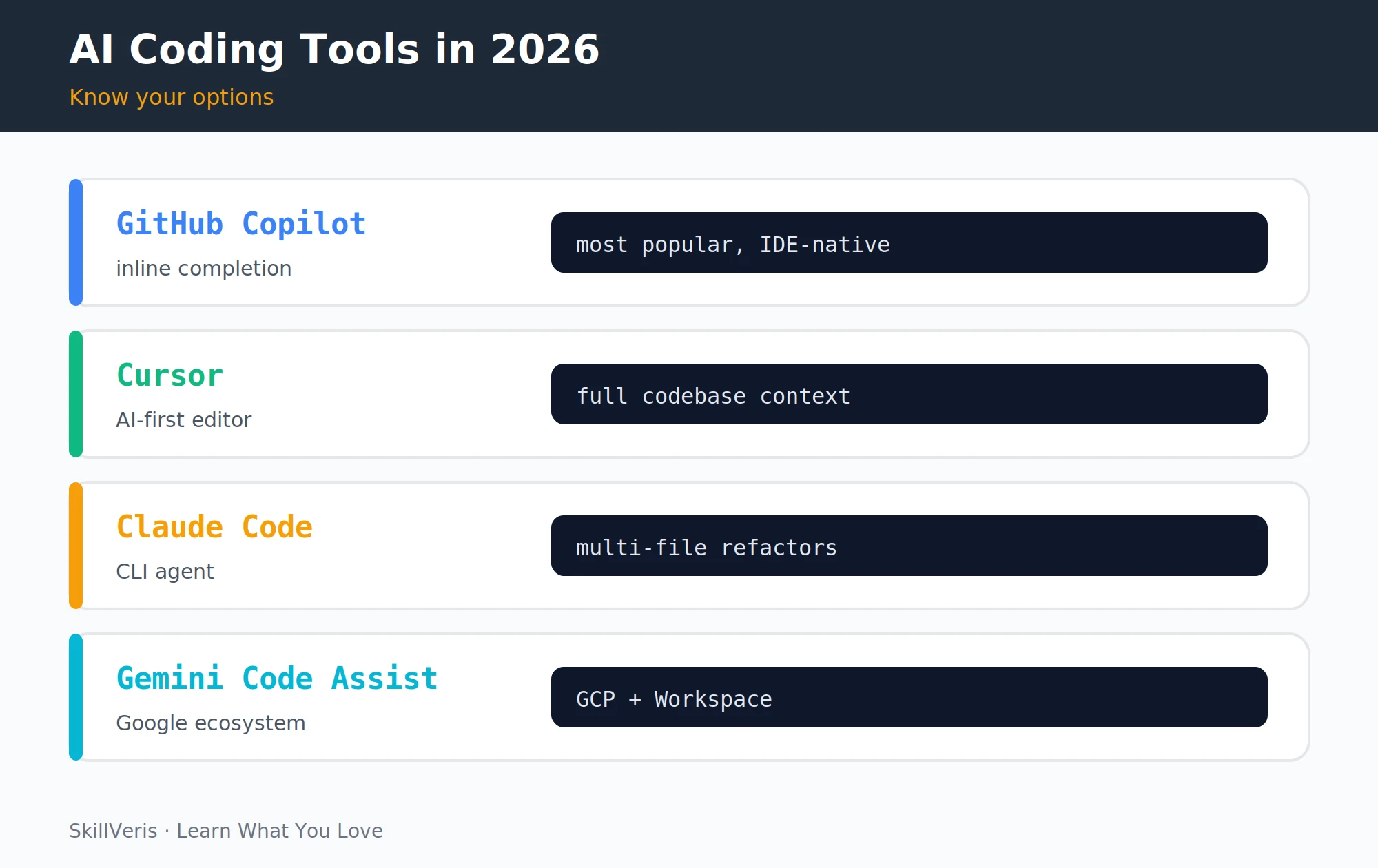
- GitHub Copilot · Inline completion + chat · Universal IDE integration and the largest user base.
- Cursor · AI-first editor (a VS Code fork) · Full codebase context and multi-file edits.
- Claude Code · CLI agent · Complex refactors and understanding of large codebases.
- Gemini Code Assist · IDE plugin + chat · Google Cloud integration and a 1M token context.
- Tabnine · Inline completion · On-premise, privacy-first for enterprises.
- Codeium · Inline completion + chat · Free tier, fast, with broad IDE support.
3Where AI Assistance Actually Helps
An honest assessment of where AI coding tools deliver consistent value in 2026 points to a handful of well-defined tasks. They are fast and accurate on patterns that recur across many codebases.
These are the areas where reaching for AI reliably saves time without introducing much risk.
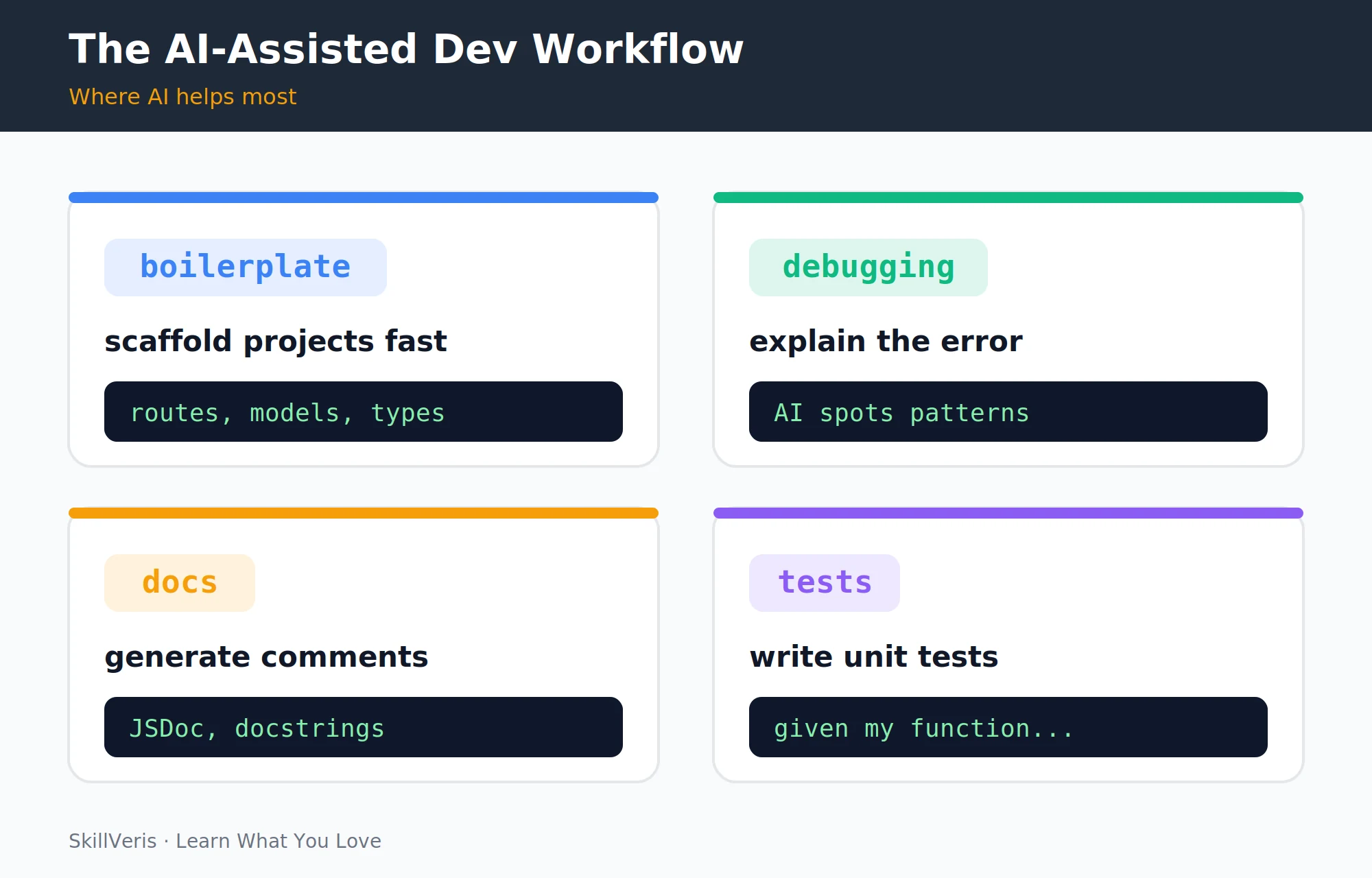
- Boilerplate and scaffolding: generate a FastAPI route, a React component skeleton, a Terraform module, or a database migration.
- Debugging assistance: paste an error and stack trace, and AI explains the cause and suggests a fix, especially for unfamiliar libraries.
- Documentation: generate JSDoc comments, Python docstrings, and README sections from existing code.
- Test generation: given a function, produce unit tests covering the happy path, edge cases, and error conditions.
- Exploring unfamiliar APIs: ask how to use a new library and skip the documentation hunt.
4Where It Falls Short
AI tools have predictable blind spots. They don't know your domain rules or data model history, and they can introduce common security vulnerabilities while producing plausible-looking but subtly wrong logic.
Performance and novelty are also weak points: solutions that work at small scale may hide O(n²) algorithms or N+1 queries, and output quality drops for genuinely new architectures with no prior art in training data.
- Business logic: AI doesn't know your domain rules, data model history, or company edge cases.
- Security: AI frequently introduces SQL injection, hardcoded credentials, missing authentication, and insecure deserialization.
- Performance at scale: O(n²) algorithms and N+1 query patterns may only surface under load.
- Novelty: for unusual requirements or problems with no obvious prior art, output quality drops significantly.
⚠️Watch Out
AI-generated code passes the tests you write for it, because you write tests based on your understanding of what the code does, which may match the AI's (incorrect) implementation. Specifying tests independently, writing them before looking at the AI code, catches far more bugs.
5The Safe Workflow
A disciplined workflow captures AI's speed without sacrificing code quality. The core idea is that you remain the author: if you can't explain a line, you don't own the code.
Testing from the specification rather than the implementation is what keeps the AI honest.
- Specify precisely: write a detailed comment or docstring describing inputs, outputs, edge cases, and what the function should NOT do.
- Generate: let the AI produce a first draft.
- Read every line: not skim, but read, understanding what each line does.
- Test independently: write tests from the specification, not from the implementation.
- Identify and fix issues: ask the AI to explain anything suspicious and refine iteratively.
- Review in context: check concurrency, error propagation, and resource cleanup against the rest of the system.
6Writing Better Prompts for Code
Code prompts follow the same principles as general prompt engineering, with a few extras specific to programming. Specify the language and version, name the libraries, and state hard constraints up front.
Including your existing type definitions or database schema as context, and asking for inline explanations, dramatically improves the result.
- Specify the language and version: 'Python 3.12', 'TypeScript 5.4', 'Node.js 22'.
- Name the libraries: 'Use FastAPI and SQLAlchemy', not just 'make an API'.
- State constraints: 'No external HTTP calls', 'must be idempotent', 'O(n log n) or better'.
- Include context: paste your existing type definitions, interfaces, or database schema.
- Ask for explanations: request inline comments explaining each non-obvious step.
Good code prompt example
A precise prompt that constrains behaviour and output format.
Write a Python 3.12 function using SQLAlchemy 2.0 that:
- Takes a list of user_ids (list[int])
- Returns a dict mapping each user_id to their total order value
- Uses a single SQL query (not N+1)
- Returns 0.0 for user_ids not found in the database
- Include type hints and a docstring with Args/Returns/Raises7Using AI for Debugging
AI debugging assistance is most effective when you provide maximum context: the exact error, the relevant code, and the conditions under which the bug occurs versus when it doesn't.
The more precisely you describe the failure, the more useful the diagnosis. Vague 'why doesn't this work?' prompts produce vague answers.
Effective debugging prompt
Give the error, the code, and the conditions that trigger it.
I'm getting this error in Python 3.12 with FastAPI:
AttributeError: 'NoneType' object has no attribute 'id'
File 'app/routes/users.py', line 47, in get_user_profile
  return UserResponse(id=user.id, name=user.name)
Here is the relevant code: [paste code]
Here is how user is fetched: [paste the query]
The error only occurs when the user_id comes from a JWT token, not from direct input.
What is likely causing this and how do I fix it?8AI-Generated Tests
Asking AI to write tests for existing code is one of the highest-value use cases, as long as you enumerate the scenarios you want covered. AI-generated tests are a starting point, not a final product.
Review them to ensure they test the right behaviour rather than just the existing implementation, and add tests for business rules the AI can't infer from the code alone.
Prompting for thorough tests
Spell out the cases the test suite must cover.
Write pytest unit tests for this function. Cover:
1. Happy path with valid input
2. Empty list input
3. Input with duplicate user_ids
4. Input with user_ids not in the database
5. Database connection error (mock the session)
Use pytest fixtures and mock where appropriate.9Code Review: What to Check
Before merging AI-generated code, run it through a deliberate mental checklist. The goal is to catch the categories of mistake that AI is most prone to making.
Above all, confirm the code implements your actual requirements, not a plausible interpretation of them.
- Security: any user input reaching SQL, shell commands, or file paths without sanitisation, hardcoded credentials, or missing auth on sensitive routes?
- Error handling: what happens if the external call fails, the database is empty, or input is None?
- Resource cleanup: are file handles, connections, and sockets closed in finally blocks or context managers?
- Edge cases: empty collections, zero values, very large inputs, Unicode in text fields?
- Performance: any obvious N+1 queries, unnecessary loops over large datasets, or blocking I/O in an async context?
- Business logic accuracy: does the code implement your actual requirements, not a plausible interpretation?
10When NOT to Use AI Generation
Some categories of code should not be generated, either because the risk is too high or because generating them undermines your own learning. For security-critical work, lean on battle-tested libraries rather than generated implementations.
When the specification is unclear, clarify the requirements first; an ambiguous spec produces confidently wrong code.
- Security-critical code: authentication flows, cryptography, and payment processing.
- When you're learning a concept: generating code you can't yet understand means you can't debug it when it breaks.
- Compliance-sensitive code: medical devices, financial calculations, and legal document processing need human expert verification.
- When the spec is unclear: clarify the requirements before generating anything.
11Building Your Own Judgement
The developers who use AI tools most effectively in 2026 share one trait: they understand the code deeply enough to spot when AI goes wrong. That understanding comes from doing things the hard way first.
AI accelerates developers who already have good instincts, and it amplifies errors in developers who don't. The investment in fundamentals pays back in every AI-assisted project that follows.
- Learn to write SQL queries before using AI to generate them.
- Understand async/await before having AI write async code.
- Know what a SQL injection is before using AI-generated queries in production.
12Key Takeaways
Used with discipline, AI tools are a genuine accelerator, but they are no substitute for understanding the code you ship.
- AI coding tools genuinely accelerate boilerplate, debugging, documentation, and test generation.
- They consistently underperform on security, business logic, novel problems, and performance at scale.
- The safe workflow: specify precisely, generate, read every line, test independently, then review for security and edge cases.
- Never ship AI-generated code you can't explain, because if it breaks in production, you need to fix it.
13What to Learn Next
Sharpen the skills that make AI-assisted development safe and productive.
- Prompt Engineering Guide: write better code prompts.
- Cybersecurity for Beginners: learn the vulnerabilities to spot in AI code.
- Git and GitHub: keep AI-generated changes in separate commits for easy rollback.
14Frequently Asked Questions
Will AI replace software developers? In 2026, AI tools replace specific tasks such as boilerplate, documentation, and simple CRUD endpoints, but not the role. Software development still requires understanding user needs, making architectural decisions, debugging complex systems, ensuring security, and communicating with stakeholders. Productivity is rising and headcount is being redistributed, not eliminated.
Is it ethical to use AI-generated code? Using AI coding tools is professionally accepted and widespread in 2026, and the ethical obligations are the same as for any code you ship: it must be correct, secure, and maintainable. Submitting AI code as your own in an academic context where that's prohibited is the violation, not the tool use itself.
Which AI coding tool should beginners start with? GitHub Copilot for inline assistance, since it integrates into VS Code, which most beginners already use. Add a conversational tool such as Claude.ai or ChatGPT for larger code generation and debugging, and explore Cursor once you're comfortable reading and reviewing generated code.
Does AI-generated code have copyright issues? This is legally unsettled in most jurisdictions as of 2026, and Copilot's training on public repositories has been challenged in court. Practically, avoid reproducing recognisable patterns from specific codebases and check your employer's policy; generating utility functions and boilerplate is lower risk than replicating complex proprietary algorithms.
Related Reading
Get The Print Version
Download a PDF of this article for offline reading.
About the Publisher
SkillVeris Team
AI Research Team
Our AI team covers the latest in machine learning, generative AI, and emerging tech — clearly and accurately.
View all postsRelated Posts




Never miss an update
Get the latest tutorials and guides delivered to your inbox.
No spam. Unsubscribe anytime.