Vector Databases Explained: The Memory Layer Powering AI Apps
SkillVeris Team
AI Research Team
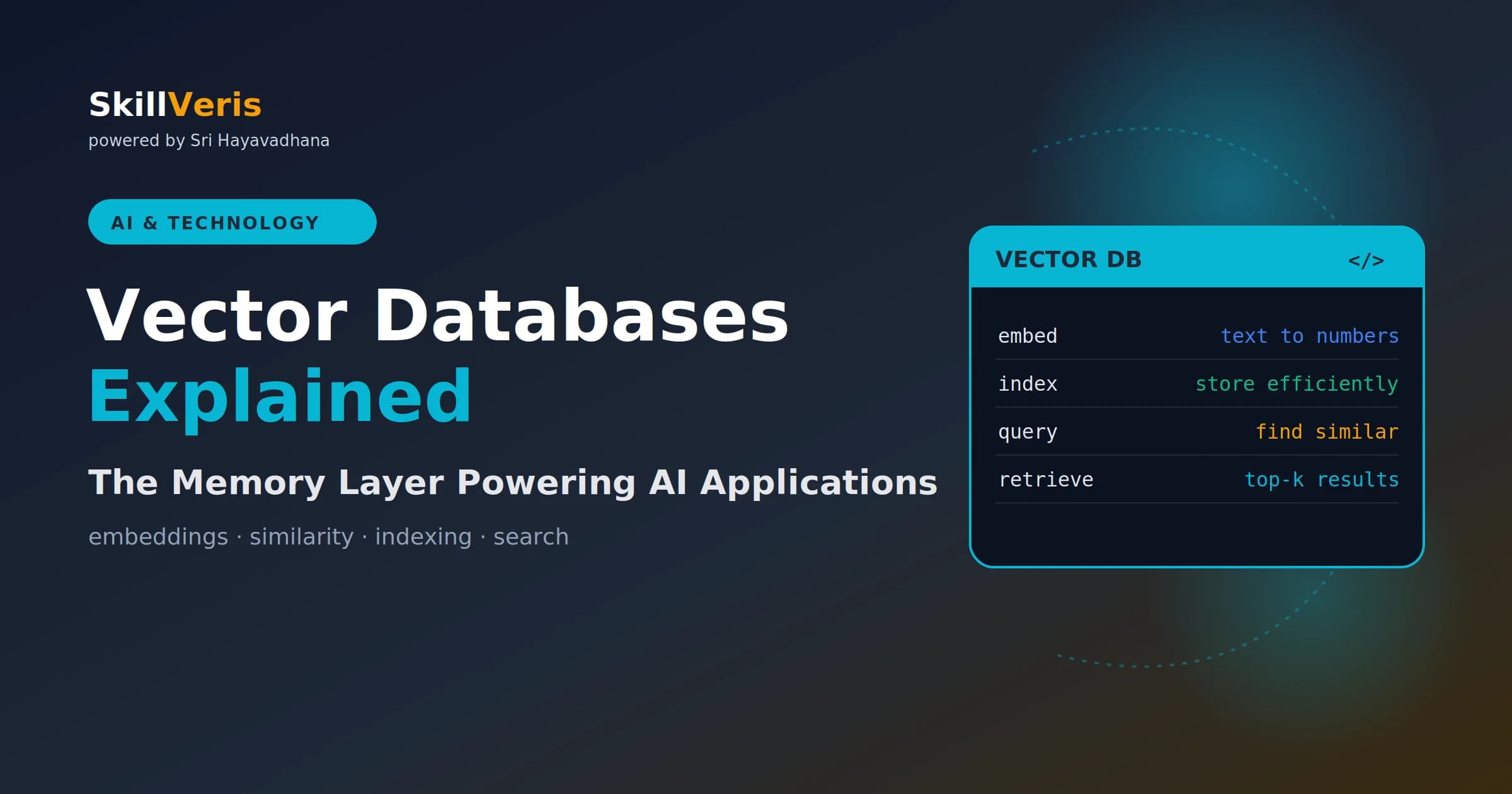
A vector database stores data as embeddings and retrieves results by semantic similarity rather than exact keyword match.
In this guide, you'll learn:
- Vector databases are the storage layer that makes RAG, semantic search, and recommendation systems work.
- Similarity search embeds your query into the same space and returns the nearest stored vectors via Approximate Nearest Neighbour search.
- HNSW indexing makes ANN search fast enough for production at millisecond latency.
- Choose pgvector for existing Postgres stacks, Chroma for quick Python prototypes, and Pinecone for managed production scale.
1What Is a Vector Database?
A vector database stores data as vectors — lists of numbers that represent the semantic meaning of text, images, audio, or any other data type. When you query a vector database, instead of looking for exact keyword matches, it finds the stored vectors that are most similar to your query vector.
This is what makes AI-powered search feel intelligent: "show me articles about machine learning" returns results about neural networks and deep learning even if those exact words aren't in the query — because their embeddings are geometrically close to the query embedding in vector space.
2Vector vs Traditional Databases
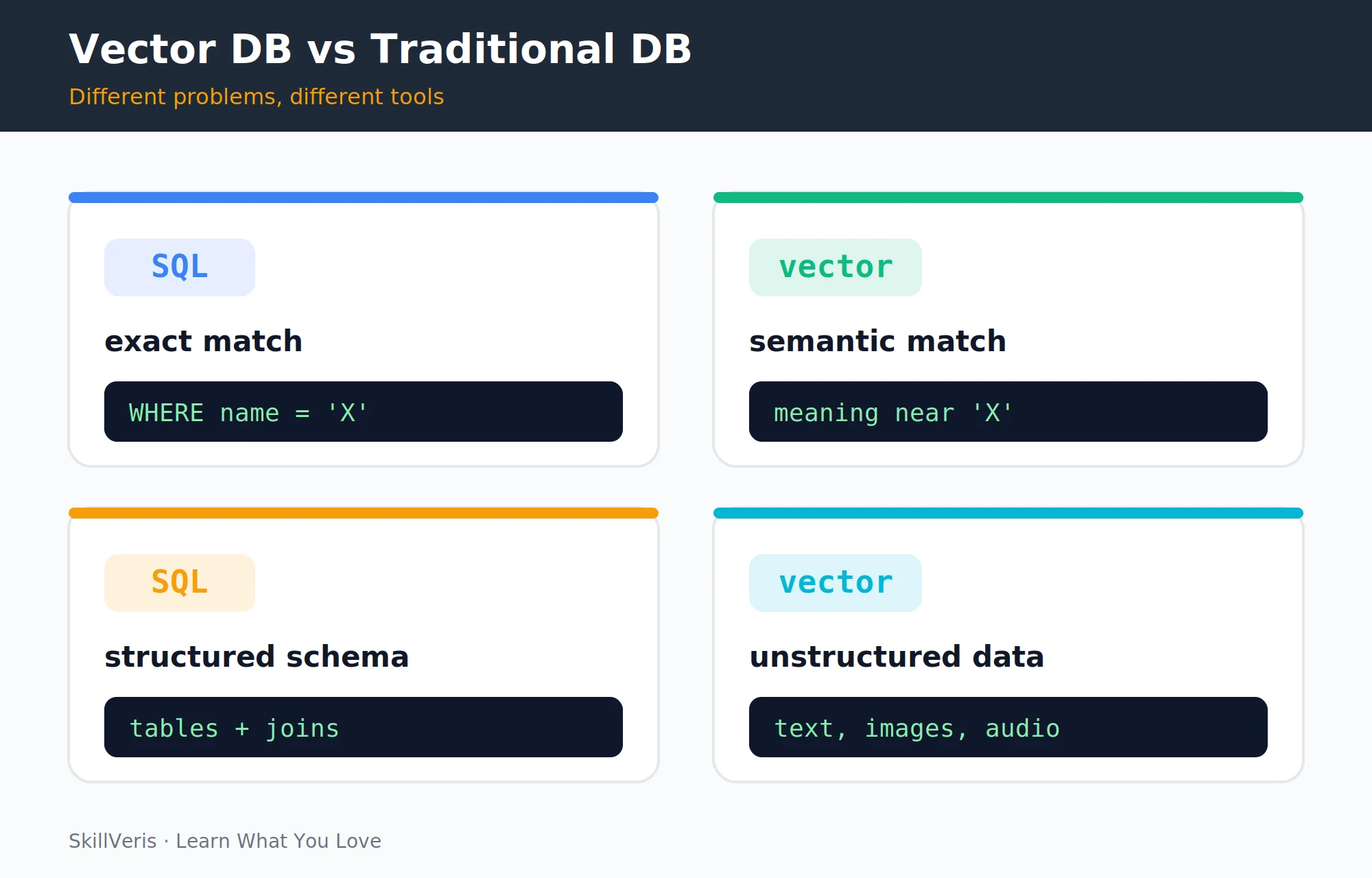
Traditional databases excel at exact matches; vector databases excel at semantic similarity. The two approaches differ on almost every axis — query type, the shape of the data they store, and what a search actually returns.
They complement each other: a production system often uses both — PostgreSQL for transactional data and user records, and a vector database for semantic search over content.
- Query type · Traditional (SQL): exact match, range, join · Vector DB: semantic similarity
- Data stored · Traditional (SQL): structured rows + columns · Vector DB: dense vectors (float arrays)
- Search returns · Traditional (SQL): exact results · Vector DB: top-k nearest neighbours
- Best for · Traditional (SQL): transactions, reports · Vector DB: search, recommendations, RAG
- Query language · Traditional (SQL): SQL · Vector DB: vector + optional filter
3How Similarity Search Works
Every piece of content — a document, product, or image — is converted to a vector by an embedding model. A 1,536-dimension vector from OpenAI's text-embedding-3-small, for example, is a list of 1,536 floating-point numbers where similar meanings produce vectors that are geometrically close and dissimilar meanings produce vectors that are geometrically distant.
When you query, your search string is embedded into the same vector space. The database finds the stored vectors with the smallest distance (or highest similarity score) to your query vector and returns those documents. This is called Approximate Nearest Neighbour (ANN) search.
4The Index: Making Search Fast
Brute-force comparison of a query vector against every stored vector is O(n) — far too slow at millions of vectors. Vector databases use approximate indexing algorithms that trade a small accuracy loss for massive speed gains.
For most applications, HNSW is the right default. You configure it by specifying the number of connections per node (M) and the build-time search depth (ef_construction); the defaults work well for most cases.
- HNSW (Hierarchical Navigable Small World): builds a layered graph of similar vectors. The default in most databases. Excellent recall at millisecond latency.
- IVF (Inverted File Index): clusters vectors into buckets and searches only the nearest buckets at query time. More memory-efficient for very large datasets.
- FAISS flat index: exact brute force. Only practical for datasets under ~1M vectors; used in prototyping.
5Key Concepts: Distance Metrics
"Similarity" can be measured between two vectors in several ways, and the right metric depends on the kind of data you're embedding.
For text search with OpenAI or Sentence Transformers embeddings, cosine similarity is the standard choice. The embedding model documentation usually specifies which metric it was trained with.
- Cosine similarity · angle between vectors (0–1) · best for text embeddings (most common)
- Euclidean distance (L2) · straight-line distance · best for image embeddings, spatial data
- Dot product · cosine × magnitude · use when magnitude matters (relevance scoring)
💡Pro Tip
Normalise your vectors to unit length before storing if you want cosine similarity. Most embedding models output normalised vectors already — but after any transformation (PCA, dimensionality reduction), renormalise to preserve cosine similarity behaviour.
6Choosing a Vector Database
Four (and more) vector databases, each fitting a different scenario — from local prototypes to billion-scale on-premise deployments. The right pick depends on your existing stack, your scale, and how much operational overhead you want to take on.
Most teams should start with the simplest option that fits their environment and only graduate to managed scale once the use case proves out.
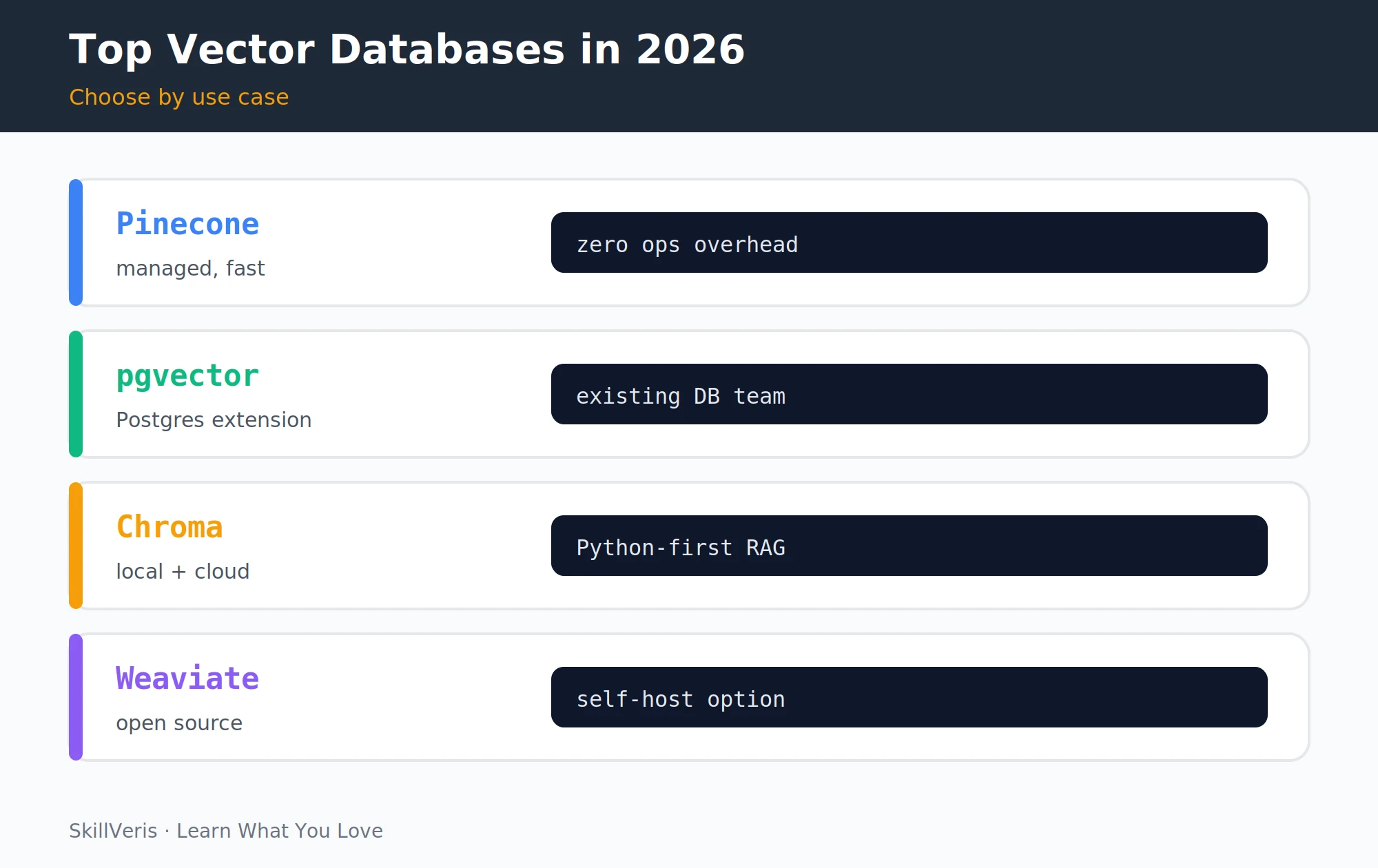
- Chroma · open source, local/cloud · best for RAG prototypes, Python projects · free tier: local free
- pgvector · PostgreSQL extension · best for teams already using Postgres · free tier: yes (self-host)
- Pinecone · managed cloud · best for production with no ops overhead · free tier: starter tier
- Weaviate · open source / cloud · best for self-hosted enterprise, multimodal · free tier: cloud free tier
- Qdrant · open source / cloud · best for Rust performance, filtering · free tier: cloud free tier
- Milvus · open source · best for billion-scale, on-premise · free tier: yes (self-host)
7Getting Started with Chroma
Chroma is the fastest path from zero to working semantic search. You spin up a client, create a collection, embed a few documents with a Sentence Transformers model, and query — all in a handful of lines.
The query in the example asks "How do I learn to code?" and correctly returns the Python and React documents over the unrelated cricket article, demonstrating semantic matching in action.
Chroma example
# pip install chromadb sentence-transformers
import chromadb
from sentence_transformers import SentenceTransformer
client = chromadb.Client() # in-memory; use PersistentClient for disk
collection = client.create_collection("articles")
model = SentenceTransformer("all-MiniLM-L6-v2")
# Add documents
docs = [
"Python is a beginner-friendly programming language",
"Cricket is the most popular sport in India",
"Machine learning uses algorithms to find patterns in data",
"React is a JavaScript library for building user interfaces",
]
embeddings = model.encode(docs).tolist()
collection.add(
documents=docs,
embeddings=embeddings,
ids=[f"doc_{i}" for i in range(len(docs))]
)
# Query
query = "How do I learn to code?"
q_emb = model.encode([query]).tolist()
results = collection.query(query_embeddings=q_emb, n_results=2)
print(results["documents"])
# Returns: ["Python is a beginner-friendly programming language",
# "React is a JavaScript library..."] — not the cricket article8Using pgvector with PostgreSQL
If your stack already uses PostgreSQL, pgvector adds vector storage and search without introducing a new service. You enable the extension, add a vector column, build an HNSW index, and query with a distance operator.
In Python, use psycopg2 or asyncpg with SQLAlchemy. The <=> operator computes cosine distance; <-> computes L2 distance.
pgvector SQL
-- Enable the extension
CREATE EXTENSION vector;
-- Create a table with a vector column
CREATE TABLE articles (
id SERIAL PRIMARY KEY,
title TEXT,
content TEXT,
embedding vector(384) -- 384 dims for all-MiniLM-L6-v2
);
-- Create an HNSW index for fast ANN search
CREATE INDEX ON articles USING hnsw (embedding vector_cosine_ops);
-- Semantic search: find 5 most similar articles
SELECT title, 1 - (embedding <=> '[0.1,0.2,...]'::vector) AS similarity
FROM articles
ORDER BY embedding <=> '[0.1,0.2,...]'::vector
LIMIT 5;9Pinecone: Managed at Scale
Pinecone is a fully managed, serverless vector database — you create an index, upsert vectors with metadata, and query without running any infrastructure yourself.
Queries can combine vector similarity with metadata filters and request the stored metadata back alongside the matches.
Pinecone example
# pip install pinecone
from pinecone import Pinecone, ServerlessSpec
pc = Pinecone(api_key="YOUR_API_KEY")
index = pc.create_index(
name="skillveris-articles",
dimension=384,
metric="cosine",
spec=ServerlessSpec(cloud="aws", region="us-east-1")
)
idx = pc.Index("skillveris-articles")
# Upsert vectors with metadata
idx.upsert(vectors=[
{"id": "art_1", "values": embedding.tolist(),
"metadata": {"title": "Learn Python", "category": "Programming"}}
])
# Query with metadata filter
results = idx.query(
vector=query_embedding.tolist(), top_k=5,
filter={"category": {"$eq": "Programming"}},
include_metadata=True
)10Metadata Filtering
Pure vector search returns the semantically closest results regardless of other attributes. Metadata filtering combines vector similarity with structured filters — essential for real applications.
All major vector databases support metadata filtering. The filter is applied either pre-search (reducing the candidate set before ANN search) or post-search (filtering results after retrieval). Pre-filtering is more precise; post-filtering is faster for small filter sets.
- "Find articles about Python published after 2025" — vector search + date filter.
- "Find similar products in stock under ₹500" — vector search + availability + price filter.
- "Find relevant support tickets for this customer" — vector search + customer_id filter.
11Vector DBs in Production
Real deployments surface a handful of lessons that go beyond getting a query to return results. These touch consistency, model upgrades, chunking, monitoring, and cost.
Plan for them up front — especially embedding consistency and re-indexing — and your retrieval quality will stay reliable as your content and models evolve.
- Embedding consistency: always use the same embedding model for both indexing and querying. Mixing models produces nonsensical similarity scores.
- Re-embedding on model change: when you upgrade embedding models, you must re-embed and re-index all content. Plan for this with versioned index names.
- Chunking strategy affects retrieval: the way you chunk documents at index time directly affects which chunks get retrieved. Test retrieval quality with real queries before deploying.
- Monitoring: track retrieval quality over time — did the top result actually answer the query? Relevance degrades as content drifts from the distribution the embedding model handles well.
- Cost: managed services charge per vector stored plus queries. For 1M vectors, expect ~$70–150/month on managed services vs ~$10–30/month self-hosted on a small VM.
12Key Takeaways
The essentials to remember before you build your first vector-powered feature.
- Vector databases store embeddings and retrieve by semantic similarity — not keyword match.
- HNSW indexing makes ANN search fast enough for production at millisecond latency.
- Choose Chroma for local prototypes, pgvector for existing Postgres stacks, and Pinecone for managed production scale.
- Always use the same embedding model for indexing and querying; plan for re-indexing when you upgrade models.
13What to Learn Next
Put vector databases to work in the use cases that depend on them.
- RAG Explained — the primary use case for vector databases.
- AI Agents Explained — agents use vector DBs as long-term memory.
- Multimodal AI — extend your vector store to images with CLIP embeddings.
14Frequently Asked Questions
Can I use a vector database without machine learning knowledge? Yes. Using a vector database is software engineering: you call an embedding API, store the vectors, and query them. You don't need to understand the mathematics of the embedding model or the ANN algorithm. The concepts in this guide are sufficient to build production RAG systems.
How many vectors can a vector database handle? Chroma on a single machine handles millions of vectors comfortably. pgvector scales to hundreds of millions with proper indexing on a large Postgres instance. Pinecone and Weaviate Cloud handle billions. For most applications (<10M vectors), any of these options is fine — start with the simplest one.
Is a vector database necessary for RAG, or can I use FAISS? FAISS works for prototyping and single-machine deployments. It lacks built-in metadata filtering, persistence management, multi-tenant isolation, and managed scaling. For production RAG serving multiple users or datasets exceeding a single machine's memory, a proper vector database is worth the added setup.
What is the difference between dense and sparse vectors? Dense vectors (from embedding models) have values in every dimension and capture semantic meaning. Sparse vectors (from BM25 or SPLADE) have mostly zeros and capture keyword presence. Hybrid search combines both: dense for semantic relevance, sparse for exact keyword matching. Most vector databases now support hybrid search as a first-class feature.
Related Reading
Get The Print Version
Download a PDF of this article for offline reading.
About the Publisher
SkillVeris Team
AI Research Team
Our AI team covers the latest in machine learning, generative AI, and emerging tech — clearly and accurately.
View all postsRelated Posts




Never miss an update
Get the latest tutorials and guides delivered to your inbox.
No spam. Unsubscribe anytime.