Speech-to-Text With Whisper: A Practical Guide
SkillVeris Team
AI Research Team
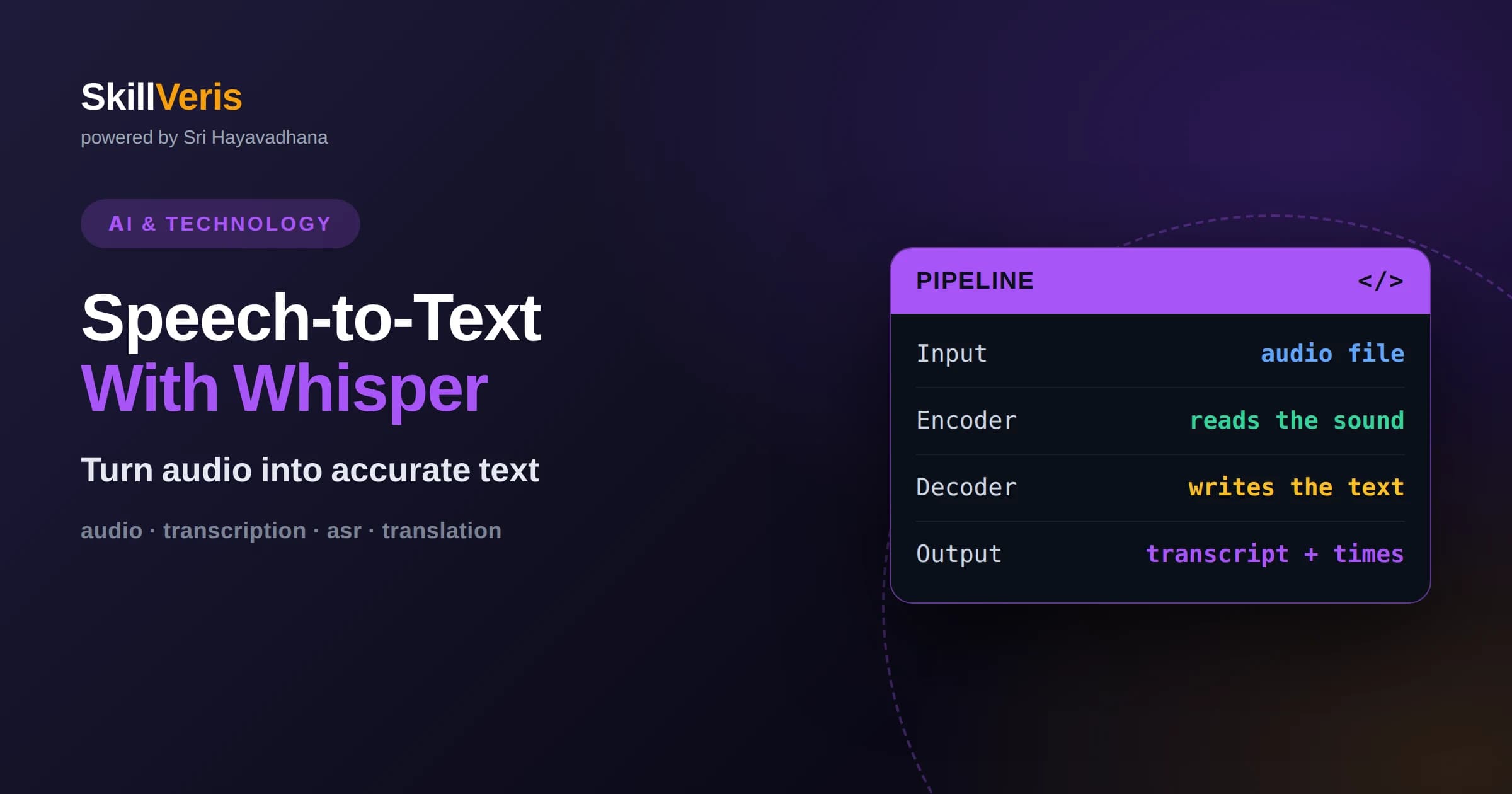
Whisper is an open speech recognition model that converts audio into text and can also translate speech into English.
In this guide, you'll learn:
- It was trained on a large, varied mix of audio, which makes it robust to accents, background noise, and many languages.
- Choosing the right model size and handling long audio in chunks are the two decisions that most affect quality and speed.
- Post-processing, timestamps, and sensible expectations about errors turn a raw transcript into a usable result.
1What Is Whisper?
Whisper is an open automatic speech recognition model that takes an audio recording and produces a written transcript, and it can also translate non-English speech directly into English text. You give it a sound file, it listens, and it returns the words it heard along with optional timing information. That single capability underpins captions, voice notes, meeting summaries, and voice-driven applications.
What sets Whisper apart is how broadly it was trained. Rather than learning from clean studio recordings alone, it learned from a large and diverse collection of real-world audio in many languages. As a result it copes reasonably well with accents, imperfect microphones, and background noise, which are exactly the conditions that trip up simpler systems.
Because the model is openly available, you can run it yourself rather than depending only on a paid service. That freedom to run locally is a major reason developers and learners reach for it.
This combination of accuracy, breadth, and openness is why Whisper appears behind so many everyday tools. When an application offers captions, dictation, or searchable audio, there is a good chance a model in the Whisper family is doing the listening.
2How Whisper Works At A High Level
Whisper follows an encoder-decoder design. The encoder reads the audio, first converting it into a visual-like representation of sound over time, and compresses it into an internal summary of what was said. The decoder then generates text one token at a time, using that summary to predict the most likely next word.
This is the same broad family of architecture that powers modern language models, adapted so that the input is sound instead of text. Because the decoder is essentially a language model, Whisper produces fluent, well-punctuated output rather than a raw string of disconnected words.
You do not need to understand the internals to use it well, but knowing that it predicts text sequentially explains some of its behavior, such as occasionally inventing plausible words when the audio is unclear.
Understanding the sequential nature of the decoder also helps you set expectations. Because it commits to words as it goes, a single misheard sound early in a phrase can occasionally nudge the words that follow, much as a person mishearing the start of a sentence might guess the rest.
3Why Whisper Handles Messy Audio
The strength of Whisper comes largely from the scale and variety of its training data. Exposure to many speakers, recording conditions, and languages taught it to focus on the speech signal and ignore much of the surrounding noise, so it degrades gracefully rather than failing outright on imperfect input.
This robustness is practical rather than magical. Very loud environments, heavy overlapping speech, or extremely low-quality recordings will still cause errors. But for typical recordings such as interviews, lectures, and voice memos, the results are often usable with little cleanup.
Its multilingual training also means a single model can transcribe dozens of languages, which is convenient when you do not know in advance what language a clip will contain.
None of this makes the model infallible, but it does mean that ordinary, imperfect audio is usually within its comfort zone. You get the benefit of that robustness for free simply by using the model, without any special handling on your part.
4Choosing A Model Size
Whisper comes in several sizes, from small and fast to large and highly accurate. Smaller models run quickly and fit on modest hardware but make more mistakes, while larger models are more accurate and better with difficult audio at the cost of more memory and slower processing.
A good strategy is to start with a mid-sized model, evaluate the transcripts on your own audio, and only move up if accuracy is not good enough. Jumping straight to the largest model wastes resources if a smaller one already meets your quality bar.
There are also variants tuned specifically for speed. If you are transcribing large volumes or need near real-time results, these optimized versions can dramatically cut processing time with only a modest accuracy tradeoff.
The right size is ultimately an empirical question. Rather than debating in the abstract, run two candidate sizes on a representative sample of your own audio and compare both the accuracy and the processing time, then choose the smallest model that clears your quality bar.
5Your First Transcription
Getting a first transcript is refreshingly simple. You load the model, point it at an audio file, and it returns the recognized text. Most tooling accepts common audio formats directly, and the model handles resampling internally so you rarely need to convert files by hand.
For a quick start, use a short clip of a minute or two. This keeps the feedback loop fast so you can experiment with different model sizes and settings without long waits. Once the basics work, you can scale up to longer recordings.
Treat the first result as a baseline. Listen to a portion of the audio while reading the transcript to get a feel for the error rate, because that comparison tells you whether you need a bigger model or better recording conditions.
6Handling Long Recordings
Whisper processes audio in fixed-length windows internally, so long recordings are transcribed by moving through the audio in segments and stitching the results together. Most libraries do this automatically, but understanding it helps you diagnose issues at segment boundaries.
For very long files such as podcasts or full meetings, memory and time grow with length, so it can help to split the audio at natural pauses and transcribe pieces in parallel. Splitting on silence rather than at arbitrary points avoids cutting words in half.
If you need speaker labels, note that Whisper by itself transcribes what was said but does not identify who said it. Pairing it with a separate speaker separation step gives you a transcript that distinguishes speakers.
7Timestamps And Alignment
Whisper can return timing information that tells you when each segment of text was spoken, which is essential for captions and for letting users click a line to jump to that moment in the audio. Segment-level timestamps come almost for free.
For finer control, additional alignment techniques can produce word-level timing, so each individual word maps to a precise moment. This is more work and not always accurate, but it enables karaoke-style highlighting and precise editing.
Decide early how precise you need timing to be. Many applications are perfectly served by segment timestamps, and chasing word-level precision adds complexity you may not need.
Whatever level you choose, test the timing against real audio early. Small offsets that seem harmless in a demo can become distracting in captions, so confirming that timestamps line up with speech is worth doing before you build features on top of them.
8Translation Versus Transcription
Whisper offers two related tasks. Transcription writes down speech in its original language, while translation takes non-English speech and outputs English text directly. Choosing the right task depends on whether you want to preserve the original language or work in English.
The translation feature is convenient because it skips a separate translation step, but it only goes to English. If you need to translate into other languages, transcribe first and then use a dedicated translation model on the resulting text.
Be explicit about which task you want, because the model can otherwise guess based on the audio. Setting the task and, when known, the source language usually improves accuracy.
Being deliberate about the task also aids reproducibility. When you always specify transcription or translation explicitly, your results stay consistent across runs and recordings rather than shifting because the model interpreted an ambiguous clip differently.
9Improving Accuracy
Accuracy starts with the recording. A close microphone, a quiet room, and clear speech do more for transcript quality than any model setting. When you control the recording, invest there first.
On the software side, telling the model the correct language avoids wasted effort guessing, and providing a short hint about the topic or expected vocabulary can nudge it toward the right terms. Domain-specific jargon, names, and acronyms are where general models struggle most.
For repeated tasks in a narrow domain, a light post-processing step that corrects common misspellings of known terms can noticeably clean up output without touching the model at all.
Small investments here compound. A better microphone, a quiet room, and a correctly specified language often improve results more than any amount of tinkering after the fact, so it pays to get the input right before reaching for advanced settings.
10Limitations To Expect
No speech recognizer is perfect, and Whisper is no exception. It can mishear unusual names, struggle with heavy background noise, and occasionally produce fluent text that was never actually spoken, a behavior sometimes called hallucination, usually during silent or unclear stretches.
It also does not understand meaning the way a human transcriber does, so it will not flag when something sounds important or ask for clarification. The transcript reflects the sound, not the intent.
Knowing these limits lets you design around them. For high-stakes use, keep a human in the loop to review, and never treat an automatic transcript as a legally exact record without verification.
A simple habit mitigates most risk: sample-check the transcript against the audio in a few places before relying on it. This quick verification catches the worst errors and tells you how much you can trust the rest without reviewing every word.
11Practical Use Cases
Whisper powers a wide range of everyday features. Automatic captions make videos accessible, meeting transcripts save note-taking effort, and voice notes become searchable text. Each of these turns fleeting audio into durable, searchable content.
It also enables voice interfaces, where a user speaks and an application acts on the transcribed text. Combined with a language model, transcription becomes the front door to voice-driven assistants and hands-free tools.
Because it runs locally, it suits privacy-sensitive settings such as medical or legal notes where sending audio to an external service may be unacceptable. Local processing keeps sensitive recordings on your own hardware.
What unites these use cases is the transformation of audio from something you must listen to in real time into text you can search, skim, edit, and repurpose. That shift is quietly powerful, because text integrates with the rest of your tools in ways raw audio never can.
12Audio Formats And Preprocessing
Whisper works from a standardized internal representation of sound, so most tools accept common formats and handle the conversion for you. Still, understanding a little about your audio pays off, because the sample rate and channel count of a recording affect how cleanly it is processed.
When you control the source, exporting audio in a widely supported format at a standard quality avoids edge cases. Extremely compressed or unusual files can occasionally confuse tooling, and re-exporting to a clean format is a quick fix.
Trimming long silences and normalizing very quiet or very loud recordings before transcription can also improve results, since consistent input gives the model a steadier signal to work from.
13Real-Time Versus Batch Transcription
There are two broad modes of use. Batch transcription processes a complete recording after the fact and favors accuracy, since the system can take its time and see whole segments at once. This suits captions, archives, and note-taking.
Real-time transcription produces text as someone speaks, which is essential for live captions and voice interfaces but harder to do well. It demands lower latency, often smaller or optimized models, and clever handling of partial results that get revised as more audio arrives.
Choosing between them shapes your whole design. If you do not truly need live output, batch processing is simpler and more accurate, so reach for real-time only when the use case genuinely requires it.
14Practice On SkillVeris
The surest way to learn speech-to-text is to transcribe your own audio and study where it succeeds and fails. Record a short clip, run it through a mid-sized model, and compare the output to what you actually said.
SkillVeris offers guided, hands-on lessons that take you from a first transcript to handling long recordings, timestamps, and translation, with exercises that build real intuition. Working through concrete examples turns Whisper from a mysterious tool into a dependable part of your toolkit.
Start small, measure your error rate honestly, and improve one variable at a time. That disciplined loop is how you move from a rough transcript to a polished, production-ready result.
Related Reading
Get The Print Version
Download a PDF of this article for offline reading.
About the Publisher
SkillVeris Team
AI Research Team
Our AI team covers the latest in machine learning, generative AI, and emerging tech — clearly and accurately.
View all postsRelated Posts




Never miss an update
Get the latest tutorials and guides delivered to your inbox.
No spam. Unsubscribe anytime.