Small Language Models: When Smaller Is Better
SkillVeris Team
AI Research Team
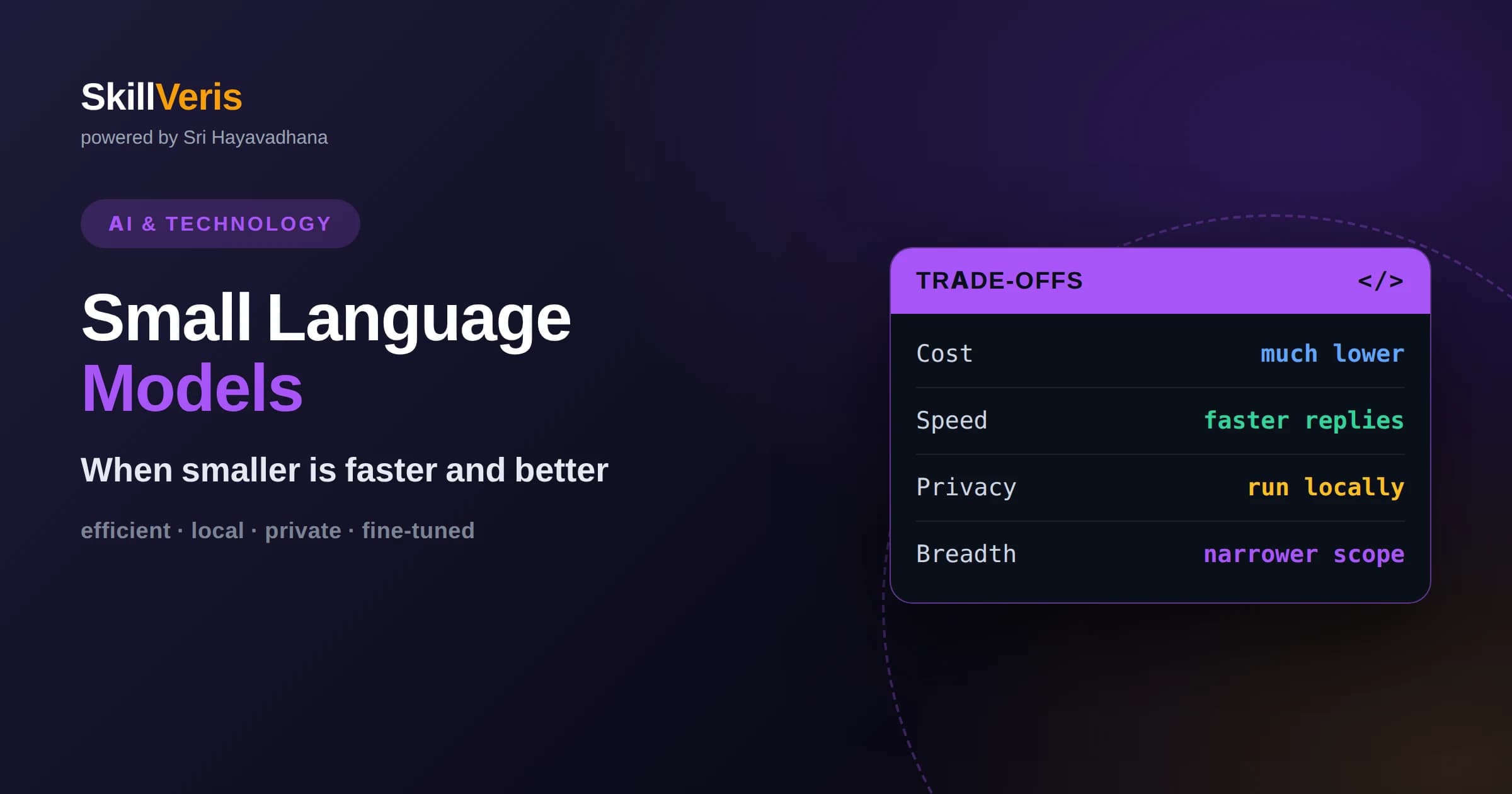
Small language models trade raw capability for speed, low cost, privacy, and the ability to run on modest or local hardware.
In this guide, you'll learn:
- For focused, well-defined tasks a small model can match a large one at a fraction of the cost and latency.
- Techniques like fine-tuning, distillation, and quantization make small models surprisingly capable for their size.
- Choosing model size is an engineering decision about matching capability to the task, not simply picking the biggest option.
1What Are Small Language Models?
Small language models are language models with far fewer parameters than the largest systems, designed to run efficiently on modest hardware while still handling many useful tasks. Where the biggest models require powerful data-center hardware, a small model can often run on a single consumer graphics card, a laptop, or even a phone.
The word small is relative and always shifting. A model considered small today may still contain a large number of parameters by historical standards, but it is small compared to the frontier systems that grab headlines. What matters is not an exact number but the practical consequence: it fits and runs where big models cannot.
The core tradeoff is capability for efficiency. A small model generally knows less and reasons less deeply than a giant one, but in exchange it is faster, cheaper, and easier to deploy, and for a great many real tasks that trade is well worth making.
This is why the small-versus-large question is one of the most practical decisions in applied AI. Getting it right can be the difference between an application that is fast, affordable, and private and one that is slow, expensive, and dependent on someone else's servers.
2Why Bigger Is Not Always Better
It is tempting to assume that the most capable model is always the right choice, but capability is only one of several things that matter in a real application. Cost, speed, privacy, and reliability often matter just as much, and on those dimensions smaller models frequently win.
A large model is like hiring a world expert for every task, including the trivial ones. For classifying a message or extracting a date, that expertise is wasted, and you pay for it in money and time. Matching the tool to the task is simply good engineering.
There is also a diminishing-returns effect. Beyond a certain point, extra size adds capability you may never use for your specific task, while the costs of that size are paid on every single request.
Framed this way, defaulting to the biggest model is a bit like commuting to the corner shop in a freight truck. It will certainly get you there, but the size that made it powerful for other jobs is pure overhead for this one.
3Cost And Speed Advantages
Smaller models are cheaper to run because they require less computation for each request. When an application handles many requests, this difference compounds into a large gap in operating cost, which can decide whether a product is economically viable at scale.
They are also faster. Fewer parameters mean each response is generated more quickly, which improves the user experience and enables use cases that need near-instant replies, such as autocomplete or interactive tools where waiting feels broken.
Lower latency and cost also make experimentation cheaper. You can iterate, test, and run large batches without the budget pressure that big models impose, which accelerates development.
These savings are not merely a technical nicety. For many products, the cost per request is what decides whether a feature can be offered to everyone or only to paying users, so efficiency directly shapes what you can build and who can use it.
4Privacy And Running Locally
A major advantage of small models is that they can run on your own hardware, so data never has to leave your device or your servers. For privacy-sensitive applications in health, finance, or personal productivity, keeping data local is often a hard requirement rather than a nice-to-have.
Local execution also removes dependence on an external service. There is no network round trip, no per-request bill, and no outage in someone else's system that can take your feature offline. This independence is valuable for reliability and control.
Running on-device enables entirely new experiences, such as offline assistants and features embedded directly in applications, where sending data to the cloud would be impractical or unacceptable.
For regulated industries this can be decisive. When rules forbid sending certain data off premises, a capable model that runs locally is not just convenient, it is the only compliant way to use AI at all.
5The Power Of Specialization
A small model focused on one task can rival a much larger general model at that task. When you fine-tune a small model on examples from your specific domain, it learns exactly the patterns you care about and drops the vast general knowledge it does not need.
This is why the right comparison is rarely a small general model against a large general model. A specialized small model against a large general one is a much fairer fight, and the small model often wins on cost and speed while matching quality.
Specialization also makes behavior more predictable. A model that only does one thing is easier to test, tune, and trust than one that tries to do everything, which is a real advantage for production reliability.
The lesson is to reframe the comparison. Ask not whether a small model is as capable as a large one in general, but whether a small model tuned for your task can meet your bar, because that is the question your application actually cares about.
6How Small Models Get So Capable
Several techniques help small models punch above their weight. Distillation trains a small model to imitate a larger one, transferring much of the bigger model's behavior into a compact form that runs far more cheaply.
Quantization reduces the numerical precision the model uses, shrinking its memory footprint and speeding it up with little loss in quality. This is often what makes a model small enough to fit on consumer hardware in the first place.
Better training data and methods also matter enormously. Careful curation and modern training recipes have made recent small models substantially more capable than older models of similar size, narrowing the gap with larger systems.
Taken together, these methods explain a striking trend: a small model released recently can outperform a much larger model from only a short time ago, because progress in data and technique keeps raising what a given size can achieve.
7Tasks Where Small Models Excel
Small models are well suited to focused, well-defined tasks: classifying text, extracting structured fields, routing requests, moderating content, and answering questions within a narrow domain. These jobs reward precision on a specific task rather than broad world knowledge.
They also shine in high-volume settings where each request is simple but there are enormous numbers of them. Processing a stream of messages or documents is exactly where the cost and speed advantages pay off most.
Embedded and edge scenarios, where the model runs inside a device or application without a network, are another natural fit. In these settings a small model is not just cheaper, it is the only option that works.
Across these examples the pattern is clear. When the task is narrow, repetitive, or high-volume, the efficiency of a small model turns into a decisive advantage that a larger, general model cannot match on cost or speed.
8When You Still Need A Large Model
Small models are not a universal answer. Tasks that demand broad general knowledge, complex multi-step reasoning, or open-ended creativity across many domains still favor the largest models, which have the depth to handle novelty and ambiguity.
If your application must answer almost any question or reason through complicated problems it has never seen, a small specialized model will struggle. Recognizing this saves you from forcing a small model into a role it cannot fill.
A common pattern is to combine sizes: use a small model for the frequent, simple work and call a large model only for the rare, hard cases. This hybrid approach captures most of the cost savings while keeping capability in reserve.
9How To Choose A Model Size
Choosing a size starts with defining your task precisely and setting quality, latency, and cost targets. With clear targets you can evaluate candidates on your own data rather than guessing from general reputation.
A sound strategy is to start with the smallest model that might work and move up only if it falls short. Beginning small keeps costs low and forces you to understand your actual requirements before paying for capability you may not need.
Measure on realistic examples, not toy cases. A model that looks weak in the abstract may be perfectly adequate for your specific task, and only testing against your real data will reveal that.
This start-small discipline has a hidden benefit: it forces you to define success precisely. To know whether a small model is good enough, you must state your quality and latency targets, and that clarity improves the whole project.
10Deployment Considerations
Deploying a small model brings practical benefits and responsibilities. Because it can run on hardware you control, you gain predictability but also take on the work of hosting, updating, and monitoring it, which a fully managed service would otherwise handle.
You still need evaluation and guardrails. A small model can make mistakes just like a large one, so validating its outputs and monitoring quality over time remains essential regardless of size.
Plan for updates. As better small models appear frequently, an application designed to swap models easily can keep improving without a rewrite, so build with that flexibility in mind.
Because the field moves quickly, treat any model choice as temporary. Designing your application so a model can be swapped with minimal friction lets you adopt each improvement as it arrives instead of being locked into yesterday's best option.
11Why This Matters Going Forward
The gap between small and large models continues to narrow as training and efficiency techniques improve, which means more of what once required a giant model can now be done by a small one. This trend steadily expands where small models are the smart default.
For developers, the lesson is to stop assuming bigger is better and start treating model size as a deliberate design choice. The best engineers match capability to the task, capturing efficiency wherever the task allows.
As small models grow more capable, the ability to deploy AI cheaply, privately, and everywhere becomes a competitive advantage, and understanding when smaller is better is a genuinely valuable skill.
12Fitting Models To Hardware
One of the most practical reasons to choose a small model is that it fits the hardware you already have. Where a large model demands specialized, expensive equipment, a small one can run on a single ordinary graphics card or even a laptop, which removes a major barrier to getting started.
This accessibility changes who can build with AI. A student or a small team can experiment, prototype, and even deploy without renting powerful infrastructure, which democratizes the technology in a meaningful way.
It also simplifies operations. Running on modest, familiar hardware means fewer moving parts, easier debugging, and more predictable behavior than orchestrating large models across specialized machines.
13Small Models At The Edge
The frontier of small models is the edge: phones, browsers, cars, and embedded devices where computation happens locally and instantly. Running a model on the device eliminates network delay and keeps data private, enabling experiences that would be impossible or unacceptable in the cloud.
As small models grow more capable, more intelligence can be pushed to where the user actually is. Offline assistants, on-device features, and responsive tools that never touch a server become practical, opening design possibilities that centralized models cannot match.
For developers, this means small-model skills are increasingly valuable. Knowing how to select, adapt, and deploy compact models positions you to build the next wave of fast, private, everywhere-available applications.
14Learn The Tradeoffs On SkillVeris
The way to build intuition for model size is to try the same task with a small and a large model and compare cost, speed, and quality on your own data. The results are often more surprising and more favorable to small models than people expect.
SkillVeris offers hands-on lessons that teach you to evaluate, fine-tune, and deploy models of different sizes, so you can make these tradeoffs with evidence rather than assumptions. Practicing the comparison directly is what turns a rule of thumb into real engineering judgment.
Start by picking one concrete task, testing a small model against it, and only reaching for something bigger when the numbers tell you to. That disciplined habit will save cost and sharpen your instincts.
Related Reading
Get The Print Version
Download a PDF of this article for offline reading.
About the Publisher
SkillVeris Team
AI Research Team
Our AI team covers the latest in machine learning, generative AI, and emerging tech — clearly and accurately.
View all postsRelated Posts




Never miss an update
Get the latest tutorials and guides delivered to your inbox.
No spam. Unsubscribe anytime.