Semantic Search Explained: Beyond Keywords
SkillVeris Team
AI Research Team
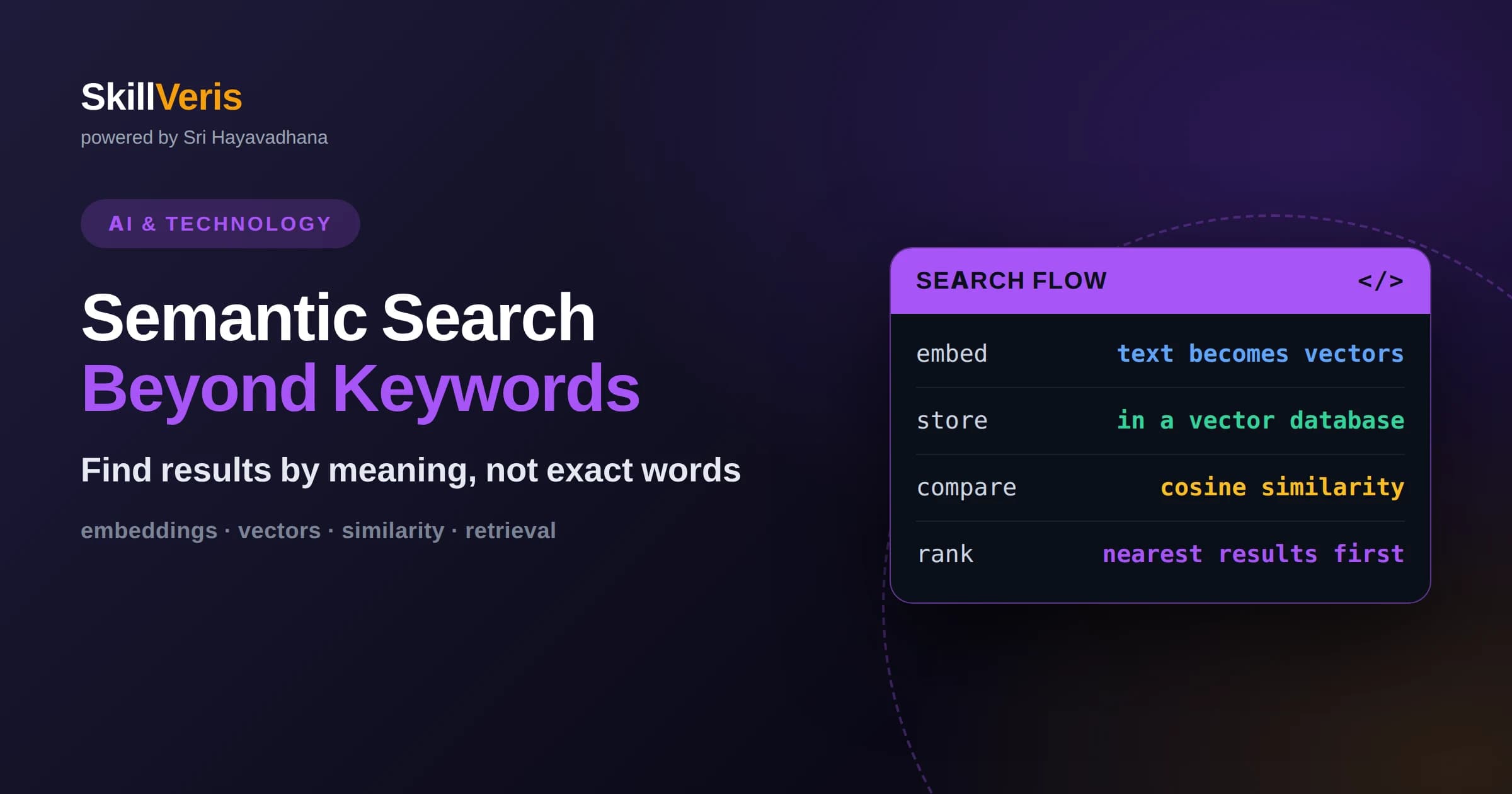
Semantic search matches on meaning, so a query and a document can be a strong match even when they share no words in common.
In this guide, you'll learn:
- It works by turning text into embeddings, numeric vectors where similar meanings sit close together in a high-dimensional space.
- Relevance is measured by the distance or angle between vectors, most often using cosine similarity.
- Combining semantic search with traditional keyword search often gives the most reliable results in practice.
1What Semantic Search Really Is
Semantic search is a way of finding information based on what the text means rather than which exact words it contains. If you search for a way to make my laptop battery last longer, a semantic system can surface a document titled tips to reduce power consumption on portable computers, even though the two share almost no words. It understands that battery life and power consumption point at the same idea.
This is a sharp departure from traditional keyword search, which matches literal terms. Keyword search is fast and precise when you know the exact words, but it fails when people phrase the same need differently. Semantic search closes that gap by working at the level of concepts, which is far closer to how humans actually think about relevance.
The engine behind this is a mathematical representation of meaning called an embedding. Once you understand embeddings, everything else about semantic search follows naturally, so that is where we start.
2The Core Idea: Embeddings
An embedding is a list of numbers, called a vector, that represents a piece of text as a point in a high-dimensional space. A model trained on huge amounts of language learns to place text with similar meaning close together and text with different meaning far apart. The word king and the word queen land near each other; king and bicycle land far apart.
The remarkable part is that this geometry captures relationships you never explicitly programmed. Sentences about cooking cluster together. Questions about taxes gather in their own region. The model discovers these patterns from how words are used across billions of examples, encoding meaning as position.
Modern embeddings represent not just words but whole sentences and paragraphs. When you embed a full query and a full document, each becomes a single vector that summarizes its overall meaning, and you can then compare those two points directly.
3Measuring Similarity Between Vectors
Once text is represented as vectors, deciding whether two pieces of text are related becomes a geometry problem: how close are their points? The most common measure is cosine similarity, which looks at the angle between two vectors rather than the raw distance. A small angle means the vectors point in nearly the same direction, signaling similar meaning. A large angle means they diverge.
Cosine similarity produces a score, typically between minus one and one, where higher means more similar. A query and a highly relevant document score near the top of that range. A query and an unrelated document score much lower. Ranking search results then becomes a matter of sorting documents by their similarity score to the query.
This is why semantic search can match on meaning without shared words. The comparison never looks at the words at all by the time you reach this step. It only compares positions in the embedding space, which already encode meaning.
4How a Semantic Search System Is Built
A working system has two phases. First comes indexing, done ahead of time. You take every document in your collection, split long ones into manageable chunks, and run each chunk through an embedding model to produce its vector. You store these vectors in a specialized database designed to hold and compare them efficiently.
Second comes querying, done in real time. When a user searches, you embed their query with the same model, then ask the database to find the stored vectors closest to the query vector. The database returns the nearest chunks, which you present as results. Because the heavy work of embedding documents happened during indexing, search itself stays fast.
The consistency of using the same embedding model for both documents and queries is essential. Vectors from two different models live in incompatible spaces, so their distances would be meaningless. Everything must be embedded by the same model for the geometry to hold.
5The Role of Vector Databases
Comparing a query against millions of document vectors one by one would be slow. Vector databases solve this with clever indexing structures that let them find approximate nearest neighbors quickly, returning the closest matches without exhaustively checking every vector. This trades a tiny amount of accuracy for an enormous gain in speed.
These databases are purpose-built for the operations semantic search needs: storing high-dimensional vectors, attaching metadata like a document title or date, and answering nearest-neighbor queries in milliseconds. They are the infrastructure that makes semantic search practical at scale, and they have become a standard building block in modern AI applications.
6Why Chunking Matters
Long documents pose a problem. If you embed an entire book as one vector, that vector becomes a blurry average of many topics and matches nothing precisely. The fix is chunking: splitting documents into smaller passages, each focused enough that its embedding captures a clear idea. A user's query then matches the specific passage that answers it.
Choosing chunk size is a balancing act. Chunks that are too small lose surrounding context and may not make sense on their own. Chunks that are too large dilute meaning. Many systems chunk by paragraph or by a fixed number of sentences, sometimes overlapping chunks slightly so no idea gets split awkwardly across a boundary.
7Combining Semantic and Keyword Search
Semantic search is powerful but not perfect. It can miss exact matches that keyword search would nail, such as a specific product code, an error message, or a person's name, because those are precise strings rather than fuzzy concepts. Keyword search handles those cases effortlessly.
For this reason many production systems use hybrid search, running both approaches and blending their results. The keyword side guarantees exact matches are found; the semantic side catches conceptually related results that share no words. The combination is usually more reliable than either method alone, giving users both precision and understanding.
Blending the two requires a way to reconcile their scores, since keyword relevance and vector similarity are measured on different scales. Various methods exist to merge the two ranked lists into one, weighting each source according to how much you trust it for your content. Tuning that balance is a practical dial: lean toward keywords when exact terms dominate your users' queries, and toward semantics when they phrase things loosely. The right mix depends on your data and your audience.
8Improving Results With Reranking
Nearest-neighbor search is fast but coarse. A common refinement is reranking: retrieve a larger set of candidate results with the fast vector search, then pass those candidates through a more careful model that scores each one against the query in detail. This second pass reorders the shortlist so the truly best results rise to the top.
Reranking works because you can afford an expensive, accurate model on a small set of candidates even if it would be too slow to run over your whole collection. The vector search casts a wide net cheaply; the reranker refines the catch. Together they deliver both speed and quality.
This two-stage pattern shows up throughout search and recommendation systems, and it is worth internalizing. A fast, approximate first stage narrows an enormous space to a manageable shortlist, and a slower, more careful second stage orders that shortlist precisely. Understanding it helps you reason about why serious systems rarely rely on a single retrieval step alone.
9Where Semantic Search Shows Up
Semantic search underpins many systems you use daily. Documentation sites that understand paraphrased questions, e-commerce sites that grasp what you mean by comfortable running shoes for flat feet, and internal knowledge bases that let employees find answers without knowing exact terminology all lean on it.
It is also the retrieval engine behind many AI assistants. When a chatbot needs to ground its answer in your company's documents, semantic search is what finds the relevant passages to feed the model. Understanding it therefore gives you insight into a component that appears throughout modern applications.
10Limitations to Keep in Mind
Semantic search reflects the biases and blind spots of the embedding model that powers it. If the model was trained mostly on general web text, it may struggle with highly specialized jargon in fields like law or medicine unless a domain-specific model is used. Meaning is only as good as the model's understanding of it.
There is also a cost dimension. Embedding large collections takes compute, storing many high-dimensional vectors takes memory, and keeping the index fresh as documents change requires ongoing work. These are manageable but real considerations when you design a system, and they influence choices like chunk size and how often you re-index.
11The Quality of Embeddings Shapes Everything
A semantic search system is only as good as the embedding model that powers it. If that model captures meaning well, related ideas land close together and search feels almost magical. If it captures meaning poorly, results drift and users lose trust. This makes choosing the right embedding model one of the most consequential decisions you make when building such a system.
General-purpose embedding models work well across everyday language, but specialized domains benefit from models trained on their particular vocabulary. A legal or medical search may perform far better with a model tuned for that field, because the general model may not appreciate how specialized terms relate. Matching the model to your content is a practical lever that often matters more than any other tuning you do.
Embedding models also differ in the size of the vectors they produce. Larger vectors can capture more nuance but cost more memory and computation to store and compare. This is another balance to strike, weighing the richness of representation against the practical cost of running the system at your scale.
12Keeping the Index Fresh
Documents change. New pages appear, old ones are edited, and stale ones are removed. A semantic search index must keep up, or it will return results that no longer exist or miss content that was just added. Planning for updates is part of building a system that stays useful rather than slowly drifting out of date.
The good news is that updating usually means re-embedding only the pieces that changed rather than the entire collection, since each chunk's vector is independent. This keeps maintenance manageable. Still, deciding how often to refresh, and how to handle deletions cleanly, is a real design consideration that separates a demo from a system people can rely on over time.
One subtlety catches teams off guard: if you ever switch to a better embedding model, you must re-embed everything, because vectors from the old and new models are not comparable. Planning for that possibility from the start, by keeping your original text alongside its vectors, saves considerable pain later. Treating the index as something that will evolve, rather than a one-time build, is the mindset that keeps a semantic search system healthy for years.
13Try Building One Yourself
The concepts click into place once you build a tiny semantic search over a handful of documents: embed them, embed a query, compute cosine similarity, and rank. Seeing an unrelated-looking document surface because its meaning matched is a satisfying moment that makes the abstraction concrete.
On SkillVeris you can follow guided projects that take you from raw text to a working semantic search, experimenting with chunking, similarity measures, and hybrid approaches along the way. Hands-on practice is the surest path from understanding the idea to trusting it in your own applications.
Related Reading
Get The Print Version
Download a PDF of this article for offline reading.
About the Publisher
SkillVeris Team
AI Research Team
Our AI team covers the latest in machine learning, generative AI, and emerging tech — clearly and accurately.
View all postsRelated Posts




Never miss an update
Get the latest tutorials and guides delivered to your inbox.
No spam. Unsubscribe anytime.