PyTorch vs TensorFlow: Which to Learn in 2026
SkillVeris Team
AI Research Team
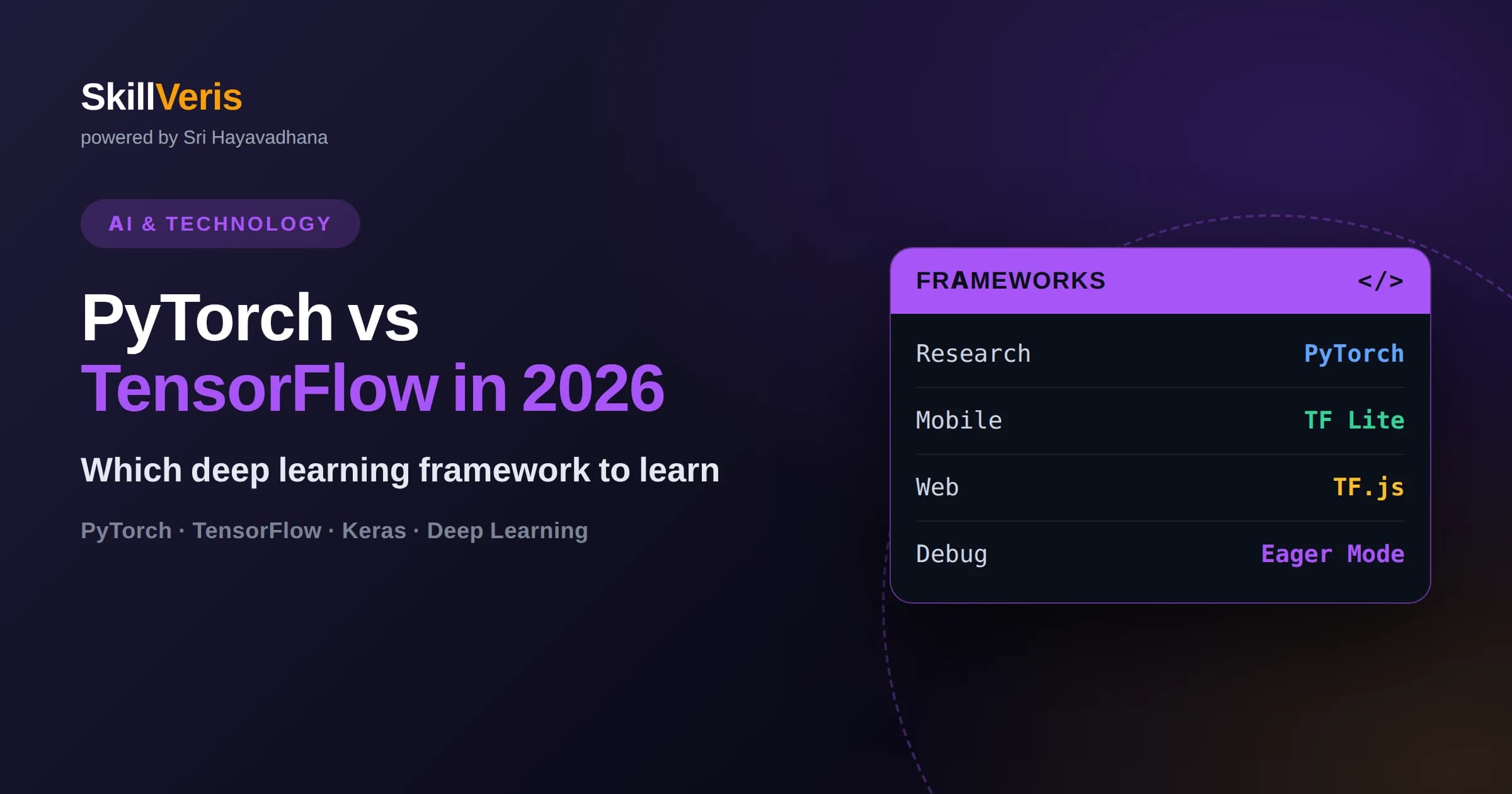
PyTorch is the dominant framework in research papers and academic labs, while TensorFlow remains strong in large-scale production and mobile deployment.
In this guide, you'll learn:
- Both frameworks now default to eager execution, so the old 'static graph vs dynamic graph' divide barely matters day to day.
- Keras, bundled with TensorFlow, offers the gentlest on-ramp for absolute beginners writing their first neural network.
- PyTorch's debugging experience feels like ordinary Python, since you can set breakpoints and inspect tensors mid-computation.
- TensorFlow Lite and TensorFlow.js give TensorFlow an edge for shipping models to phones, browsers, and edge devices.
1PyTorch vs TensorFlow in 2026: Which Should You Learn First?
Learn PyTorch first if your goal is research, experimentation, or landing a role at an AI lab; learn TensorFlow (via Keras) first if your goal is shipping models into production apps, mobile devices, or enterprise pipelines quickly.
This isn't a close call decided by minor syntax preferences — it reflects where each framework's ecosystem has concentrated its strengths over the past several years. PyTorch's intuitive, Python-native design won over the research community, and most new papers, open-source model releases, and Hugging Face checkpoints ship PyTorch code first. TensorFlow, backed by Google's production infrastructure, kept its grip on enterprise deployment pipelines, mobile inference through TensorFlow Lite, and browser-based inference through TensorFlow.js.
The good news for anyone starting out: you are not locking yourself into a career-limiting decision. Tensor operations, automatic differentiation, backpropagation, and neural network architecture are the same underlying concepts in both frameworks. Once you understand how gradients flow through a network in one framework, translating that understanding to the other is a matter of days, not months. This guide breaks down exactly where the two frameworks differ today, so you can pick the one that matches what you're actually trying to build.
2The History and Design Philosophy Behind Each Framework
PyTorch and TensorFlow both converged on eager execution as the default, but they arrived there from opposite starting points, and that history still shapes how each framework feels to use.
TensorFlow launched with a define-then-run model: you first built a static computation graph describing every operation, then ran data through that fixed graph in a separate session. This design made sense for Google's production needs — a static graph can be optimized, distributed across machines, and exported as a self-contained artifact before it ever sees real data. But it made debugging painful, since errors surfaced only when the graph executed, often far from the line of code that caused them.
PyTorch, released later, bet on eager execution from day one: operations run immediately, line by line, exactly like ordinary Python and NumPy code. This define-by-run approach let researchers write and debug models the same way they wrote any other Python script, which is a huge part of why it took over academic research so quickly.
TensorFlow 2 closed most of this gap by making eager execution the default and introducing the tf.function decorator to compile eager code into a graph only when you explicitly want the performance benefits of graph mode. So today, both frameworks let you write and debug interactively, and both let you compile to a graph for speed and deployment. The philosophical difference has narrowed to a matter of degree: PyTorch treats eager-first as its core identity, while TensorFlow treats graph compilation as a more central, opt-in production step.
3Syntax and API: How Writing a Model Actually Feels
The clearest day-to-day difference is that PyTorch code reads like plain Python object-oriented programming, while TensorFlow code — especially through its Keras API — reads like declarative configuration.
In PyTorch, you define a model as a Python class that subclasses nn.Module, write your layers in __init__, and describe the exact computation in a forward method using ordinary Python control flow — loops, conditionals, print statements, and debugger breakpoints all work exactly as they would in any script. Training loops are also written by hand: you explicitly zero gradients, call .backward(), and step the optimizer. This is more verbose, but it means nothing is hidden — you can see and modify every step of training.
In Keras (TensorFlow's high-level API), you typically stack layers with the Sequential API or the functional API, then call a single .compile() and .fit() to handle the entire training loop for you. This is dramatically less code for standard architectures and is genuinely the fastest way to get a working model on screen. TensorFlow also exposes lower-level APIs for custom training loops when you need PyTorch-like control, but most tutorials and most production Keras code lean on the high-level abstractions.
The practical takeaway: if you learn best by seeing every mechanical step spelled out, PyTorch's explicitness will click faster. If you want to go from zero to a trained model with the least boilerplate, Keras's abstractions will get you there sooner — at the cost of needing to dig into TensorFlow's lower-level API once you outgrow the defaults.
- PyTorch: define a forward() method, write the training loop by hand, debug with standard Python tools
- Keras/TensorFlow: stack layers declaratively, call .compile() and .fit(), drop to a custom loop only when needed
- Both: eager execution by default, automatic differentiation, GPU/TPU acceleration, ONNX export for interoperability
4Ecosystem Strengths: Where Each Framework Actually Wins
PyTorch dominates research and open-source model releases, while TensorFlow retains an edge in production infrastructure, mobile deployment, and environments already built on Google's stack.
Walk through recent papers on any preprint server, or browse model cards on Hugging Face, and the overwhelming majority ship reference implementations in PyTorch. Hugging Face's transformers library, the de facto standard for working with large language models and other pretrained architectures, was built PyTorch-first, and most new architectures appear there before anywhere else. If your goal is reading and reproducing cutting-edge papers, or contributing to open-source model research, PyTorch is where the community lives.
TensorFlow's advantages show up once a model needs to leave a notebook and run somewhere constrained. TensorFlow Lite compiles models down for Android and iOS devices with tight memory and battery budgets. TensorFlow.js runs trained models directly in a browser, no server round-trip required. TensorFlow Serving and the broader TFX (TensorFlow Extended) toolchain give teams a mature, battle-tested pipeline for validating data, training at scale, and serving models with monitoring built in. Companies with existing Google Cloud infrastructure, or products that need on-device inference, often find TensorFlow's tooling saves real engineering time.
Neither advantage is absolute or permanent — PyTorch has its own deployment story through TorchServe and ExecuTorch for mobile, and TensorFlow remains fully capable for research. But if you're picking a first framework based on where you want to work, these ecosystem gravity wells are the honest, current answer.
5Performance and Deployment: What Actually Matters in Practice
For raw training and inference speed on comparable hardware, the two frameworks are close enough that your model architecture, data pipeline, and hardware choice matter far more than which framework you picked.
Both frameworks compile to optimized backends, both support mixed-precision training, both scale across multiple GPUs and TPUs, and both have benefited from years of performance engineering. Claims that one framework is definitively "faster" rarely hold up once you control for model size, batch size, and hardware — and any specific benchmark you read is likely to be outdated within a release cycle or two, since both projects ship frequent performance improvements.
Where deployment considerations diverge more meaningfully is packaging and serving. TensorFlow's SavedModel format, paired with TensorFlow Serving and TFX, gives teams a documented, standardized path from trained model to production endpoint, including data validation and monitoring. PyTorch's TorchServe covers similar ground, and the ONNX format lets you export a model trained in either framework into a shared intermediate representation that many inference runtimes can consume — a practical escape hatch if you train in one framework but need to deploy through tooling built around the other.
For anyone choosing based on deployment target rather than training speed: mobile and browser inference still favor TensorFlow's mature tooling; flexible server-side deployment and research-to-production pipelines are comfortably handled by either.
6A Decision Framework for Choosing Your First Framework
Choose PyTorch first if you're aiming at research, want to read and reproduce papers, or plan to work with modern language models and Hugging Face; choose TensorFlow (through Keras) first if you want the gentlest ramp into your first working neural network or are targeting mobile and browser deployment.
Neither choice is a dead end, and neither is a wasted year. The concepts you build — tensors, gradients, layers, loss functions, optimizers, overfitting, regularization — are the actual skill. Framework syntax is closer to a dialect than a different language, and most working ML engineers become comfortable reading and writing both within their first year on the job.
If you're still undecided, a reasonable default for 2026 is to start with PyTorch: it's what you'll encounter most often in tutorials for large language models, computer vision research, and the broader open-source model ecosystem, and its explicit style tends to teach the underlying mechanics more directly than a highly abstracted API. You can pick up Keras's higher-level conventions quickly afterward if a job or project calls for it.
- Want to work in ML research or reproduce papers → start with PyTorch
- Want the fastest path to a first working model with minimal code → start with Keras/TensorFlow
- Targeting mobile apps or in-browser inference → lean TensorFlow (TF Lite, TensorFlow.js)
- Targeting language models, transformers, or Hugging Face workflows → lean PyTorch
- Undecided → default to PyTorch for its transferable, explicit teaching style
7Getting Hands-On: Learning Both Without Wasting Time
The fastest way to actually internalize either framework is building small models yourself rather than only reading about the differences described above.
Start with a single, well-understood problem — image classification on a small dataset, or text classification on short reviews — and implement it end to end: load data, define the model, write the training loop, evaluate on held-out data. Doing this once in PyTorch and once in Keras, back to back, is often the single fastest way to see how the same concepts map across both APIs, and it removes the abstract fear that switching frameworks later will be costly.
SkillVeris offers free, hands-on courses in both PyTorch Deep Learning and TensorFlow & Keras, so you can work through real projects in either framework, or both, without paying to find out which one fits how you think.
8Frequently Asked Questions
Q: Is PyTorch or TensorFlow better for beginners in 2026? A: TensorFlow's Keras API is generally easier for absolute beginners due to its high-level, declarative syntax, but PyTorch's explicit style often teaches the underlying mechanics more thoroughly, so many educators now recommend it as the better long-term starting point even for beginners.
Q: Do I need to learn both PyTorch and TensorFlow? A: Not immediately. Learn one deeply first, since the core concepts transfer directly; add the second framework once a specific job requirement or project need calls for it, which typically takes only a few days given a solid foundation in the first.
Q: Which framework is used more in industry, PyTorch or TensorFlow? A: It depends on the industry segment — PyTorch leads in AI research labs, startups building on large language models, and most new open-source releases, while TensorFlow retains a strong presence in established enterprises, mobile-first products, and organizations built on Google Cloud infrastructure.
Q: Is TensorFlow becoming obsolete compared to PyTorch? A: No. TensorFlow continues to receive active development and remains the stronger choice for mobile deployment through TensorFlow Lite, browser inference through TensorFlow.js, and large-scale production pipelines through TFX — it has simply lost ground to PyTorch specifically in research and open-source model sharing.
Q: Can I convert a model between PyTorch and TensorFlow? A: Yes, generally through the ONNX (Open Neural Network Exchange) format, which acts as an intermediate representation that many training and inference tools can read and write, though some custom layers or operations may need manual adjustment during conversion.
Q: Which framework is better for deploying models to mobile apps? A: TensorFlow currently has the more mature, widely adopted toolchain for mobile through TensorFlow Lite, which is purpose-built for compressing and running models efficiently on Android and iOS devices with limited memory and battery.
Related Reading
Get The Print Version
Download a PDF of this article for offline reading.
About the Publisher
SkillVeris Team
AI Research Team
Our AI team covers the latest in machine learning, generative AI, and emerging tech — clearly and accurately.
View all postsRelated Posts




Never miss an update
Get the latest tutorials and guides delivered to your inbox.
No spam. Unsubscribe anytime.