NumPy for Beginners: The Foundation of Data Science
SkillVeris Team
Data Science Team
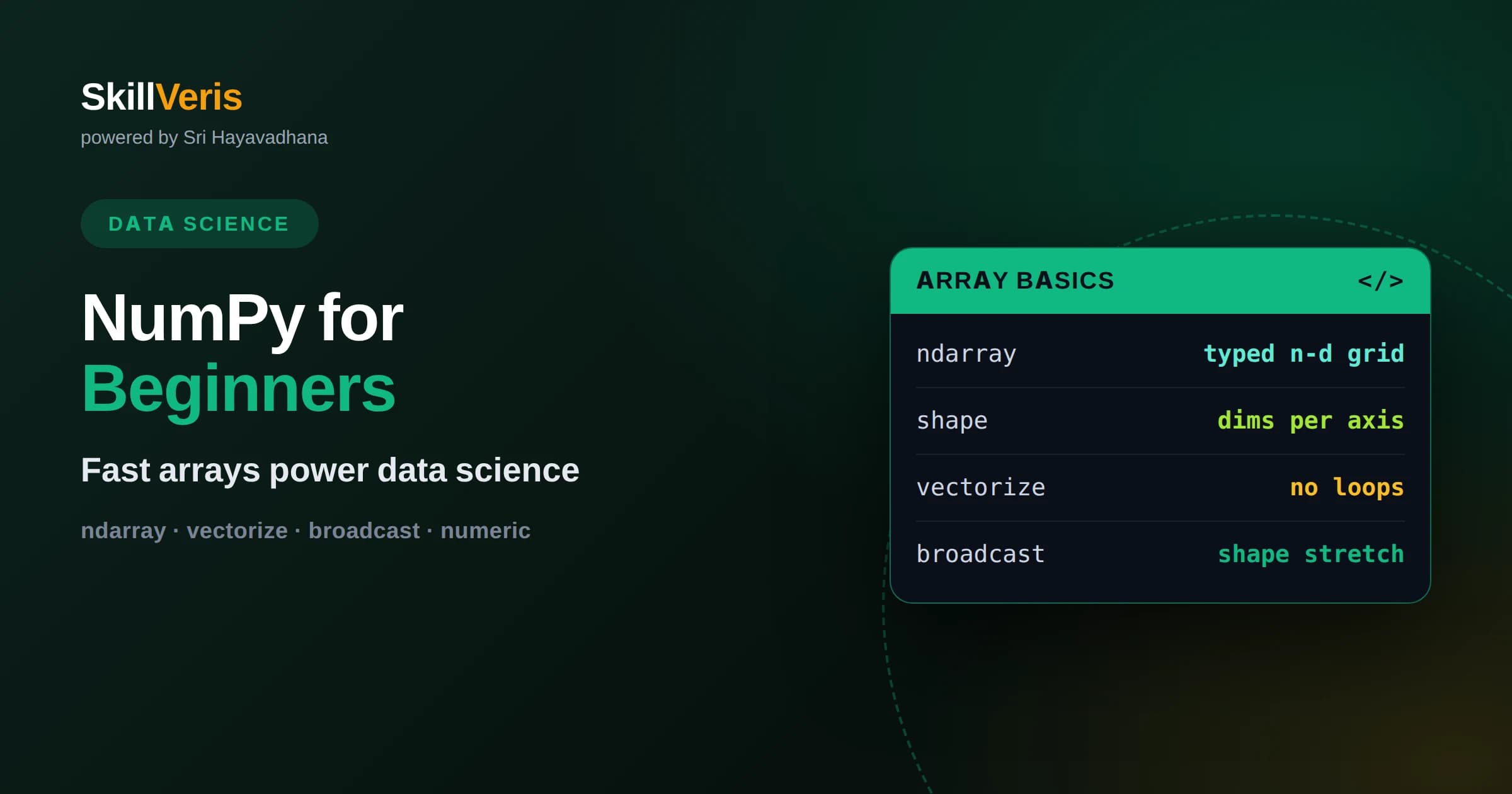
NumPy provides the ndarray, a fast, memory-efficient array that makes numerical computing in Python practical and underpins nearly every data science library.
In this guide, you'll learn:
- Vectorization replaces slow Python loops with operations on whole arrays, delivering both dramatic speed and cleaner, more expressive code.
- Broadcasting lets arrays of different shapes combine automatically, enabling concise math without manual reshaping or copying.
- Understanding views versus copies and array data types prevents the most common beginner bugs and performance surprises.
1What Is NumPy?
NumPy, short for Numerical Python, is the foundational library for numerical computing in Python. Its core contribution is the ndarray, an n-dimensional array that stores numbers compactly and lets you perform fast mathematical operations on entire collections at once. Almost every data science and machine learning library in Python, including pandas, is built on top of it.
The reason NumPy exists is speed and expressiveness. Native Python lists are flexible but slow for numerical work because each element is a full Python object and every operation runs in interpreted code. NumPy stores numbers in a contiguous block of memory and processes them with optimized compiled routines, making array math both faster and simpler to write.
Learning NumPy pays off far beyond the library itself. The concepts of arrays, vectorization, and broadcasting reappear across the entire scientific Python ecosystem and in deep learning frameworks. Understanding NumPy well gives you a mental model that transfers to nearly everything else you will do in data science.
2Why Arrays Beat Lists
A NumPy array differs from a Python list in ways that matter enormously for numerical work. All elements in an array share a single data type and are stored together in memory, which lets the computer process them efficiently and predictably. A list, by contrast, holds pointers to scattered objects of any type, which is flexible but slow.
This design gives arrays two big advantages. They use far less memory for the same numbers, and operations on them run dramatically faster because they execute in compiled code rather than a Python loop. For datasets with thousands or millions of values, this is the difference between an analysis that finishes instantly and one that crawls.
The trade-off is that arrays are fixed in type and best suited to homogeneous numerical data. That constraint is exactly what enables their speed, and for the numerical tasks NumPy targets it is rarely a limitation. When you need mixed types or labels, higher-level tools built on NumPy provide them without giving up the underlying performance.
3Creating Arrays
There are many ways to create arrays. You can convert a Python list with the array function, or generate arrays directly with helpers like zeros and ones for filled arrays, arange for evenly spaced ranges, and linspace for a set number of evenly spaced points between two bounds. These constructors cover most situations where you need starting data.
For experiments and testing, the random module produces arrays of random numbers from various distributions, which is invaluable for simulations and for generating sample data. Setting a seed makes random results reproducible, an important habit for analyses you want others to be able to repeat exactly.
Every array has a shape describing its dimensions, a dtype describing the type of its elements, and a size giving the total number of elements. Checking these attributes after creating an array is a good habit, because many bugs come from an array having a different shape or type than you assumed.
4Shapes and Dimensions
Arrays can have any number of dimensions. A one-dimensional array is like a vector, a two-dimensional array is like a matrix or table, and higher dimensions represent things like stacks of images or batches of data. The shape, a tuple of sizes along each axis, is how you describe and reason about an array's structure.
Reshaping lets you reorganize the same data into a different shape without changing its values, as long as the total number of elements stays the same. This is common when preparing data for computations or models that expect a particular layout. A special value lets NumPy infer one dimension automatically, which is convenient when you know all but one size.
Thinking clearly about axes is essential for multidimensional work. Many operations take an axis argument that says whether to act down columns or across rows, and getting it right is the difference between summing each column and summing each row. Visualizing the shape before you operate saves a lot of confusion.
5Vectorization: The Big Idea
Vectorization is the central idea that makes NumPy powerful. Instead of writing a loop to add two lists element by element, you simply add two arrays, and NumPy applies the operation to every element at once in fast compiled code. The result is code that is both far faster and far shorter than the equivalent loop.
Arithmetic, comparisons, and mathematical functions all work this way. Multiplying an array by a number scales every element, taking a square root applies it to all elements, and comparing an array to a threshold produces a boolean array. This element-wise behavior lets you express complex numerical logic in a single readable line.
The practical rule is to avoid explicit Python loops over array elements whenever possible. When you feel the urge to loop, look for a vectorized operation or a built-in function that does the same thing to the whole array. Adopting this habit is the single biggest step from writing slow numerical code to writing fast, idiomatic NumPy.
6Indexing and Slicing
NumPy offers rich ways to access parts of an array. Basic indexing and slicing work like Python lists but extend to multiple dimensions, so you can select a specific element, an entire row or column, or a rectangular block by specifying ranges along each axis. This makes extracting exactly the subset you need concise and expressive.
Boolean indexing is especially powerful. Comparing an array to a condition yields a boolean mask, and using that mask to index the array returns only the elements where the condition is true. This lets you filter and even modify data based on criteria without any loops, such as setting all negative values to zero in one statement.
Fancy indexing with arrays of positions lets you select or reorder elements arbitrarily. Together, these techniques cover almost any access pattern you will need. One caution is that basic slices often return views rather than copies, which affects whether changes propagate, a subtlety worth understanding early.
7Broadcasting Explained
Broadcasting is the rule that lets NumPy combine arrays of different but compatible shapes without manually copying data. When you add a single number to an array, NumPy conceptually stretches that number across every element. The same idea extends to arrays: a smaller array can be broadcast across a larger one when their shapes align according to broadcasting rules.
The rules compare shapes dimension by dimension from the right, and dimensions are compatible when they are equal or one of them is one. A row vector can be added to every row of a matrix, or a column vector to every column, all without explicit loops or reshaping into full-size copies. This makes many computations both concise and memory efficient.
Broadcasting is a common source of both elegance and confusion. When shapes do not align, NumPy raises an error, which is actually helpful because it catches mismatches early. Taking time to understand which shapes broadcast together will let you write compact numerical code that would otherwise require tedious manual expansion.
8Aggregations and Statistics
NumPy provides fast aggregation functions that reduce an array to summary values. Sum, mean, minimum, maximum, and standard deviation each collapse an array into a single number, or, when given an axis, into a smaller array of per-row or per-column results. These are the workhorses of quick numerical summaries.
The axis argument is the key to controlling aggregation in multiple dimensions. Aggregating with no axis reduces the whole array, aggregating along one axis reduces that dimension while keeping the others, giving you column totals or row averages. Getting comfortable with axes turns aggregation into a precise tool rather than a source of surprises.
Because these functions run in optimized compiled code, they are extremely fast even on large arrays. Reaching for a built-in aggregation instead of computing a statistic with a manual loop is both faster and clearer, and it is the idiomatic way to summarize data in NumPy.
9Views Versus Copies
A subtle but important concept is the difference between a view and a copy. Many operations, especially basic slicing, return a view that shares memory with the original array. Modifying the view also changes the original, which is efficient but can cause surprising bugs if you did not expect the two to be linked.
Other operations, and an explicit call to the copy method, return an independent copy whose changes do not affect the original. Knowing which you have prevents a class of confusing errors where editing what you thought was a separate array silently mutates your source data.
The practical guidance is to make an explicit copy when you intend to modify a subset without affecting the original, and to be aware that fancy and boolean indexing generally return copies while basic slices return views. This awareness alone eliminates many head-scratching moments for newcomers.
10Data Types and Precision
Every array has a data type, or dtype, that determines how its numbers are stored, such as integers or floating-point numbers of a given size. The dtype affects both memory use and the range and precision of values an array can hold. Choosing an appropriate type keeps computations correct and efficient.
Type surprises are a common beginner trap. Integer arrays truncate fractional results, and operations can overflow if values exceed what the type can represent. When you need decimals, make sure your array uses a floating-point type, and be mindful when converting between types that you are not silently losing information.
For most everyday work the default types are fine, but as data grows or precision becomes critical, controlling dtype gives you real leverage. Smaller types save memory on large arrays, while larger floating-point types offer more precision when accuracy matters. Being deliberate about types is a mark of careful numerical programming.
11NumPy in the Wider Ecosystem
NumPy is not an island; it is the shared foundation of Python's data stack. Pandas stores its columns as NumPy arrays, plotting libraries accept them directly, and machine learning and deep learning frameworks either build on NumPy or mirror its interface closely. Fluency in NumPy makes every one of these tools easier to learn.
Because so much interoperates through the array interface, data flows smoothly between libraries. You might clean data in pandas, drop down to NumPy for a custom numerical computation, then feed the result into a model, all without awkward conversions. This seamless interchange is a major reason Python dominates data science.
This foundational role is why time invested in NumPy compounds. The vectorized, array-oriented way of thinking it teaches is exactly the mindset that the higher-level tools reward. Learn it once, and you carry it into everything from data analysis to neural networks.
12Build Your Foundation
The way to internalize NumPy is to solve small numerical problems with it, deliberately avoiding loops. Compute statistics on arrays, filter values with boolean masks, and combine arrays with broadcasting until these operations feel natural. Each little exercise strengthens the array-oriented instincts that make the rest of data science click.
Do not try to memorize the whole library. Focus on creating arrays, vectorized operations, indexing, broadcasting, and aggregations, which together cover the vast majority of real use. The rest you can look up as needed, and you will remember it better once you have a reason to use it.
On SkillVeris you can practice NumPy through guided, hands-on exercises that take you from your first array to broadcasting and vectorized computations, with feedback along the way. Open a notebook, create a couple of arrays, and try replacing a loop you would normally write with a single vectorized expression. That habit is the foundation everything else in data science is built on.
Related Reading
Get The Print Version
Download a PDF of this article for offline reading.
About the Publisher
SkillVeris Team
Data Science Team
Our data team shares real-world analytics, ML, and SQL insights grounded in industry practice.
View all postsRelated Posts
Never miss an update
Get the latest tutorials and guides delivered to your inbox.
No spam. Unsubscribe anytime.