Multimodal AI: Vision, Audio, and Beyond
SkillVeris Team
AI Research Team
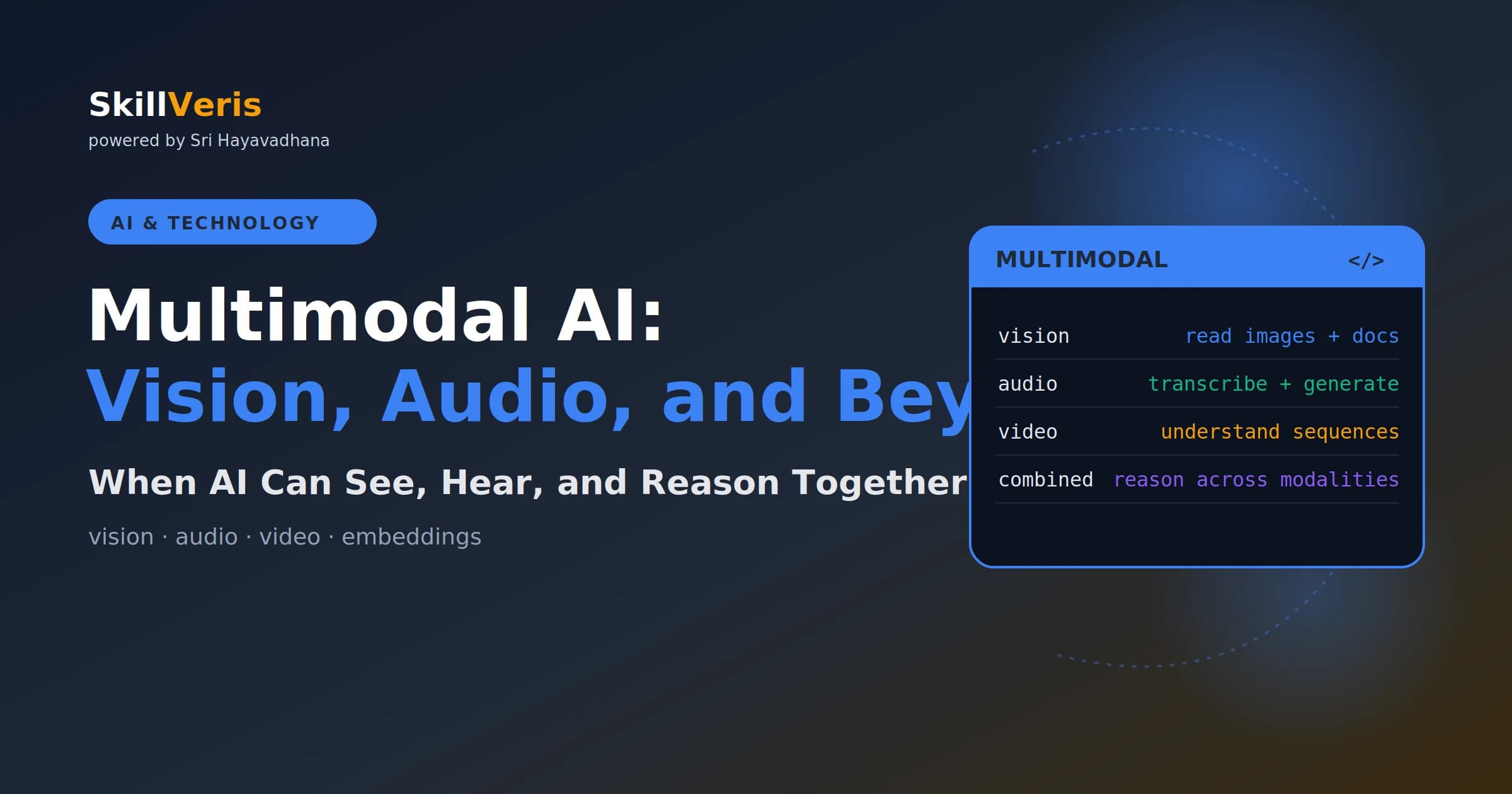
Multimodal AI extends language models beyond text to see images, read documents, transcribe audio, and understand video.
In this guide, you'll learn:
- In 2026 the most practical multimodal applications are document parsing, accessibility alt-text, and voice agents.
- By 2024–2026 virtually all frontier models — Claude 3+, GPT-4o, Gemini 1.5+, Llama 3.2 Vision — are natively multimodal.
- Vision models have largely replaced traditional OCR pipelines because they understand layout context, not just characters.
- Voice agents follow a three-stage pipeline: speech-to-text, LLM reasoning, then text-to-speech.
1What Is Multimodal AI?
A multimodal AI model can process and reason about multiple types of data — text, images, audio, and video — within a single system. Rather than using specialised models for each modality, multimodal models understand all of them together, enabling reasoning that crosses modality boundaries.
For example, you can ask a multimodal model to look at a chart, explain the trend, and suggest three actions based on it. That requires reading an image, extracting numerical data, reasoning about trends, and generating actionable text — all in one call.
2A Brief History
Vision and language have been converging since CLIP (2021) demonstrated that images and text could share the same embedding space. GPT-4V (2023) brought vision into a general-purpose LLM at scale for the first time.
By 2024–2026, virtually all frontier models are natively multimodal, including Claude 3+, GPT-4o, Gemini 1.5+, and Llama 3.2 Vision. The shift from "text-only LLM plus a separate vision model" to a "unified multimodal model" is essentially complete at the frontier level.
3Vision: What AI Can See
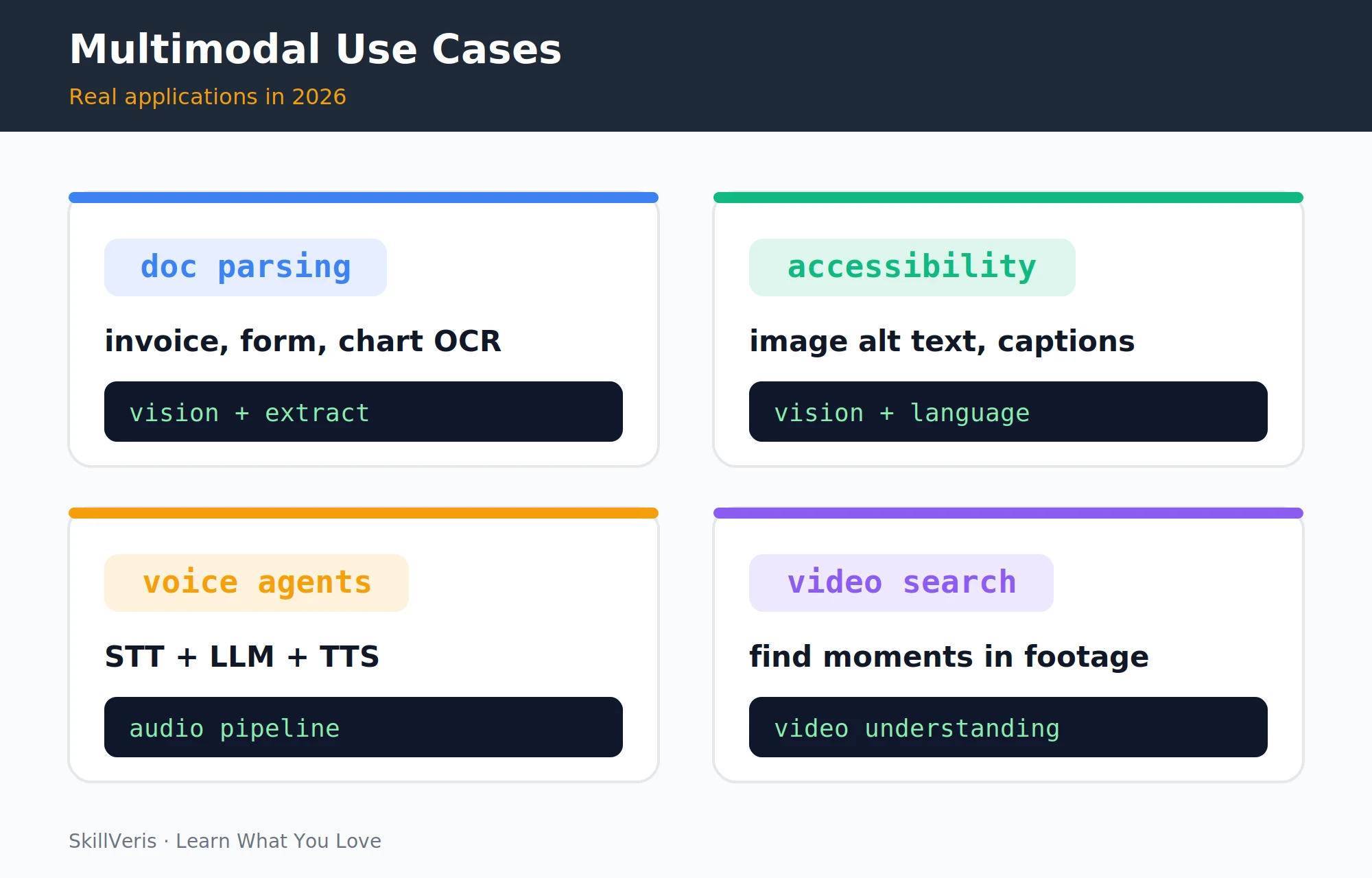
Frontier vision models in 2026 handle a wide range of image-understanding tasks, going well beyond simple object detection. The four most practical applications in production are document parsing, accessibility, voice agents, and video search.
- Object and scene recognition — identify objects, people, animals, text, and settings in images.
- Text in images (OCR) — read printed and handwritten text, including forms, receipts, invoices, and whiteboards.
- Chart and graph reading — extract data from bar charts, pie charts, line graphs, and tables.
- Document understanding — parse multi-page PDFs, understand layout, and extract structured information.
- Diagram reasoning — understand flowcharts, system diagrams, circuit diagrams, and architectural drawings.
- Image comparison — describe differences between two images, useful for UI diffs and before/after comparisons.
4Practical Vision Applications
Vision capabilities map directly onto common business tasks. The table below pairs each application with its typical input, output, and the models best suited to it.
- Invoice processing · Scanned invoice PDF · Structured JSON (vendor, amount, date) · Claude / GPT-4o
- Accessibility alt-text · Product image · Descriptive alt text for screen readers · Any vision model
- Receipt scanning · Phone photo of receipt · Expense category and amount · Claude / Gemini
- Form digitisation · Handwritten form · JSON with field values · GPT-4o / Claude
- Chart Q&A · PNG chart · Data values and trend summary · Claude / Gemini
- Code screenshot to text · Screenshot of code · Editable source code · Any vision model
5Document Parsing with Vision
Vision models have largely replaced traditional OCR-plus-rules pipelines for document parsing because they understand layout context, not just character recognition. You can send a PDF directly and ask for structured JSON in a single call.
The example below sends an invoice to Claude and asks for the vendor, invoice number, date, total, and line items as valid JSON.
Extract structured data from a PDF
Send a document and parse the JSON response:
import anthropic, base64
client = anthropic.Anthropic()

with open("invoice.pdf", "rb") as f:
    pdf_data = base64.standard_b64encode(f.read()).decode("utf-8")

response = client.messages.create(
    model="claude-sonnet-4-6",
    max_tokens=1024,
    messages=[{
        "role": "user",
        "content": [
            {
                "type": "document",
                "source": {"type": "base64",
                           "media_type": "application/pdf",
                           "data": pdf_data}
            },
            {
                "type": "text",
                "text": ("Extract the following from this invoice as JSON: "
                         "vendor_name, invoice_number, date, total_amount, line_items. "
                         "Respond only with valid JSON, no preamble.")
            }
        ]
    }]
)

import json
data = json.loads(response.content[0].text)
print(data)6Audio: Speech to Text and Back
The 2026 audio landscape spans speech-to-text, text-to-speech, and real-time voice, with quality far beyond the robotic voices of a few years ago. Whisper v3 achieves near-human accuracy on clean audio in over 100 languages.
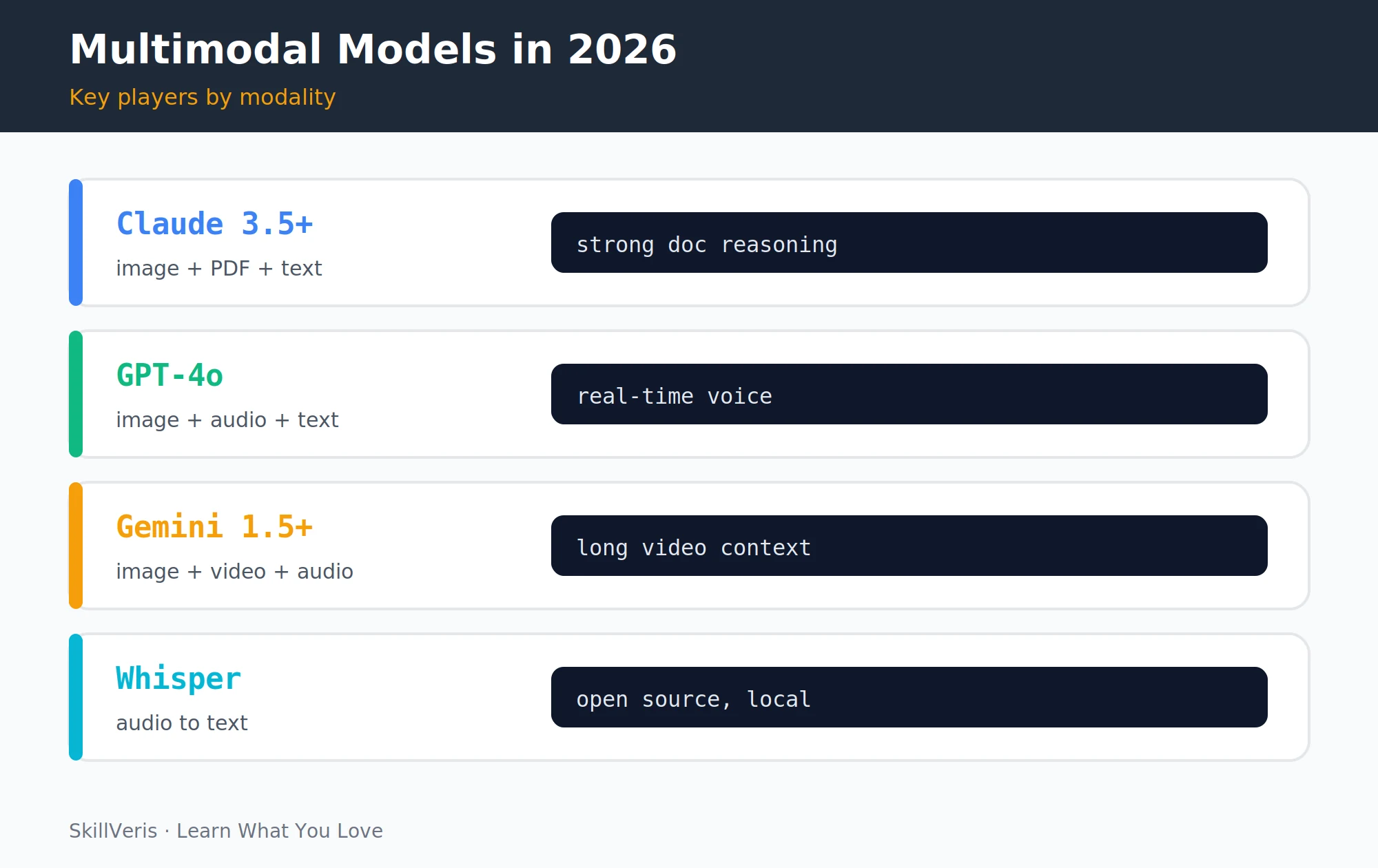
- Speech-to-text (STT) — OpenAI Whisper (open source, local), Deepgram (fast API), AssemblyAI (speaker diarisation), and Google Speech-to-Text.
- Text-to-speech (TTS) — OpenAI TTS (very natural), ElevenLabs (voice cloning), Google Cloud TTS, and Azure Neural TTS.
- Real-time voice — GPT-4o Realtime API and Gemini Live enable sub-second voice conversation with an LLM, with no STT → LLM → TTS pipeline latency.
7Building a Voice Agent Pipeline
A classic voice agent chains three stages: transcribe speech with Whisper, reason over the text with an LLM, then synthesise the reply with a text-to-speech model. This pattern is still common for non-realtime applications.
The example below uses Whisper for transcription, Claude for the reply, and OpenAI TTS to produce an audio response file.
Three-stage voice agent
STT → LLM → TTS in one function:
import anthropic
# Requires: pip install openai sounddevice soundfile
from openai import OpenAI

oai = OpenAI()
claude = anthropic.Anthropic()

def voice_agent(audio_file_path: str) -> str:
    # Stage 1: Speech to Text (Whisper)
    with open(audio_file_path, "rb") as audio:
        transcript = oai.audio.transcriptions.create(
            model="whisper-1", file=audio
        )
    user_text = transcript.text
    print(f"Heard: {user_text}")

    # Stage 2: LLM reasoning (Claude)
    response = claude.messages.create(
        model="claude-sonnet-4-6", max_tokens=512,
        system="You are a helpful voice assistant. Keep replies under 100 words.",
        messages=[{"role": "user", "content": user_text}]
    )
    reply_text = response.content[0].text
    print(f"Saying: {reply_text}")

    # Stage 3: Text to Speech (OpenAI TTS)
    speech = oai.audio.speech.create(
        model="tts-1", voice="nova", input=reply_text
    )
    speech.stream_to_file("response.mp3")
return reply_text8Video Understanding
Video is the most computationally demanding modality. Gemini 1.5/2.0 accepts video files directly thanks to its very large context window, while other models work from extracted keyframes.
- Gemini 1.5/2.0 — accepts video files directly (up to an hour) with a 1M+ token context, best for long-form video Q&A.
- Frame extraction — for other models, extract keyframes (one per second or per scene change) and pass them as an image array.
- Use cases — lecture summarisation, meeting-recording search, surveillance analysis, sports highlight detection, and content moderation.
Frame extraction for non-Gemini models
Sample one frame every 30 seconds with OpenCV:
# Simple frame-extraction approach for non-Gemini models
import cv2, base64

cap = cv2.VideoCapture("lecture.mp4")
fps = cap.get(cv2.CAP_PROP_FPS)
frames = []

while cap.isOpened():
    ret, frame = cap.read()
    if not ret: break
    if int(cap.get(cv2.CAP_PROP_POS_FRAMES)) % int(fps * 30) == 0:  # 1 per 30s
        _, buf = cv2.imencode(".jpg", frame)
        frames.append(base64.b64encode(buf).decode())

cap.release()9Multimodal Embeddings
Multimodal embedding models like CLIP and its successors encode images and text into the same vector space, which unlocks cross-modal search and retrieval. A text query can return matching images, and an image query can find similar products.
The example below embeds an image and a text caption with CLIP and measures their cosine similarity.
- Image search by text — "show me photos of dogs on beaches" returns matching images without manual tagging.
- Cross-modal retrieval in RAG — a query about "the revenue chart from Q3" retrieves an image, not just text.
- Content-based image recommendation — find visually similar products in an e-commerce catalogue.
CLIP similarity
Embed an image and text into one space:
from sentence_transformers import SentenceTransformer
from PIL import Image

model = SentenceTransformer("clip-ViT-B-32")
img_emb = model.encode(Image.open("photo.jpg"))
text_emb = model.encode("a dog playing on a beach")

from sklearn.metrics.pairwise import cosine_similarity
score = cosine_similarity([img_emb], [text_emb])[0][0]
print(f"Similarity: {score:.3f}") # 0.3-0.5 = match; closer to 1 = very similar10Calling Vision APIs
The standard pattern for sending an image to a vision-capable model is to base64-encode the file and include it alongside a text instruction in the message content.
The example below sends a PNG chart to Claude and asks for the trend plus three key takeaways.
Image as base64
Send an image with a question:
# Claude: image as base64
import base64

with open("chart.png", "rb") as f:
    img_b64 = base64.standard_b64encode(f.read()).decode()

response = client.messages.create(
    model="claude-sonnet-4-6", max_tokens=512,
    messages=[{"role": "user", "content": [
        {"type": "image", "source": {
            "type": "base64", "media_type": "image/png", "data": img_b64}},
        {"type": "text", "text": "What trend does this chart show? Give 3 key takeaways."}
    ]}]
)11Limitations and Hallucinations in Vision
Vision models are powerful but imperfect, and their failure modes matter most in high-stakes settings. Spatial reasoning, fine text, and exact chart values are all areas where errors are common.
- Spatial reasoning — models struggle with precise counts, exact positions, and measurements; counts above ~10 are unreliable.
- Fine-grained text recognition — small text, handwriting, and low-contrast text are still error-prone, so validate critical extracted text.
- Chart accuracy — models may extract approximate values; for critical data, verify numbers against the source.
- Confident hallucination — models can describe details that aren't in the image with high confidence.
⚠️Watch Out
Never use vision model output for medical diagnosis, legal evidence, or financial data extraction without human verification. Current models are powerful assistants, not infallible fact-extractors, and real-world error rates are higher than benchmarks suggest.
12Key Takeaways
Multimodal AI is now the default at the frontier, and a handful of applications are genuinely production-ready while others still demand human oversight.
- Multimodal AI extends LLM reasoning to images, audio, and video — all frontier models in 2026 are natively multimodal.
- The most production-ready vision applications are document parsing, accessibility alt-text, and form digitisation.
- Voice agents follow a three-stage pipeline: STT (Whisper) → LLM (Claude/GPT) → TTS (OpenAI/ElevenLabs).
- Always validate vision model outputs for high-stakes data extraction — confident hallucination is real.
13What to Learn Next
Put multimodal capabilities to work by building applications that combine them.
- AI Agents Explained — build agents that see and hear, not just read.
- RAG Explained — extend RAG to retrieve images alongside text.
- Build Your First AI App — a hands-on project using vision APIs.
14Frequently Asked Questions
Can multimodal models read handwriting? Yes, with varying accuracy. Clean printed handwriting on a white background reaches 90%+ accuracy, while cursive, low-contrast, or very small handwriting drops significantly. For critical handwriting recognition, always have a human verify the output.
How do I send an image URL instead of base64? Most vision APIs accept URLs directly. For Claude, set the source type to "url" with the image URL instead of the base64 object, and the model fetches it server-side. The image must be publicly accessible; private URLs require base64 encoding.
What image formats are supported? All major models support JPEG, PNG, GIF (first frame for animations), and WebP. Claude additionally supports PDF natively. For other document types like Word, Excel, or PowerPoint, convert to PDF first.
Is video understanding available in the Claude API? As of mid-2026, Claude supports images and PDFs natively but not video files directly. For video, extract frames at your desired frequency and pass them as an array of images. Gemini's API provides the most capable native video understanding at extended durations.
Related Reading
Get The Print Version
Download a PDF of this article for offline reading.
About the Publisher
SkillVeris Team
AI Research Team
Our AI team covers the latest in machine learning, generative AI, and emerging tech — clearly and accurately.
View all postsRelated Posts




Never miss an update
Get the latest tutorials and guides delivered to your inbox.
No spam. Unsubscribe anytime.