LangChain for Beginners: Build Your First LLM App
SkillVeris Team
AI Research Team
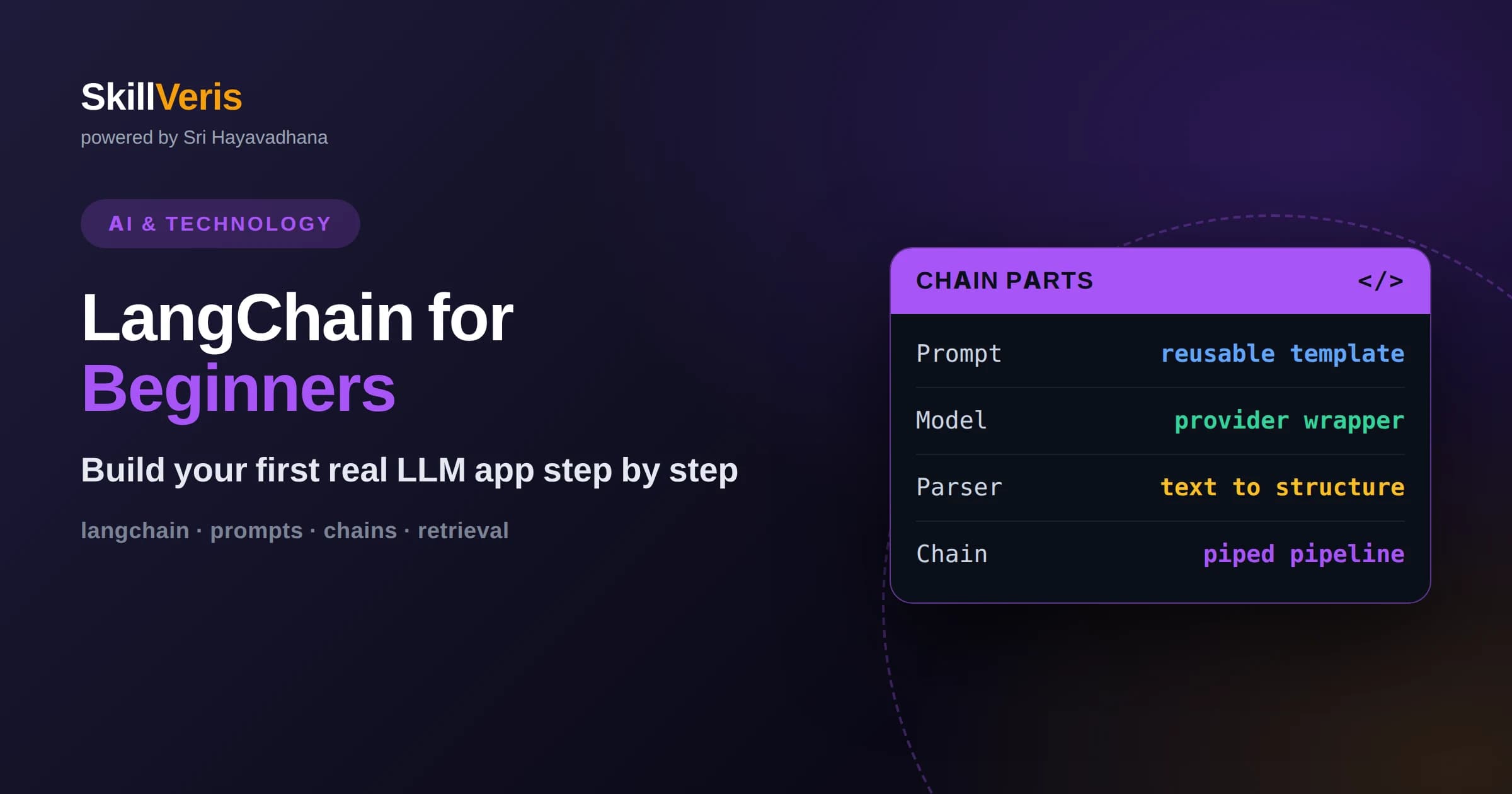
LangChain gives you reusable building blocks like prompt templates, model wrappers, output parsers, and chains so you spend less time on glue code.
In this guide, you'll learn:
- A minimal first app is just three parts: a prompt template, a chat model, and an output parser wired together with the pipe operator.
- Retrieval and tools let your app answer questions from your own documents and take actions, turning a chatbot into a genuine assistant.
- Start small, test each component in isolation, and add memory, retrieval, or agents only when a concrete need appears.
1What Is LangChain and Why Use It
LangChain is an open-source framework that helps you build applications powered by large language models by giving you standard, composable building blocks. Instead of writing raw HTTP calls to a model and hand-stitching prompts, data, and post-processing together, you assemble prewritten pieces such as prompt templates, model wrappers, output parsers, retrievers, and chains. The result is less glue code and a structure other developers can recognize.
The core idea is composition. Each piece has a small, predictable job, and LangChain lets you connect them into a pipeline where the output of one step becomes the input of the next. This makes an LLM app feel less like a fragile script and more like software you can test, reason about, and extend over time.
You do not need LangChain to call a model, and for a single simple prompt it can be overkill. Its value shows up as soon as your app grows: when you need to inject documents, remember conversation history, call external tools, or swap one model provider for another without rewriting everything. Learning it early gives you a mental model that scales.
2The Core Building Blocks
Four concepts cover most of what beginners need. A prompt template is a reusable string with placeholders that you fill at runtime, so you never concatenate strings by hand. A chat model is a wrapper around a provider such as an OpenAI, Anthropic, or open-weight model that exposes one consistent interface. An output parser turns the model's raw text into something structured, like a clean string, a list, or a typed object.
The fourth concept is the chain itself, which is just a sequence of these components connected together. In modern LangChain this is expressed with the LangChain Expression Language, where you use the pipe operator to say take this prompt, send it to this model, then parse the result. Reading a chain left to right tells you exactly what happens to the data.
Around these four you will meet retrievers, which fetch relevant documents, and memory, which carries context between turns. You can ignore both until you need them. Starting with prompt, model, and parser keeps your first project small enough to fully understand.
3Setting Up Your Environment
Begin with a fresh Python virtual environment so your dependencies stay isolated. Install the core LangChain package plus the integration package for whichever model provider you plan to use, since providers now live in separate modules to keep the core lightweight. This separation means you only pull in the code you actually need.
Next, get an API key from your chosen provider and store it as an environment variable rather than pasting it into your code. Hardcoded keys leak into version control and chat logs, so treat them like passwords from day one. A simple environment file that you exclude from Git is enough for local work.
Confirm everything works by importing the chat model, sending a one-line message, and printing the response. If you get text back, your credentials and installation are correct and you are ready to build. Solving setup problems before writing real logic saves a lot of confusion later.
4Building Your First Chain
Your first real app is a three-step chain. Create a prompt template that takes an input variable, for example a topic, and asks the model to explain it simply. Instantiate a chat model with a low temperature for predictable output. Add a string output parser so you receive clean text instead of a message object.
Wire them together with the pipe operator so the flow reads prompt, then model, then parser. Then call the chain's invoke method with a dictionary supplying your input variable. Because each stage has one job, you can print the output of any single stage while debugging to see exactly where behavior diverges from what you expected.
This tiny pipeline is the template for almost everything else you will build. More advanced apps are the same shape with richer components: a retriever feeding context into the prompt, a parser producing structured data, or a tool-calling model deciding what to do next. Master the small version and the large versions feel familiar.
5Working With Prompt Templates
Prompt templates are where much of your app's quality lives. A good template sets the model's role, states the task clearly, and specifies the format you want back. Keeping this text in a template rather than scattered through your code means you can iterate on wording in one place and see the effect immediately.
Use separate system and human messages when your provider supports chat-style prompts. The system message establishes persistent behavior, such as answer concisely and admit uncertainty, while the human message carries the specific request. This split keeps instructions stable across turns and reduces the chance the model drifts from its role.
Treat prompts as something you test, not something you write once. Small changes in phrasing can noticeably change output, so keep a handful of example inputs and rerun them whenever you edit a template. Over time you build an intuition for what wording produces reliable results.
6Adding Memory for Conversations
By default a model has no memory of previous turns; each call is independent. To build a chatbot that remembers what was said, you pass the prior messages back into the model on every request. LangChain provides history utilities that store and replay these messages so you do not manage the list entirely by hand.
Memory has a cost because every remembered message consumes context window space and tokens. For long conversations you will eventually summarize older turns or keep only the most recent ones, trading perfect recall for efficiency. Deciding what to remember is a design choice, not an automatic behavior.
Start without memory and add it only when your app clearly needs continuity. A question-answering tool over documents often needs none, while an assistant that refers back to earlier requests does. Adding memory prematurely complicates debugging because behavior now depends on hidden accumulated state.
7Connecting Your Own Data With Retrieval
The most useful beginner upgrade is retrieval, which lets your app answer questions using your own documents instead of only the model's general knowledge. You split documents into chunks, convert each chunk into an embedding vector that captures its meaning, and store those vectors in a vector database. At query time you embed the question and fetch the most similar chunks.
Those retrieved chunks are inserted into the prompt as context, and the model answers grounded in them. This pattern, retrieval-augmented generation, dramatically reduces made-up answers because the model is working from real text you provided rather than guessing. It also keeps answers current, since you can update the documents without retraining anything.
LangChain gives you loaders for common file types, text splitters for chunking, embedding wrappers, and retriever interfaces so the whole pipeline fits together cleanly. The main tuning knobs are chunk size and how many chunks you retrieve. Too small and you lose context, too large and you waste tokens, so experiment with your own content.
8Tools and Agents in Plain Terms
A tool is any function your app exposes to the model, such as a calculator, a search API, or a database lookup. An agent is a loop where the model decides which tool to call, sees the result, and decides what to do next until it can answer. This is how an LLM app moves from talking about actions to actually taking them.
Agents are powerful but harder to control, because you are handing the model decision-making authority. They can loop, call the wrong tool, or take unexpected paths, so you add guardrails like step limits, input validation, and clear tool descriptions. Good tool descriptions matter enormously, since the model chooses tools based on how you describe them.
For a first project, prefer a fixed chain over an open-ended agent whenever the steps are known in advance. Reserve agents for genuinely open tasks where the required sequence of actions cannot be predicted. Choosing the simplest structure that solves the problem is a hallmark of good LLM engineering.
9Getting Reliable Structured Output
Real applications rarely want a paragraph of prose; they want structured data they can act on, such as a category, a score, or a list of fields. Output parsers and schema definitions let you ask the model for output that matches a shape you specify, then validate that the response actually conforms.
When a provider supports structured output or function calling natively, prefer it, because the model is constrained to produce valid data rather than free text you must clean up. When it does not, you describe the format in the prompt and parse the result, retrying or repairing when the model strays. Validation turns a probabilistic model into a dependable component.
Always plan for the model occasionally returning malformed output. Wrap parsing in error handling, and decide whether to retry, fall back to a default, or surface the problem. Treating the model as a fallible service rather than an oracle keeps your app robust in production.
10Debugging and Observability
Because LLM apps are chains of steps, the fastest way to debug is to inspect what each step produces. Print the fully rendered prompt to confirm your template filled correctly, check the raw model response before parsing, and verify retrieved chunks are actually relevant. Most bugs are visible the moment you look at the intermediate values.
As apps grow, add tracing so you can see every step of a run, including inputs, outputs, timing, and token usage. Tracing reveals slow stages, wasted tokens, and prompts that quietly ballooned in size. What you cannot see, you cannot improve, so make your pipeline observable early.
Keep a small evaluation set of example inputs with expected qualities, and rerun it after every meaningful change. This catches regressions that a single manual test would miss and gives you confidence that a prompt tweak improved things overall rather than fixing one case and breaking three others.
11Common Beginner Mistakes to Avoid
The most frequent mistake is reaching for agents and complex chains before mastering a simple one. Complexity multiplies the ways something can fail, and beginners often cannot tell whether a bug lives in the prompt, the retrieval, or the agent loop. Build up one layer at a time so each addition is easy to isolate.
Another common error is ignoring cost and latency until they hurt. Every retrieved chunk, remembered message, and extra reasoning step consumes tokens and time. Watching token usage from the start builds habits that keep apps affordable and fast as they scale.
Finally, do not trust model output blindly. Add validation, handle errors, and design for the reality that the model will sometimes be wrong or produce invalid data. Applications that assume perfect output break in front of real users, while those that expect imperfection degrade gracefully.
12Where to Go From Here
Once your three-step chain works, add capabilities one at a time. Introduce retrieval to answer from your own documents, then structured output to make results actionable, then memory if you need conversation. Each addition reuses the pipeline shape you already understand, so growth feels incremental rather than overwhelming.
Read the source of the components you use, because they are small and reading them demystifies the framework. Understanding how a chain routes data or how a retriever ranks results turns LangChain from magic into ordinary code you can modify with confidence.
The best way to cement these ideas is to build something you actually want, then improve it. On SkillVeris you can work through guided, hands-on LLM projects that take you from a first prompt to a retrieval-powered assistant, practicing each building block on real code rather than only reading about it.
Related Reading
Get The Print Version
Download a PDF of this article for offline reading.
About the Publisher
SkillVeris Team
AI Research Team
Our AI team covers the latest in machine learning, generative AI, and emerging tech — clearly and accurately.
View all postsRelated Posts




Never miss an update
Get the latest tutorials and guides delivered to your inbox.
No spam. Unsubscribe anytime.