Context Windows Explained: How Much AI Can Read
SkillVeris Team
AI Research Team
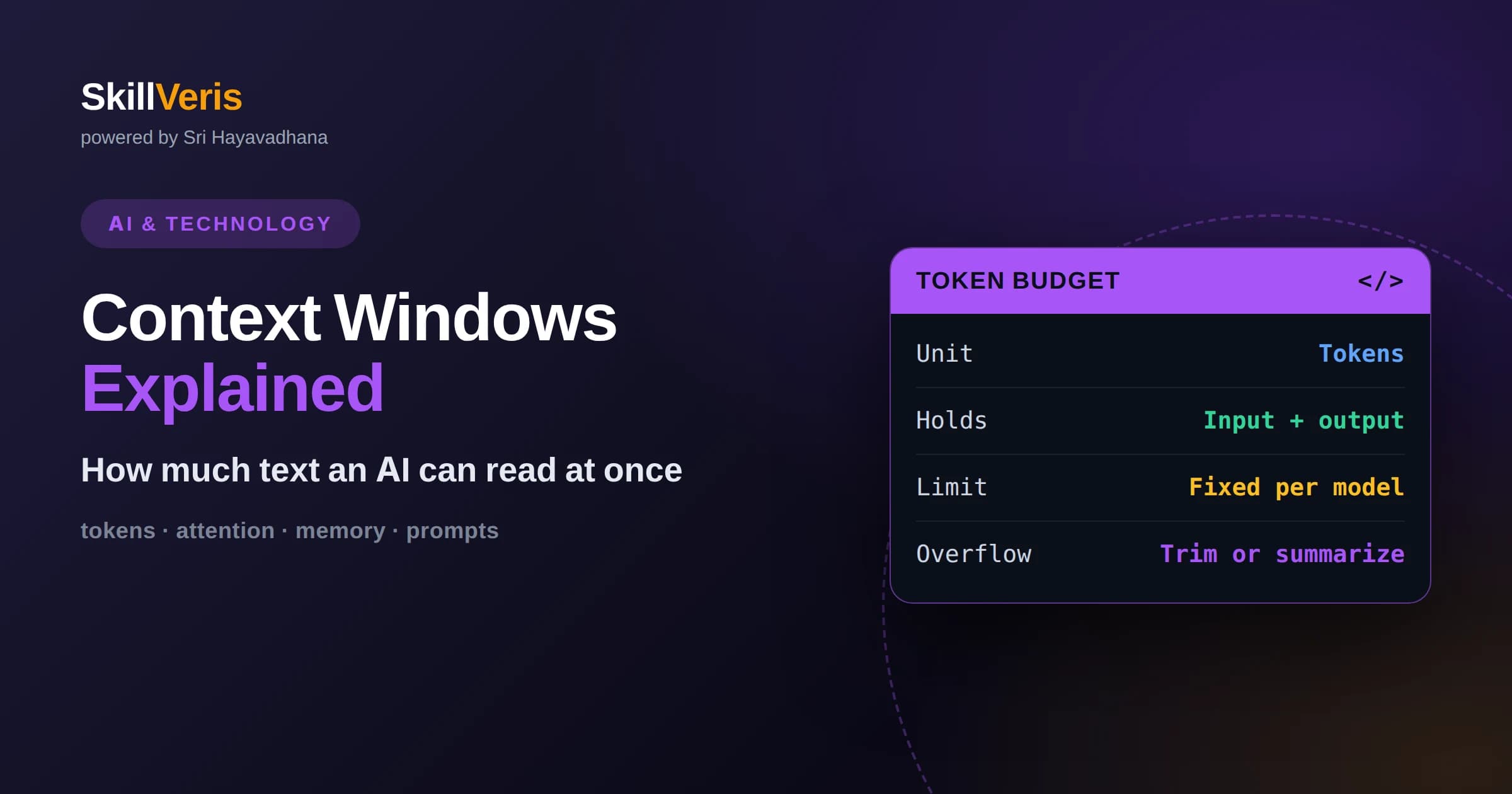
A context window is the total span of text, measured in tokens, that a language model can attend to in a single request, covering both your input and its generated reply.
In this guide, you'll learn:
- Tokens are chunks of text roughly the size of a short word or word-piece, so word counts and token counts are related but never identical.
- Larger windows let a model hold more documents and conversation history at once, but they cost more, run slower, and do not guarantee the model uses every token equally well.
- Techniques like summarization, retrieval, and chunking let you work with far more information than any single window can physically hold.
1What Is a Context Window?
A context window is the maximum amount of text an AI language model can read and consider at one time, measured in units called tokens. Everything the model works with in a single request has to fit inside this window: your question, any documents or examples you paste in, the running conversation history, and the response the model writes back. If the combined total exceeds the window, something has to be dropped or the request is rejected.
You can think of the context window as the model's short-term working memory. Just as a person can only hold so many ideas in their head at once before earlier thoughts fade, a model can only attend to a fixed span of tokens. Anything outside that span simply does not exist from the model's point of view during that request.
This is one of the most important practical limits to understand when working with AI. It shapes how much you can ask a model to summarize, how long a conversation can run before it forgets the beginning, and how you need to structure large tasks so the essential information stays inside the window.
2Tokens, Not Words
Context windows are measured in tokens rather than words or characters. A token is a small chunk of text produced by the model's tokenizer, and it can be a whole short word, a piece of a longer word, a single character, or even a space and punctuation mark. Common words often map to a single token, while rarer or longer words get split into several pieces.
As a rough illustration, a token in English tends to correspond to about three-quarters of a word, so a paragraph of a hundred words might occupy somewhere around one hundred and thirty tokens. This ratio is only a generic guideline, not a precise rule, and it shifts with language, formatting, code, and unusual vocabulary.
Understanding tokens matters because it explains why counting words undercounts your true usage. Code, JSON, tables, and text with lots of numbers or symbols often tokenize less efficiently than plain prose, meaning they eat into the window faster than their word count suggests.
3Why There Is a Limit at All
The context window exists because of how transformer models process text. The core mechanism, called attention, lets every token look at every other token to decide what is relevant. That flexibility is what makes these models powerful, but it is also expensive, because the amount of computation grows sharply as the number of tokens grows.
Doubling the length of the input does not merely double the work for the attention step; it can increase it far more steeply. That is why very long windows are technically demanding to support and why they consume more memory and time. Engineering advances have pushed windows much larger over the years, but the underlying cost pressure never disappears entirely.
The limit is therefore a deliberate design boundary that balances capability against speed, memory, and cost. When a model advertises a certain window size, it reflects the largest span the system was built and tested to handle reliably.
4Input and Output Share the Same Budget
A common surprise is that the context window has to accommodate both what you send and what the model writes back. If a model has a window of a certain size and you fill nearly all of it with input, there may be very little room left for the response. The model cannot generate a long answer if the remaining budget is tiny.
This is why long documents pasted into a chat sometimes produce short or truncated replies. The input consumed most of the available tokens, leaving only a sliver for output. Planning for output space is part of using a model well, especially when you want detailed, lengthy answers.
Many tools let you reserve or configure the maximum output length separately. Setting that value thoughtfully ensures the model has enough room to finish its thought rather than getting cut off mid-sentence when it runs into the ceiling.
5How Conversations Fill the Window
In a chat interface, every message you send and every reply the model gives is usually resent as part of the context on each new turn. The model has no built-in memory between requests, so the conversation history is fed back in to give it continuity. This means a long chat steadily consumes more of the window with each exchange.
Eventually a lengthy conversation can approach the window's edge. When that happens, older messages are often trimmed or summarized behind the scenes so the newest turns still fit. That is why a model can seem to forget something you told it near the start of a very long session: those early tokens may have been pushed out to make room.
Knowing this helps you work more effectively. If an important instruction or fact was mentioned long ago, restating it in a recent message keeps it firmly inside the window rather than trusting it to survive at the far edge.
6The Trade-offs of Bigger Windows
Larger context windows are genuinely useful. They let a model read an entire report, a long transcript, or a large chunk of a codebase in one pass, which reduces the effort of splitting material into pieces. For tasks that need broad awareness across a big document, more room is a real advantage.
However, bigger is not automatically better for every task. Longer inputs generally cost more and take longer to process, since the model is doing more work. If your task only needs a page of context, sending a hundred pages wastes time and money without improving the answer.
There is also a quality dimension. A model may not attend to every part of a very long input with equal care, and important details buried in the middle of a huge block of text can receive less focus than material near the beginning or end. Filling the window is not the same as guaranteeing the model uses all of it well.
7The Lost-in-the-Middle Effect
Researchers have observed that models sometimes handle information at the start and end of a long context more reliably than information sitting in the middle. This tendency is often described informally as being lost in the middle. It does not mean the middle is ignored, only that placement can influence how readily a detail is recalled.
The practical lesson is to place the most important instructions and facts where they are least likely to be overlooked, often near the beginning of your prompt or clearly restated near the end. Structuring content with clear headings and putting key points up front helps the model locate what matters.
This effect is a reminder that a context window is a capacity limit, not a promise of perfect recall. Good prompt design still matters even when everything technically fits inside the window.
8Estimating Your Token Usage
Before sending a large request, it helps to estimate how many tokens it will consume so you can stay comfortably within the window. Many providers offer tokenizer tools or libraries that count tokens exactly for a given piece of text, which removes the guesswork for anything important.
For quick mental math, treating plain English as roughly one token per three-quarters of a word gives a usable ballpark. Remember to add up all the parts: system instructions, examples, the user message, prior conversation, and space reserved for the reply. The sum, not any single part, is what must fit.
When you routinely bump into limits, measuring usage reveals where the tokens are going. Often a large portion is consumed by boilerplate, repeated context, or verbose formatting that can be trimmed without losing meaning.
9Working Beyond the Window
Real projects often involve far more text than any single window can hold, and several well-established techniques let you work around the limit. The first is chunking, where a large document is split into smaller pieces that each fit comfortably, processed one at a time, and their results combined.
A second technique is summarization. Instead of feeding an entire history verbatim, you condense it into a compact summary that preserves the essentials while using far fewer tokens. Rolling summaries are especially common in long-running conversations, where the past is continually distilled to keep the window from overflowing.
A third and increasingly popular approach is retrieval. Rather than stuffing everything into the prompt, you store your documents externally and fetch only the passages most relevant to the current question, inserting just those into the window. This keeps requests small and focused while still drawing on a large body of knowledge.
10Context, Speed, and Cost
Because usage is billed and timed largely by tokens, the size of your context has direct consequences for both cost and responsiveness. A prompt that carries a lot of unnecessary context is slower to process and more expensive to run, even if the extra material never changes the answer.
Trimming context is therefore a practical optimization, not just tidiness. Removing redundant instructions, collapsing repeated information, and retrieving only what is needed can make an application noticeably faster and cheaper while keeping quality the same or better.
This is why thoughtful engineers treat the context window as a scarce resource to be spent deliberately. Every token included should earn its place by improving the model's ability to complete the task.
11Common Misconceptions
One frequent misconception is that a larger window gives a model permanent memory. It does not. The window is temporary working space for a single request, and nothing inside it persists after the response unless your application deliberately stores and re-supplies it.
Another misconception is that filling the window with as much context as possible always improves answers. In practice, relevance matters more than volume. A focused, well-organized prompt often outperforms a bloated one that buries the important details among noise.
A final misconception is that token counts equal word counts. They are correlated but distinct, and assuming they are the same leads to underestimating usage, especially with code, numbers, and non-English text.
12Practical Guidelines to Remember
When you plan a request, decide first what the model truly needs to see, then include only that. Put the most important instructions where they stand out, keep formatting lean, and reserve enough room for the response you actually want. These habits keep you well inside the window and improve results.
For anything larger than a single window, reach for chunking, summarization, or retrieval rather than trying to force everything in at once. These patterns scale to enormous bodies of text while keeping each individual request small, fast, and focused.
Above all, treat the context window as the model's attention budget. Spending it wisely is one of the highest-leverage skills in working with AI, and it pays off in faster, cheaper, and more accurate results.
13Put It Into Practice on SkillVeris
The best way to internalize context windows is to experiment with them directly. Try pasting documents of increasing length into a model, watch how response quality and speed change, and practice condensing a long conversation into a short summary that preserves the key facts. Hands-on repetition turns these ideas from abstract limits into intuition.
On SkillVeris, you can work through guided lessons and exercises that walk you through tokenization, prompt structure, and techniques like retrieval and summarization step by step. Building small projects that manage context deliberately is the fastest path to mastering how much AI can really read, and how to make every token count.
Related Reading
Get The Print Version
Download a PDF of this article for offline reading.
About the Publisher
SkillVeris Team
AI Research Team
Our AI team covers the latest in machine learning, generative AI, and emerging tech — clearly and accurately.
View all postsRelated Posts




Never miss an update
Get the latest tutorials and guides delivered to your inbox.
No spam. Unsubscribe anytime.