AI Coding Assistants: How They Work and When to Use Them
SkillVeris Team
AI Research Team
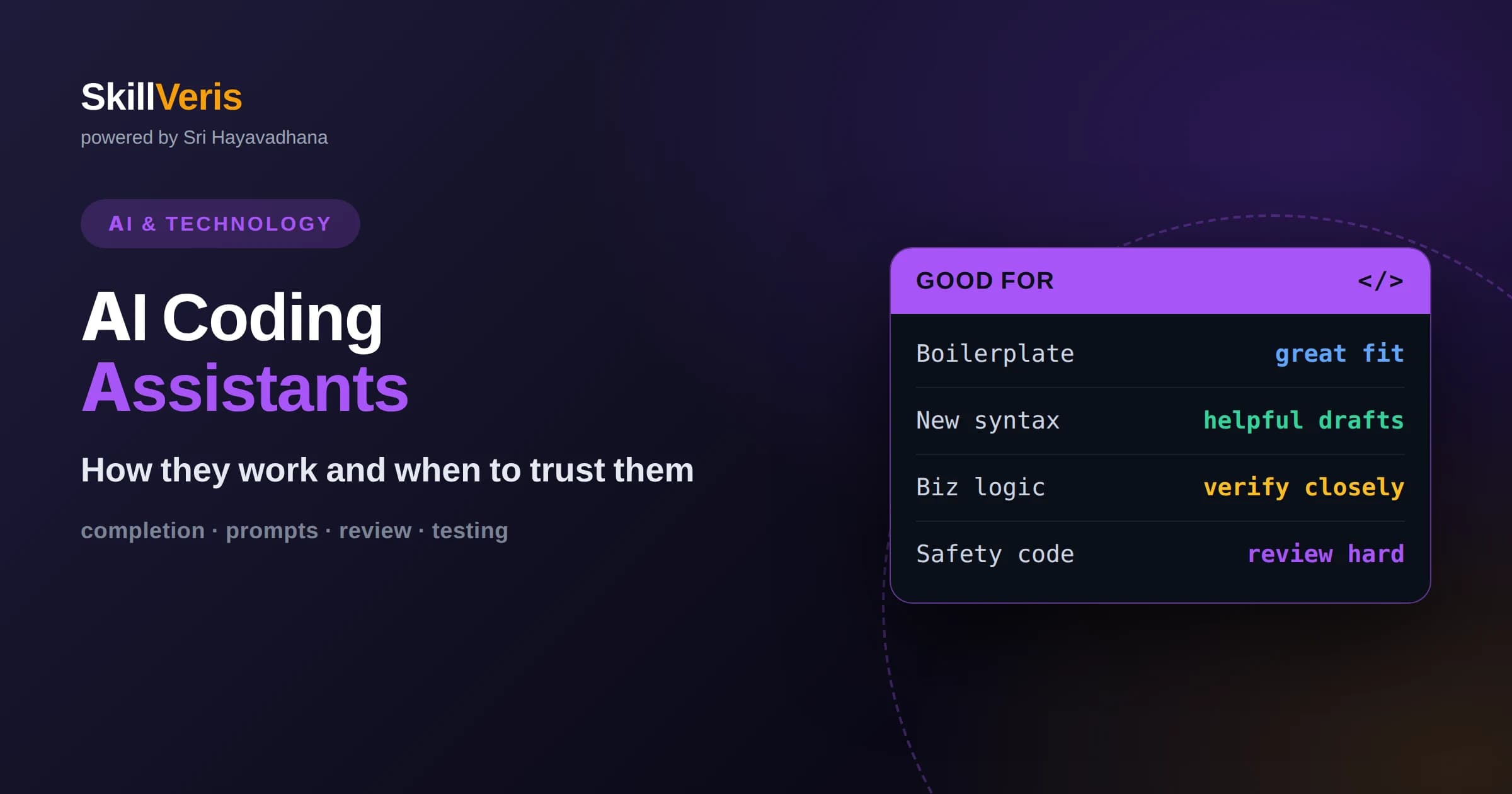
AI coding assistants use large language models trained on code to suggest completions, whole functions, and answers to programming questions.
In this guide, you'll learn:
- They work by predicting likely code from the context of your files, comments, and prompts, not by truly understanding your intent.
- They excel at boilerplate, unfamiliar syntax, and first drafts, but require review because they can produce confident, incorrect code.
- Used with good judgment and testing, they raise productivity without replacing the developer's responsibility for correctness.
1What Are AI Coding Assistants?
AI coding assistants are tools that suggest, complete, or generate code by predicting what you are likely to write next based on the surrounding context. They appear as autocomplete inside your editor, as chat panels that answer questions, or as agents that attempt whole tasks, and all of them share the same underlying idea: turn your intent, expressed in code and comments, into working code.
Under the hood they are powered by large language models trained on enormous amounts of source code and technical text. From that training they learned the patterns, idioms, and common structures of many programming languages, which lets them produce plausible code for a huge range of situations.
The key word is plausible. These tools generate what statistically resembles correct code given your context, which is often exactly right and occasionally confidently wrong. Understanding that distinction is the foundation of using them well.
This framing matters because it sets the right relationship with the tool. You are not delegating judgment to an oracle; you are collaborating with a fast pattern-matcher that has read an enormous amount of code and will confidently offer its best guess for what comes next.
2How They Actually Work
At the core is next-token prediction. The model reads your current file, related code, comments, and any instructions, converts them into tokens, and repeatedly predicts the most likely next token until it has produced a suggestion. Nothing about this process involves running your code or checking that it works.
The context the model can see is limited to a window of recent and relevant text. Assistants improve their suggestions by gathering the right context, such as nearby functions, imported modules, or the file you are editing, and feeding it to the model so the prediction is grounded in your actual project.
More advanced assistants add tools around the model, letting it search your codebase, read documentation, or run tests. These capabilities make the assistant more useful, but the generation step at the center is still prediction, not comprehension.
Because generation never runs your code, the assistant has no built-in way to know whether its suggestion actually works. That verification step is entirely yours, which is why a fast feedback loop of running and testing is so central to using these tools productively.
3The Forms They Take
The most familiar form is inline completion, where gray text suggests the rest of a line or block as you type and you accept it with a keystroke. This is fast and unobtrusive, ideal for finishing repetitive patterns you have already started.
Chat-style assistants let you ask questions, request explanations, or describe a change in plain language and receive code and reasoning in return. They are well suited to exploring an unfamiliar library or debugging a puzzling error.
The newest form is the agent, which takes a higher-level goal and attempts multiple steps on its own, editing several files and running commands. Agents are powerful but require closer supervision because small early mistakes can compound across steps.
4Where They Shine
Coding assistants are excellent at boilerplate: the repetitive, well-established code that is tedious to type but not intellectually demanding. Setting up a data structure, writing a standard loop, or scaffolding a test often comes out correct on the first try.
They also shorten the distance to unfamiliar territory. When you are working in a new language or with an API you have not used, an assistant can produce a reasonable starting point and remind you of syntax you would otherwise look up. This lowers the friction of trying new things.
Finally, they are strong at transformation tasks such as converting data from one shape to another, writing documentation for existing code, or drafting a first version you will refine. In each case they accelerate work you could do yourself but faster.
In all of these strengths the common thread is that the task is something you could verify quickly. When you can glance at a suggestion and immediately tell whether it is right, the assistant's speed is almost pure gain with little downside.
5Where They Struggle
Because they predict rather than reason from a full understanding, assistants can produce code that looks right but is subtly wrong: an off-by-one error, a misused function, or logic that fails on edge cases. The output is fluent, which can make mistakes harder to spot than obvious errors.
They also struggle with tasks that depend on knowledge outside their context, such as your specific business rules, a private internal library, or the true intent behind an ambiguous request. When the model cannot see something important, it may invent a plausible substitute.
Large, cross-cutting changes that require holding an entire system in mind are another weak spot. Assistants see a window, not the whole architecture, so they can miss consequences that ripple across a codebase.
6The Problem Of Confident Mistakes
One of the most important behaviors to understand is that these tools sometimes invent functions, libraries, or facts that do not exist, and present them with the same confidence as correct answers. This is often called hallucination, and it is a natural consequence of predicting plausible text.
The practical danger is misplaced trust. A suggestion that references a made-up method or a nonexistent option can waste time and, worse, slip into code if you accept it without checking. Never assume that fluent output equals correct output.
The defense is simple and non-negotiable: verify. Run the code, read the documentation for anything unfamiliar, and test edge cases. Treat suggestions as drafts by a fast but fallible collaborator.
7Review, Testing, And Responsibility
When you accept AI-generated code, you own it. Reviewers and users do not care whether a bug was written by a human or a model, so the responsibility for correctness stays with you. This mindset keeps assistants a tool rather than a crutch.
Automated tests are your best ally. They catch the plausible-but-wrong outputs quickly and give you confidence to accept suggestions faster. Writing a test alongside generated code turns the assistant's speed into safe speed.
Code review practices matter more, not less, in an AI-assisted workflow. A careful reviewer catches subtle issues the model introduced, and reviewing generated code also deepens your own understanding of what it does.
Over time, this discipline also makes you faster. A solid test suite lets you accept suggestions with confidence instead of second-guessing each one, so the safety net of good tests is what actually unlocks the speed these tools promise.
8Security And Privacy Considerations
Generated code can carry security weaknesses, such as unsafe handling of user input or outdated patterns, because the model reproduces patterns from its training data, including bad ones. Security review of AI-written code is essential, especially for anything that touches authentication, data, or external input.
Privacy is a second concern. Some assistants send your code to an external service to produce suggestions, which may be unacceptable for proprietary or sensitive projects. Understand where your code goes and choose tools and settings that match your organization's policies.
Licensing is a subtler issue. Generated code can resemble existing code, so for anything you ship publicly it is wise to understand your tool's policies and to keep human judgment in the loop.
9Getting Better Results
You get better output by giving better context. Clear function names, descriptive comments, and small focused files help the model understand what you want. A vague request yields a vague answer, while a specific one with examples yields something usable.
Breaking a task into smaller steps also helps. Instead of asking for an entire feature at once, ask for one piece, review it, and continue. This keeps each suggestion within the model's strengths and makes errors easier to catch early.
When the assistant goes wrong, it is often faster to refine your request or provide a concrete example than to fight a bad suggestion. Treat the interaction as a short conversation, not a single command.
Think of the assistant as a capable collaborator who cannot read your mind. The clearer you are about the goal, the constraints, and an example of the desired result, the closer the first suggestion lands to what you actually wanted.
10Effect On Learning
For learners, coding assistants are a double-edged sword. Used thoughtfully, they act like a patient tutor that explains syntax and shows examples on demand, accelerating the climb from beginner to competent.
Used carelessly, they can create an illusion of understanding. Accepting suggestions you cannot explain builds a fragile foundation, because you will struggle when the tool is wrong or unavailable. The goal is to learn with the assistant, not to outsource thinking to it.
A healthy habit is to try solving a problem yourself first, then compare with the assistant's approach. The difference between your solution and its suggestion is often where the real learning happens.
11When To Use Them, When To Pause
Reach for an assistant when the task is well understood, repetitive, or exploratory, and when you can quickly verify the result. In these situations the speed gain is large and the risk is low.
Pause and rely more on your own reasoning when the task is safety-critical, deeply tied to hidden business logic, or architecturally sweeping. In those cases the cost of a confident mistake outweighs the convenience.
The mature approach is not to accept or reject these tools wholesale but to know which parts of your work they help with and to stay in control of the rest.
The developers who benefit most are not those who use these tools the most or the least, but those who have a clear sense of where the tools are trustworthy and where their own careful reasoning must take over.
12Why Context Is Everything
The quality of a coding assistant's suggestions depends heavily on what it can see. Because it predicts from context, the same model gives far better results when the relevant code, types, and comments are within reach than when it is guessing in the dark.
This is why keeping related code organized and well named helps more than it might seem. An assistant that can see a clear function signature and a descriptive comment produces code that fits, while one working from cryptic names produces generic guesses.
It also explains inconsistency. When a suggestion seems oddly wrong, the model often simply could not see something important, and providing that missing piece in a comment or prompt fixes the result immediately.
13Fitting Assistants Into A Team
Introducing coding assistants to a team raises questions beyond individual productivity. Agreeing on where they help, how generated code is reviewed, and what may or may not be sent to external services keeps everyone aligned and avoids inconsistent practices.
Shared standards matter because generated code enters the same codebase everyone maintains. A clear expectation that AI-written code is reviewed and tested to the same bar as human-written code protects long-term quality.
Teams also benefit from sharing what works. Prompts, patterns, and cautionary tales spread quickly, and a little shared knowledge turns a collection of individual experiments into a coherent, effective way of working.
14Build The Skill On SkillVeris
Using AI coding assistants well is itself a skill, blending prompting, review, and testing with solid programming fundamentals. The strongest developers pair the speed of assistants with judgment that only comes from real understanding.
SkillVeris offers hands-on lessons that teach both the fundamentals and how to work alongside AI tools responsibly, with exercises that reward genuine understanding over blind acceptance. Learning the underlying concepts is what lets you catch the mistakes an assistant will inevitably make.
Practice by generating code, then explaining and testing it until you could have written it yourself. That habit turns an AI assistant from a risky shortcut into a genuine multiplier of your ability.
Related Reading
Get The Print Version
Download a PDF of this article for offline reading.
About the Publisher
SkillVeris Team
AI Research Team
Our AI team covers the latest in machine learning, generative AI, and emerging tech — clearly and accurately.
View all postsRelated Posts




Never miss an update
Get the latest tutorials and guides delivered to your inbox.
No spam. Unsubscribe anytime.