AI Agents Explained: How They Actually Work
SkillVeris Team
AI Research Team
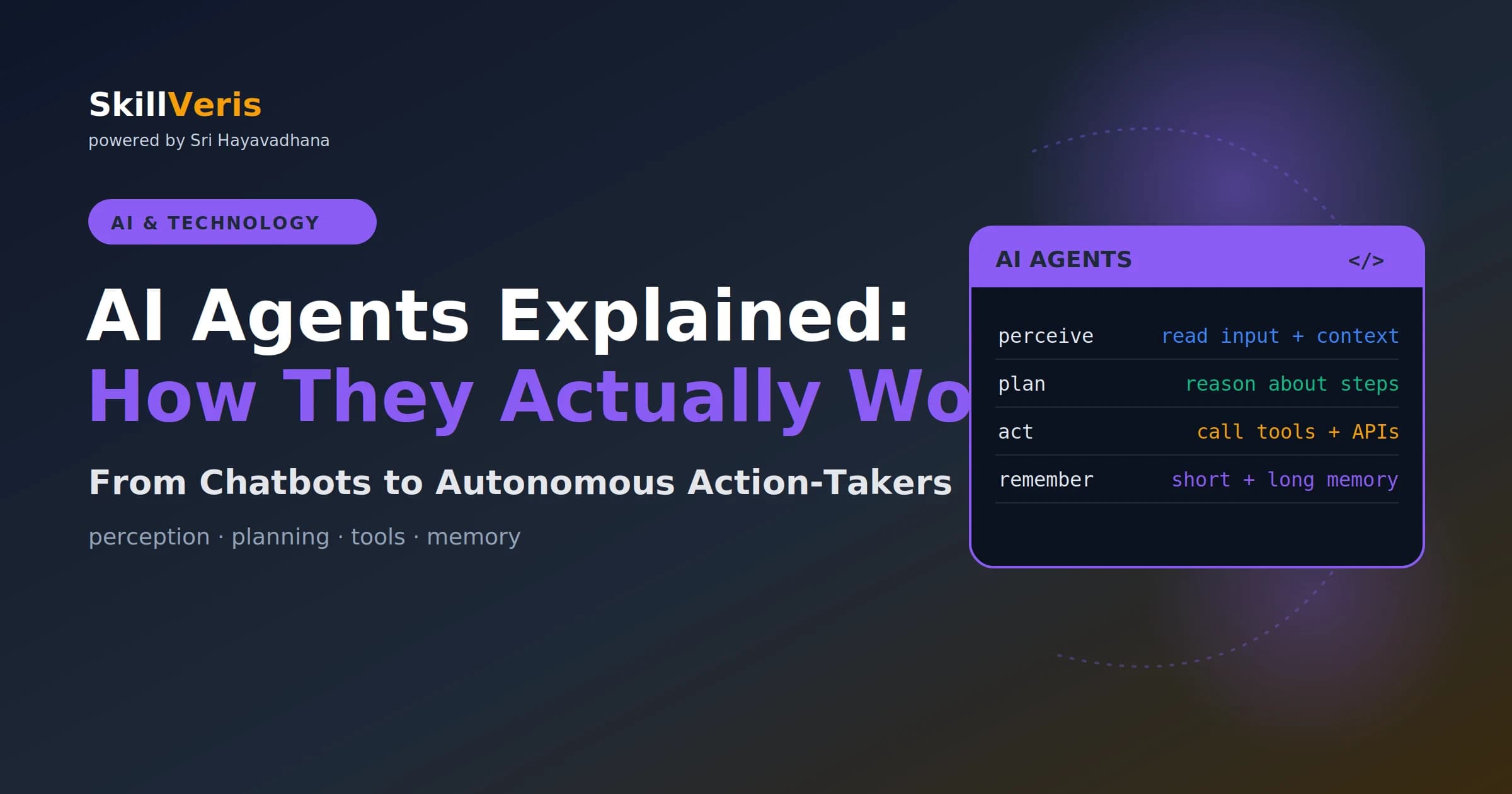
An AI agent is an LLM that can take actions — calling tools, browsing the web, running code — and observe results to decide what to do next.
In this guide, you'll learn:
- The core agent loop is perceive input, plan next step, act, observe result, and repeat until done.
- Unlike a chatbot, an agent doesn't just answer — it plans and executes multi-step tasks autonomously.
- Tools define what an agent can accomplish, from web search to code execution to database queries.
- ReAct — interleaving Thought, Action, and Observation — is the most widely implemented agent pattern.
1What Is an AI Agent?
An AI agent is a system that uses a large language model (LLM) as its reasoning engine and can take actions in the world — searching the web, writing and executing code, calling APIs, reading files, sending emails — rather than just generating text in a chat window.
The critical difference from a chatbot is that an agent doesn't just answer questions; it does things. Give it a goal ("research the top 5 competitors and write a comparison report") and it plans the steps, executes them one by one, evaluates the results, and produces the final output autonomously.
In 2026, AI agents are one of the most rapidly evolving areas in technology, moving from demos to production systems handling real business workflows.
2Agents vs Chatbots
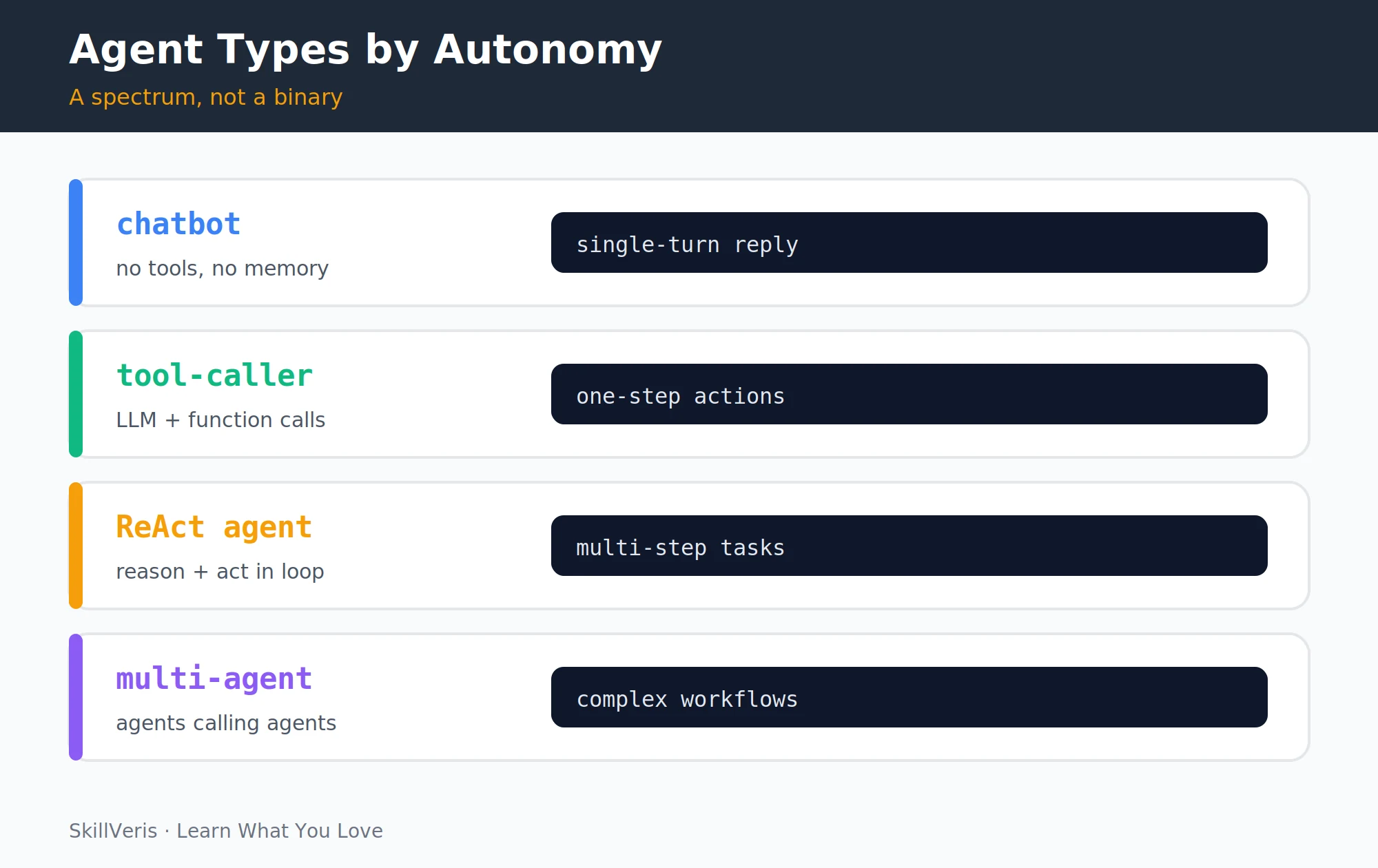
A chatbot answers a single question; an agent pursues a goal across multiple steps with tools and memory. A customer service bot that answers FAQs is a chatbot — but a customer service agent that looks up the order, checks the warehouse system, issues the refund, and sends the confirmation email is an agent.
- Single turn: question → answer · Multi-step: goal → plan → actions → result
- No tools (text only) · Has tools (web, code, APIs)
- No persistent memory · Short-term + optional long-term memory
- Cannot take external actions · Can book, send, create, deploy
- Stateless between turns · Maintains state across a task
3The Agent Loop
Every agent implementation, regardless of framework, runs the same fundamental loop. It repeats until the task is complete or it hits a stopping condition.
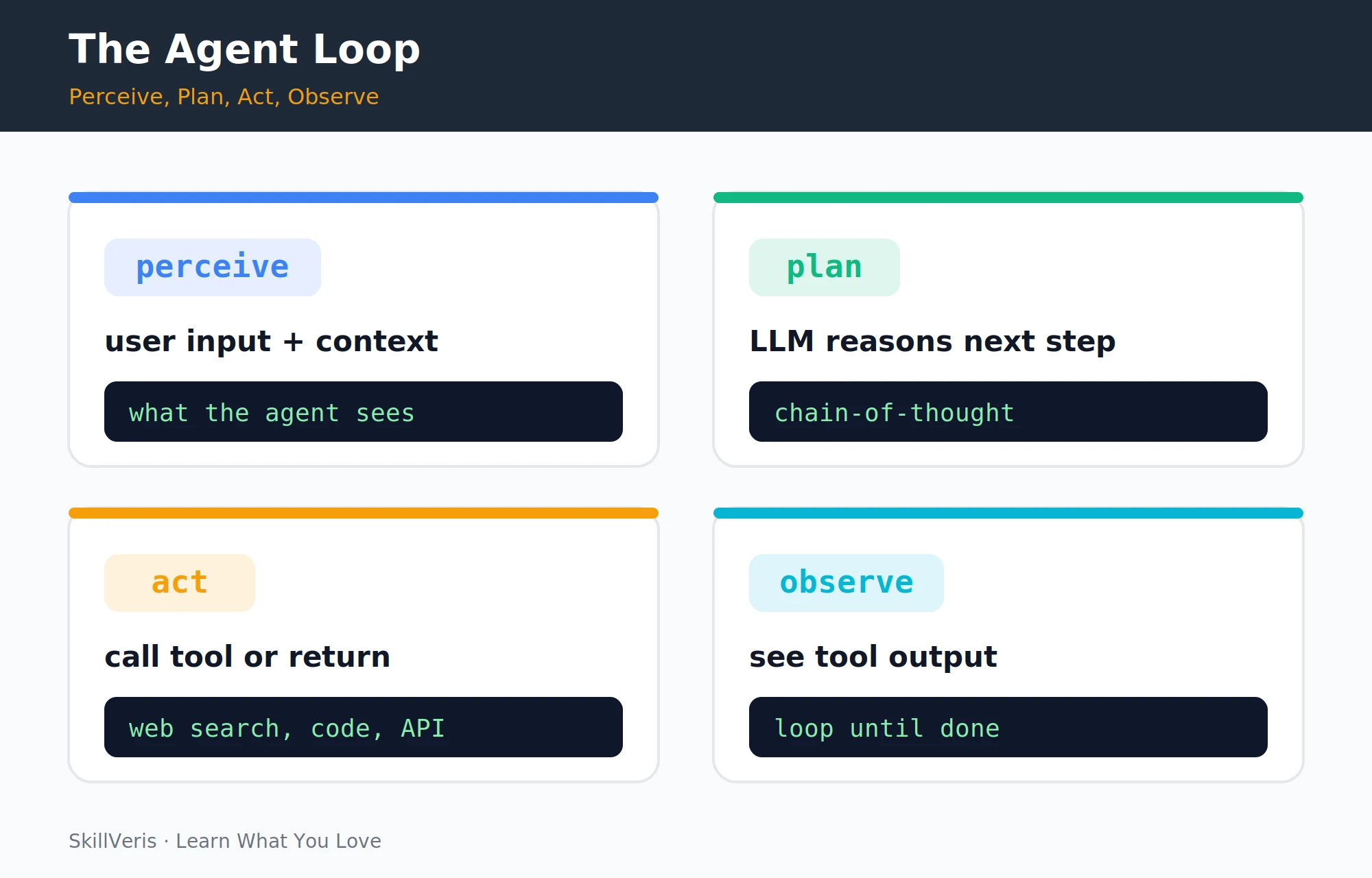
- Perceive: receive the user's goal plus any context (conversation history, retrieved documents, tool outputs from previous steps).
- Plan: the LLM reasons about what to do next — which tool to call, what arguments to pass, or whether the task is complete.
- Act: execute the chosen action (call a function, run a search, write a file).
- Observe: receive the tool's output and add it to context.
- Repeat: go back to the start with the updated context until the task is done.
🔑Key Takeaway
The agent loop is simple. What makes agents powerful — and dangerous to run unsupervised — is that this loop can run dozens of times, taking real actions in the world at each step.
4Tools: What Agents Can Do
Tools are functions the LLM can call by generating structured arguments. The tool set defines what an agent can accomplish: an agent with only web search is a research assistant, but add email and calendar access and it becomes an executive assistant; add code execution and database access and it can run data pipelines.
- Web search — query a search engine — research current events
- Code interpreter — write and execute Python — data analysis, maths
- File read/write — read and create files — process CSVs, write reports
- Browser — navigate and interact with websites — fill forms, scrape data
- Email/calendar — send emails, schedule meetings — executive assistant tasks
- Database — run SQL queries — business intelligence
- API calls — any HTTP endpoint — CRM, Slack, Jira, payments
5Memory: Short-Term and Long-Term
Agents need memory to complete multi-step tasks coherently. Different memory types serve different ranges, from the current task run to facts recalled across sessions.
- Short-term (in-context): the conversation history and tool outputs accumulated within a single task run. Limited by the LLM's context window (typically 128k–1M tokens in 2026 models).
- Long-term (external): a database the agent can query across sessions. Implemented with vector databases (for semantic search over past conversations or documents) or traditional databases (for structured facts).
- Episodic memory: records of past task runs the agent can reference — "last time I ran this pipeline, it failed because of X."
💡Pro Tip
Context window management is the most important engineering challenge in agent systems. As the loop runs, the context fills with tool outputs. Summarise intermediate results and prune irrelevant content to keep the agent focused and within the context limit.
6Planning and Reasoning
Modern agents use several planning techniques to decide what to do next. Reasoning before acting dramatically improves accuracy.
- Chain-of-thought (CoT): the LLM reasons step by step before choosing an action — "First I need the company's revenue. Then the industry average. Then I can calculate the ratio."
- ReAct (Reasoning + Acting): interleaves thinking and acting — the model writes a Thought, then an Action, observes the Result, writes another Thought, and so on.
- Plan-and-execute: generate a full plan upfront, then execute each step. Better for well-defined tasks; less adaptive to unexpected results mid-task.
- Tree of Thoughts: explore multiple reasoning paths simultaneously and pick the best. Used in complex problem-solving agents.
7ReAct: The Standard Agent Pattern
ReAct (Reasoning + Acting) is the most widely implemented agent pattern. Each Thought-Action-Observation cycle is one iteration of the agent loop: the LLM writes all three, while tools execute the Action and return the Observation.
Example ReAct Trace
A worked example converting a gold price across currencies shows the prompt structure in action.
Thought: I need to find the current price of gold.
Action: web_search("gold price today USD")
Observation: Gold is currently trading at $2,341/oz (June 2026)
Thought: Now I have the price. The user wants it converted to INR.
Action: web_search("USD to INR exchange rate")
Observation: 1 USD = 83.42 INR
Thought: 2341 * 83.42 = 195,228 INR per ounce. I can now answer.
Final Answer: Gold is currently ₹1,95,228 per troy ounce.8Multi-Agent Systems
Complex tasks benefit from multiple specialised agents coordinated by an orchestrator. Frameworks like CrewAI, AutoGen, and LangGraph make multi-agent coordination easier by providing abstractions for agent roles, communication, and shared memory.
- Orchestrator: receives the top-level goal, breaks it into subtasks, assigns them to specialist agents.
- Researcher agent: web search, reading papers, summarising sources.
- Coder agent: writing, testing, and debugging code.
- Writer agent: drafting, editing, and formatting documents.
- Critic agent: reviews outputs from other agents for quality and correctness.
9Agent Frameworks in 2026
Several frameworks compete in the agent space, each with a sweet spot. The landscape evolves rapidly — verify current capabilities and pricing before building production systems.
- LangChain / LangGraph — flexible agent graphs — stateful multi-step workflows
- CrewAI — multi-agent teams — role-based agent collaboration
- OpenAI Assistants API — managed tool-calling — built-in code interpreter, file search
- Anthropic Claude + tools — complex reasoning tasks — extended thinking + tool use
- AutoGen (Microsoft) — conversational multi-agent — agent-to-agent dialogue
- Semantic Kernel — enterprise .NET/Python — plugin ecosystem, memory
10Building a Simple Agent
A minimal ReAct agent can be built in Python using the Anthropic API directly. The loop calls the model, executes any requested tool, feeds the result back, and continues until the model ends its turn.
Minimal ReAct Agent in Python
Define a single web_search tool, then loop on the model's responses until it stops requesting tools.
import anthropic, json
client = anthropic.Anthropic()
tools = [{
  "name": "web_search",
  "description": "Search the web for current information",
  "input_schema": {
    "type": "object",
    "properties": {"query": {"type": "string"}},
    "required": ["query"]
  }
}]
messages = [{"role": "user", "content": "What is the latest version of Python?"}]
while True:
    response = client.messages.create(
        model="claude-opus-4-6", max_tokens=1024,
        tools=tools, messages=messages
    )
    if response.stop_reason == "end_turn":
        print(response.content[0].text)
        break
    for block in response.content:
        if block.type == "tool_use":
            result = my_search_fn(block.input["query"])  # your real search fn
            messages += [
                {"role": "assistant", "content": response.content},
                {"role": "user", "content": [{
                    "type": "tool_result",
                    "tool_use_id": block.id,
                    "content": result
                }]}
]11Risks and Limitations
Agents take real actions, which makes their failure modes consequential. Each risk has a concrete mitigation you should build in from the start.
- Hallucinated tool calls: the LLM may call tools with incorrect arguments or invent results. Always validate inputs and handle errors gracefully.
- Prompt injection: malicious content in tool outputs can hijack the agent's behaviour. Treat all external data as untrusted.
- Runaway loops: without a maximum iteration limit, an agent can loop indefinitely. Always cap at 10–20 iterations.
- Irreversible actions: agents that can send emails, delete files, or charge payments need human-in-the-loop confirmation before high-stakes actions.
- Cost: multi-step agents with long contexts consume significant tokens. Estimate token costs before deploying.
⚠️Watch Out
Never give an agent access to production systems without thorough testing in a sandbox first. An agent that can execute code, send emails, and call payment APIs can cause real damage if it misbehaves — and LLMs do misbehave.
12Key Takeaways
An AI agent is an LLM combined with tools, memory, and a loop — the rest is engineering discipline.
- An AI agent = LLM + tools + memory + a loop that runs until the task is done.
- The agent loop: perceive → plan → act (call tool) → observe result → repeat.
- ReAct (Reasoning + Acting) is the most common agent pattern: Thought → Action → Observation.
- Multi-agent systems assign specialist roles to separate LLM instances coordinated by an orchestrator.
- Always cap iterations, validate tool inputs, and require human approval for irreversible actions.
13What to Learn Next
Go deeper with AI agents using these companion guides.
- Prompt Engineering Guide — the quality of agent prompts determines the quality of agent behaviour.
- What Are LLMs? Explained Simply — understand the engine inside every agent.
- Build Your First AI App with the API — go from concept to working agent.
14Frequently Asked Questions
Are AI agents the same as autonomous AI? Agents and autonomous AI overlap but differ in scope. Current AI agents are task-specific and tool-limited — they automate well-defined workflows. "Autonomous AI" often implies broader general-purpose goal pursuit, which current systems don't achieve. Today's agents are powerful within their tool set and task scope; they're not independently goal-seeking in the general sense.
Which LLM works best for agents? As of mid-2026, Claude Opus 4.6 and GPT-4o lead on complex multi-step reasoning and reliable tool use. Gemini 1.5 Pro and Claude Sonnet 4.6 offer better price-to-performance for simpler agentic tasks. The best choice depends on your tool complexity, context window needs, and budget. Benchmark with your specific tools before committing.
Do I need to know machine learning to build agents? No. Building agents is primarily software engineering: calling APIs, designing tool schemas, handling responses, and managing state. You call pre-trained LLMs via API; you don't train the models yourself. Python and basic API knowledge are the prerequisites.
What's the difference between an AI agent and robotic process automation (RPA)? RPA automates fixed, rule-based workflows by clicking and typing in UIs — brittle when the UI changes. AI agents use LLM reasoning to adapt to variation, handle ambiguity, and make decisions. They're complementary: RPA for deterministic structured tasks, agents for tasks requiring judgement.
Related Reading
Get The Print Version
Download a PDF of this article for offline reading.
About the Publisher
SkillVeris Team
AI Research Team
Our AI team covers the latest in machine learning, generative AI, and emerging tech — clearly and accurately.
View all postsRelated Posts




Never miss an update
Get the latest tutorials and guides delivered to your inbox.
No spam. Unsubscribe anytime.