AI Agents Explained: How Agentic Workflows Work
SkillVeris Team
AI Research Team
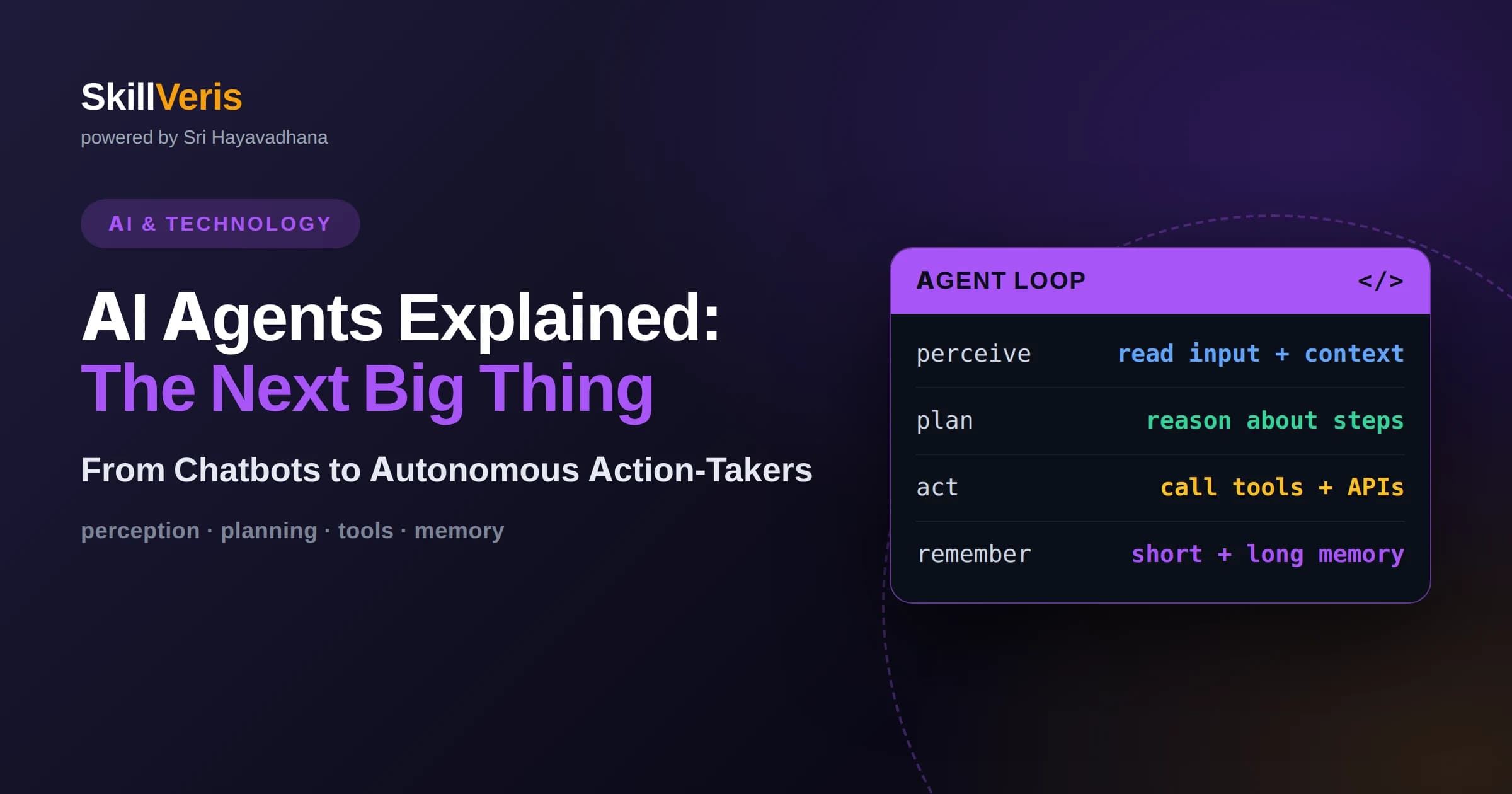
An AI agent is a system that uses a language model to decide and act in a loop, choosing tools, observing results, and iterating until it completes a goal rather than answering in a single step.
In this guide, you'll learn:
- Agentic workflows work through a cycle of reasoning, action, and observation, where the model plans a step, uses a tool, sees the outcome, and adjusts its next move accordingly.
- Agents are most valuable for open-ended, multi-step tasks whose exact steps cannot be scripted in advance, and least suitable when a fixed workflow or a single prompt would do the job.
- Reliable agents depend on well-designed tools, clear boundaries, and careful evaluation, because the autonomy that makes agents powerful also makes their mistakes compound across steps.
1What Is an AI Agent?
An AI agent is a system that uses a language model not just to produce text but to decide what to do next and then take action, repeating this loop until it accomplishes a goal. In one sentence: an agent is a language model given tools and the autonomy to use them across multiple steps to complete a task. This is fundamentally different from a single question-and-answer exchange.
The key shift is from answering to acting. A plain language model responds once to a prompt. An agent, by contrast, can search for information, run a calculation, call an external service, read the result, and decide what to do next based on what it found. It operates in a loop, taking one step at a time and using the outcome of each step to inform the next.
This loop of reasoning and action is what people mean by agentic behavior. Rather than following a fixed script, the agent works out its own path toward the goal as it goes. That adaptability is precisely what makes agents powerful for complex tasks and also what makes them harder to build reliably than a simple prompt.
2How Agentic Workflows Work
At the core of most agents is a cycle often described as reason, act, observe. The model reasons about what to do given the goal and everything it knows so far, takes an action such as calling a tool, and then observes the result of that action. That observation feeds back into the next round of reasoning, and the cycle repeats until the agent decides the task is done.
This loop is what lets an agent handle tasks that cannot be solved in one shot. Suppose the goal requires information the model does not have. It can reason that it needs to look something up, take the action of searching, observe what comes back, and then use that new information to continue. Each pass through the loop moves the agent closer to the goal while adapting to what it has learned.
The language model sits at the center as the decision-maker, but the loop, the tools, and the memory of past steps are provided by the surrounding system. Understanding this division is important: the model supplies judgment and planning, while the framework around it supplies the ability to actually do things and to remember what has already happened.
3Tools: How Agents Affect the World
Tools are what turn a language model from a talker into a doer. A tool is any capability the agent can invoke, such as searching a database, calling an external service, running code, sending a message, or reading a file. Each tool is described to the model in terms of what it does and what inputs it needs, and the model chooses when to use it based on the task at hand.
The quality of an agent depends heavily on the quality of its tools. Tools with clear names, well-defined inputs, and predictable outputs are easy for the model to use correctly, while vague or overlapping tools cause confusion and errors. Designing good tools is one of the most important and underappreciated parts of building a reliable agent.
Tools also define the agent's reach and its limits. An agent can only do what its tools allow, which is both a safety feature and a design constraint. Deciding which tools to grant, and just as importantly which to withhold, is how you shape what the agent is capable of and keep it within safe boundaries.
4Planning and Reasoning
Beyond reacting step by step, capable agents engage in planning, working out a sequence of actions before diving in. For a complex goal, an agent might first break the task into subtasks, decide an order, and then execute them one by one. This planning ability is what lets agents tackle problems with many moving parts rather than getting lost partway through.
Planning and reacting are not opposites; good agents blend them. An agent may sketch a rough plan, begin executing, and then revise the plan as it discovers new information or hits an obstacle. This flexibility to replan mid-task is a major reason agents can handle messy, real-world goals where the right steps are not obvious at the outset.
The reasoning quality of the underlying model matters enormously here. Stronger reasoning leads to better plans, smarter tool choices, and more sensible recovery from errors. As models have become better at multi-step reasoning, agents have become correspondingly more capable, which is a large part of why agentic systems have advanced so quickly.
5Memory and State
Because an agent works across many steps, it needs to remember what has happened so far. At a minimum it keeps a record of its actions and observations during the current task, so that each new decision is informed by everything that came before. Without this working memory, an agent would repeat itself, lose track of progress, and fail to build on what it has already learned.
Some agents also use longer-term memory that persists across tasks, storing useful facts, preferences, or results so they can be recalled later. This lets an agent improve over time and avoid rediscovering the same information repeatedly. Managing what to remember and what to discard is a genuine design challenge, because too much stored context can overwhelm the model just as too little starves it.
A practical constraint is that a model can only consider so much information at once. As a task grows long, the history of steps can exceed what fits comfortably, so agents often summarize or selectively retain the most relevant parts. Handling this gracefully is one of the quieter but more important aspects of building agents that stay coherent over long tasks.
6A Concrete Worked Example
Imagine an agent asked to research a topic and produce a short briefing. Given the goal, it first reasons that it needs current information, so it takes the action of searching and observes several results. Recognizing that one source looks most relevant, it reasons that it should read that source in full, takes the action of fetching it, and observes the detailed content.
As it gathers material, the agent keeps track of what it has found and notices a gap, perhaps a claim it cannot yet verify. It reasons that it needs a second source, searches again, and cross-checks the claim before trusting it. Each loop is a small, sensible decision, and together they add up to genuine research behavior that no single prompt could produce.
Once the agent judges it has enough grounded material, it reasons that the research phase is complete and takes a final action: writing the briefing from what it collected. The finished result reflects a sequence of adaptive choices rather than a scripted procedure, which is exactly what distinguishes an agent from a fixed automation.
7Agents Versus Fixed Workflows
It helps to distinguish true agents from fixed workflows, because the words are often used loosely. A fixed workflow follows a predetermined sequence of steps that a developer laid out in advance, even if a language model performs some of those steps. An agent, by contrast, decides the steps itself at run time based on what the task requires and what it observes along the way.
This distinction matters because fixed workflows are more predictable and easier to control, while agents are more flexible but harder to constrain. If you can write down the exact steps a task requires, a workflow will usually be more reliable and cheaper. Agents earn their keep when the steps genuinely cannot be known ahead of time.
Many real systems sit somewhere in between, combining scripted structure with pockets of agentic autonomy where flexibility is needed. Recognizing where on this spectrum your problem falls is one of the most important early design decisions, and reaching for full autonomy when a simple workflow would do is a common and costly mistake.
8When to Use an Agent, and When Not To
Agents are the right choice for open-ended tasks whose exact steps cannot be scripted in advance, where the path depends on information discovered along the way, and where some degree of autonomy genuinely adds value. Research, complex troubleshooting, and multi-step tasks that draw on several tools are natural fits, because the agent's ability to adapt is precisely what the task demands.
Agents are the wrong choice when a task is simple, well-defined, or better served by a fixed sequence. If a single prompt answers the question, use a single prompt. If the steps are always the same, a straightforward workflow will be more reliable and easier to reason about. Adding agentic autonomy where it is not needed only introduces cost, latency, and new ways to fail.
A useful test is to ask whether you could write down the exact steps in advance. If you can, you probably do not need an agent. If you cannot, because the right steps depend on what the task uncovers, then an agent's adaptability starts to justify its added complexity. Being honest about this question saves a great deal of wasted effort.
9Common Mistakes When Building Agents
The most common mistake is reaching for an agent when a simpler approach would work better. Agents are exciting, but their autonomy brings unpredictability, cost, and debugging difficulty. Teams often discover that a fixed workflow would have solved their problem with far less trouble. Starting simple and adding autonomy only where it clearly helps is the wiser path.
Another frequent error is giving an agent too many tools or poorly designed ones. When an agent faces a confusing array of overlapping capabilities, it chooses wrong more often and behaves erratically. Fewer, clearer, well-scoped tools consistently produce more reliable agents than a sprawling toolbox that the model struggles to navigate.
A third mistake is underestimating how errors compound across steps. In a multi-step task, a small mistake early on can cascade, with each later step building on a flawed foundation. Because of this, agents need guardrails, checks, and clear stopping conditions far more than single-shot systems do, and neglecting these is a frequent cause of agents that spiral or loop unproductively.
10Safety, Control, and Guardrails
Autonomy demands control. An agent that can take actions in the real world, such as sending messages, modifying data, or spending resources, needs boundaries on what it is allowed to do. Limiting an agent's tools to only what the task requires is the first and most effective safeguard, because an agent simply cannot misuse a capability it was never given.
For consequential actions, many systems keep a human in the loop, requiring approval before the agent does something irreversible. This human oversight preserves the efficiency of automation for routine steps while ensuring that important decisions get a person's judgment. Deciding which actions need approval is a core part of designing a trustworthy agent.
Stopping conditions and budgets are equally important. An agent should have limits on how many steps it can take or how long it can run, so a confused agent does not loop forever or run up unbounded cost. These constraints are not obstacles to good agent design; they are part of it, and mature agentic systems treat them as first-class requirements.
11Evaluating Agent Performance
Evaluating agents is harder than evaluating single prompts because there are many valid paths to a goal and many ways to go wrong along the way. It is not enough to check the final answer; you often need to examine the sequence of steps to understand whether the agent behaved sensibly or reached a decent result by luck. Watching how an agent works is as informative as judging what it produced.
Because of this, teams build test scenarios that exercise agents on realistic tasks and inspect both outcomes and behavior. Did the agent choose appropriate tools, recover well from errors, avoid unnecessary steps, and stop at the right time? These behavioral questions matter as much as correctness, because an agent that stumbles to the right answer will not stay reliable as tasks vary.
Evaluation also has to be ongoing, since agents operate in changing environments where tools, data, and models evolve. Regularly testing against a maintained set of scenarios catches regressions and drift before they reach users. As with retrieval systems, disciplined evaluation is what separates an agent that demos well from one that can be trusted in production.
12Multi-Agent Systems
As tasks grow more complex, some systems use multiple agents that collaborate, each specialized for a part of the problem. One agent might coordinate while others handle research, analysis, or writing, passing results between them. This division of labor mirrors how human teams work and can make large tasks more tractable by keeping each agent's job focused and manageable.
Multi-agent designs bring their own challenges, however. Coordinating agents, passing the right information between them, and preventing them from working at cross purposes all add complexity and cost. A poorly coordinated multi-agent system can be less reliable than a single well-designed agent, so the added structure has to earn its place.
The sensible guidance is to add agents only when a single agent genuinely cannot handle the breadth of a task well. Multi-agent architectures are a powerful tool for the hardest problems, but like full autonomy itself, they are easy to over-apply. Starting with the simplest design that works and adding agents deliberately keeps systems understandable and dependable.
13How to Learn to Build AI Agents
The best way to understand agents is to build a small one and watch it work. Give a language model a couple of simple tools, wrap it in a reason-act-observe loop, and set it a modest multi-step goal. Watching the agent reason, choose tools, and recover from mistakes makes the abstract loop concrete, and the failures you encounter will teach you where the real difficulty lies.
It also helps to build strong foundations in the surrounding topics. Understanding how language models reason explains why agents plan and choose as they do, and understanding retrieval-augmented generation shows you how agents ground themselves in real information. Solid prompt engineering underlies all of it, since every step an agent takes is shaped by how it is instructed. These skills reinforce one another.
SkillVeris offers a dedicated AI Agents and Agentic Workflows course that walks through these ideas with hands-on practice, complemented by courses on Large Language Models and Retrieval-Augmented Generation that fill in the foundations agents depend on. Learning them together gives you both the intuition and the practical skill to design agents that are capable, controllable, and genuinely reliable rather than merely impressive in a demo.
Related Reading
Get The Print Version
Download a PDF of this article for offline reading.
About the Publisher
SkillVeris Team
AI Research Team
Our AI team covers the latest in machine learning, generative AI, and emerging tech — clearly and accurately.
View all postsRelated Posts




Never miss an update
Get the latest tutorials and guides delivered to your inbox.
No spam. Unsubscribe anytime.