SQL Basics: A Complete Beginner's Guide
SkillVeris Team
Engineering Team
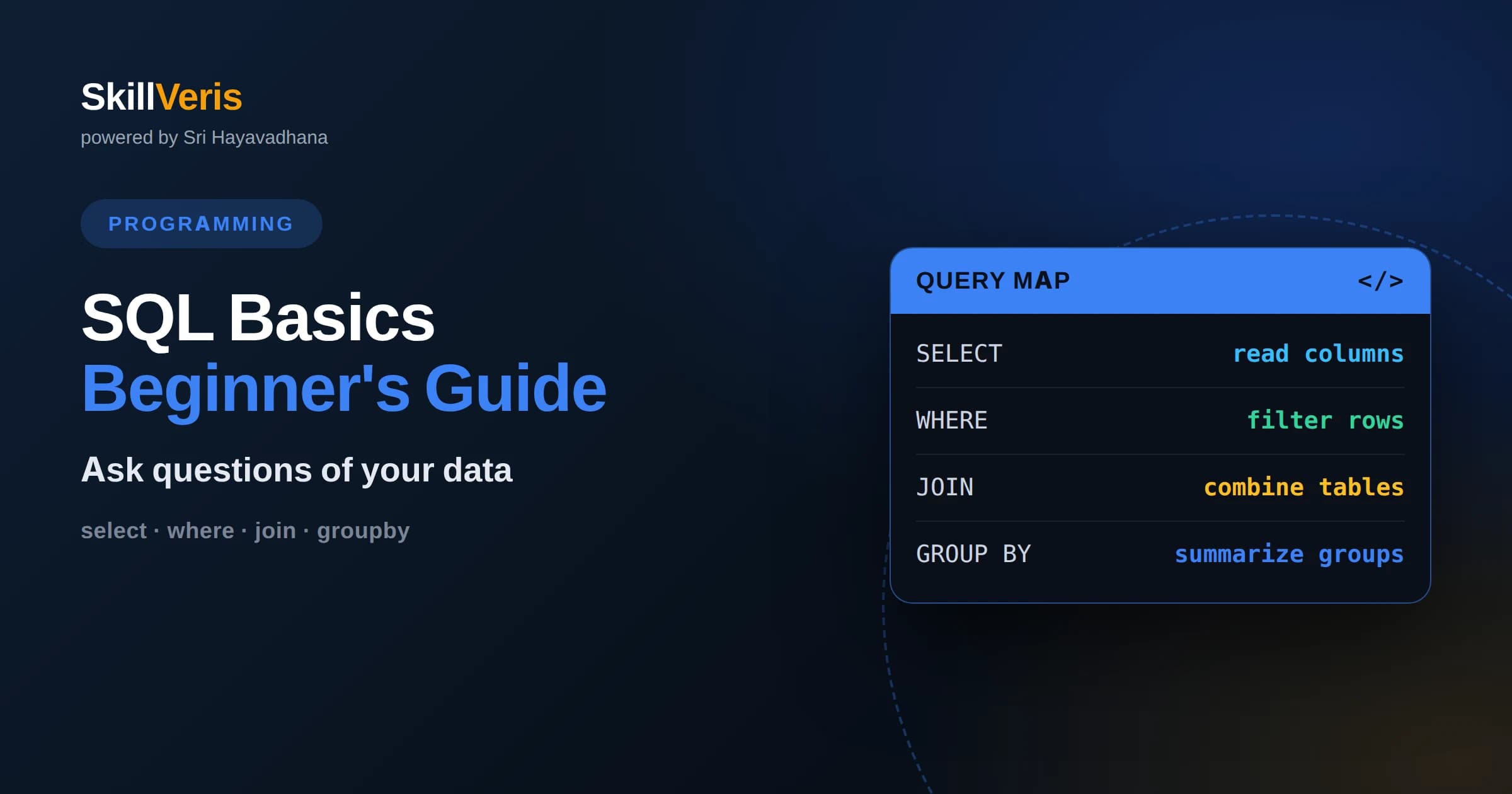
SQL is a declarative language for storing, querying, and changing data in relational databases.
In this guide, you'll learn:
- Data lives in tables of rows and columns, and queries describe the result you want, not the steps to get it.
- SELECT with WHERE, ORDER BY, and JOIN covers the vast majority of everyday database work.
- Aggregation with GROUP BY turns raw rows into summaries like counts, sums, and averages.
1What Is SQL
SQL, short for Structured Query Language, is the standard language for working with relational databases, where data is organized into tables of rows and columns. With SQL you can ask a database questions, add new information, change existing records, and remove data you no longer need. Nearly every business application stores its data in a relational database, which makes SQL one of the most widely useful skills in software.
SQL is declarative, meaning you describe what result you want rather than the step-by-step procedure to compute it. You say which columns to return, which rows to include, and how to combine tables, and the database engine figures out the most efficient way to deliver that result. This lets you focus on the question instead of the mechanics of scanning and sorting data.
Although there are different database systems, the core of SQL is remarkably consistent across all of them. The commands for selecting, filtering, joining, and summarizing data work almost identically everywhere, so learning SQL once lets you work with many different databases. The small differences between systems matter only as you get into advanced features.
2Tables, Rows, And Columns
A relational database stores data in tables, each of which represents one kind of thing, such as customers, orders, or products. A table has columns that define the fields every record holds, like a customer's name and email, and rows that each hold one record with a value for every column. You can picture a table as a spreadsheet with strict, named columns.
Each table usually has a primary key, a column whose value uniquely identifies each row, often a simple identifier number. Primary keys let you refer to an exact record without ambiguity and are the anchor that relationships between tables depend on. A well-chosen key never changes and is never duplicated within its table.
Tables relate to one another through keys. A foreign key is a column in one table that holds the primary key value of a row in another table, linking the two. For example, an orders table might store the customer identifier for each order, connecting every order back to the customer who placed it. These relationships are what make the database relational.
3The SELECT Statement
The SELECT statement is how you read data, and it is the command you will use most. In its simplest form you name the columns you want and the table to read them from, and the database returns the matching rows. You can select specific columns to get just the fields you need, or select everything when you want the whole record.
Selecting only the columns you need is a good habit. It makes the result easier to read, sends less data across the network, and clarifies your intent. Pulling every column with a wildcard is convenient while exploring but wasteful in real applications, where narrow, deliberate queries perform better and communicate more clearly.
The SELECT statement is the foundation on which everything else builds. Filtering, sorting, joining, and aggregating are all additions to a SELECT, refining which rows come back and how they are shaped. Mastering the basic form first makes those additions feel like natural extensions rather than new commands.
4Filtering With WHERE
The WHERE clause narrows a query to only the rows that meet a condition. You might want customers in a particular city, orders above a certain amount, or products in a given category. WHERE lets you express these conditions with comparisons like equals, greater than, and less than, and the database returns only the rows that satisfy them.
You can combine conditions with and and or to express more precise requirements, such as orders that are both recent and large. You can also match ranges, check whether a value falls within a set of options, and search for text patterns. These building blocks let you ask surprisingly specific questions with a short, readable clause.
A subtle but important point is how missing values behave. Databases represent absent data with a special null marker, and comparisons with null do not behave like ordinary values. Learning to test explicitly for whether a value is present or absent avoids a common source of confusing results when filtering.
5Sorting And Limiting Results
The ORDER BY clause arranges your results in a chosen order, such as newest first or alphabetically by name. You pick one or more columns to sort by and whether each should ascend or descend. Sorting is essential whenever the order of rows matters to a person reading the output or to logic that expects the top or bottom entries.
You often want only a slice of the sorted results, such as the ten most recent orders. A limit clause caps how many rows come back, which is vital for performance when a table holds huge numbers of records. Combined with sorting, limiting lets you fetch exactly the top or bottom items you care about without pulling everything.
Together, ordering and limiting power common features like leaderboards, recent-activity feeds, and paginated lists. They turn a raw table into a focused, presentable answer, which is usually what an application actually needs to show a user.
6Joining Tables
Because related data lives in separate tables, you often need to combine them, and that is what a join does. A join matches rows from two tables based on a shared value, typically a key, so you can, for example, list each order alongside the name of the customer who placed it. Joins are what unlock the full power of a relational design.
The most common join is an inner join, which returns only rows that have a match in both tables. If an order has no matching customer, or a customer has no orders, those unmatched rows are left out. This is exactly what you want when you need records that genuinely connect on both sides.
Sometimes you want to keep rows even when there is no match on the other side, such as listing all customers including those who have never ordered. An outer join does this, filling in absent values where no match exists. Choosing between inner and outer joins is really a question of whether unmatched rows should appear, and answering it correctly is central to writing accurate queries.
7Aggregating Data
Often you do not want individual rows but a summary of many rows, such as how many orders exist, the total revenue, or the average order value. Aggregate functions compute these summaries, counting rows, summing a column, averaging values, or finding the minimum and maximum. A single query can turn thousands of rows into one meaningful number.
The GROUP BY clause takes aggregation further by computing a summary for each group rather than the whole table. Grouping orders by customer and counting them tells you how many orders each customer placed. Grouping sales by month and summing them produces a monthly revenue report. Grouping is how raw records become the charts and reports businesses rely on.
When you want to filter based on an aggregate, such as customers with more than a certain number of orders, you use a clause that filters groups rather than individual rows. Keeping this distinct from the row-level filter is a common learning hurdle, but once it clicks, you can express rich analytical questions in a few clear lines.
8Inserting, Updating, And Deleting
Reading data is only half of SQL; you also need to change it. An insert statement adds new rows to a table, providing values for the columns you specify. This is how new customers, orders, or products enter the database. You can insert one row or many at once, populating a table with fresh data.
An update statement changes existing rows, setting new values for chosen columns. Crucially, you almost always pair it with a WHERE clause to target specific rows, because an update without a condition changes every row in the table. A delete statement removes rows and likewise needs a WHERE clause to avoid emptying the entire table by accident.
These modifying commands demand respect, because mistakes are hard to undo. The habit of writing the WHERE clause first, and even testing the condition with a SELECT before running an update or delete, prevents costly accidents. Treating data changes with this care is a hallmark of a careful, professional database user.
9Keys And Relationships
Well-designed databases organize data to avoid duplication and inconsistency, a discipline often called normalization. Instead of repeating a customer's details on every order, you store the customer once and reference them by key from each order. This keeps data consistent, because a change to the customer's information happens in exactly one place.
Relationships come in a few shapes. A one-to-many relationship, like one customer having many orders, is the most common, represented by a foreign key on the many side. A many-to-many relationship, like students enrolled in many courses and courses holding many students, uses a linking table that pairs the two. Recognizing these shapes helps you design and query databases correctly.
Understanding keys and relationships is what separates writing isolated queries from thinking in terms of a whole data model. When you grasp how tables connect, joins become intuitive, and you can navigate from any piece of data to the related information you need with confidence.
10Common Mistakes
The most dangerous beginner mistake is running an update or delete without a WHERE clause, which changes or removes every row in the table. Because these actions are hard to reverse, always double-check the condition and consider testing it with a SELECT first. This single habit prevents the worst database accidents.
Another frequent error is misunderstanding how null behaves. Because a null represents unknown data, ordinary comparisons with it do not work as expected, and rows can silently vanish from results. Learning to test explicitly for presence or absence, rather than comparing null like a normal value, resolves a surprising number of confusing bugs.
Finally, beginners often confuse filtering rows with filtering groups, or forget that selecting everything with a wildcard is wasteful. Being deliberate about which columns you need, whether you are filtering individual rows or aggregated groups, and how joins include or exclude unmatched rows leads to queries that are both correct and efficient.
11Why SQL Endures
SQL has remained essential for decades because the relational model it serves is a genuinely good fit for the structured, related data that most applications hold. Customers, orders, products, and payments naturally form tables with relationships, and SQL expresses questions about them clearly and efficiently. This durability means the skill you build keeps its value for a long time.
The language is also portable across roles. Developers use it to power applications, analysts use it to answer business questions, and data engineers use it to move and shape large datasets. Because so many people across an organization speak SQL, it becomes a shared language for reasoning about data, amplifying its usefulness.
Even as new kinds of databases appear for specialized needs, SQL and relational databases remain the default backbone of most systems. Newer data stores often add SQL-like query interfaces precisely because so many people already know the language, which is a strong signal of how foundational it has become.
12Practice Writing Queries
SQL sticks only when you write queries against real tables. Start by selecting and filtering a single table, then sort and limit your results, then join two related tables, and finally group and aggregate to produce a summary. Deliberately try an update with and without a WHERE clause on a safe practice database to feel why the condition matters.
SkillVeris guides you through this exact progression with hands-on exercises that move from your first SELECT to joins, aggregation, and safe data modification. Each concept in this article maps to a query you can run and inspect against sample data. Pick a small dataset, ask it questions in SQL, and let the immediate results turn these commands into second nature.
Related Reading
Get The Print Version
Download a PDF of this article for offline reading.
About the Publisher
SkillVeris Team
Engineering Team
Our engineering writers turn abstract code concepts into hands-on, project-driven learning experiences.
View all postsRelated Posts




Never miss an update
Get the latest tutorials and guides delivered to your inbox.
No spam. Unsubscribe anytime.