Object-Oriented Programming in Python: A Practical Guide
SkillVeris Team
Engineering Team
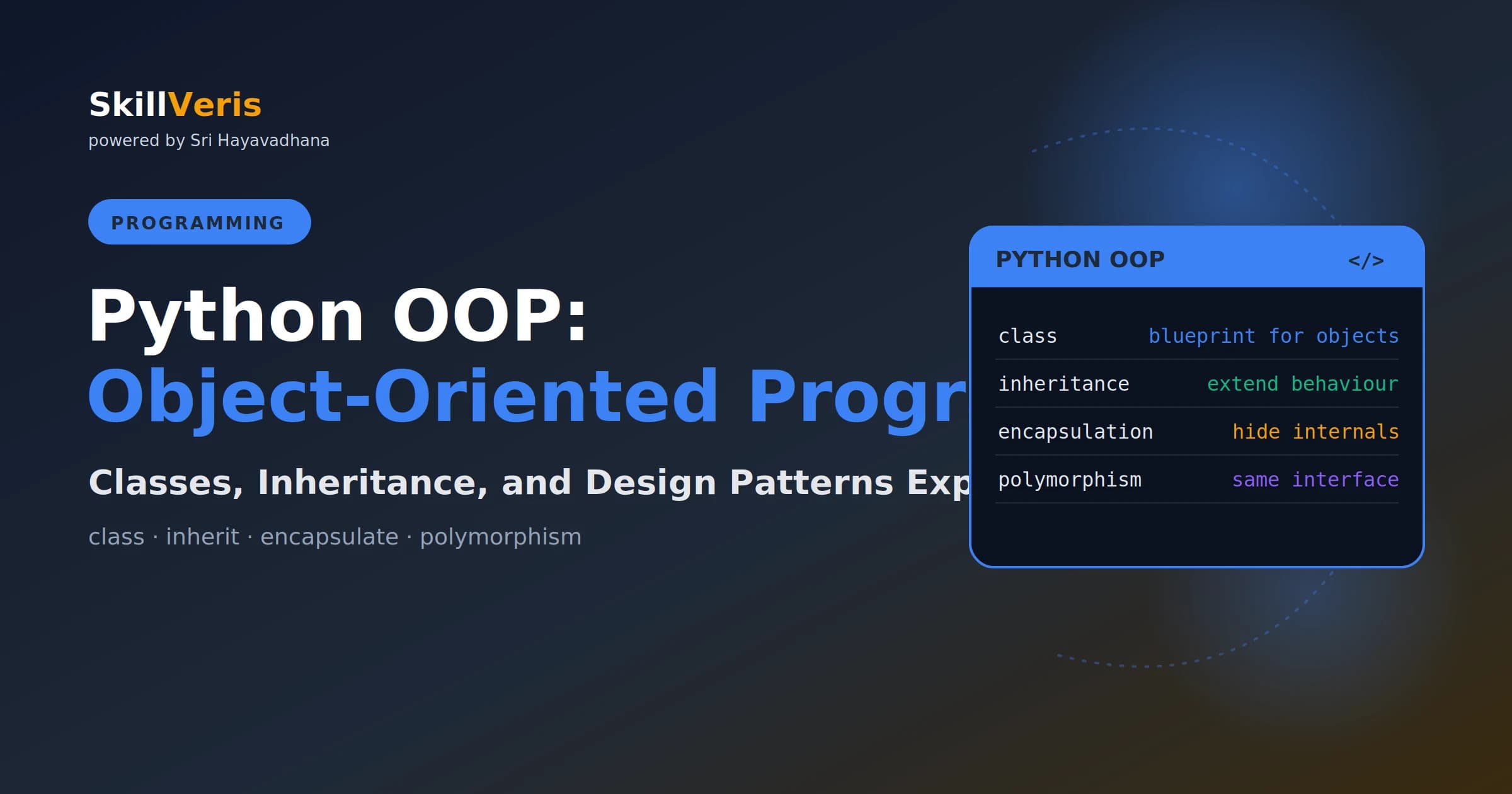
OOP organises code around objects that bundle data (attributes) and behaviour (methods), with classes as blueprints and instances as the objects.
In this guide, you'll learn:
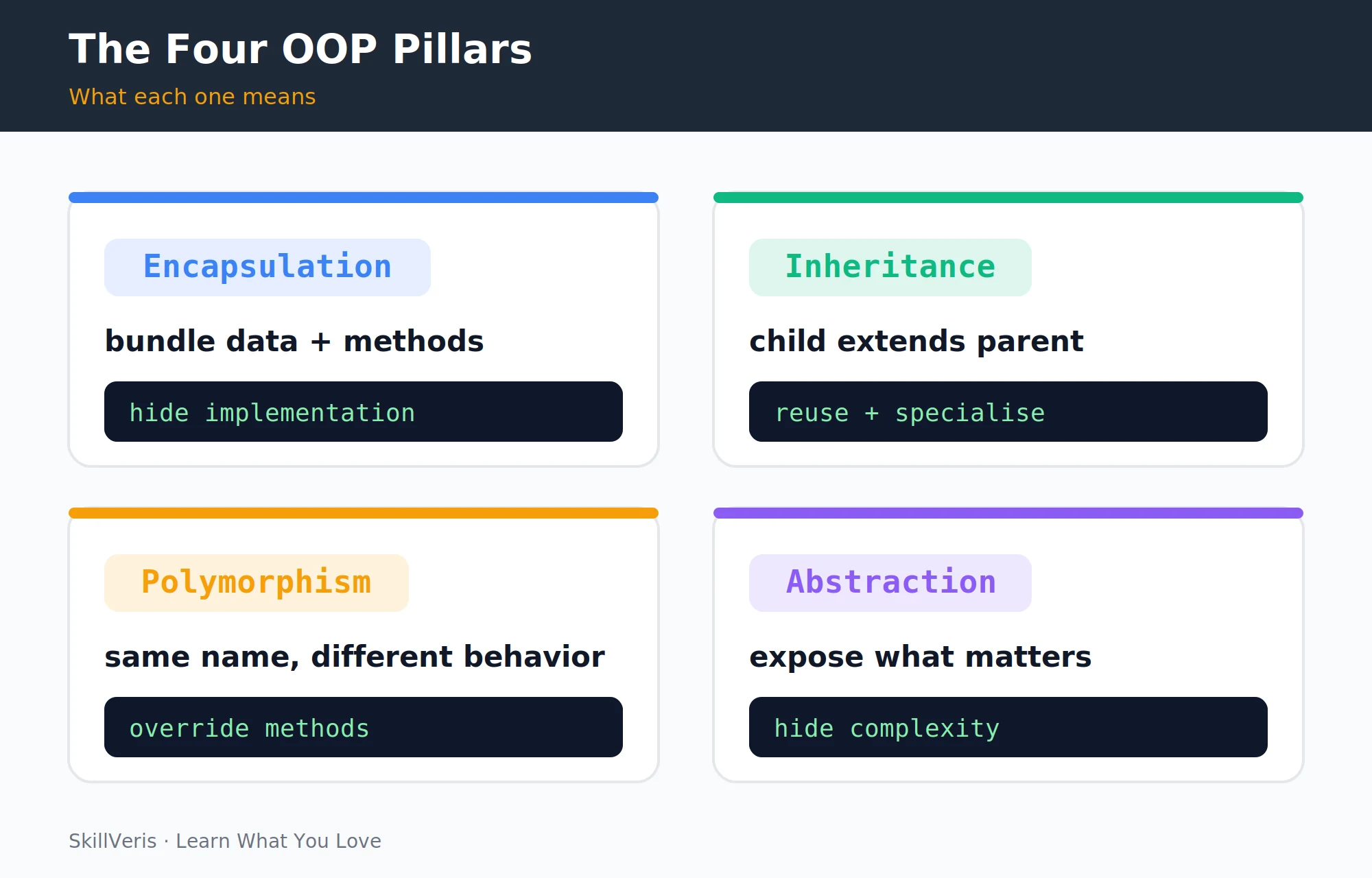
- The four pillars — encapsulation, inheritance, polymorphism, and abstraction — each solve a specific design problem.
- The __init__ method runs automatically on instance creation and initialises attributes through the self reference.
- Encapsulation in Python relies on naming conventions like _name and __name rather than true access control.
- Use super() when overriding to extend parent behaviour, and dunder methods to integrate objects with built-in operations.
1What Is Object-Oriented Programming?
Object-Oriented Programming (OOP) is a way of organising code around objects — entities that combine data (called attributes) and the functions that operate on that data (called methods). Instead of a collection of separate variables and functions, you define a class that models a real-world concept, then create instances of that class as needed.
OOP excels when your code models real-world entities with state — a User with a name, email, and order history, or a BankAccount with a balance and transaction log. It's less useful for purely functional transformations where data flows through a series of operations without state.
2Classes and Instances
A class is a blueprint that models a concept, and the four pillars of OOP — encapsulation, inheritance, polymorphism, and abstraction — each solve a specific design problem. The example below defines a CricketPlayer class with a shared class attribute and per-object instance attributes.
The class is the blueprint; instances are the actual objects. Each instance has its own copy of instance attributes but shares class attributes.
Defining a Class and Creating Instances
# A class is a blueprint
class CricketPlayer:
    # Class attribute: shared by all instances
    sport = "cricket"
    def __init__(self, name: str, team: str, role: str):
        # Instance attributes: unique per object
        self.name = name
        self.team = team
        self.role = role
        self.runs = 0
# Create instances (objects)
player1 = CricketPlayer("Rohit", "India", "batsman")
player2 = CricketPlayer("Bumrah", "India", "bowler")
print(player1.name)  # Rohit
print(CricketPlayer.sport) # cricket (class attribute)3The __init__ Method
__init__ is called automatically when you create an instance, and its job is to initialise the object's attributes. The first parameter is always self, a reference to the instance being created.
The BankAccount example below uses a leading underscore on _balance and _transactions to signal that these attributes are private by convention, while exposing controlled deposit, withdraw, and get_balance methods.
Initialising Attributes with __init__
class BankAccount:
    def __init__(self, owner: str, balance: float = 0.0):
        self.owner = owner
        self._balance = balance  # _ prefix signals "private by convention"
        self._transactions: list[float] = []
    def deposit(self, amount: float) -> None:
        if amount <= 0:
            raise ValueError("Deposit amount must be positive")
        self._balance += amount
        self._transactions.append(amount)
    def withdraw(self, amount: float) -> None:
        if amount > self._balance:
            raise ValueError("Insufficient funds")
        self._balance -= amount
        self._transactions.append(-amount)
    def get_balance(self) -> float:
        return self._balance
acc = BankAccount("Sathya", 5000.0)
acc.deposit(1500.0)
print(acc.get_balance()) # 6500.04Instance Methods, Class Methods, Static Methods
Python classes support three kinds of methods. Instance methods receive self and act on a single object, class methods receive cls and operate on class-level state, and static methods receive neither — they are utility functions that simply live inside the class namespace.
The Counter example tracks how many instances exist via a class attribute, exposes that total through a @classmethod, and returns a version string through a @staticmethod.
Instance, Class, and Static Methods
class Counter:
    count = 0  # class attribute tracking total instances
    def __init__(self, name: str):
        self.name = name
        Counter.count += 1
    def greet(self) -> str:
        # Instance method: receives self (the instance)
        return f"I am {self.name}"
    @classmethod
    def total(cls) -> int:
        # Class method: receives cls (the class itself)
        return cls.count
    @staticmethod
    def version() -> str:
        # Static method: no self or cls — utility function
        return "Counter v1.0"
a = Counter("Alpha")
b = Counter("Beta")
print(Counter.total())  # 2
print(Counter.version()) # Counter v1.05Encapsulation and Private Attributes
Encapsulation means bundling data and methods together and controlling access to the internal state. Python uses naming conventions rather than true access control to express intent about what should and should not be touched from outside.
The SecureConfig example below name-mangles __api_key to _SecureConfig__api_key, making it harder — though not impossible — to reach from outside the class.
- name — public: accessible from anywhere.
- _name — protected by convention: "please don't access directly, but I won't stop you."
- __name — name-mangled to _ClassName__name: harder (but not impossible) to access from outside.
Name Mangling in Practice
class SecureConfig:
    def __init__(self, api_key: str):
        self.__api_key = api_key  # name-mangled
    def make_request(self) -> str:
        return f"Using key: {self.__api_key[:4]}****"
cfg = SecureConfig("sk-abc123")
print(cfg.make_request())  # Using key: sk-a****
# print(cfg.__api_key)  # AttributeError
# print(cfg._SecureConfig__api_key) # Works but violates the convention6Inheritance
Inheritance lets a child class extend a parent class, inheriting its methods and attributes while adding or overriding behaviour. The Animal base class defines a shared describe() method and a speak() method that subclasses are required to implement.
Dog and Cat each provide their own speak(), so calling describe() on either produces the right phrase without duplicating the surrounding logic.
Extending a Base Class
class Animal:
    def __init__(self, name: str):
        self.name = name
    def speak(self) -> str:
        raise NotImplementedError("Subclasses must implement speak()")
    def describe(self) -> str:
        return f"{self.name} says: {self.speak()}"
class Dog(Animal):
    def speak(self) -> str:
        return "Woof!"
class Cat(Animal):
    def speak(self) -> str:
        return "Meow!"
dog = Dog("Rex")
cat = Cat("Mochi")
print(dog.describe())  # Rex says: Woof!
print(cat.describe()) # Mochi says: Meow!7Method Overriding and super()
When a subclass overrides a method, you often want to build on the parent's behaviour rather than replace it entirely. The SelfDrivingCar example calls super().__init__ to reuse the parent constructor and super().info() to extend the parent's output.
super() calls the parent class's version of a method — essential for extending rather than completely replacing parent behaviour.
Calling Parent Methods with super()
class ElectricCar:
    def __init__(self, brand: str, range_km: int):
        self.brand = brand
        self.range_km = range_km
    def info(self) -> str:
        return f"{self.brand}, range: {self.range_km}km"
class SelfDrivingCar(ElectricCar):
    def __init__(self, brand: str, range_km: int, autopilot_level: int):
        super().__init__(brand, range_km)  # call parent __init__
        self.autopilot_level = autopilot_level
    def info(self) -> str:
        base = super().info()  # call parent method
        return f"{base}, autopilot L{self.autopilot_level}"
car = SelfDrivingCar("Tesla", 500, 3)
print(car.info()) # Tesla, range: 500km, autopilot L38Polymorphism
Polymorphism means "many forms" — the same method name works differently depending on the object type. In Python this happens naturally through duck typing, so a make_sound() function works with any object that exposes a speak() method.
Python's duck typing means "if it walks like a duck and quacks like a duck, it's a duck." No formal interface declaration is needed; any object with the right method works. Use Protocol from typing for formal structural typing when needed.
Polymorphism via Duck Typing
def make_sound(animal) -> str:
    # Works with any object that has a speak() method
    return animal.speak()
animals = [Dog("Rex"), Cat("Mochi"), Dog("Buddy")]
for a in animals:
    print(make_sound(a))
# Woof! / Meow! / Woof!9Dunder (Magic) Methods
Dunder methods (named with double underscores) make your objects integrate with Python's built-in operations. By implementing them you control how objects are printed, added, measured, and compared.
The Vector class below defines __repr__ for readable output, __add__ for the + operator, __len__ for the len() function, and __eq__ for equality checks.
Implementing Dunder Methods
class Vector:
    def __init__(self, x: float, y: float):
        self.x, self.y = x, y
    def __repr__(self) -> str:
        return f"Vector({self.x}, {self.y})"
    def __add__(self, other: "Vector") -> "Vector":
        return Vector(self.x + other.x, self.y + other.y)
    def __len__(self) -> int:
        return int((self.x**2 + self.y**2)**0.5)
    def __eq__(self, other) -> bool:
        return self.x == other.x and self.y == other.y
v1 = Vector(3, 4)
v2 = Vector(1, 2)
print(v1 + v2)  # Vector(4, 6)
print(len(v1)) # 5 (magnitude)10Dataclasses: OOP Made Easier
For classes that primarily store data, Python's @dataclass decorator generates __init__, __repr__, and __eq__ automatically, removing a lot of boilerplate. You declare the fields with type hints and optionally add behaviour methods of your own.
For most data-oriented classes, @dataclass is the right choice. For classes with complex behaviour or inheritance hierarchies, write the full class.
Using @dataclass
from dataclasses import dataclass, field
from typing import List
@dataclass
class Article:
    title: str
    category: str
    tags: List[str] = field(default_factory=list)
    views: int = 0
    def add_tag(self, tag: str) -> None:
        self.tags.append(tag)
art = Article(title="Learn Python", category="Programming")
art.add_tag("beginner")
print(art) # Article(title='Learn Python', category='Programming', tags=['beginner'], views=0)11When to Use OOP vs Functions
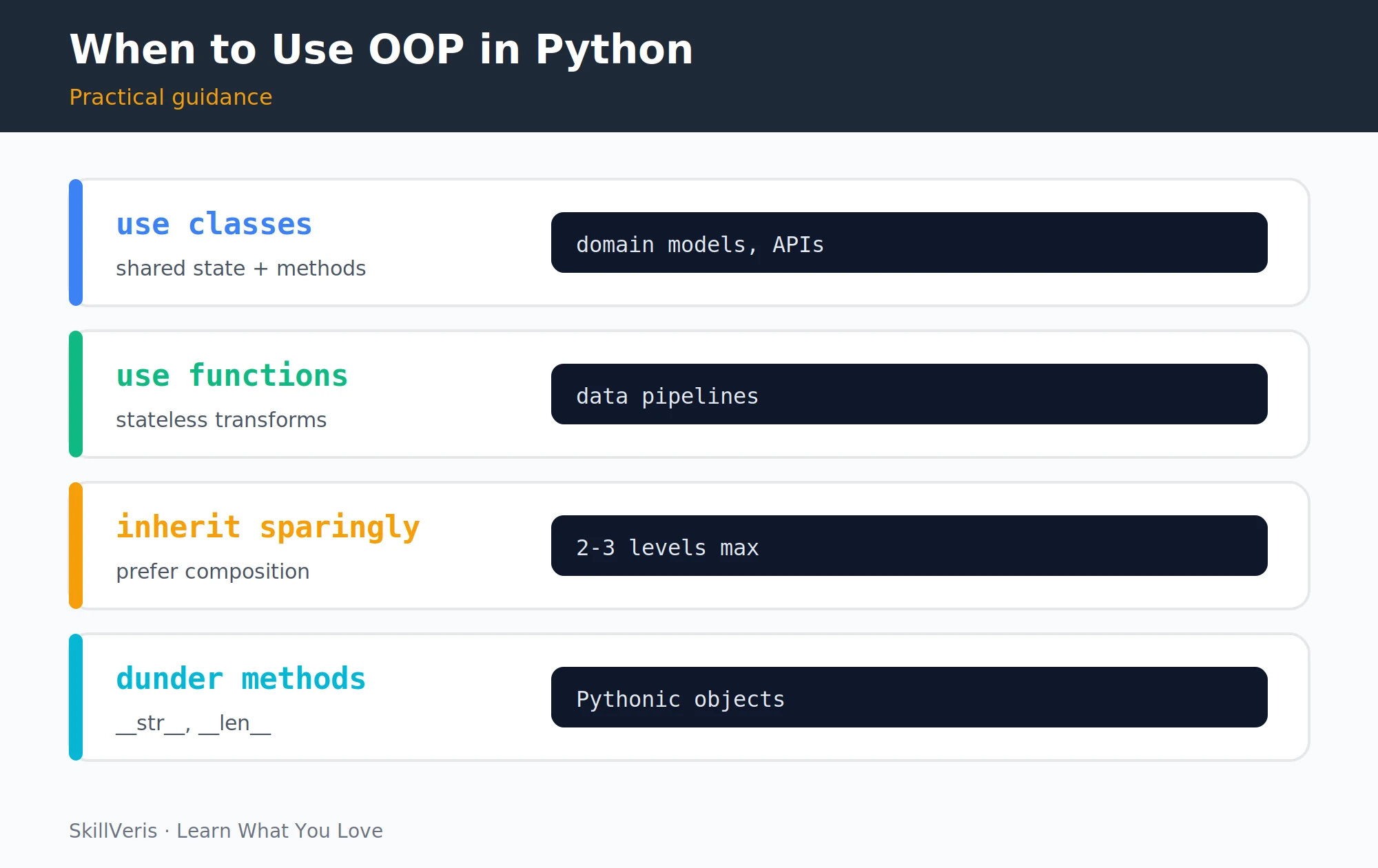
Choosing between OOP and a functional approach comes down to whether you have meaningful state to manage. Classes shine when several methods share and mutate the same data, while plain functions are cleaner for stateless work.
The guidance below contrasts the situations where each style fits best.
- You have shared state (balance, history) · Pure data transforms (no state)
- Multiple methods operate on the same data · Single-responsibility operations
- You need multiple instances of a concept · One-off computations
- You want to model a domain concept · Data pipelines and ETL
💡Pro Tip
Prefer composition over deep inheritance. Instead of inheriting from a base class to get its behaviour, create an instance of it as an attribute. Inheritance deeper than 2-3 levels creates brittle code that's hard to change. "Favour composition over inheritance" is one of the most cited design principles for a reason.
12Key Takeaways
A class is a blueprint; instances are the objects created from it. The four pillars are encapsulation (bundle and hide), inheritance (extend), polymorphism (same interface, different behaviour), and abstraction (expose what matters).
- A class is a blueprint; instances are the objects created from it.
- The four pillars: encapsulation (bundle + hide), inheritance (extend), polymorphism (same interface, different behaviour), abstraction (expose what matters).
- Use super() to call parent methods when overriding; use dunder methods to integrate with Python's built-in operations.
- Use @dataclass for data-heavy classes; write full classes for complex behaviour.
- Prefer composition over deep inheritance; use functions for stateless transformations.
13What to Learn Next
Once you're comfortable with classes, a few topics will round out your Python toolkit and let you put these OOP patterns into real projects.
- Python Decorators: A Practical Guide — extend class and function behaviour elegantly.
- Async Programming in Python — write non-blocking Python for web and AI work.
- Build a REST API with FastAPI — put OOP patterns into a real project.
14Frequently Asked Questions
Is Python OOP the same as Java OOP? The concepts are similar (classes, inheritance, polymorphism) but Python's implementation differs significantly: Python uses duck typing instead of formal interfaces, has no formal access modifiers (only conventions), supports multiple inheritance, and makes everything mutable by default. Python OOP is more flexible and less ceremonial than Java.
Do I need OOP to use Python professionally? You need to understand OOP to read other people's code, since most Python libraries use classes. Whether you write OOP code yourself depends on your domain: data science and ML scripts often use mostly functions, while web backends and application code typically use classes extensively.
What is the difference between @classmethod and @staticmethod? A @classmethod receives the class (cls) as its first argument and can access or modify class state — useful for alternative constructors. A @staticmethod receives no implicit first argument — it's a regular function that lives inside the class namespace for organisational purposes.
What is multiple inheritance and should I use it? Multiple inheritance lets a class inherit from more than one parent. Python supports it (unlike Java), but it creates complexity, especially when both parents define the same method (the "diamond problem"). Python's Method Resolution Order (MRO) handles this deterministically, but the result can be hard to reason about. Use multiple inheritance sparingly — mixins for adding specific capabilities are the main legitimate use case.
Related Reading
Get The Print Version
Download a PDF of this article for offline reading.
About the Publisher
SkillVeris Team
Engineering Team
Our engineering writers turn abstract code concepts into hands-on, project-driven learning experiences.
View all postsRelated Posts




Never miss an update
Get the latest tutorials and guides delivered to your inbox.
No spam. Unsubscribe anytime.