Kubernetes for Beginners: Container Orchestration Explained
SkillVeris Team
Cloud & Security Team
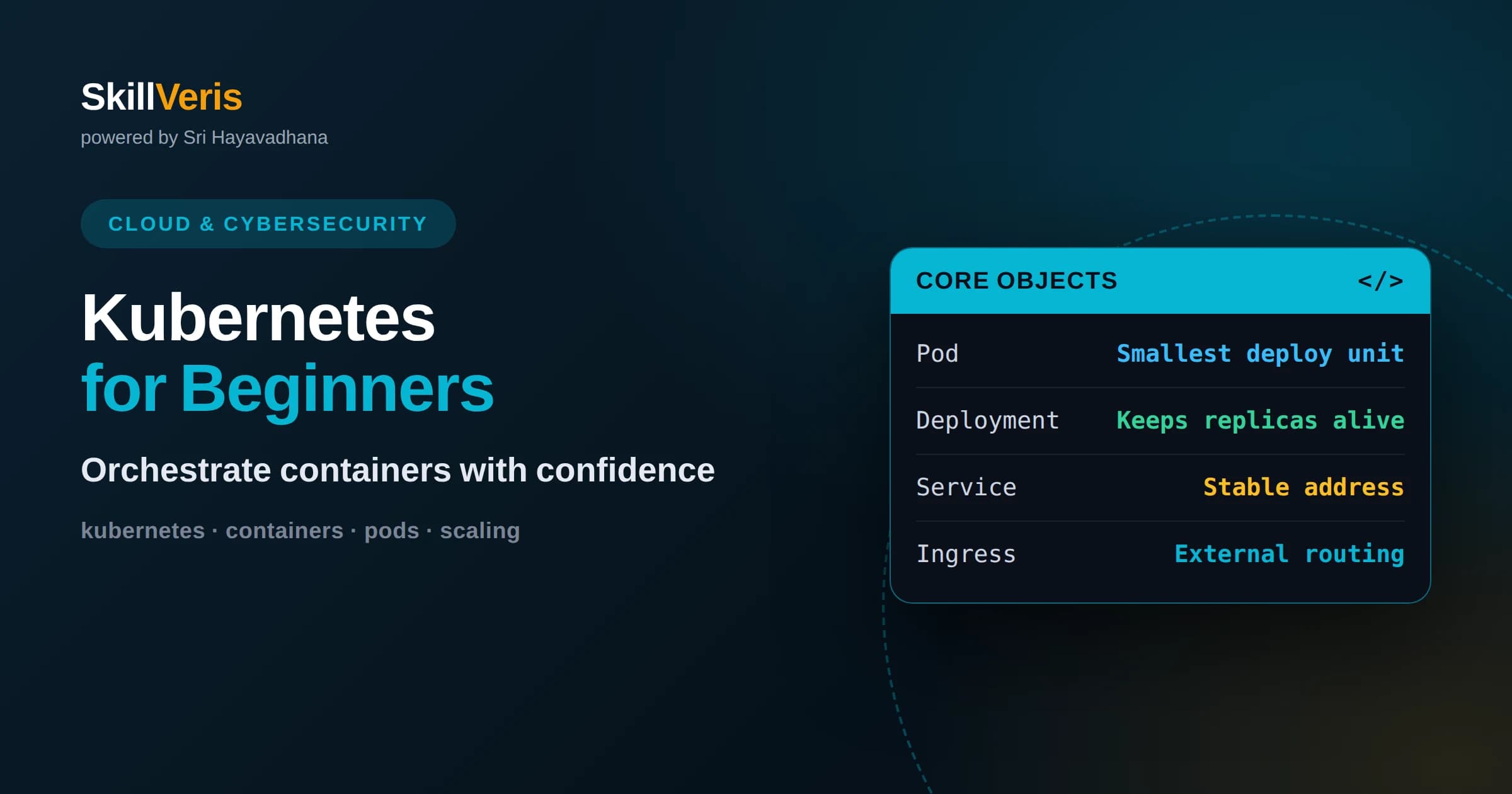
Kubernetes is a container orchestrator that keeps a declared number of application copies running, healthy, and reachable across a cluster of machines.
In this guide, you'll learn:
- You describe the desired state in YAML and controllers continuously reconcile the real cluster toward that goal, restarting or rescheduling as needed.
- Pods, Deployments, Services, and Ingress are the four objects that cover most everyday work for beginners.
- Start with a local cluster, deploy one small app, and read logs before reaching for advanced features like autoscaling or service meshes.
1What Kubernetes Actually Does
Kubernetes is an open-source system that automates deploying, scaling, and managing containerized applications across a group of machines. Instead of you manually starting containers, checking whether they crashed, and restarting them, Kubernetes does this continuously. You tell it the outcome you want, such as run five copies of my web app, and it works to make that true and keep it true even when servers fail or traffic spikes.
The key mental shift is from imperative commands to declarative desired state. You do not say start this container on that server. You say I want five healthy copies of this image, reachable on port eighty. Kubernetes figures out where to place them, how to replace failed ones, and how to route traffic. This is what people mean when they call it container orchestration: coordinating many containers across many machines so they behave like one reliable service.
For a beginner, the payoff is resilience without manual babysitting. If a container dies at three in the morning, Kubernetes notices and starts a replacement without waking anyone. If a whole machine goes down, the workloads it was running get rescheduled elsewhere. That self-healing behavior is the single most important thing to understand before learning any specific command.
2Why Containers Come First
Before orchestration makes sense, you need containers. A container packages your application together with its libraries and runtime so it runs the same way on your laptop, a teammate's machine, and a production server. This consistency removes the classic it works on my machine problem and gives Kubernetes a uniform unit to schedule.
Kubernetes does not build containers for you; it runs container images that you or a build pipeline produce, usually with a tool like Docker or a compatible builder. Think of the image as a frozen snapshot of your app and its dependencies, and the running container as a live instance of that snapshot.
Because containers are lightweight and start quickly, Kubernetes can move them around freely. It can pack several onto one machine, spread them for reliability, or spin up more when demand rises. Orchestration is only powerful because the underlying unit, the container, is small, portable, and disposable.
3The Anatomy of a Cluster
A Kubernetes cluster has two kinds of machines: the control plane and the worker nodes. The control plane is the brain. It holds the desired state, makes scheduling decisions, and exposes the API you talk to. Worker nodes are the muscle; they actually run your application containers.
The control plane includes the API server, which is the front door for every command, and a data store that remembers the cluster's desired and current state. It also runs controllers that watch for differences between what you asked for and what exists, then act to close the gap. A scheduler decides which node each new workload should land on based on available resources.
Each worker node runs an agent called the kubelet that talks to the control plane and makes sure the containers assigned to it are actually running. It also runs a container runtime that pulls images and starts containers. As a beginner you rarely touch these components directly, but knowing the split between brain and muscle explains why the system keeps working even as individual machines come and go.
4Pods: The Smallest Unit
A pod is the smallest thing Kubernetes deploys, and it wraps one or more containers that always run together and share a network address and storage. Most of the time a pod holds a single container, so you can think of pod and container as nearly the same thing when you start out.
Pods are deliberately disposable. They are not meant to be pets you name and nurse back to health; they are cattle you replace freely. When a pod dies, Kubernetes does not resurrect that exact pod. It creates a fresh one from the same template. This is why you never point users directly at a pod, because its address can change at any moment.
Sometimes a pod holds a helper container alongside the main one, a pattern called a sidecar. The sidecar might handle logging, proxying, or syncing files. For now, remember the essentials: a pod is a small, replaceable bundle that shares a network identity, and you almost never create pods by hand.
5Deployments and Desired State
A Deployment is the object you actually use to run an application. It says I want this many identical pods running this image, and it keeps that promise. If a pod crashes, the Deployment's controller creates a replacement to restore the count. This is the reconciliation loop in action.
Deployments also manage safe updates. When you change the image to a new version, the Deployment rolls the change out gradually, starting new pods and removing old ones a few at a time so the app stays available. If the new version misbehaves, you can roll back to the previous one with a single command.
You describe a Deployment in a YAML file that lists the image, the number of replicas, and settings like resource limits. Applying that file is how you ship. Editing the replica count and reapplying is how you scale. This declarative file becomes the source of truth for your application's shape.
6Services: Stable Addresses
Because pods come and go, you need a stable way to reach them. A Service provides exactly that: a single, unchanging address and name that automatically routes traffic to whatever healthy pods currently back it. Clients talk to the Service and never worry about which specific pods exist right now.
A Service also load balances. If your Deployment runs five pods, the Service spreads incoming requests across all of them. When pods are added or removed, the Service updates its list of destinations automatically, so scaling up or recovering from a failure requires no client changes.
There are a few Service types. A ClusterIP Service is reachable only inside the cluster, which is perfect for internal components like a database or an API that other services call. Other types expose traffic outward, which leads naturally to the question of how outside users reach your app.
7Ingress and External Access
To let real users on the internet reach your application, you typically use an Ingress. An Ingress is a set of rules that maps external hostnames and paths to internal Services. For example, requests to your domain's shop path go to the storefront Service, while the api path goes to the backend Service.
An Ingress needs an Ingress controller running in the cluster to enforce those rules. The controller acts as a smart reverse proxy, handling incoming HTTP and HTTPS traffic and often managing TLS certificates so your site serves securely.
For a first project you might skip Ingress and expose a Service directly, but understanding the layering helps: pods run the app, a Service gives them a stable internal address, and an Ingress publishes selected Services to the outside world with routing rules you control.
8Configuration and Secrets
Applications need configuration, and you should not bake it into images. Kubernetes offers ConfigMaps for non-sensitive settings like feature flags or service URLs, and Secrets for sensitive values like API keys and passwords. Both can be injected into pods as environment variables or mounted as files.
Keeping configuration separate from the image means you can ship the same image to development, staging, and production while changing only the ConfigMap. It also means a password change does not require rebuilding your application.
Treat Secrets with care. By default they are only lightly protected, so in real clusters you enable encryption at rest and restrict who can read them. For learning, the important habit is never hardcoding credentials into your code or Dockerfile.
9Scaling and Self-Healing
Scaling in Kubernetes is often as simple as changing a number. Increase the replica count on a Deployment and more pods appear, spread across available nodes. Decrease it and the extras are removed cleanly. Because the Service tracks pods automatically, traffic follows the new count without manual routing.
For traffic that varies through the day, a Horizontal Pod Autoscaler can adjust the replica count based on measured load such as CPU usage. When demand rises, it adds pods; when demand falls, it removes them. This keeps performance steady without over-provisioning during quiet hours.
Self-healing complements scaling. Kubernetes uses health checks called probes to decide whether a container is alive and ready. A failing liveness probe triggers a restart; a failing readiness probe temporarily removes the pod from the Service so users are not sent to something that is not ready. Together, scaling and healing keep the app responsive under changing conditions.
10The Everyday YAML Workflow
Day-to-day Kubernetes work revolves around YAML files and the command line tool kubectl. You write a file describing a Deployment or Service, apply it, and Kubernetes reconciles reality to match. Checking status, reading logs, and describing objects are how you understand what is happening.
A healthy habit is to keep these YAML files in version control alongside your application code. That way your cluster's configuration is reviewable, reproducible, and rollback-friendly. This practice is the foundation of the popular GitOps approach, where the repository is the single source of truth.
When something breaks, the workflow is predictable: list the pods to see their state, describe a troubled pod to read recent events, and view its logs to see what the application printed. Most beginner problems are solved by carefully reading these three sources rather than guessing.
11When You Actually Need Kubernetes
Kubernetes is powerful but not free of cost in complexity. If you run a single small app with steady traffic, a simpler platform may serve you better and save you the learning curve. The system shines when you have many services, variable load, a need for high availability, or a team that wants a consistent way to run everything.
Managed Kubernetes offerings from major cloud providers remove much of the burden of running the control plane yourself. They handle upgrades and node management so you focus on your applications. For most teams adopting Kubernetes today, a managed cluster is the sensible starting point.
Be honest about the trade. Kubernetes gives you portability, self-healing, and uniform operations across many workloads, but it asks you to learn its model and maintain your manifests. Adopt it when those benefits clearly outweigh the added moving parts, not simply because it is popular.
12Common Beginner Pitfalls
The most frequent early mistake is skipping resource requests and limits. Without them, one greedy pod can starve its neighbors, and the scheduler cannot place workloads intelligently. Setting reasonable CPU and memory values early prevents confusing performance problems later.
Another trap is treating pods as permanent. Beginners sometimes store important data inside a pod's local filesystem and lose it when the pod is replaced. Persistent data belongs in a volume backed by durable storage, deliberately separate from the pod's lifecycle.
Finally, do not reach for advanced tooling too soon. Service meshes, operators, and elaborate autoscaling are valuable eventually, but they obscure the fundamentals when you are starting out. Master pods, Deployments, Services, and reading logs before layering on more.
13Practice and Keep Building
The fastest way to make Kubernetes click is to run a real cluster and deploy something small. Spin up a local single-node cluster on your own machine, containerize a tiny web app, and write a Deployment and a Service for it. Then break things on purpose: delete a pod and watch it come back, or scale the replicas up and down.
SkillVeris walks you through this hands-on path step by step, pairing clear explanations with guided exercises so each concept is reinforced by doing. You will move from your first pod to a fully exposed, self-healing application while understanding why each object exists.
Keep your momentum by iterating on one project rather than collecting disconnected tutorials. Add a ConfigMap, introduce a health probe, then try an autoscaler. Each small addition deepens your mental model, and before long the orchestration ideas that seemed abstract will feel like second nature.
Related Reading
Get The Print Version
Download a PDF of this article for offline reading.
About the Publisher
SkillVeris Team
Cloud & Security Team
Our cloud and security experts break down complex infrastructure topics into practical, beginner-friendly guides.
View all postsRelated Posts




Never miss an update
Get the latest tutorials and guides delivered to your inbox.
No spam. Unsubscribe anytime.