Encryption Basics: How Your Data Stays Safe
SkillVeris Team
Cloud & Security Team
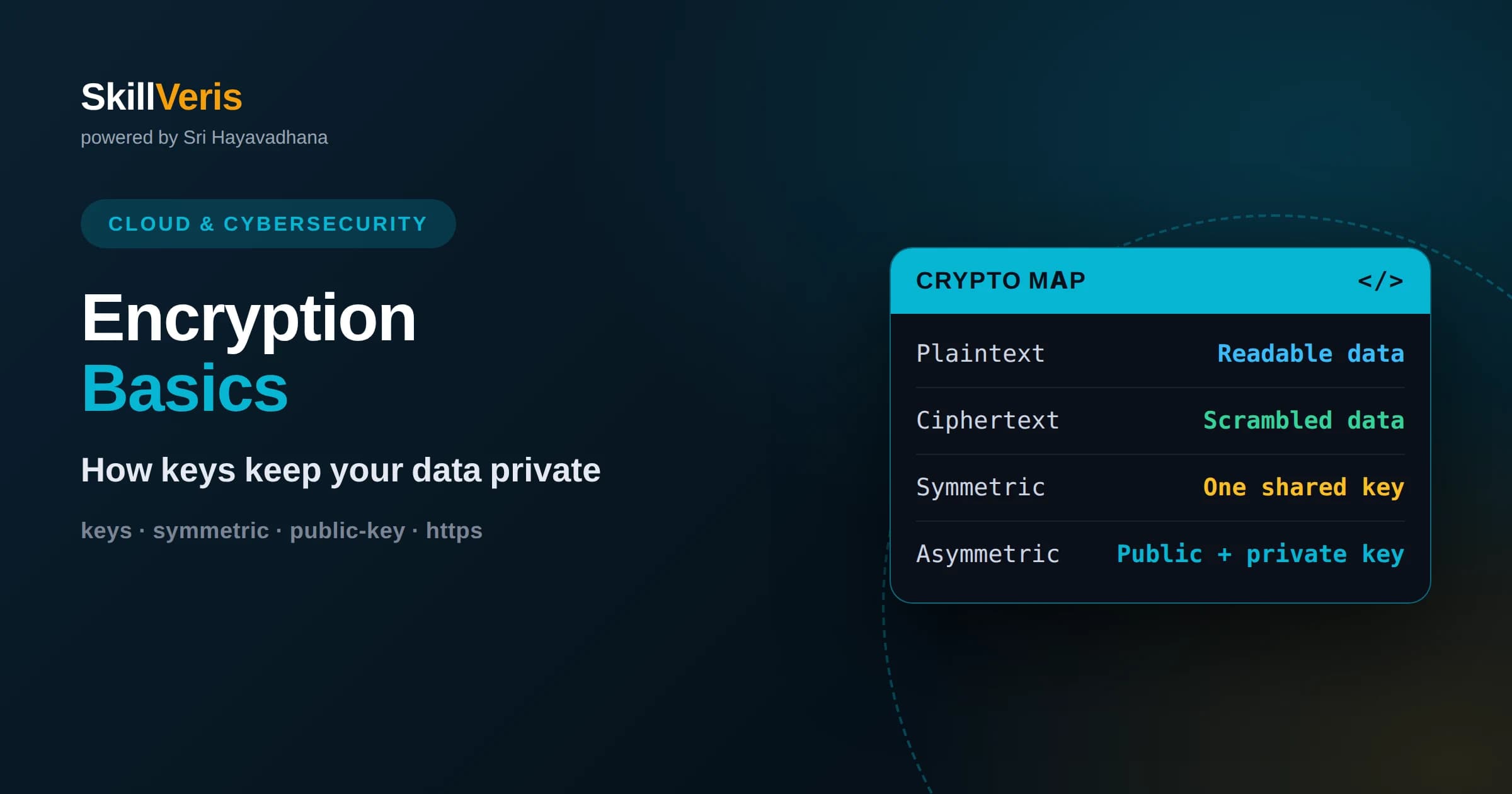
Encryption transforms readable data into scrambled ciphertext that only someone with the correct key can decode.
In this guide, you'll learn:
- Symmetric encryption uses one shared key and is fast, while public-key encryption uses a key pair to solve secure key exchange.
- HTTPS combines both approaches to protect nearly every website you visit today.
- Encryption protects data both in transit across networks and at rest on disks and databases.
1What Encryption Is And Why It Matters
Encryption is the process of scrambling readable information into an unreadable form so that only someone with the correct key can turn it back into the original. If an attacker intercepts encrypted data, they see meaningless gibberish instead of your passwords, messages, or bank details.
The readable original is called plaintext, and the scrambled result is called ciphertext. A mathematical process called an algorithm, combined with a secret value called a key, converts one into the other. Without the key, reversing the process is practically impossible.
Encryption matters because data constantly travels across networks and sits on devices you do not fully control. Every time you log into a website, send a message, or store a file in the cloud, encryption is what keeps that information private even when it passes through untrusted hands.
2Understanding Keys, The Heart Of Encryption
The security of modern encryption does not come from hiding the algorithm. The algorithms are public and heavily studied. Security comes from the key, a secret number that controls how data is scrambled and unscrambled. Whoever holds the key can read the data; whoever does not cannot.
Think of the algorithm as a lock design that everyone can inspect, and the key as the physical key that actually opens it. Publishing the design does not help a thief without the key. This is why good encryption can be openly documented yet remain secure.
Key length matters enormously. A longer key means vastly more possible combinations an attacker would have to try. Modern keys are chosen to be long enough that guessing them by brute force would take longer than any attacker could realistically spend.
This principle, that security should rest on the key rather than the secrecy of the method, is old and well established in cryptography. It means systems can be openly reviewed by experts around the world, who find and fix weaknesses in the design while the keys themselves remain private to their owners.
3Symmetric Encryption Explained
Symmetric encryption uses a single shared key for both scrambling and unscrambling. The same secret locks the data and unlocks it. It is fast, efficient, and well suited to encrypting large amounts of information, which is why it does the heavy lifting in most systems.
The widely used standard in this category is designed to be extremely fast in both software and hardware, making it practical to encrypt entire disks, databases, and video streams in real time without noticeable slowdown.
Symmetric encryption has one significant challenge: both parties must somehow share the secret key without an eavesdropper intercepting it. If you could send the key securely, you might not need encryption in the first place. Solving this puzzle is where the next idea comes in.
This challenge grows with the number of participants. If everyone needs a shared secret with everyone else, the number of keys explodes as the group expands. Managing all those secrets safely becomes impractical on its own, which is another reason a different approach was needed for open networks.
4Public-Key Encryption And Key Exchange
Public-key encryption, also called asymmetric encryption, uses a pair of mathematically linked keys instead of one. A public key can be shared with anyone and is used to scramble data, while a matching private key is kept secret and is the only thing that can unscramble it.
This elegantly solves the key exchange problem. Anyone can encrypt a message to you using your public key, but only you, holding the private key, can read it. You never have to transmit your secret. The link between the two keys relies on math that is easy to compute one way but extremely hard to reverse.
Asymmetric encryption is slower than symmetric encryption, so it is usually not used to encrypt large files directly. Instead, its main job is to securely exchange a symmetric key, which then handles the bulk of the work. This hybrid approach gives you the best of both.
Public-key cryptography also enables digital signatures, which work in reverse. By signing data with a private key, you let anyone verify with the matching public key that the data truly came from you and was not altered. This underpins software updates, certificates, and much of the trust on the internet.
5How HTTPS Protects Your Browsing
Every time you see the padlock in your browser, encryption is protecting your connection. HTTPS is the secure version of the web protocol, and it uses exactly the hybrid model described above to keep your traffic private and tamper-proof.
When you connect to a secure website, your browser and the server perform a handshake. They use public-key cryptography to verify the server's identity and to agree on a fresh symmetric key that only the two of them know. From that point on, the fast symmetric encryption protects everything you send and receive.
This is why you can safely enter a password or credit card on a properly secured site even over public Wi-Fi. An attacker on the same network sees only encrypted traffic, not your actual data. HTTPS has become the default for the modern web precisely because it works so well.
The handshake also protects against impersonation. Digital certificates, issued by trusted authorities, let your browser confirm that the server really is who it claims to be. This stops an attacker from silently posing as your bank, because they cannot present a valid certificate for a domain they do not control.
6Data In Transit Versus Data At Rest
Security professionals distinguish between two states of data. Data in transit is information moving across a network, such as a message traveling from your phone to a server. Data at rest is information sitting still on a disk, in a database, or in a backup.
Both states need protection but face different threats. Data in transit can be intercepted by anyone on the network path, which is what HTTPS and other transport encryption defend against. Data at rest is exposed if a device is stolen or a storage system is breached.
Encrypting data at rest means that even if someone physically steals a hard drive or copies a database file, the contents remain unreadable without the key. Comprehensive security encrypts data in both states, closing the gap that leaving either unprotected would create.
Cloud platforms make this easier than ever by offering encryption at rest as a built-in option, often on by default. The harder question is usually not whether data is encrypted but who controls the keys, since whoever holds the keys ultimately controls access. Thinking carefully about key ownership is part of using encryption well.
7Hashing Is Not Encryption
A common source of confusion is the difference between hashing and encryption. Encryption is reversible: with the key, ciphertext becomes plaintext again. Hashing is deliberately one-way: it turns input into a fixed-length fingerprint that cannot be reversed back to the original.
Hashing is ideal for storing passwords. Instead of keeping your actual password, a system stores its hash. When you log in, it hashes what you typed and compares fingerprints. Even if the database leaks, attackers get hashes rather than plaintext passwords.
Good password systems also add a unique random value called a salt before hashing, which stops attackers from using precomputed tables to crack many passwords at once. Understanding that hashing and encryption solve different problems is an important step toward thinking clearly about security.
8End-To-End Encryption Explained
End-to-end encryption means that data is encrypted on the sender's device and can only be decrypted on the recipient's device. Not even the service carrying the message can read the contents, because it never holds the keys needed to unlock them.
This is the model behind private messaging apps. The company that runs the service transports your encrypted messages but cannot see inside them. Only you and the person you are talking to hold the keys. It is the strongest privacy guarantee widely available to everyday users.
The trade-off is responsibility. Because only the endpoints hold the keys, losing your device or keys can mean losing access to your data with no way to recover it. Strong privacy and easy recovery pull in opposite directions, and end-to-end encryption chooses privacy.
9Common Encryption Mistakes To Avoid
The most frequent mistake is trying to invent your own encryption algorithm. Cryptography is deceptively hard, and homegrown schemes almost always contain fatal flaws. The correct approach is to use well-established, widely reviewed standards through trusted libraries.
Another common error is poor key management. Encryption is only as strong as the secrecy of its keys. Hardcoding keys into source code, emailing them, or storing them next to the data they protect all undermine the entire system. Keys deserve careful, dedicated handling.
Finally, encryption is not a cure-all. It protects data confidentiality, but it does not stop phishing, fix weak passwords, or patch vulnerable software. Treat it as one essential layer within a broader security strategy rather than a single solution.
A subtler pitfall is failing to encrypt in the right places. Data may be protected in transit but left readable at rest, or decrypted into logs and temporary files where it lingers unprotected. Thinking through the entire lifecycle of sensitive data, not just its journey across the wire, is what closes these gaps.
10Why Encryption Works At Internet Scale
It can feel surprising that billions of secure connections happen every day without keys leaking. The reason is the clever combination of asymmetric and symmetric encryption, which lets total strangers establish a shared secret in public without ever meeting.
This scalability is what makes modern commerce and communication possible. Banks, hospitals, and messaging apps all rely on the same underlying mathematics. The concepts you learn here are the same ones protecting critical infrastructure worldwide.
Because the algorithms are open and continually scrutinized by researchers, weaknesses are found and fixed in the open rather than hidden. This transparency is a feature, not a flaw, and it is why the ecosystem stays trustworthy as threats evolve.
11The Future: Quantum And Beyond
Researchers are preparing for a future in which powerful quantum computers could threaten some of today's public-key methods. In response, the security community is developing and standardizing new algorithms designed to resist quantum attacks.
This shift, often called post-quantum cryptography, is already underway. Systems are being updated so that the transition can happen gradually before any practical threat materializes. It is a reminder that encryption is a living field, not a solved problem.
For learners, the takeaway is that the fundamentals endure even as specific algorithms change. Understanding keys, symmetric and asymmetric encryption, and the hybrid model gives you a durable foundation regardless of which algorithms come next.
12Practice Encryption Hands-On
Encryption becomes intuitive once you use it yourself. Try encrypting a file, inspect an HTTPS certificate in your browser, or experiment with hashing a password in code. Seeing plaintext become ciphertext and back again makes the abstract concrete.
On SkillVeris you can work through practical cloud and cybersecurity courses that guide you from these fundamentals to real implementation. Build the mental models here, then apply them in guided projects to develop skills you can carry into any technical role.
Related Reading
Get The Print Version
Download a PDF of this article for offline reading.
About the Publisher
SkillVeris Team
Cloud & Security Team
Our cloud and security experts break down complex infrastructure topics into practical, beginner-friendly guides.
View all postsRelated Posts




Never miss an update
Get the latest tutorials and guides delivered to your inbox.
No spam. Unsubscribe anytime.