DevSecOps: Building Security Into Your Pipeline
SkillVeris Team
Cloud & Security Team
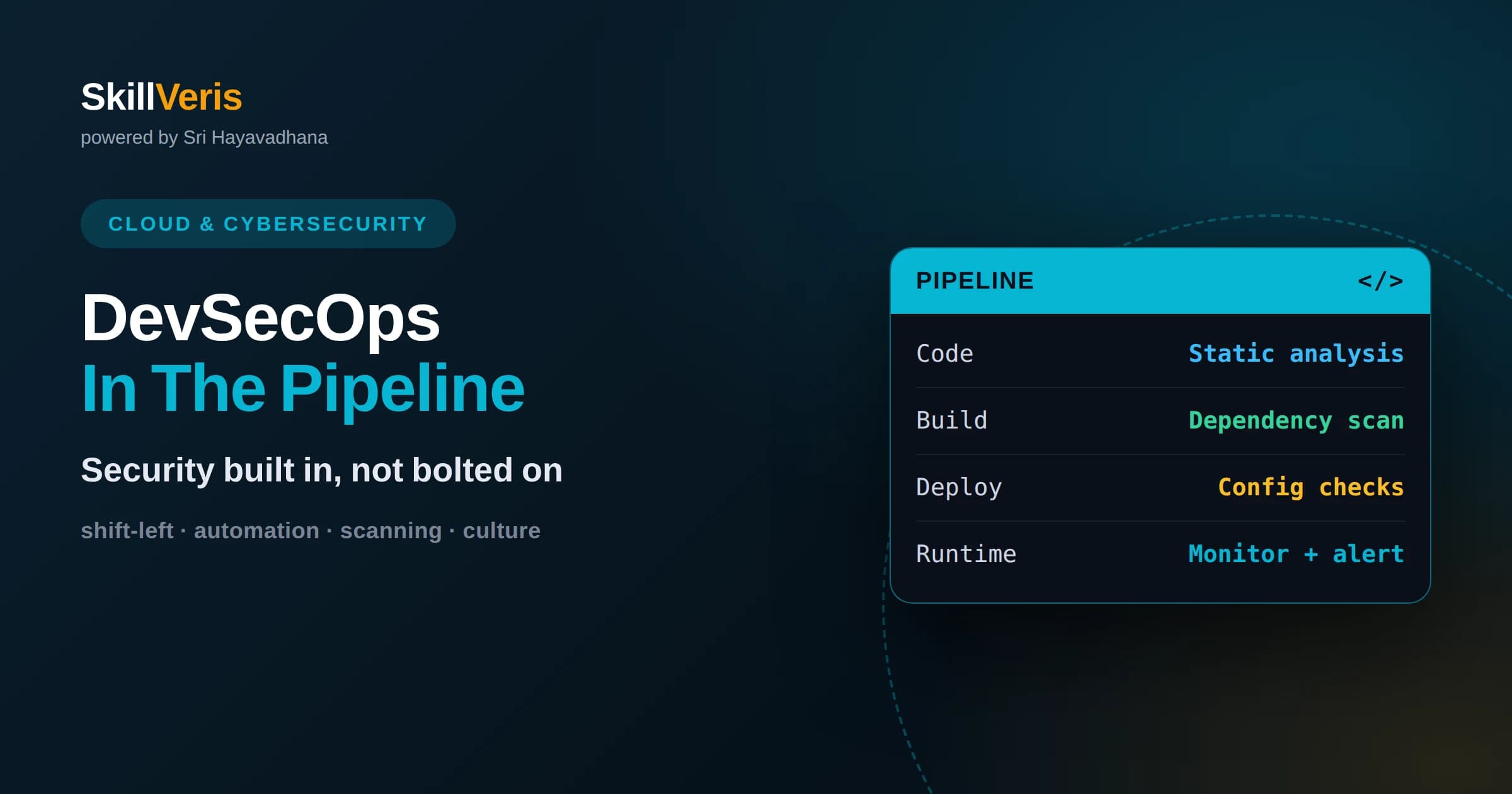
DevSecOps integrates security into the entire software delivery pipeline rather than treating it as a final gate.
In this guide, you'll learn:
- Shifting security left catches vulnerabilities early when they are cheaper and easier to fix.
- Automated scanning tools check code, dependencies, containers, and infrastructure on every change.
- The biggest shift is cultural: security becomes a shared responsibility across developers, operations, and security teams.
1What DevSecOps Really Means
DevSecOps is the practice of building security into every stage of the software delivery pipeline rather than bolting it on at the end. It weaves automated security checks and shared responsibility into the same fast, continuous workflow that developers and operations already use to ship software.
The name combines development, security, and operations, signaling that security is not a separate team you hand code to at the finish line. It is a continuous concern owned by everyone involved in building and running software.
The core promise is that you can move fast and stay secure at the same time. By automating security and catching issues early, DevSecOps avoids the old trade-off where teams either shipped slowly with heavy security reviews or shipped quickly and hoped nothing broke.
In practice this means security tooling lives inside the same automated pipeline that compiles code, runs tests, and deploys releases. When a check fails, the pipeline responds just as it would to a failing test, giving developers immediate, actionable feedback in a workflow they already understand.
2Why DevSecOps Emerged
Traditional security worked as a gate at the end of development. Teams built software for months, then handed it to a security team for review just before release. Inevitably, reviewers found problems late, when fixing them meant costly rework and missed deadlines.
As DevOps accelerated release cycles from months to days or hours, this end-of-line gate became an impossible bottleneck. You cannot run a two-week manual security review before every deployment when you deploy many times a day. Something had to change.
DevSecOps answered by distributing security throughout the pipeline and automating it. Instead of one big review at the end, many small automated checks run continuously as code is written, tested, and deployed. Security keeps pace with delivery instead of blocking it.
The name itself makes a point by inserting security into the middle of DevOps. It signals that security is not a bolt-on but a core part of how software is built and run. When teams internalize that framing, security stops being the department that says no and becomes a shared quality everyone contributes to.
3The Shift-Left Principle
A central idea in DevSecOps is shifting security left, meaning moving it earlier in the timeline. If you picture the delivery pipeline flowing from left to right, shifting left means catching problems near the beginning rather than the end.
This matters because the cost of fixing a vulnerability rises steeply the later it is found. A flaw caught while a developer is still writing the code takes minutes to fix. The same flaw discovered in production can mean emergency patches, incident response, and potential data exposure.
Shifting left does not mean dumping all security work on developers. It means giving them fast, automated feedback so they can fix issues immediately, in the same way automated tests catch bugs early. Security becomes part of the normal rhythm of writing code.
There is also a learning benefit. When developers see security findings on their own code, explained clearly and in context, they gradually absorb secure coding habits. Over time the team writes fewer vulnerabilities in the first place, which is a far more durable win than catching the same mistakes forever.
4Security At Each Pipeline Stage
A DevSecOps pipeline embeds checks at every phase. During coding, developers get instant feedback in their editor about risky patterns. When code is committed, automated scanners inspect it for known vulnerability patterns before it ever merges.
During the build and test phase, the pipeline scans dependencies for known flaws, checks container images, and runs security-focused tests alongside functional ones. Nothing proceeds if a serious issue is detected, so problems are stopped before they spread.
After deployment, monitoring continues in production. Runtime protection, logging, and alerting watch for suspicious behavior and newly discovered vulnerabilities. Security is present from the first keystroke to the running application, not concentrated at a single checkpoint.
5Static And Dynamic Analysis
Two complementary techniques anchor automated code security. Static analysis examines source code without running it, looking for dangerous patterns such as unsafe input handling or hardcoded secrets. It runs early and fast, right when code is written.
Dynamic analysis takes the opposite approach. It tests the running application by sending it inputs and observing how it responds, much like an attacker probing for weaknesses. It catches issues that only appear when the software is actually executing.
Neither technique alone is complete. Static analysis can flag potential problems that turn out to be harmless, while dynamic analysis can miss code paths it never exercises. Used together, they cover far more ground than either could on its own.
Managing false positives is part of doing this well. If a scanner floods developers with warnings that do not matter, they learn to ignore all of them, including the real ones. Tuning the tools so their alerts are trustworthy is essential, because a security check people ignore protects nothing.
6Securing Dependencies And Supply Chains
Modern applications are built largely from open-source libraries. A typical project depends on hundreds of packages written by other people. Each one is convenient, but each one is also a potential entry point if it contains a vulnerability.
Dependency scanning automatically checks your libraries against databases of known vulnerabilities. When a component you rely on is found to be flawed, the scanner alerts you and often suggests a safe version to upgrade to. This keeps you from unknowingly shipping known weaknesses.
Supply chain security goes further, verifying that the components you pull in are genuine and have not been tampered with. As attackers increasingly target the software supply chain, tracking exactly what goes into your builds has become an essential DevSecOps practice.
7Managing Secrets Safely
Applications need secrets: database passwords, API keys, and encryption keys. A dangerous but common mistake is hardcoding these directly into source code, where anyone with repository access, or anyone who breaches it, can read them.
DevSecOps pipelines scan for accidentally committed secrets and block them before they reach a shared repository. Once a secret is exposed in version history, it must be considered compromised and rotated, so catching it early saves serious pain.
The better pattern is to store secrets in a dedicated secrets manager that injects them securely at runtime. Code references a secret by name, and the platform supplies the actual value only when and where it is needed, keeping it out of source control entirely.
8Securing Infrastructure As Code
In cloud environments, infrastructure is often defined in code, describing servers, networks, and permissions as configuration files. This is powerful and repeatable, but a misconfiguration in that code can expose data to the entire internet.
DevSecOps applies the same scanning discipline to infrastructure definitions. Automated tools inspect configuration for insecure settings such as open storage buckets, overly broad permissions, or unencrypted resources, flagging them before they are provisioned.
Because infrastructure is code, security becomes reviewable and version-controlled just like application logic. You can see exactly what changed, who changed it, and whether it passed security checks, bringing rigor to a layer that was once configured by hand.
This also makes secure configurations repeatable. Once you define a hardened setup, you can apply it consistently across every environment instead of relying on someone to remember the right settings each time. Consistency itself is a security property, because it removes the random misconfigurations that so often cause breaches.
9The Cultural Shift That Makes It Work
The hardest part of DevSecOps is not the tools; it is the culture. Security has to become a shared responsibility rather than someone else's job. Developers, operations engineers, and security specialists must collaborate toward the same goal instead of throwing work over walls.
This requires trust and shared ownership. Security teams shift from being gatekeepers who say no to being enablers who provide tools, guardrails, and guidance. Developers, in turn, take responsibility for the security of what they build.
Blameless learning is key. When something goes wrong, the focus should be on improving the system rather than punishing individuals. Teams that treat incidents as learning opportunities build stronger security over time than teams ruled by fear.
Leadership support makes or breaks this shift. When managers reward shipping features but never account for the time security work takes, teams quietly cut corners. When security is treated as a first-class part of quality, alongside performance and reliability, people invest in it willingly rather than resentfully.
10Measuring DevSecOps Success
How do you know DevSecOps is working? Useful signals include how quickly vulnerabilities are detected and fixed, how many issues are caught before production versus after, and how much of the security process is automated rather than manual.
Speed and security should improve together, not trade off. If adding security checks dramatically slows delivery, the implementation needs tuning. Well-designed automated checks give fast feedback and rarely block legitimate work.
Avoid vanity metrics like the raw count of alerts, which can reward noise over insight. Focus on outcomes: fewer serious issues reaching production, faster remediation, and a team that treats security as a natural part of its work.
Trends matter more than snapshots. A single measurement tells you little, but watching whether detection times shrink and escaped issues decline over months shows whether your practices are actually improving. Use metrics to guide learning and investment, not to assign blame when a number looks bad.
11How To Start With DevSecOps
You do not need to implement everything at once. Start by adding one automated check to your existing pipeline, such as dependency scanning, which offers high value for low effort. Let the team get comfortable acting on its findings.
From there, layer in additional checks gradually: static analysis, secret scanning, and infrastructure scanning. Each new layer closes another category of risk. Introducing them one at a time keeps the changes manageable and the feedback useful.
Just as importantly, invest in the conversation. Bring security and development teams together, share ownership of outcomes, and celebrate issues caught early. Tools enforce practices, but culture is what sustains them.
12Build Your DevSecOps Skills
DevSecOps is best learned by doing. Add a scanner to a personal project's pipeline, watch it flag a vulnerable dependency, and practice fixing it. The workflow becomes second nature once you have run it a few times on real code.
On SkillVeris you can work through hands-on courses that connect cloud, security, and delivery pipelines into practical skills. Start small, automate one check at a time, and grow into the kind of engineer who ships fast without sacrificing security.
Related Reading
Get The Print Version
Download a PDF of this article for offline reading.
About the Publisher
SkillVeris Team
Cloud & Security Team
Our cloud and security experts break down complex infrastructure topics into practical, beginner-friendly guides.
View all postsRelated Posts




Never miss an update
Get the latest tutorials and guides delivered to your inbox.
No spam. Unsubscribe anytime.