Design Patterns Every Developer Should Know
SkillVeris Team
Engineering Team
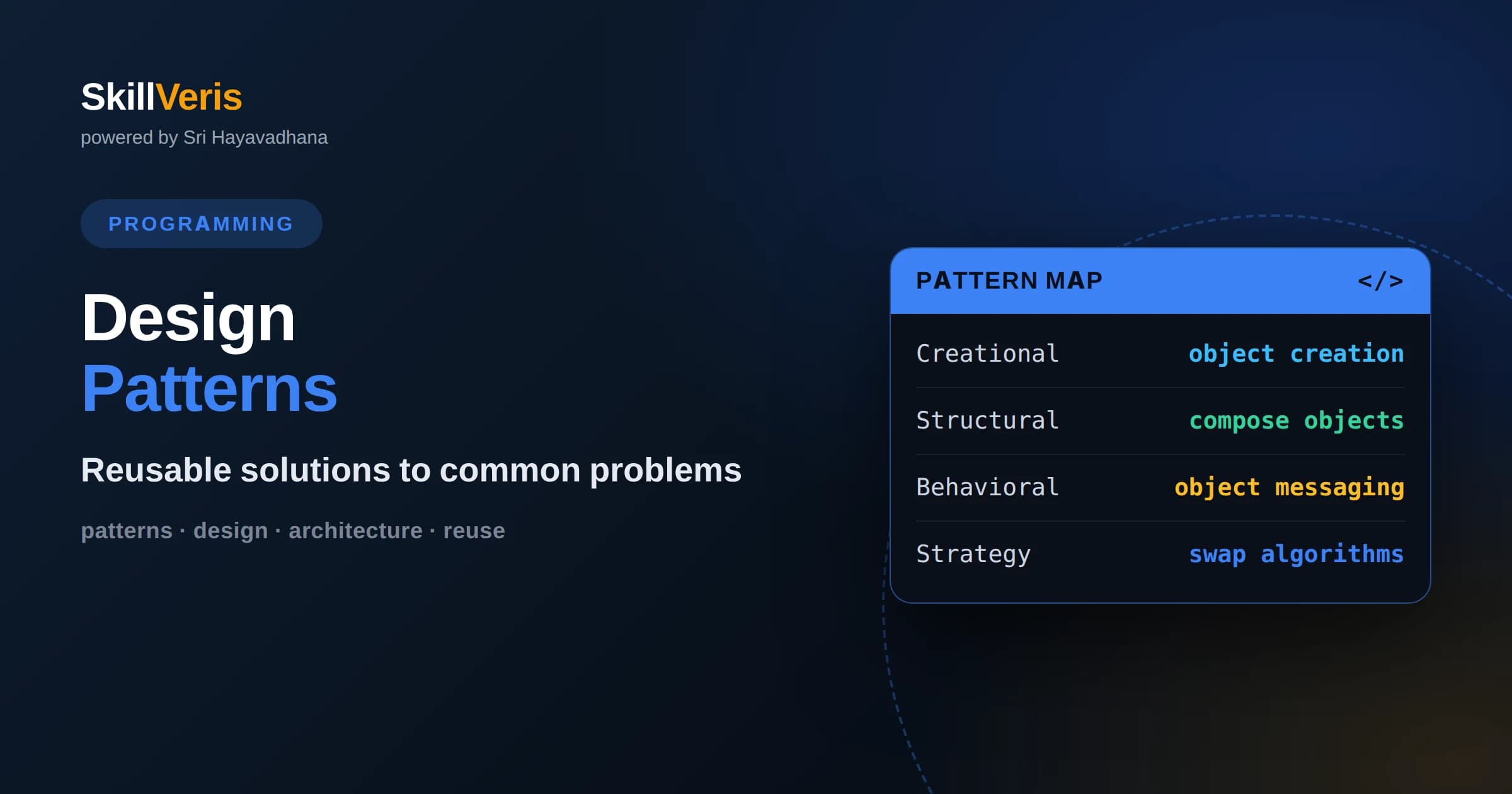
Design patterns are named, proven solutions to problems that appear again and again, giving teams a shared vocabulary for discussing structure.
In this guide, you'll learn:
- The classic patterns fall into three families: creational patterns handle object creation, structural patterns compose objects, and behavioral patterns manage communication.
- Patterns are tools, not goals, so applying them without a real problem to solve adds complexity rather than removing it.
- Learning a handful of high-value patterns like Strategy, Factory, Observer, and Adapter covers the majority of situations you will meet in everyday work.
1What Are Design Patterns?
A design pattern is a named, reusable solution to a problem that recurs across many software projects. It is not a finished piece of code you copy in, but a template for how to arrange classes and objects to solve a particular kind of problem cleanly. Think of it as a recipe: it tells you the ingredients and the steps, but you adapt it to your own kitchen.
The value of patterns is twofold. First, they capture hard-won experience, so you inherit a solution that experienced developers have already refined. Second, they give teams a shared vocabulary. Saying a class is a Factory or that two objects communicate through an Observer instantly conveys a structure that would otherwise take paragraphs to describe.
Patterns became widely known through the work often called the Gang of Four, which cataloged twenty-three patterns in three families. You do not need all of them. A working developer benefits most from deeply understanding a dozen or so and recognizing the rest well enough to look them up when the situation calls for it.
It helps to see patterns as documented experience rather than invention. Long before anyone wrote them down, skilled developers kept rediscovering the same shapes because those shapes worked. Naming them simply made that collective wisdom teachable and discussable, so a beginner can absorb in an afternoon what once took years of trial and error to learn.
2Why Patterns Matter
Software changes constantly, and the cost of change is where most engineering effort goes. Patterns matter because they push you toward designs that absorb change gracefully. A well-placed pattern isolates the part of the system that varies, so a new requirement touches one small area instead of rippling across the whole codebase.
Patterns also communicate intent. When a reader sees a familiar structure, they immediately understand the roles the objects play and how they collaborate. This shared understanding reduces the time it takes new team members to become productive and makes code reviews more focused, because reviewers can reason about the design at a higher level.
There is a caution, though. Patterns solve real problems, and forcing a pattern where no problem exists produces ceremony without benefit. The skill is not memorizing patterns but recognizing the underlying problem each one addresses, so you apply it only when that problem is actually present.
3Creational Patterns Overview
Creational patterns deal with how objects are created. The naive approach of calling a constructor directly everywhere ties your code tightly to specific classes and construction details. Creational patterns add a layer of indirection so you can change what gets created, and how, without rewriting every caller.
This family includes the Factory Method and Abstract Factory, which delegate object creation to specialized methods or classes; the Builder, which assembles complex objects step by step; the Prototype, which clones existing objects; and the Singleton, which ensures a class has a single shared instance. Each targets a different wrinkle in the problem of creating objects flexibly.
The common thread is decoupling. By separating the code that uses an object from the code that creates it, you gain the freedom to swap implementations, centralize configuration, and manage complex construction in one place. That freedom is what makes systems easier to extend later.
4The Factory Pattern
The Factory pattern provides a method whose job is to create objects, letting subclasses or configuration decide which concrete class to instantiate. Instead of scattering constructor calls throughout your code, callers ask the factory for an object and receive one that satisfies an interface, without needing to know the exact type.
This is enormously useful when the specific class depends on runtime information. A payment system might return a card processor, a wallet processor, or a bank transfer processor depending on the user's choice, yet all the surrounding code deals only with a common payment interface. Adding a new payment method means adding one class and one branch in the factory, not editing dozens of call sites.
Factories also centralize creation logic that would otherwise be duplicated. If constructing an object requires reading configuration, validating inputs, or wiring dependencies, doing that once in a factory keeps the rest of the codebase clean and consistent.
5The Singleton Pattern
The Singleton ensures that a class has exactly one instance and provides a global point of access to it. It is often used for things that genuinely should be shared, such as a configuration registry, a logging facility, or a connection pool, where multiple copies would waste resources or cause inconsistency.
Singleton is also the most criticized pattern, and understanding why makes you a better engineer. A singleton is effectively global state, which makes code harder to test because you cannot easily substitute a fake, and it can hide dependencies that would be clearer if passed explicitly. In concurrent programs, creating the single instance safely also requires care.
The lesson is nuance rather than avoidance. When you truly need one shared instance, a singleton is reasonable, but consider whether dependency injection, passing the shared object explicitly, would give you the same sharing with better testability. Knowing the trade-off is more valuable than the pattern itself.
6Structural Patterns Overview
Structural patterns describe how to compose objects and classes into larger structures while keeping those structures flexible and efficient. They answer questions about how parts fit together: how to make incompatible interfaces work, how to add responsibilities without subclassing, and how to represent part-whole hierarchies.
Key members include the Adapter, which makes one interface look like another; the Decorator, which wraps an object to add behavior; the Facade, which offers a simple front to a complicated subsystem; the Composite, which lets you treat individual objects and groups uniformly; and the Proxy, which stands in for another object to control access.
What unites them is composition over inheritance. Rather than building tall, rigid class hierarchies, structural patterns assemble behavior by combining small objects at runtime. This tends to produce systems that are easier to change because you rearrange collaborators instead of rewriting inheritance trees.
7Adapter and Decorator in Practice
The Adapter pattern lets two incompatible interfaces work together. Suppose your code expects objects with a particular method, but a third-party library exposes a different one. An adapter wraps the library object and translates calls, so the rest of your code sees the interface it expects. This is invaluable when integrating external code you cannot modify.
The Decorator pattern attaches new responsibilities to an object dynamically by wrapping it in another object with the same interface. Because the wrapper matches the interface, you can stack decorators, each adding a layer such as compression, encryption, or caching. This gives you flexible combinations without an explosion of subclasses for every possible feature mix.
Both patterns rely on programming to an interface. As long as the wrapper and the wrapped object share a contract, the surrounding code neither knows nor cares that wrapping is happening. That transparency is what makes these patterns so composable and so common in real systems.
8Behavioral Patterns Overview
Behavioral patterns focus on communication between objects: how responsibilities are assigned and how objects interact to accomplish a task. Where structural patterns care about how objects are arranged, behavioral patterns care about how they collaborate and how control flows between them.
This family includes the Strategy, which makes algorithms interchangeable; the Observer, which notifies dependents of changes; the Command, which turns a request into an object; the State, which lets an object change behavior when its internal state changes; and the Iterator, which provides a uniform way to traverse a collection. Each captures a common interaction pattern.
The recurring idea is loose coupling. By defining clear protocols for how objects talk to each other, these patterns let you change one participant without disturbing the others. That independence is what keeps large systems maintainable as requirements evolve.
9The Strategy Pattern
The Strategy pattern defines a family of interchangeable algorithms, encapsulates each one, and lets you swap them at runtime. Instead of a large conditional that chooses behavior inline, you pass in an object that knows how to perform the task. The calling code stays the same while the strategy varies.
Consider sorting or pricing. A checkout might apply different discount strategies depending on a promotion, or a report might support several export formats. Each is a strategy object with a common method, and choosing one is as simple as assigning a different object. Adding a new behavior means writing a new strategy class, not editing a growing chain of conditionals.
Strategy is one of the highest-value patterns to learn early because it directly attacks the problem of sprawling conditionals. Whenever you notice a branch that selects between variations of the same operation, a strategy often turns that tangle into a clean, extensible structure.
In modern languages the strategy can often be a plain function rather than a full object, since functions can be passed around freely. That lighter form captures the same benefit with less ceremony, which is a reminder that patterns describe intent and structure, not a fixed amount of boilerplate you must write.
10The Observer Pattern
The Observer pattern establishes a one-to-many relationship where many observer objects are notified automatically when a subject changes state. The subject keeps a list of observers and calls them when something happens, without knowing anything about what they do in response. This is the backbone of event-driven programming.
You have used this pattern any time you attached a listener to a button, subscribed to a data stream, or reacted to a model update in a user interface. It decouples the source of an event from the many parties interested in it, so you can add or remove reactions freely without touching the code that generates the event.
The main caution is managing subscriptions. Observers that are never removed can leak memory or receive updates long after they are relevant. Being disciplined about unsubscribing, and being aware of the order in which observers run, keeps observer-based systems predictable.
11Patterns Versus Overengineering
The most important lesson about patterns is knowing when not to use them. A pattern introduced without a real, present problem adds layers of indirection that make code harder to follow. Beginners who have just learned patterns sometimes wrap everything in factories and strategies, producing architecture astronautics that solves problems nobody has.
A healthier approach is to write the simplest thing that works, then refactor toward a pattern when a genuine pain point appears, such as repeated conditionals, duplicated creation logic, or tight coupling that resists change. Patterns are destinations you refactor toward, not scaffolding you erect first.
This is why understanding the problem each pattern solves matters more than memorizing its structure. When you can name the smell a pattern cures, you will reach for it at the right moment and leave it on the shelf when simpler code will do.
12How to Learn Design Patterns
Start with the handful of patterns that appear most in everyday code: Strategy, Factory, Observer, Adapter, Decorator, and Facade. Learn the problem each one solves, then hunt for examples in libraries and frameworks you already use, because mature codebases are full of patterns in their natural habitat.
Practice by refactoring. Take a piece of code with a sprawling conditional and reshape it with a Strategy, or a tangle of construction logic and centralize it in a Factory. Feeling the before and after teaches the value of a pattern far more deeply than reading its definition ever could.
On SkillVeris you can work through guided exercises that present a messy design and challenge you to apply the right pattern, with feedback at each step. Pick one pattern from this article, find a spot in your current project where its problem shows up, and refactor toward it to make the idea stick.
Get The Print Version
Download a PDF of this article for offline reading.
About the Publisher
SkillVeris Team
Engineering Team
Our engineering writers turn abstract code concepts into hands-on, project-driven learning experiences.
View all postsRelated Posts




Never miss an update
Get the latest tutorials and guides delivered to your inbox.
No spam. Unsubscribe anytime.