Clean Code: Principles That Make You a Better Developer
SkillVeris Team
Engineering Team
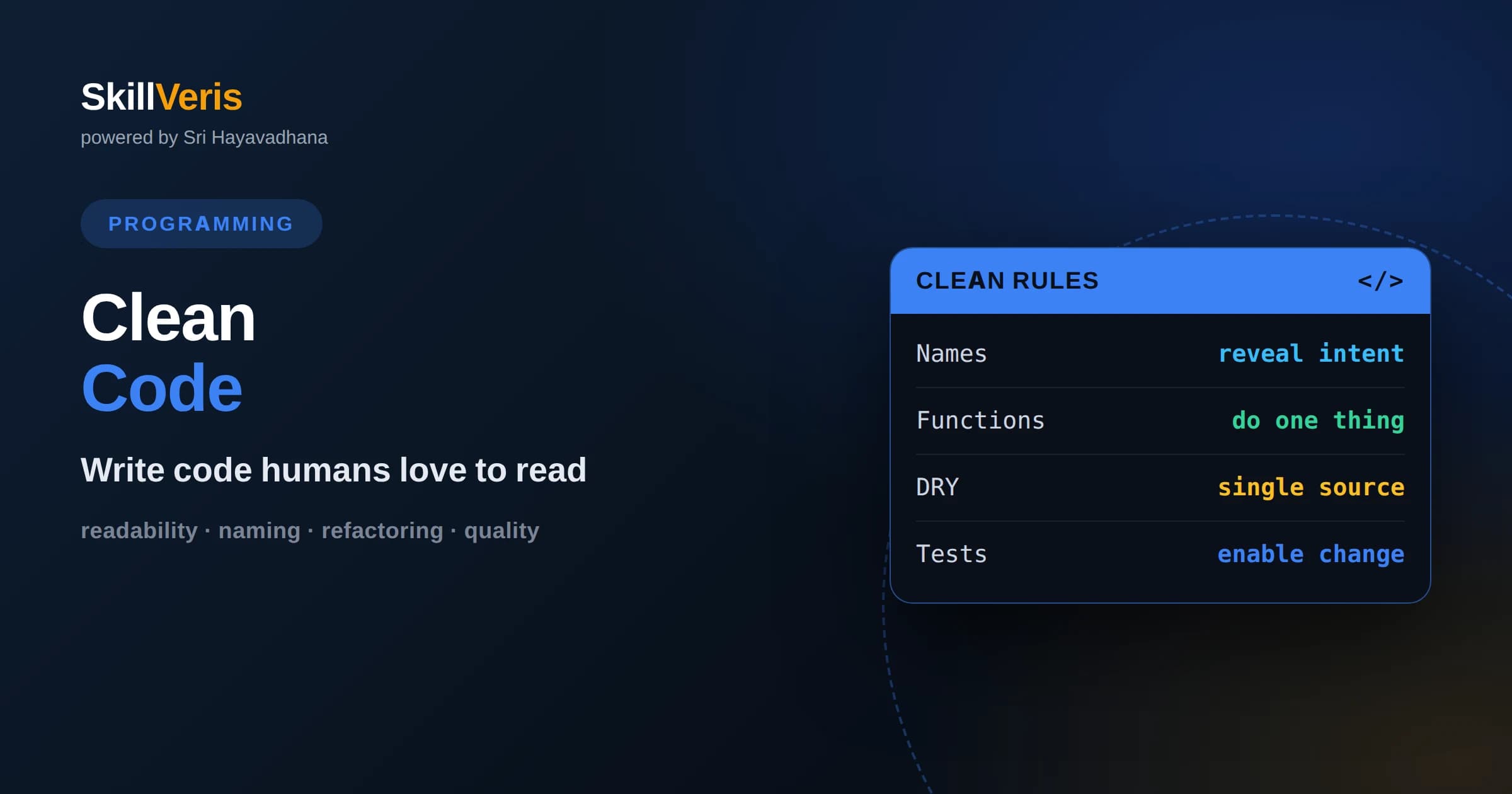
Clean code optimizes for the reader, because code is read far more often than it is written, and readability is what makes change safe and cheap.
In this guide, you'll learn:
- Clear names, small focused functions, and honest error handling deliver most of the benefit long before you reach advanced architectural concerns.
- Principles like single responsibility and do not repeat yourself are guidelines to apply with judgment, not rigid laws to follow blindly.
- Tests and continuous refactoring are what keep code clean over time, turning cleanliness from a one-off effort into a sustainable habit.
1What Is Clean Code?
Clean code is code that another person, including your future self, can read, understand, and change with confidence. Working code merely produces the right output today; clean code also communicates its intent clearly enough that it can be safely modified tomorrow. The difference between the two is where most of a project's long-term cost lives.
This matters because code is read far more often than it is written. A line you write once may be read dozens of times as people debug, extend, and review it over the years. Optimizing for the reader, even when it costs the writer a little extra effort, pays for itself many times over across a codebase's life.
Clean code is not about clever tricks or squeezing out every character. It is often the opposite: choosing the plain, obvious solution over the impressive one. The best compliment a piece of code can receive is that a reader understood it immediately and never had to stop and puzzle it out.
2Meaningful Names
Naming is the single highest-leverage clean-code skill. A good name reveals intent: it tells the reader why something exists, what it does, and how it is used, without needing a comment. A variable called daysUntilExpiry communicates instantly, while a variable called d forces the reader to hunt for meaning.
Prefer names that are searchable and pronounceable, avoid cryptic abbreviations, and make the length proportional to the scope. A loop counter in a two-line loop can be short, but a field used across a class deserves a descriptive name. Names should also avoid disinformation, so do not call something a list if it is not one.
Good naming is iterative. It is normal to rename as your understanding of the problem sharpens. When you struggle to name something, that difficulty is often a signal that the thing is doing too much or that the concept is not yet clear, which is valuable feedback about your design.
3Small, Focused Functions
Functions should be small and do one thing. A function that does one thing can be named accurately, tested in isolation, and understood at a glance. When a function grows long or its name needs the word and to describe it, that is a hint it has taken on multiple responsibilities and should be split.
Keeping a function at a single level of abstraction also helps. High-level functions should read like a summary, calling well-named helpers rather than mixing big-picture orchestration with low-level details. When someone reads the top-level function, they should grasp the overall flow without drowning in specifics.
Fewer parameters make functions easier to use correctly. A function with many arguments is hard to call and easy to get wrong, especially when several share a type. When you find yourself passing a long list, consider grouping related values into a small object, which both shortens the signature and names the concept those values represent together.
5Don't Repeat Yourself
The Don't Repeat Yourself principle says that every piece of knowledge should have a single, authoritative representation in your system. When the same logic appears in several places, a change requires updating all of them, and forgetting one produces subtle bugs. Extracting the shared logic into one function or module makes change safe and consistent.
Applied well, this principle reduces both the size of your code and the surface area for mistakes. A single validation routine, a single formatting function, a single source for a constant, each means there is only one place to look and one place to fix. This is one of the most tangible ways clean code lowers maintenance cost.
Beware of applying it too eagerly, though. Two pieces of code that look similar today may represent genuinely different concepts that happen to coincide. Forcing them together creates a false abstraction that becomes painful when the two need to diverge. Duplication is cheaper than the wrong abstraction, so wait until the pattern is clearly the same knowledge before uniting it.
6The Single Responsibility Principle
The Single Responsibility Principle holds that a class or module should have one reason to change. When a component mixes unrelated concerns, such as business rules, formatting, and storage, a change to any one concern risks breaking the others, and the component becomes hard to understand because it is trying to be several things at once.
Separating responsibilities produces components that are cohesive, meaning everything inside is closely related to a single purpose. Cohesive units are easier to name, easier to test, and easier to reuse, because each does a well-defined job. When you can describe a class in one clear sentence without conjunctions, it is probably well focused.
This principle underlies much of good design. Many other guidelines, from small functions to layered architecture, are really the single responsibility idea applied at different scales. Learning to spot when a unit is doing too much, and confidently splitting it, is a core skill of a maturing developer.
7Honest Error Handling
Clean code treats errors as a first-class concern rather than an afterthought. Silently swallowing an exception or ignoring a failed result hides problems until they surface later in confusing ways. Handling errors honestly means either dealing with them meaningfully or letting them propagate to a place that can, never quietly discarding them.
Prefer clear, specific error handling over broad catch-alls that hide the cause. When you do handle an error, include enough context to diagnose it, and fail loudly during development so problems are caught early. Defensive code that checks inputs at boundaries prevents bad data from spreading deep into the system where it is hard to trace.
Separating the happy path from error handling also improves readability. When the main logic is not tangled with checks and recovery at every line, the intended flow is easy to follow, and the error cases are grouped where a reader can reason about them together.
8Formatting and Consistency
Consistent formatting reduces the mental effort of reading code. Uniform indentation, spacing, and structure let readers focus on meaning instead of stumbling over layout. The specific style matters less than the consistency, which is why teams adopt a shared standard and enforce it automatically.
Automated formatters and linters remove formatting from the realm of opinion and debate. When a tool applies the agreed style on every save, code reviews stop wasting energy on brace placement and focus on logic and design. Letting machines handle mechanical consistency is one of the easiest wins in keeping a codebase clean.
Organization within a file matters too. Related things should sit near each other, code should generally read top to bottom from high level to detail, and a reader should be able to scan a file and understand its shape. Thoughtful arrangement is a quiet but real part of readability.
9The Role of Tests
Tests are what make clean code sustainable. Without them, developers are afraid to change code, so it ossifies and quality slowly decays. A solid suite of tests gives you the confidence to refactor freely, because if you break something the tests tell you immediately, turning cleanup from a gamble into a routine.
Tests are also code, and they deserve the same care. Clear, focused tests that check one behavior each and read like a specification serve as living documentation of how the system should behave. Tangled, brittle tests that break on unrelated changes discourage people from running them and undermine the very confidence tests are meant to provide.
Writing tests as you go, rather than bolting them on later, tends to improve design as a side effect. Code that is hard to test is often code that is too coupled or doing too much, so the friction of testing surfaces design problems early, while they are still cheap to fix.
10Refactoring Continuously
Clean code is not a state you reach once; it is a practice you maintain. Refactoring means improving the structure of code without changing its behavior, and doing it continuously in small steps keeps a codebase healthy. The alternative, letting mess accumulate until a big rewrite feels necessary, is far riskier and more expensive.
The boy scout rule captures the mindset: leave the code a little cleaner than you found it. Rename a confusing variable, extract a tangled block into a well-named function, delete some dead code. These tiny improvements compound, and because they are small they are safe, especially with tests to catch mistakes.
Refactoring also depends on recognizing code smells, the surface signs of deeper problems. Long functions, duplicated logic, large parameter lists, and comments explaining confusing code are all invitations to improve. Training your eye to notice these signals is how continuous cleanup becomes second nature.
11Balance and Pragmatism
Clean-code principles are guidelines, not commandments, and applying them without judgment can backfire. Splitting code into so many tiny functions that the logic scatters across a dozen files can hurt readability as much as a giant function does. The goal is understandability, and every principle serves that goal rather than overriding it.
Context matters. A quick script has different standards than a system that a team will maintain for years. Knowing when good enough is truly good enough, and when investment in cleanliness will pay off, is the mark of an experienced engineer who values delivering working software as much as writing elegant code.
Ultimately, clean code is a form of professional courtesy and craftsmanship. It respects the people who will read and change your work, including you, months from now. That respect, applied consistently in small decisions, is what steadily turns a competent programmer into a trusted one.
None of these principles requires talent, only attention. Anyone can choose a clearer name, split an overgrown function, or delete a stale comment. Because the improvements are small and constant, cleanliness is less about grand gestures and more about a habit of caring, repeated on every line you touch.
12Putting It Into Practice
You do not need to master every principle at once. Start with names and function size, because they deliver the most readability for the least effort. On your next task, pause before committing and ask whether a stranger could read your change and understand it without help. That single question drives a surprising amount of improvement.
Read good code deliberately. Studying well-crafted open-source projects shows you what clean looks like in practice, far better than any rule can. Notice how experienced authors name things, size their functions, and structure their files, then borrow those habits into your own work.
On SkillVeris you can practice refactoring messy code into clean, tested implementations through guided exercises that give feedback as you go. Take a rough function from your own project, apply two or three principles from this article, and feel how much clearer it becomes. That hands-on repetition is how clean code turns from knowledge into instinct.
Get The Print Version
Download a PDF of this article for offline reading.
About the Publisher
SkillVeris Team
Engineering Team
Our engineering writers turn abstract code concepts into hands-on, project-driven learning experiences.
View all postsRelated Posts




Never miss an update
Get the latest tutorials and guides delivered to your inbox.
No spam. Unsubscribe anytime.
4Comments Done Right
The best comment is often a better name or a clearer structure that removes the need for the comment entirely. Comments that merely restate what the code already says add noise and, worse, drift out of date as the code changes, eventually lying to the reader. Code that explains itself is more trustworthy than code propped up by explanations.
That said, some comments are genuinely valuable. Explaining why a non-obvious decision was made, warning about a subtle consequence, or documenting the intent behind a workaround gives readers context that the code cannot express. The rule of thumb is to comment the why, not the what.
Delete commented-out code rather than leaving it behind. Version control remembers everything, so dead code in comments only clutters the file and makes readers wonder whether it is important. A clean file with a clear history beats a file haunted by fragments of old attempts.