CI/CD Explained: Ship Code Faster and Safer
SkillVeris Team
Cloud & Security Team
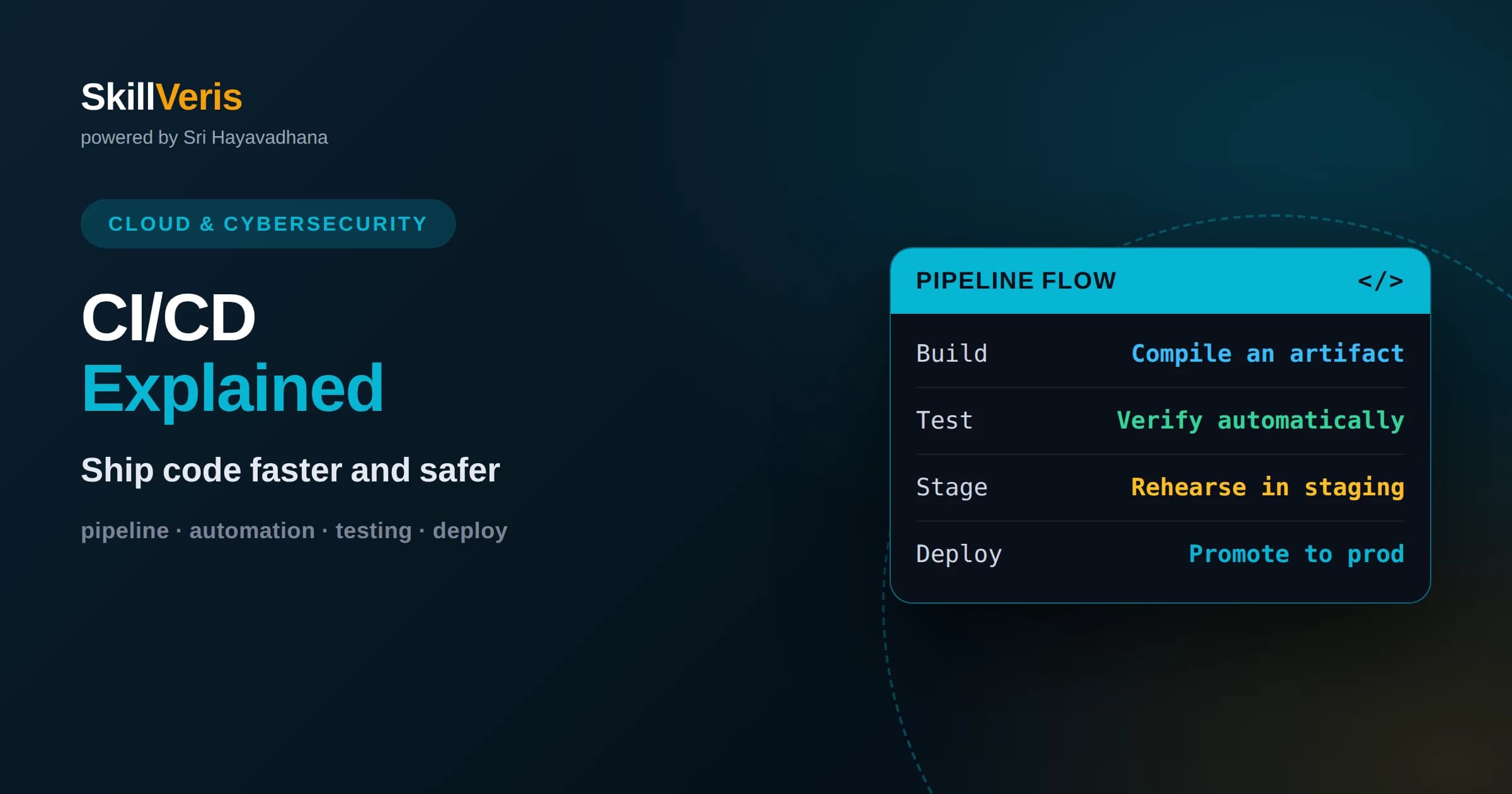
Continuous integration merges and tests every change automatically, catching breakage within minutes instead of during a painful release week.
In this guide, you'll learn:
- Continuous delivery keeps your main branch always releasable, while continuous deployment pushes passing changes to production automatically.
- A good pipeline runs the same steps for everyone, making builds reproducible and removing works-on-my-machine surprises.
- Start small: automate your build and tests first, then add deployment stages once the basics are reliable and fast.
1What CI/CD Means
CI/CD is a practice that automates building, testing, and releasing software so teams can ship changes frequently and safely. CI stands for continuous integration, which means every code change is automatically merged and tested. CD stands for continuous delivery or deployment, which means those tested changes are automatically prepared for or pushed to production. Together they replace slow, error-prone manual releases with a fast, repeatable pipeline.
The core idea is to shrink the gap between writing code and running it in front of users. Instead of batching months of work into one risky release, you integrate small changes many times a day. Each change is verified automatically, so problems surface immediately while the change is small and easy to fix.
This shift changes how teams feel about shipping. When releasing is a rare, manual, all-hands event, it is scary and gets postponed. When it is automated and routine, it becomes boring in the best way, and boring releases are safe releases.
2Continuous Integration in Depth
Continuous integration means developers merge their work into a shared main branch frequently, and an automated system builds and tests each merge. The goal is to detect conflicts and breakage early, when they are cheap to resolve, rather than during a big merge at the end of a project.
In practice, a developer pushes a change and the CI system immediately checks out the code, compiles or builds it, and runs the automated tests. If anything fails, the team is notified and the change is not accepted until it is fixed. This keeps the main branch in a known-good state almost all the time.
The discipline that makes CI work is committing small and often. Large, infrequent merges reintroduce exactly the integration pain CI is meant to prevent. Small changes are easier to test, easier to review, and easier to revert if they cause trouble.
Fast feedback is the other half of the equation. If the automated checks take too long, developers stop waiting for them and the safety net loses its value. Teams invest in keeping the build and test run quick, because a pipeline that answers in minutes shapes behavior far more than one that answers in an hour.
3Delivery Versus Deployment
People often blur two ideas that share the CD abbreviation. Continuous delivery means every change that passes the pipeline is automatically packaged and ready to release, but a human still clicks the button to push it to production. Continuous deployment goes one step further: passing changes go all the way to production automatically, with no manual gate.
Continuous delivery suits teams that want automation but still need a human checkpoint, perhaps for compliance or business timing. Continuous deployment suits teams with strong automated testing and monitoring who trust their pipeline enough to remove the manual step entirely.
Neither is universally better. Many teams start with continuous delivery to build confidence, then move to continuous deployment for parts of the system where the risk is well understood and the tests are strong. The right choice depends on how much you trust your safety nets.
4Stages of a Typical Pipeline
A pipeline is a sequence of automated stages that a change flows through. A common shape starts with a build stage that compiles code and produces an artifact, such as a container image. Next comes a test stage that runs unit tests and other fast checks. Only if these pass does the change proceed.
Later stages often include integration tests against real dependencies, security and quality scans, and finally deployment to an environment. Many pipelines deploy first to a staging environment that mirrors production, run additional checks there, and then promote the same artifact to production.
The important principle is that a change moves forward only if each stage succeeds. A failure stops the pipeline and alerts the team, so a broken change never silently reaches users. This gated flow is what makes shipping fast without becoming reckless.
5Build Once, Promote Everywhere
A reliable pipeline builds an artifact exactly once and then promotes that same artifact through every environment. If you rebuild separately for staging and production, you risk subtle differences that make staging tests meaningless. The artifact that passed tests should be the artifact that reaches users, byte for byte.
This is why containers pair so well with CI/CD. A container image is an immutable, portable artifact. You build it in the pipeline, test that exact image, and deploy that exact image. What you tested is precisely what runs in production.
Promotion, then, is about moving a trusted artifact between environments and adjusting only the configuration around it. Keeping the artifact constant while varying configuration is a cornerstone of predictable releases.
6A Layered Testing Strategy
Automated tests are the engine of CI/CD, and they work best in layers. Fast unit tests run first and cover small pieces of logic in isolation. They give near-instant feedback, so they belong early in the pipeline where a failure stops work quickly and cheaply.
Above them sit integration tests that check how components work together, and end-to-end tests that exercise the whole system as a user would. These are slower and more brittle, so you keep them fewer in number and run them after the fast tests pass.
The aim is a pyramid: many quick tests at the bottom, fewer slow ones at the top. This keeps the pipeline fast while still catching real problems. A pipeline that takes an hour to give feedback discourages frequent commits, so guarding speed is part of guarding the whole practice.
Quality of tests matters as much as quantity. Flaky tests that sometimes fail for no real reason erode trust, and once a team starts ignoring red builds, the pipeline stops protecting anything. Investing in reliable, meaningful tests is what keeps the whole practice honest and worth following.
7Safer Deployment Strategies
Even a well-tested change can behave unexpectedly in production, so smart deployment strategies limit the blast radius. A blue-green deployment runs two identical environments and switches traffic from the old to the new all at once, with an instant switch back if something goes wrong.
A canary deployment is more gradual. It sends the new version to a small slice of users first, watches the metrics, and only widens the rollout if everything looks healthy. If errors appear, you stop and roll back before most users are affected.
Feature flags add another layer of control by letting you turn features on or off without redeploying. You can ship code dark, enable it for a few users, and expand gradually. These techniques let you deploy often while keeping risk small and recovery fast.
These strategies also decouple deploying from releasing. You can push new code to production quietly and decide separately when to expose the feature to users. That separation removes a lot of pressure from the deployment itself, since the code being present no longer means the change is live for everyone.
8Fast Rollbacks and Recovery
No matter how good your tests are, something will eventually slip through, so the ability to recover quickly matters as much as preventing problems. A mature pipeline makes rolling back to the previous known-good version a fast, routine action rather than an emergency.
Because you build once and promote immutable artifacts, rolling back usually means redeploying the previous artifact, which the pipeline already trusts. This is far safer than trying to patch production live under pressure.
Pair rollbacks with good monitoring so you notice trouble early. Alerts on error rates, latency, and key business metrics tell you when a release is misbehaving. Detecting fast and reverting fast turns a potential outage into a minor blip.
It helps to rehearse recovery before you need it. Teams that practice rolling back, even in a low-stakes environment, respond calmly when a real problem appears. The confidence to revert quickly is itself what makes frequent shipping feel safe rather than reckless.
9Weaving Security Into the Pipeline
Security works best when it is built into the pipeline rather than bolted on at the end. Automated scans can check your dependencies for known vulnerabilities, inspect your code for risky patterns, and verify that no secrets are accidentally committed, all before a change reaches production.
Managing secrets properly is essential. Credentials and keys should live in a secure secret store, injected at runtime, never written into code or logs. The pipeline itself often needs credentials to deploy, so those must be tightly scoped and protected too.
Treat these checks as gates, not suggestions. When a scan finds a serious problem, the pipeline should stop just as it does for a failing test. Making security a routine, automated part of every change is how teams stay safe without slowing to a crawl.
10Pipelines as Code
Modern pipelines are defined in files that live in your repository alongside the application. This pipeline-as-code approach means the steps to build, test, and deploy are version-controlled, reviewed, and reproducible, just like the software itself.
Keeping the pipeline in the repo has real benefits. Anyone can see exactly how a change is built and shipped, changes to the process go through the same review as code, and you can trace when and why the pipeline changed. It also makes it easy to spin up the same pipeline for a new project.
This approach also removes the fragile situation where only one person knows how deployments really work. When the process lives in readable files that the whole team can see and change, knowledge is shared rather than trapped, and the pipeline can evolve safely as the project grows.
As your needs grow, you can split pipelines into reusable pieces and share common steps across projects. But even a simple single file that builds and tests on every push delivers most of the value. Start there and expand deliberately.
11Culture and Useful Metrics
CI/CD is as much a cultural practice as a technical one. It asks teams to value small changes, shared ownership of the main branch, and quick responses when the pipeline goes red. A broken build should be everyone's problem to fix, not something to ignore until later.
A few metrics help you see whether the practice is healthy. How often you deploy, how long a change takes to go from commit to production, how often changes fail, and how quickly you recover from failures together paint an honest picture of your delivery.
Use these numbers to improve, not to punish. If deployments are rare and recovery is slow, the fix is usually more automation and smaller changes, not more pressure. The goal is a calm, frequent, low-drama flow of value to users.
Watch the trend rather than any single reading. A team that steadily deploys more often, recovers faster, and fails less is clearly getting healthier, even if the absolute numbers are modest. Improvement over time is the honest signal, and it keeps the focus on the practice rather than on hitting an arbitrary target.
12Getting Started With Your First Pipeline
Do not try to build the perfect pipeline on day one. The most valuable first step is automating your build and running your tests on every push. That single change catches a huge share of problems and builds the habit of frequent, verified commits.
Once the build and test stages are reliable and fast, add automated deployment to a staging environment. Watch it, trust it, and then extend to production with whatever gate makes sense for your team. Each addition should reduce manual toil and increase confidence.
SkillVeris guides you through this journey with practical, hands-on lessons that turn these concepts into a working pipeline you build yourself. Practice by wiring up a small project end to end, and the ideas of shipping faster and safer will stop being abstract and start being your everyday workflow.
Related Reading
Get The Print Version
Download a PDF of this article for offline reading.
About the Publisher
SkillVeris Team
Cloud & Security Team
Our cloud and security experts break down complex infrastructure topics into practical, beginner-friendly guides.
View all postsRelated Posts




Never miss an update
Get the latest tutorials and guides delivered to your inbox.
No spam. Unsubscribe anytime.