AWS for Beginners: Core Services Explained
SkillVeris Team
Cloud & Security Team
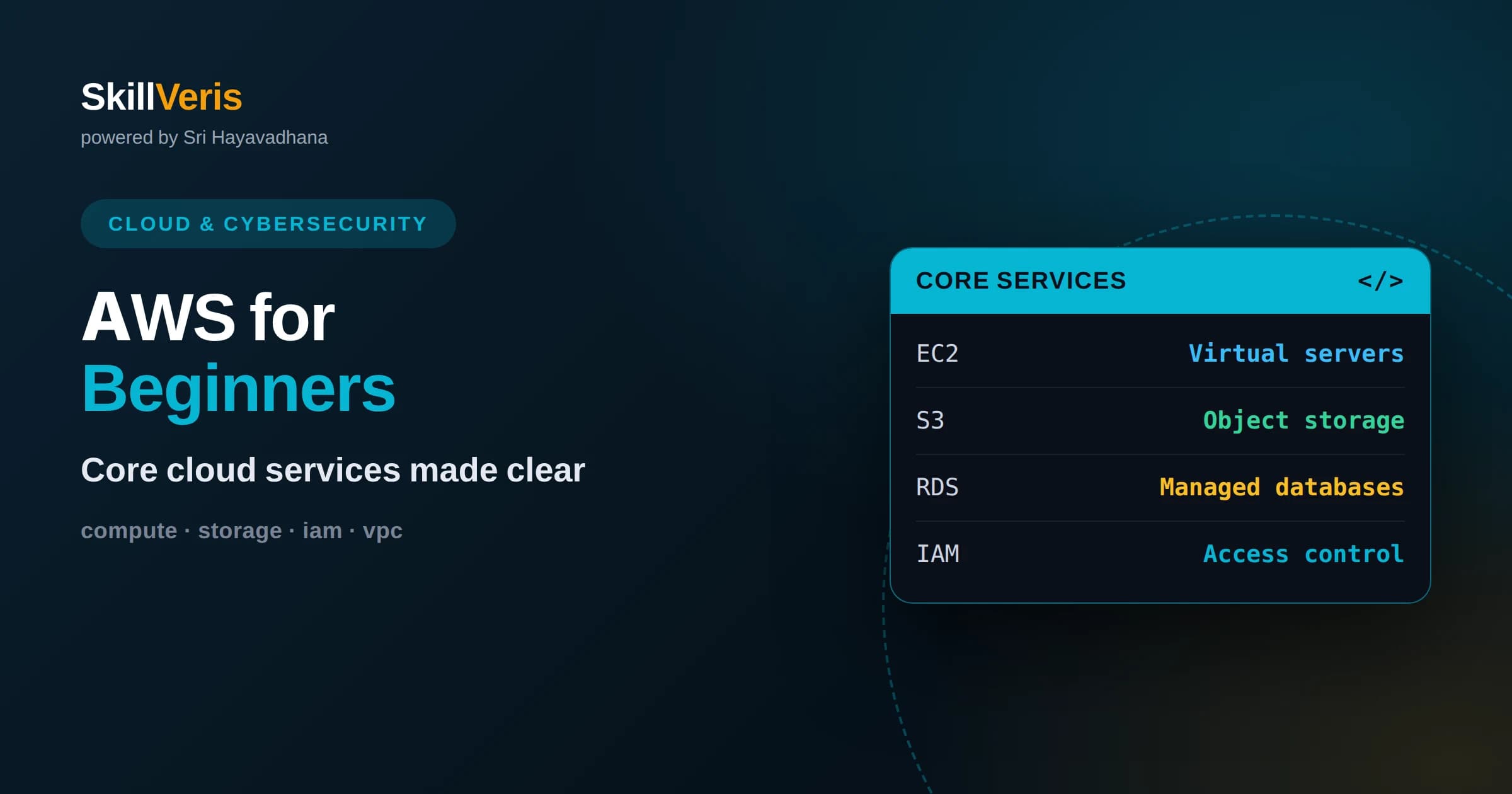
AWS lets you rent computing, storage, databases, and networking on demand instead of buying and maintaining your own servers.
In this guide, you'll learn:
- A handful of core services, EC2, S3, RDS, IAM, and VPC, cover most beginner projects and form the foundation for everything else.
- The shared responsibility model means AWS secures the cloud infrastructure while you secure what you put in it, especially access and data.
- Cost control and least-privilege access are habits to build from day one, not afterthoughts once your bill or risk grows.
1What AWS Is and Why It Exists
Amazon Web Services is a cloud platform that lets you rent computing power, storage, databases, and networking on demand, paying only for what you use. Instead of buying physical servers, waiting for them to arrive, and maintaining them, you provision virtual resources in minutes and shut them down when you are done. This turns large upfront hardware costs into flexible, usage-based spending.
The appeal is elasticity. When your app is small, you use a little; when traffic surges, you scale up quickly; when it quiets down, you scale back and stop paying for the extra. You get access to the same kind of infrastructure that large companies run, without owning any of it.
AWS is also enormous in breadth, offering hundreds of services. That can feel overwhelming, but beginners only need a small core to build real things. The trick is to learn those foundational services well and add others only when a specific need appears.
It also helps to remember that most services are managed to some degree, meaning AWS runs the heavy machinery and you consume it through an interface. This is why a small team can operate infrastructure that once required a whole department, and why learning the platform is such a leverage-heavy skill for developers today.
2Regions and Availability Zones
AWS runs data centers around the world, organized into regions. A region is a geographic area, and you choose one when you create resources, usually the one closest to your users to reduce latency, or one that meets data residency requirements.
Within each region are multiple availability zones, which are separate, isolated data centers connected by fast links. Spreading your application across zones means a problem in one zone does not take your whole app down. This is the basic building block of high availability on AWS.
As a beginner, pick a single region near you and keep everything there while you learn. Understand that zones exist and why they matter for reliability, but you do not need multi-region complexity for early projects. Simplicity first, resilience as you grow.
3EC2: Rentable Virtual Servers
EC2, the Elastic Compute Cloud, gives you virtual servers called instances that you can start in minutes and use like any computer. You choose an operating system, a size in terms of CPU and memory, and you are billed for the time it runs. It is the most direct way to run traditional applications on AWS.
Instances come in many sizes and families tuned for different jobs, from general-purpose workloads to memory-heavy or compute-heavy tasks. You can start small and resize later. When you no longer need an instance, you stop or terminate it so you stop paying for it.
EC2 gives you a lot of control, which means a lot of responsibility. You manage the operating system, patches, and security settings. That control is valuable when you need it, but for simple workloads you may prefer more managed options that handle the underlying servers for you.
4S3: Durable Object Storage
S3, the Simple Storage Service, stores files, which it calls objects, in containers called buckets. It is designed to be extremely durable and to scale from a single file to billions without you managing any servers. It is one of the most widely used services on AWS for good reason.
S3 is ideal for things like images, backups, logs, static website files, and data you want to keep cheaply and access over the internet or from other services. You pay for the storage you use and the requests you make, with different storage classes offering trade-offs between cost and how quickly you need the data.
One critical habit with S3 is access control. Buckets are private by default, and they should usually stay that way. Accidentally making a bucket public is a common cause of data leaks, so always be deliberate about who can read and write your objects.
S3 also integrates with almost everything else on AWS, which is part of why it is so central. Other services read from and write to it constantly, so it often becomes the connective tissue of an application, holding uploads, feeding data pipelines, and serving as the landing spot for logs and backups.
5RDS and Managed Databases
RDS, the Relational Database Service, runs managed relational databases so you do not have to install, patch, and back up the database software yourself. You pick an engine, choose a size, and AWS handles the tedious operational work like backups and version updates.
The value of managed databases is time. Running a database well by hand is hard, involving backups, failover, and tuning. RDS automates much of this, letting you focus on your data and queries rather than database administration.
AWS also offers other database styles for different needs, including fast key-value stores for high-scale simple lookups and specialized databases for analytics or caching. Start with a managed relational database if your data is structured, and explore alternatives only when a real requirement pushes you there.
A useful habit with any database is to place it in a private part of your network and let only your application reach it, never the open internet. Combined with automated backups, this keeps your most valuable asset, your data, both safe from prying access and recoverable if something goes wrong.
6IAM: Who Can Do What
IAM, Identity and Access Management, controls who can access your AWS resources and what they can do. It is arguably the most important service to understand, because getting access wrong is how accounts get compromised or data gets exposed.
IAM uses users, groups, roles, and policies. A policy is a document that grants specific permissions, such as read this bucket or start that instance. Roles let services and applications assume permissions temporarily without long-lived keys, which is safer than embedding credentials in code.
The guiding principle is least privilege: grant only the permissions actually needed, and nothing more. Avoid using the powerful root account for daily work, enable multi-factor authentication, and prefer roles over static keys. Good IAM habits early prevent painful security incidents later.
7VPC: Your Private Network
A VPC, Virtual Private Cloud, is your own isolated network inside AWS where your resources live. It lets you control addressing, subnets, and which traffic is allowed in and out. Even if you never customize it deeply, understanding the VPC explains how your services talk to each other and the internet.
Within a VPC you separate resources into public subnets, which can reach the internet, and private subnets, which cannot be reached directly from outside. A common pattern puts web servers in public subnets and databases in private ones, so the database is shielded from direct internet exposure.
Security groups act as virtual firewalls around your resources, controlling which ports and sources are allowed. Configuring them tightly, allowing only the traffic you truly need, is a simple and powerful way to reduce your attack surface.
8Serverless Options
AWS also offers serverless services where you do not manage any servers at all. Lambda runs your code in response to events, scaling automatically and charging only for the time your code runs. For many small tasks and event-driven workloads, it is simpler and cheaper than running an EC2 instance.
Serverless pairs naturally with other managed services. You might store files in S3, trigger a Lambda function when a file arrives, process it, and save results to a managed database, all without provisioning a single server. This composition of small managed pieces is a hallmark of modern cloud design.
Serverless is not right for everything, especially long-running or highly specialized workloads, but it is an excellent tool for beginners because it removes so much operational burden. Learning when to reach for it is a valuable skill.
10Managing Cost From Day One
The pay-for-what-you-use model is a strength, but it can surprise you if you forget about running resources. An idle instance or a large stored dataset keeps charging even when you are not actively using it. Building cost awareness early prevents unpleasant bills.
Simple habits help a lot. Stop or terminate resources you are done with, choose the smallest size that meets your needs, and use built-in tools to set billing alerts that warn you when spending crosses a threshold. Tagging resources by project makes it easy to see where money goes.
AWS also offers a free tier that lets beginners experiment with many services at little or no cost within limits. Use it to learn, but still keep an eye on what you launch, because it is easy to step outside the free limits without noticing.
A simple end-of-session ritual goes a long way: before you close your laptop, glance at what you have running and shut down anything you no longer need. This habit costs a minute and prevents the classic surprise of a forgotten resource quietly billing for days or weeks.
11How the Pieces Fit Together
Real applications combine these services. A typical web app might run its code on EC2 or Lambda, store user uploads in S3, keep structured data in RDS, control access with IAM, and live inside a VPC for network isolation. None of these services is useful entirely alone; the power comes from composition.
Understanding these connections helps you reason about a whole system rather than isolated parts. When you can trace a request from the internet through your VPC to your compute, into your database, and back, the cloud stops feeling like a bag of unrelated tools and starts feeling like a coherent platform.
You do not need every service to build something meaningful. A small, well-understood set, thoughtfully connected, will take you a long way. Add new services only when you hit a real limitation that they solve.
This composability is also what makes the platform worth learning deeply rather than superficially. Once you understand how a handful of services connect, picking up a new one is mostly a matter of learning where it plugs into a mental model you already have, rather than starting from scratch each time.
12Start Building and Keep Learning
The best way to learn AWS is to build a small project and use the core services in anger. Host a simple website with S3, add a Lambda function, store some data in a managed database, and lock it all down with sensible IAM policies. Doing this once teaches more than reading a dozen overviews.
SkillVeris turns these concepts into guided, hands-on practice so you can build real cloud skills step by step without getting lost in the sheer size of AWS. Each lesson connects an idea to something you actually create and control.
Above all, cultivate the habits of least privilege and cost awareness from your very first project. They are far easier to build in early than to retrofit later, and they will serve you throughout your cloud career. Keep building, keep questioning, and the platform will steadily become familiar.
Related Reading
Get The Print Version
Download a PDF of this article for offline reading.
About the Publisher
SkillVeris Team
Cloud & Security Team
Our cloud and security experts break down complex infrastructure topics into practical, beginner-friendly guides.
View all postsRelated Posts




Never miss an update
Get the latest tutorials and guides delivered to your inbox.
No spam. Unsubscribe anytime.