Authentication vs Authorization: What's the Difference?
SkillVeris Team
Cloud & Security Team
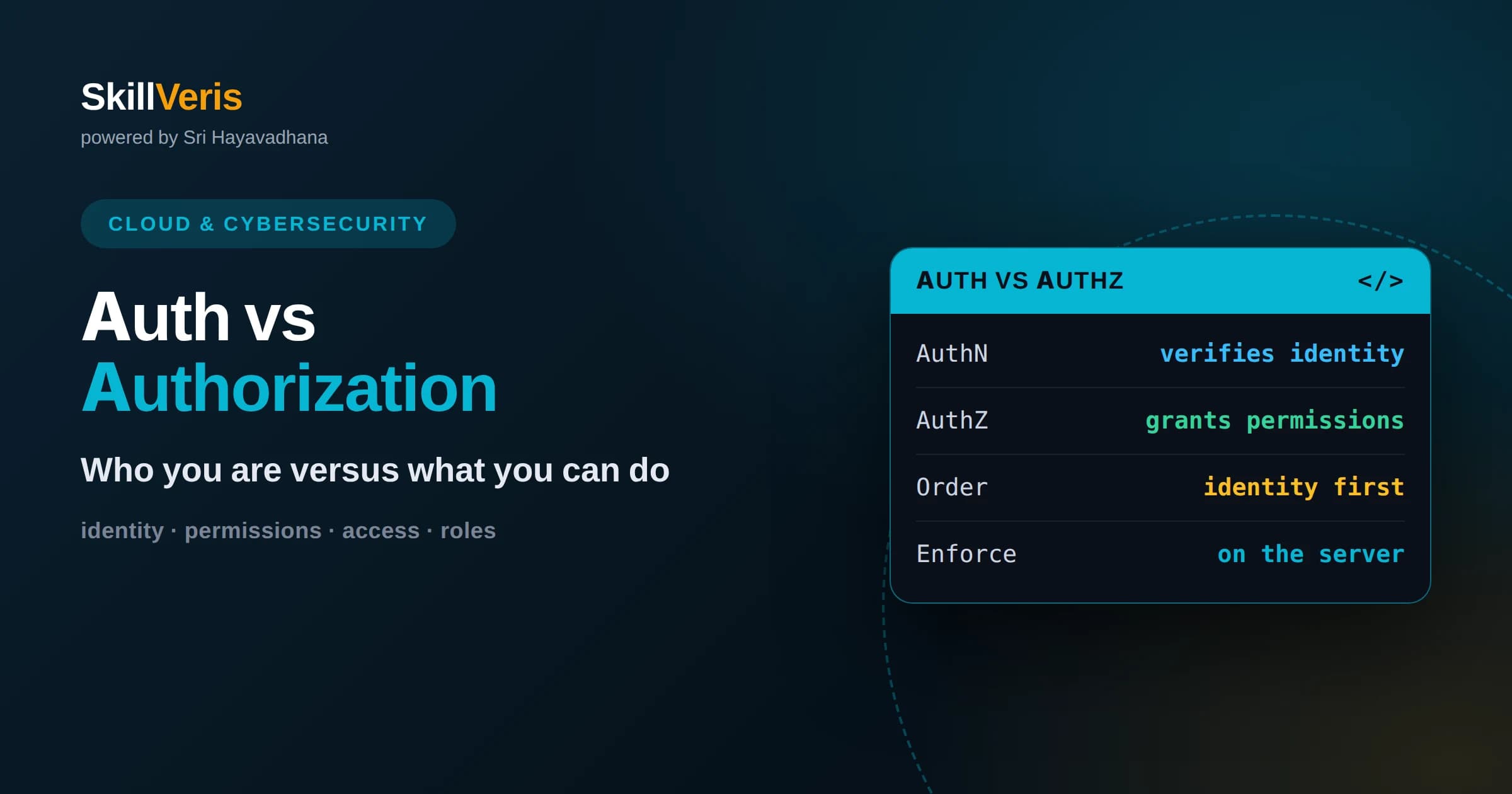
Authentication verifies identity, answering who you are, while authorization determines permissions, answering what you are allowed to do.
In this guide, you'll learn:
- Authentication always comes first, but strong authentication alone does not protect resources without proper authorization checks.
- Confusing the two, or checking only one, is a frequent source of serious security vulnerabilities in real applications.
- Clear models like role-based and attribute-based access control help implement authorization consistently across an application.
1The Core Difference in One Sentence
Authentication proves who you are, and authorization decides what you are allowed to do. Authentication is the process of verifying identity, such as confirming that the person logging in really is the account owner. Authorization is the process of granting or denying access to specific resources and actions once identity is known. They are distinct steps that answer different questions.
A simple analogy makes it clear. Authentication is showing your ID at the entrance to a building to prove you are who you claim to be. Authorization is the set of rules that then decide which floors and rooms your badge can open. Being let into the building does not mean you can enter every room, and that separation is exactly the point.
These two concepts are constantly confused because they happen close together and both relate to access. But keeping them distinct is essential, because they fail in different ways and require different defenses. Many real vulnerabilities come from an application that authenticates users well but then forgets to properly authorize their actions.
2What Authentication Really Means
Authentication is the act of confirming an identity. When a user provides a username and password, the system checks whether those credentials match a known account, and if so, it accepts that the user is who they claim to be. This is the front door of security, and everything downstream depends on getting it right.
Authentication factors are commonly grouped into three kinds: something you know, such as a password; something you have, such as a phone or hardware key; and something you are, such as a fingerprint. Combining factors, known as multi-factor authentication, makes impersonation much harder, because an attacker would need to compromise more than one independent thing.
The goal of authentication is to be confident about identity without creating so much friction that users cannot get in. Getting this balance right, and protecting the credentials involved, is one of the most important and sensitive parts of building a secure application, which is why relying on well-tested libraries and providers is usually wiser than building it from scratch.
4Why Authentication Comes First
The two steps happen in a fixed order: authentication before authorization. You cannot decide what someone is allowed to do until you know who they are. First the system confirms identity, then it consults the rules to grant or deny specific actions based on that identity. This ordering is intuitive once you separate the two concepts clearly.
However, the order can create a subtle trap. Because authentication comes first and feels like the hard part, developers sometimes treat a logged-in user as trusted for everything, skipping proper authorization checks. This is a serious mistake. Being authenticated only means the system knows who you are; it says nothing about what you should be permitted to do.
The correct mindset is that authentication opens the door to the application, but authorization must still guard every room inside. A logged-in user is not automatically an authorized user for any particular action, and treating them as such is one of the most common and damaging security errors.
5The Cost of Confusing the Two
When authentication and authorization are conflated, predictable vulnerabilities appear. A common one is an application that verifies a user is logged in but never checks whether they own the resource they are accessing, so any authenticated user can view or modify anyone's data by changing an identifier. The user is authenticated but was never properly authorized.
Another failure is relying on the user interface to enforce permissions. If an application simply hides the admin button from regular users but does not check permissions when the admin action is actually requested, an attacker who crafts the request directly bypasses the control entirely. Hiding options is not authorization; enforcing checks on the server is.
These mistakes are so common that broken access control consistently ranks among the top web security risks. The remedy is conceptual clarity: always ask both questions separately. Who is this user, and is this specific user allowed to perform this specific action on this specific resource? Answering only the first question leaves you exposed.
6Models for Organizing Authorization
To implement authorization consistently, teams use structured models. Role-based access control assigns users to roles, such as administrator, editor, or viewer, and attaches permissions to those roles rather than to individuals. This keeps permissions manageable, because you reason about a handful of roles instead of every user separately, and changing a role updates everyone in it.
Attribute-based access control is more flexible, making decisions based on attributes of the user, the resource, and the context, such as a user's department, the resource's owner, or the time of the request. It can express fine-grained rules that roles alone cannot, at the cost of more complexity in defining and evaluating the rules.
Most applications start with role-based control because it is simple and covers common needs, then add attribute-based rules where finer distinctions are required. The key is to choose a clear model and apply it uniformly, so authorization decisions are predictable and reviewable rather than scattered ad hoc through the code.
7Always Enforce on the Server
The single most important authorization rule is that permission checks must happen on the server, where the user cannot tamper with them. Anything enforced only in the browser or client can be bypassed, because the client is under the user's control. Client-side checks improve the experience by hiding options users cannot use, but they are not security.
This means that for every sensitive request, the server must independently verify that the authenticated user is permitted to perform that exact action on that exact resource. It should never assume that because the interface did not offer an action, the corresponding request will not arrive. Attackers craft requests directly, ignoring the interface entirely.
Enforcing authorization on the server, for every action, with a deny-by-default posture, closes the majority of access-control vulnerabilities. It is a simple principle that requires discipline to apply everywhere, but that discipline is what separates a secure application from a vulnerable one.
8How Sessions and Tokens Fit In
After authentication succeeds, the application needs a way to remember the user across many requests without asking for credentials each time. This is done with a session or a token that represents the authenticated identity. On each subsequent request, the application reads this credential to know who the user is, and then performs its authorization checks based on that identity.
This is where the two concepts connect in practice. The session or token carries the result of authentication, and the application uses it as the input to authorization decisions. If the token is stolen or mishandled, an attacker can impersonate the user, which is why protecting these credentials, expiring them appropriately, and transmitting them securely all matter greatly.
Understanding this flow clarifies why both steps must be handled carefully. Weak authentication lets attackers obtain a valid identity, and weak authorization lets any identity do too much. A secure system needs both a trustworthy way to establish identity and a rigorous way to enforce what each identity may do.
9Applying the Principle of Least Privilege
A guiding principle for authorization is least privilege: give users and components only the permissions they genuinely need, and nothing more. Broad, generous permissions might seem convenient, but they enlarge the damage that any compromised account or mistake can cause. Narrow, precise permissions contain problems before they spread.
Applying least privilege means questioning each permission rather than granting access by default. It also means revisiting permissions over time, since roles that made sense once can accumulate access they no longer need. Regularly trimming unnecessary permissions keeps your authorization model tight and reduces risk quietly in the background.
This principle reinforces good authorization design. When every user, role, and component holds only what it requires, a breach in one place cannot easily become a breach everywhere. Least privilege is one of the highest-value habits in security, and authorization is where it lives most directly.
10Practical Guidance for Developers
In practice, keep authentication and authorization clearly separated in both your thinking and your code. Handle authentication in one well-tested place, ideally leaning on established libraries or identity providers rather than inventing your own. Then treat authorization as a distinct, pervasive concern that must be checked at every sensitive action throughout the application.
Adopt a deny-by-default stance, so that access is refused unless explicitly granted. This turns forgotten checks into safe failures rather than silent exposures, because a missing rule denies access instead of accidentally allowing it. It is a small design choice with large security benefits, and it forgives the inevitable human oversight.
Finally, review authorization deliberately. Ask, for each protected action, whether the server actually verifies both identity and permission. Making that a standard question in design and code review catches the access-control gaps that cause so many real breaches, and keeps the distinction between the two concepts alive in daily practice.
11Putting the Two Together Correctly
A secure application weaves both concepts together seamlessly. A user authenticates once, establishing a trustworthy identity carried in a protected session or token. From then on, every meaningful action they attempt passes through an authorization check that consults clear rules to decide whether this particular identity may do this particular thing. Both steps are present, distinct, and enforced on the server.
When either step is missing or weak, security breaks down in characteristic ways. Weak authentication lets the wrong people in; weak authorization lets the right people do the wrong things. Recognizing which step a given control belongs to helps you reason about where a vulnerability lives and how to fix it.
Holding the distinction firmly in mind, who you are versus what you can do, is one of the most clarifying ideas in application security. It turns a fuzzy sense of access control into two precise questions you can answer deliberately for every part of your system.
12Solidify the Concepts with Practice
The difference between authentication and authorization becomes second nature once you build both. Implementing a login flow, then adding role-based permissions and watching what happens when an authorized check is missing, teaches the distinction far more vividly than any definition. Deliberately trying to access a resource you should not be allowed to reach, and then closing that gap, makes the lesson stick.
On SkillVeris you can work through hands-on exercises that guide you through building secure authentication and authorization step by step, reinforcing the difference through practice. Keep the core question in mind, who is this user and what may they do, enforce both on the server, and apply least privilege throughout. With practice, handling identity and permissions correctly becomes a natural part of how you build every application.
Related Reading
Get The Print Version
Download a PDF of this article for offline reading.
About the Publisher
SkillVeris Team
Cloud & Security Team
Our cloud and security experts break down complex infrastructure topics into practical, beginner-friendly guides.
View all postsRelated Posts




Never miss an update
Get the latest tutorials and guides delivered to your inbox.
No spam. Unsubscribe anytime.