Prompt Engineering: Get Better Results from Any LLM
SkillVeris Team
AI Research Team
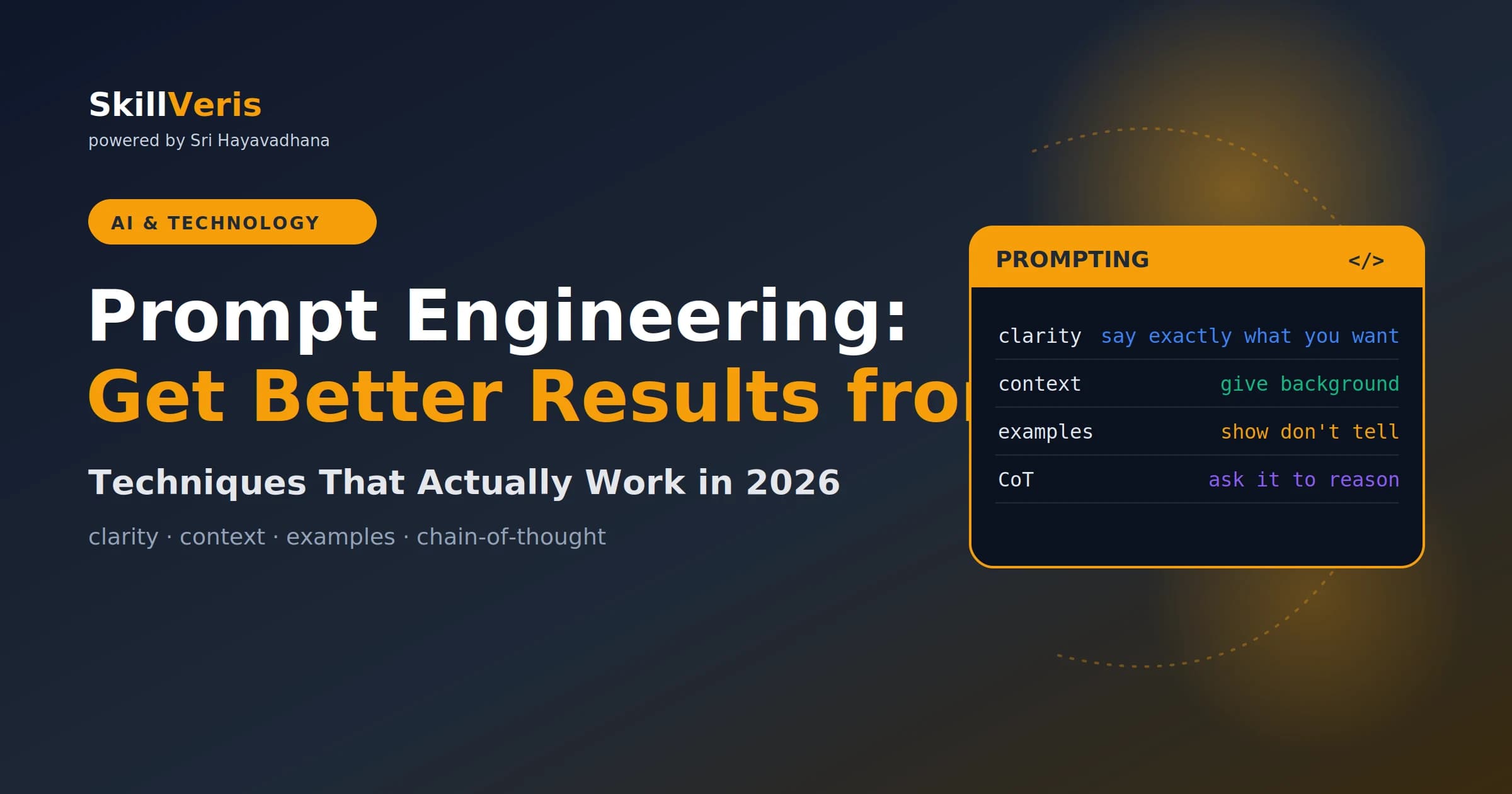
Prompt engineering is the skill of communicating precisely with LLMs — the four most impactful techniques are being specific, giving context, showing examples, and asking the model to reason step by step.
In this guide, you'll learn:
- The same model with identical weights can produce wildly different quality depending on how you prompt it.
- A complete prompt has four layers: task, context, format, and examples.
- Few-shot examples are the fastest way to teach unusual formats or domain-specific classification schemes.
- Chain-of-thought prompting ("think step by step") dramatically improves accuracy on reasoning and maths tasks.
1What Is Prompt Engineering?
Prompt engineering is the practice of designing and refining the text inputs you give to a large language model (LLM) to reliably get the outputs you need. A well-engineered prompt is the difference between "that's not quite what I wanted" and "that's exactly right."
It's not magic — it's communication. The same principles that make human instructions clear (specificity, context, examples) make AI prompts effective.
2Why Prompts Matter So Much
The same model — identical weights, identical temperature — can produce wildly different quality outputs depending on how you prompt it. The strong prompt below specifies audience, length, structure, a specific subtopic, a stylistic requirement, and a call to action.
Every additional constraint reduces the model's guessing and focuses its output.
- Weak prompt: "Write about climate change."
- Strong prompt: "Write a 250-word explainer for a non-technical audience about how rising ocean temperatures affect coral reef bleaching. Use a simple analogy in the opening sentence. End with one concrete action readers can take."
3The Anatomy of a Good Prompt
A complete prompt typically has four layers. Not every prompt needs all four — simple tasks need only a clear task, while complex or consistent tasks benefit from all four.
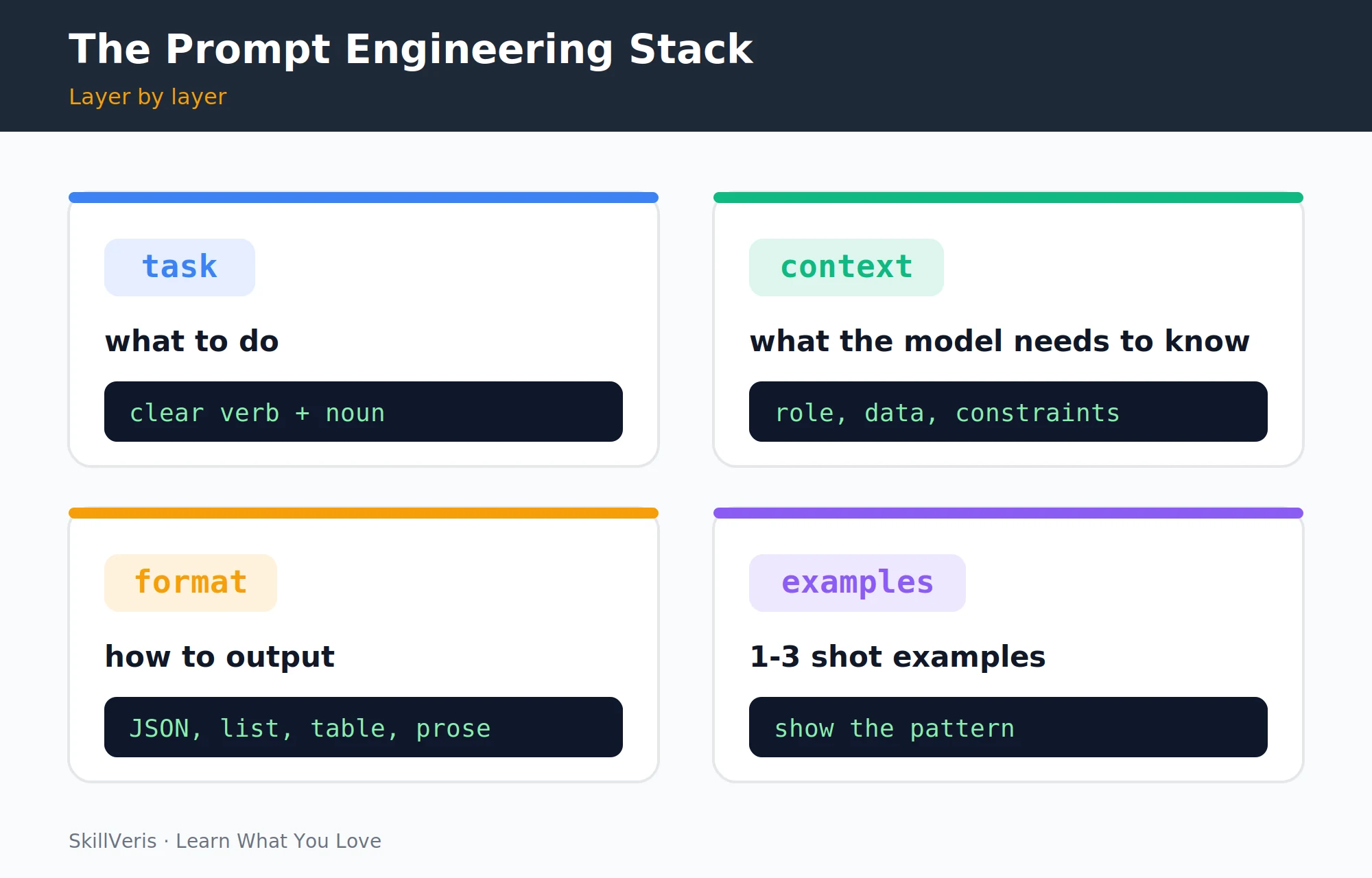
- Task: a clear verb + noun instruction. "Summarise", "classify", "translate", "generate", "extract".
- Context: background information the model needs. Role definition, data, constraints, audience.
- Format: how the output should look. JSON, bullet list, table, word limit, language.
- Examples: 1-3 demonstrations of the expected input/output pattern.
4Be Specific: Clarity Beats Brevity
The most common prompt mistake is being too vague. LLMs fill ambiguity with assumptions — and those assumptions are often not yours. Compare a vague request with a specific one for the same task.
- Vague: "Improve my email." Specific: "Rewrite this email to be more concise. Keep the key request in the first sentence. Use a professional but warm tone. Under 100 words."
- Vague: "Write a bio." Specific: "Write a 60-word third-person professional bio for a software developer with 3 years of experience in React and Python, based in Chennai. Include one personal detail."
- Vague: "Explain machine learning." Specific: "Explain supervised learning to a business analyst with no coding background. Use a sports analogy. No technical jargon. Under 150 words."
💡Pro Tip
If you find yourself unsatisfied with an output, ask yourself: "What did I leave ambiguous?" Usually the model did exactly what the prompt said — the prompt just didn't say the right thing. Add the missing constraint and re-run.
5Give Context
Context is information the model needs but can't assume. More context almost always helps, up to the point where the context window limit becomes a concern.
If the model ignores a constraint, it's often because the constraint was buried after a lot of other text — put the most important constraints at the beginning and end of the prompt.
- Role: "You are an experienced Python developer reviewing code for a junior team member."
- Audience: "Explain this to a 12-year-old" vs "Explain this to a senior data scientist."
- Data: paste the actual content you want the model to work with (email, article, code snippet).
- Constraints: "Do not mention competitors. Avoid jargon. Use British English."
- Goal: "The reader should finish this and want to sign up for a free trial."
6Zero-Shot vs Few-Shot Prompting
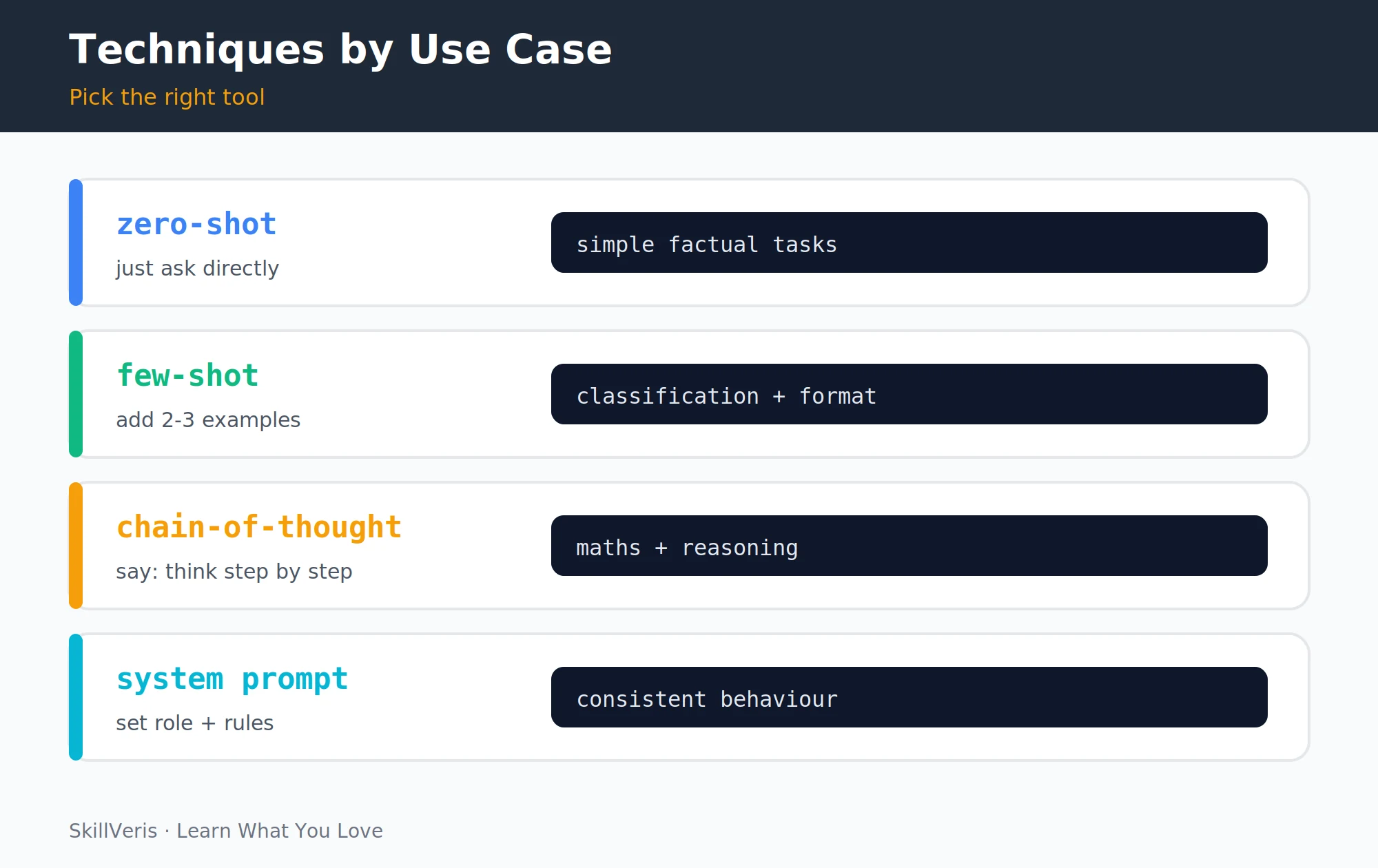
Zero-shot prompting asks the model to perform a task with no examples; it works well for common tasks the model has seen many variations of in training. Few-shot prompting provides 2-5 examples of the input/output pattern before the real task, dramatically improving consistency for unusual formats or classification schemes.
The few-shot examples teach the model the exact classification logic you want, not a generic interpretation — especially important for domain-specific sentiment like customer support tickets or niche product reviews.
Zero-Shot Example
No examples — just the task.
Classify this review as Positive, Negative, or Neutral:
'The product arrived quickly but the quality was disappointing.'
Few-Shot Example
A few labelled examples teach the exact pattern.
Classify each review. Examples:
Input: 'Fast delivery, great quality' -> Output: Positive
Input: 'Broken on arrival, no refund' -> Output: Negative
Input: 'Does the job, nothing special' -> Output: Neutral
Now classify: 'The product arrived quickly but quality was disappointing.'7Chain-of-Thought Prompting
For complex reasoning, maths, or multi-step logic, explicitly asking the model to reason before answering dramatically improves accuracy. The key phrase is "think step by step" or "reason through this before answering" or "show your working."
This works because the model's intermediate tokens become context for subsequent tokens — producing the answer via the reasoning chain rather than in one jump. For very complex problems, add: "First outline your approach, then execute it, then verify the result." The self-verification step catches errors the model would otherwise miss.
Without vs With Chain-of-Thought
Adding "think step by step" surfaces the reasoning.
Without CoT: "What is 15% of 240?"  (Model may answer directly, correctly or not)
With CoT: "What is 15% of 240? Think step by step."
Thought: 15% means 15/100 = 0.15
Calculation: 0.15 x 240 = 36
Answer: 368System Prompts
Most LLM APIs accept a separate system prompt that sets persistent instructions for the entire conversation. System prompts are ideal for defining a persona, setting hard constraints, establishing output format, and providing background context that applies to all turns.
- Defining a persona: "You are a helpful Python coding assistant. You always include working code examples."
- Setting hard constraints: "Never discuss competitors. Always respond in Hindi if the user writes in Hindi."
- Establishing output format: "Always respond with a JSON object containing 'answer' and 'confidence' keys."
- Providing background context: "You are working with a database of 50,000 product SKUs. The user is a warehouse manager."
A Code-Reviewer System Prompt
The system field frames every turn that follows.
System: "You are an expert code reviewer. For every code snippet, provide:
1. A brief summary of what the code does.
2. Up to 3 specific improvement suggestions.
3. A corrected version if changes are needed.
Always be constructive, not critical."
User: [paste code]9Output Formatting
Explicitly specifying the output format makes responses easier to parse, use, and integrate into applications. For JSON outputs, specify the exact schema you need, such as "Return a JSON array of objects with keys: 'name' (string), 'score' (number 0-10), 'reason' (string under 20 words)."
- Machine-readable data: "Respond only with valid JSON. No preamble or backticks."
- Structured document: "Use H2 headings for each section. Use bullet points for lists."
- Concise answers: "Answer in one sentence only."
- Comparative analysis: "Format as a markdown table with columns: Feature, Option A, Option B."
10Iterating on Prompts
Treat prompting like programming — iterate and test. The variability in LLM outputs means a single run isn't enough to judge a prompt.
- Write a first-draft prompt and run it 3-5 times (LLMs have some variability).
- Identify the most common failure mode in the outputs.
- Add a constraint or example that addresses that specific failure.
- Re-test. Repeat until outputs are consistently correct.
- For production use, build a set of test cases and score each prompt version against them.
💡Pro Tip
Keep a prompt library: a simple markdown file or Notion page with your best prompts, their use cases, and notes on what you tried that didn't work. You'll reuse prompts constantly, and the notes prevent repeating failed experiments.
11Common Mistakes
A handful of recurring mistakes account for most disappointing outputs. Avoiding them gets you most of the way to consistently good results.
- Asking two things at once: "Summarise this and suggest improvements." Two tasks = two prompts, or at least two explicitly numbered instructions.
- Being polite to the detriment of clarity: "If you don't mind, could you perhaps..." — just say "Rewrite this to..."
- Not specifying length: LLMs default to verbose. Always specify "under 100 words" or "in 3 bullet points" if you want brevity.
- Ignoring the system prompt: for any application with consistent behaviour, a system prompt outperforms packing all instructions into the user turn.
- Accepting the first output: say "that's not quite right, specifically because X — please revise" rather than starting over.
12Key Takeaways
The fundamentals of effective prompting are stable across models and tasks.
- Specificity is the highest-leverage improvement: precisely describe task, audience, format, and constraints.
- Few-shot examples are the fastest way to teach unusual formats or classification schemes.
- Chain-of-thought ("think step by step") dramatically improves accuracy on reasoning and maths tasks.
- System prompts set consistent behaviour across a conversation; use them for any production application.
- Prompt engineering is iterative — test, identify failures, add constraints, repeat.
13What to Learn Next
Apply prompt engineering in these directions.
- AI Agents Explained — agents depend entirely on well-engineered prompts.
- Build Your First AI App — put these techniques into a real application.
- What Are LLMs? — understanding the model helps you prompt it better.
14Frequently Asked Questions
Is prompt engineering a real career? In 2026, dedicated "prompt engineer" roles are less common than in 2023, as LLMs have become easier to steer. However, prompt engineering as a skill is now expected of AI engineers, product managers working with AI features, and anyone building AI-powered tools. It's a skill, not just a job title.
Does prompt engineering work the same across all LLMs? The principles are universal (clarity, context, examples, formatting). The specific phrasing that works best varies by model — Claude responds well to XML tags for structuring complex prompts; GPT-4 responds well to markdown. Test your prompts on each model you use rather than assuming direct transfer.
Will better models make prompt engineering obsolete? More capable models are more robust to vague prompts, but the gap between a good and a great prompt remains significant. Larger context windows and better instruction-following reduce the need for elaborate tricks, but the fundamental skill of clear, specific communication will always matter.
What is the difference between a prompt and a system prompt? A user prompt is the per-turn instruction in a conversation. A system prompt is a persistent instruction that frames the entire conversation — it's processed before the user's first message and shapes how the model responds throughout. In most APIs the system prompt is a separate field; in chat interfaces it's often set by the operator, not the user.
Related Reading
Get The Print Version
Download a PDF of this article for offline reading.
About the Publisher
SkillVeris Team
AI Research Team
Our AI team covers the latest in machine learning, generative AI, and emerging tech — clearly and accurately.
View all postsRelated Posts




Never miss an update
Get the latest tutorials and guides delivered to your inbox.
No spam. Unsubscribe anytime.