Building Your First AI-Powered App with the Anthropic API
SkillVeris Team
AI Research Team
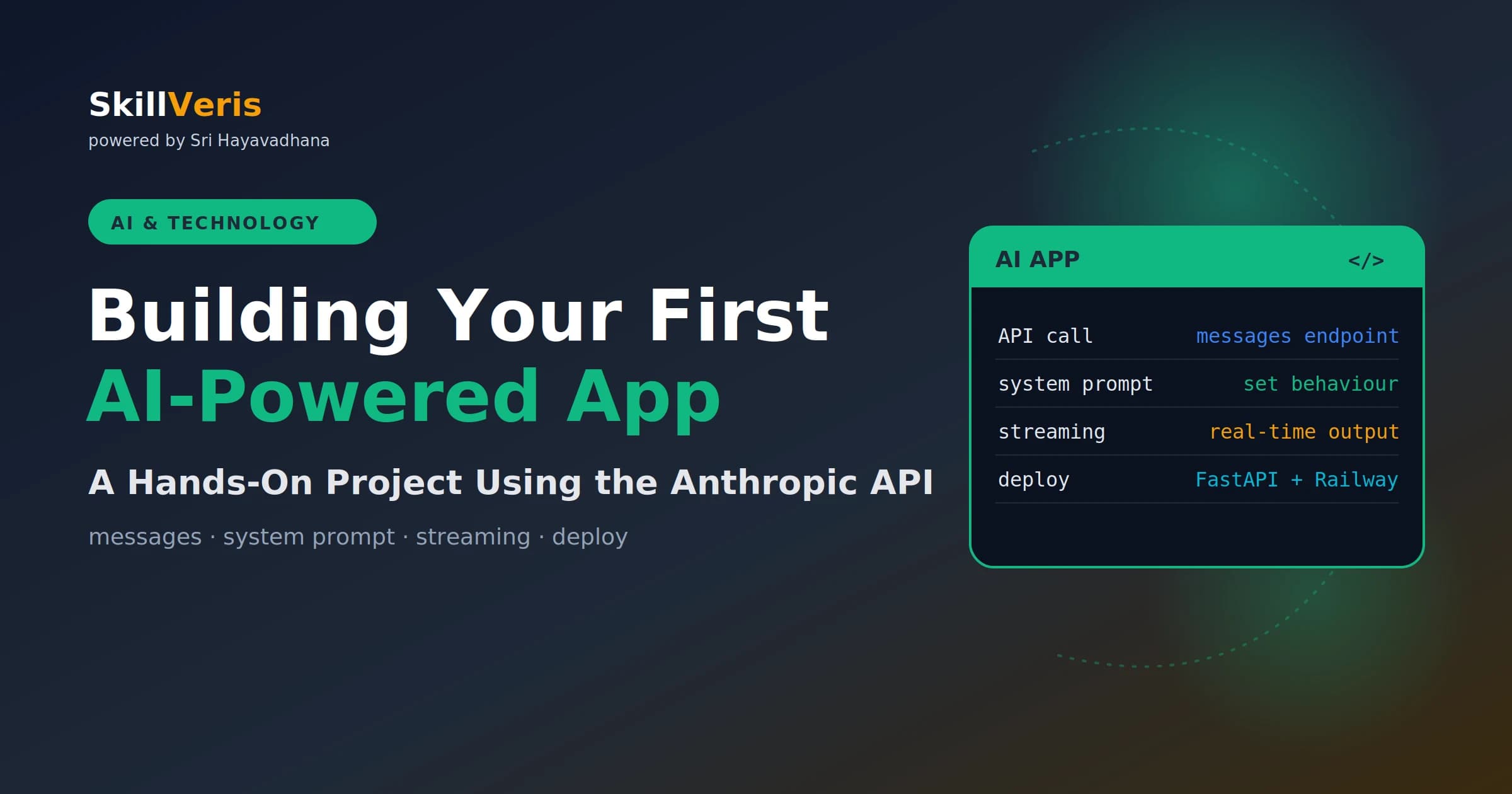
Building an AI-powered app requires three things: an API key, a messages endpoint call, and a system prompt that shapes the model's behaviour.
In this guide, you'll learn:
- Wrap your calls in FastAPI for a backend, add streaming for real-time output, and deploy to Railway for a live URL.
- The whole writing-assistant stack fits in under 100 lines of Python.
- The system prompt is the most powerful tool for setting the model's persona, constraints, and output format.
- Streaming sends tokens as they're generated, making the app feel dramatically faster for longer outputs.
1What We Are Building
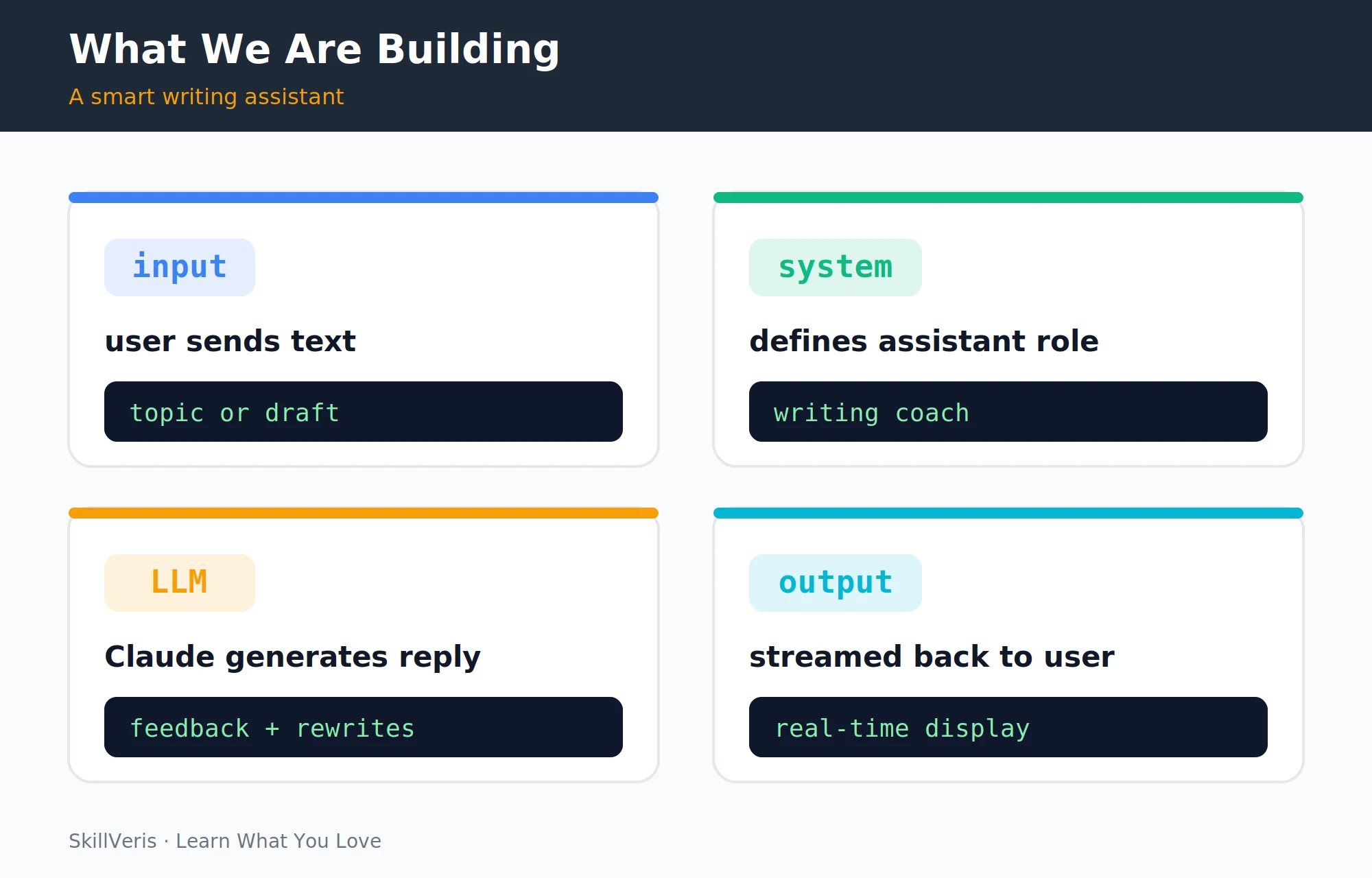
A writing assistant that takes text input (a topic, a draft, or a paragraph) and returns structured feedback: what works well, what to improve, and a revised version. It uses Claude as the reasoning engine, FastAPI as the backend, and streams the response so the user sees output appearing in real time rather than waiting for a full response.
By the end you'll have a live URL, a working AI-powered application, and a solid understanding of how every AI product you've used is built at the plumbing level.
2Setup and API Key
Create the project, set up a virtual environment, and install the dependencies. Then get an Anthropic API key from console.anthropic.com and store it in a .env file — and add .env to .gitignore immediately, never committing API keys to version control.
⚠️Watch Out
A committed API key is a security incident. If you accidentally commit one, revoke it immediately in console.anthropic.com and generate a new one. Even if you delete the commit, the key may already be harvested by automated bots that scan GitHub.
Create Project and Install Dependencies
Scaffold the project, activate a virtual environment, and install the libraries.
# Create project and install dependencies
mkdir writing-assistant && cd writing-assistant
python -m venv venv && source venv/bin/activate
pip install anthropic fastapi uvicorn python-dotenv
Store the API Key
Create a .env file with your key from console.anthropic.com.
ANTHROPIC_API_KEY=sk-ant-your-key-here3Your First API Call
A complete API call loads the key, creates a client, sends a single user message, and prints the response along with token usage. The SDK picks up the ANTHROPIC_API_KEY environment variable automatically; you don't need to pass it explicitly.
A Minimal Messages Call
Load the key, call the messages endpoint, and inspect the result and token usage.
import anthropic
from dotenv import load_dotenv
load_dotenv()  # loads ANTHROPIC_API_KEY from .env
client = anthropic.Anthropic()
message = client.messages.create(
    model="claude-sonnet-4-6",
    max_tokens=1024,
    messages=[
        {"role": "user", "content": "Explain photosynthesis in one sentence."}
    ]
)
print(message.content[0].text)
print(f"Input tokens: {message.usage.input_tokens}")
print(f"Output tokens: {message.usage.output_tokens}")4Understanding the Messages Format
The messages list is a conversation history. Each message has a role ("user" or "assistant") and content. For multi-turn conversations, append each new turn so the model has the full history.
Key rules: messages must alternate user/assistant (you can't have two consecutive user messages), the list must start with a user message, and the system prompt is separate from the messages list.
A Multi-Turn Conversation
Each turn is appended so the model can reference earlier messages.
messages = [
    {"role": "user", "content": "My name is Sathya."},
    {"role": "assistant", "content": "Nice to meet you, Sathya!"},
    {"role": "user", "content": "What's my name?"},
]
# Claude will answer "Sathya" because it has the full conversation history5System Prompts: Shaping Behaviour
The system prompt is the most powerful tool for shaping how an LLM responds. It sets the persona, constraints, output format, and task definition.
The system prompt below specifies the role (expert writing coach), the exact output format (three sections with headers), behavioural constraints (direct, specific), and what to avoid (vague praise). This produces consistent, structured output on every call.
The Writing Assistant System Prompt
Define the coach persona and the exact three-section output structure.
WRITING_ASSISTANT_SYSTEM = (
    "You are an expert writing coach helping users improve their writing.\n"
    "When given a piece of text, respond with exactly three sections:\n"
    "## What Works Well\nList 2-3 specific strengths.\n"
    "## What to Improve\nList 2-3 specific, actionable improvements.\n"
    "## Revised Version\nProvide a rewritten version. Keep the writer's voice.\n"
    "Be direct, specific, and encouraging."
)6Building the Writing Assistant
Wrap the API call in a function that takes a piece of text and returns the structured analysis. Loading the client once and passing the system prompt on each call keeps the function compact.
The analyse_writing Function
Send the user's text with the system prompt and return the model's analysis.
import anthropic
from dotenv import load_dotenv
load_dotenv()
client = anthropic.Anthropic()
SYSTEM = "You are an expert writing coach..."
# System includes: What Works Well, What to Improve, Revised Version sections
def analyse_writing(text: str) -> str:
    message = client.messages.create(
        model="claude-sonnet-4-6",
        max_tokens=1500,
        system=SYSTEM,
        messages=[{"role": "user", "content": text}]
    )
    return message.content[0].text
# Test it
sample = "The book was good. I liked it a lot. It had interesting characters."
result = analyse_writing(sample)
print(result)7Streaming Responses
Streaming sends tokens as they're generated rather than waiting for the full response. It makes the app feel much faster and is essential for longer outputs.
The with client.messages.stream(...) as stream context manager handles the HTTP connection lifecycle. stream.text_stream is an iterator of text chunks, and the function is a generator that yields each chunk — perfect for streaming to a web frontend via Server-Sent Events.
A Streaming Generator
Yield each text chunk as it arrives from the model.
def analyse_writing_stream(text: str):
    with client.messages.stream(
        model="claude-sonnet-4-6",
        max_tokens=1500,
        system=SYSTEM,
        messages=[{"role": "user", "content": text}]
    ) as stream:
        for text_chunk in stream.text_stream:
            yield text_chunk  # generator: yields chunks
            print(text_chunk, end="", flush=True)
# Use the generator
for chunk in analyse_writing_stream(sample):
pass # already printed inside the generator8Wrapping in FastAPI
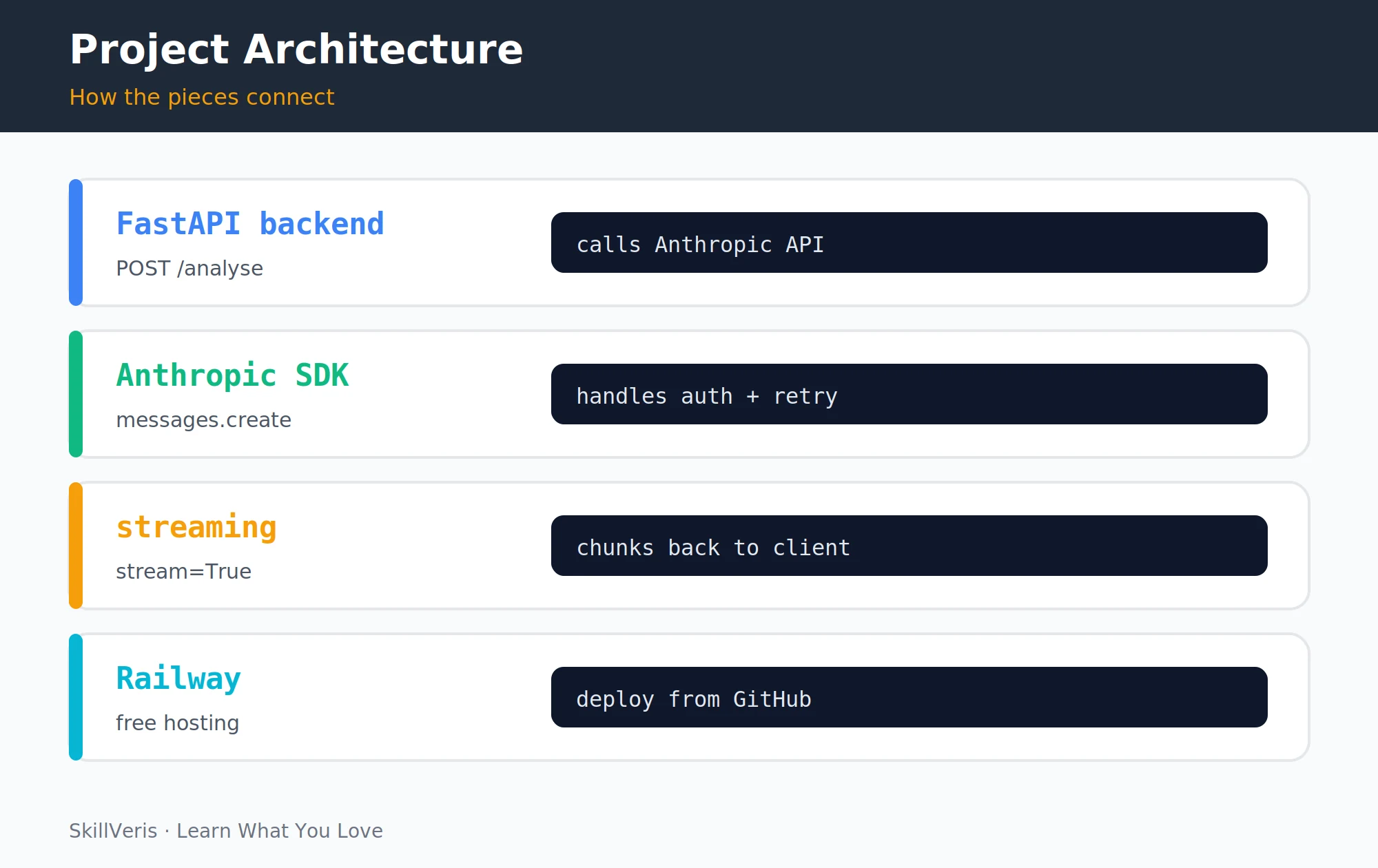
FastAPI exposes the assistant as an HTTP endpoint. A StreamingResponse pipes the model's stream directly to the client, while a health endpoint and request validation round out the backend.
The FastAPI Backend
Define the request model, a streaming /analyse endpoint, and a /health check, then run it locally.
from fastapi import FastAPI
from fastapi.responses import StreamingResponse
from pydantic import BaseModel
app = FastAPI(title="Writing Assistant API")
class AnalyseRequest(BaseModel):
    text: str
@app.post("/analyse")
async def analyse(request: AnalyseRequest):
    if not request.text.strip():
        from fastapi import HTTPException
        raise HTTPException(400, "Text cannot be empty")
    def generate():
        with client.messages.stream(
            model="claude-sonnet-4-6",
            max_tokens=1500,
            system=SYSTEM,
            messages=[{"role": "user", "content": request.text}]
        ) as stream:
            for chunk in stream.text_stream:
                yield chunk
    return StreamingResponse(generate(), media_type="text/plain")
@app.get("/health")
def health():
    return {"status": "ok"}
# Run locally
uvicorn main:app --reload
# Visit http://localhost:8000/docs for interactive API documentation9A Minimal Frontend
A simple HTML file calls the API and displays the streamed response by reading the response body chunk by chunk. Serve this static file from FastAPI by adding app.mount("/", StaticFiles(directory="static", html=True)).
Streaming HTML Frontend
Read the response stream and append each decoded chunk to the output element.
<!DOCTYPE html>
<html><body>
<textarea id="input" rows="8" cols="60" placeholder="Paste your text here..."></textarea><br>
<button onclick="analyse()">Analyse Writing</button>
<pre id="output"></pre>
<script>
async function analyse() {
  const text = document.getElementById('input').value;
  const out = document.getElementById('output');
  out.textContent = '';
  const response = await fetch('/analyse', {
    method: 'POST',
    headers: {'Content-Type': 'application/json'},
    body: JSON.stringify({ text })
  });
  const reader = response.body.getReader();
  const decoder = new TextDecoder();
  while (true) {
    const { done, value } = await reader.read();
    if (done) break;
    out.textContent += decoder.decode(value);
  }
}
</script></body></html>10Error Handling and Retry
Production code needs to handle rate limits, connection failures, and API errors. The Anthropic SDK retries automatically for transient errors; the manual retry below adds extra coverage for rate limits with exponential backoff.
A Safe Wrapper with Backoff
Retry on rate limits with exponential backoff and surface other errors clearly.
from anthropic import APIError, RateLimitError, APIConnectionError
import time
def safe_analyse(text: str, retries: int = 3) -> str:
    for attempt in range(retries):
        try:
            return analyse_writing(text)
        except RateLimitError:
            if attempt == retries - 1: raise
            time.sleep(2 ** attempt)  # exponential backoff: 1s, 2s, 4s
        except APIConnectionError as e:
            raise RuntimeError(f"Connection failed: {e}") from e
        except APIError as e:
raise RuntimeError(f"API error {e.status_code}: {e.message}") from e11Deploying to Railway
Deploying turns your local app into a public URL in a few steps. Freeze your dependencies, push to GitHub, and configure Railway to deploy from the repo.
- Create a requirements.txt: pip freeze > requirements.txt
- Push to GitHub.
- New Railway project → Deploy from GitHub repo.
- Add environment variable: ANTHROPIC_API_KEY=sk-ant-your-key in Railway Variables.
- Start command: uvicorn main:app --host 0.0.0.0 --port $PORT
- Deploy — your app gets a public URL instantly.
💡Pro Tip
Set max_tokens conservatively for production. Long outputs cost more and take longer. For a writing assistant, 1,500–2,000 tokens is usually sufficient. Add a character limit on user input to prevent abuse: reject requests over 2,000 characters with a 400 error.
12Key Takeaways
The plumbing of every AI app is the same handful of pieces — a prompt, a messages list, and an API call — wrapped in a backend and deployed.
- Every AI app is: system prompt + messages list + client.messages.create().
- The system prompt is where you define the model's persona, task, and output format.
- Streaming (client.messages.stream()) improves perceived performance dramatically for longer outputs.
- FastAPI's StreamingResponse pipes the model's stream directly to the HTTP client.
- Never commit API keys; use environment variables and .gitignore.
13What to Build Next
Extend this app or build something new with these ideas and guides.
- Add conversation history to make the assistant remember previous feedback in the same session.
- Add a second endpoint that takes a topic and generates a full first draft.
- AI Agents Explained — give your writing assistant tools (web search, grammar checker).
14Frequently Asked Questions
How much does it cost to use the Anthropic API? Costs depend on the model and token count. As of mid-2026, Claude Sonnet 4.6 is priced per million tokens (input and output separately). A 500-word analysis costs roughly $0.001–$0.003. For a small personal project running dozens of calls per day, expect under $1/month. Check console.anthropic.com for current pricing as it changes over time.
Can I use a different LLM instead of Claude? Yes. The OpenAI SDK has an almost identical API shape (client.chat.completions.create with messages). Switching is mostly a matter of changing the import and model name. The system prompt and messages format are the same across providers.
How do I handle users sending offensive content to my app? Layer defences: use Claude's built-in safety features (the model refuses to produce harmful content by default), add input length limits, consider adding a content moderation endpoint before the main call, and log all requests for review. For production apps serving the public, review Anthropic's usage policies and implement appropriate guardrails.
What is the difference between streaming and non-streaming API calls? Non-streaming waits until the model has generated the complete response, then returns it all at once. Streaming returns tokens as they're generated, letting the frontend display output progressively. For responses under 200 tokens (short answers), the difference is imperceptible. For longer outputs (analysis, essays, code), streaming dramatically improves perceived responsiveness.
Related Reading
Get The Print Version
Download a PDF of this article for offline reading.
About the Publisher
SkillVeris Team
AI Research Team
Our AI team covers the latest in machine learning, generative AI, and emerging tech — clearly and accurately.
View all postsRelated Posts




Never miss an update
Get the latest tutorials and guides delivered to your inbox.
No spam. Unsubscribe anytime.