Mastering the Technical Interview
SkillVeris Team
Careers Team
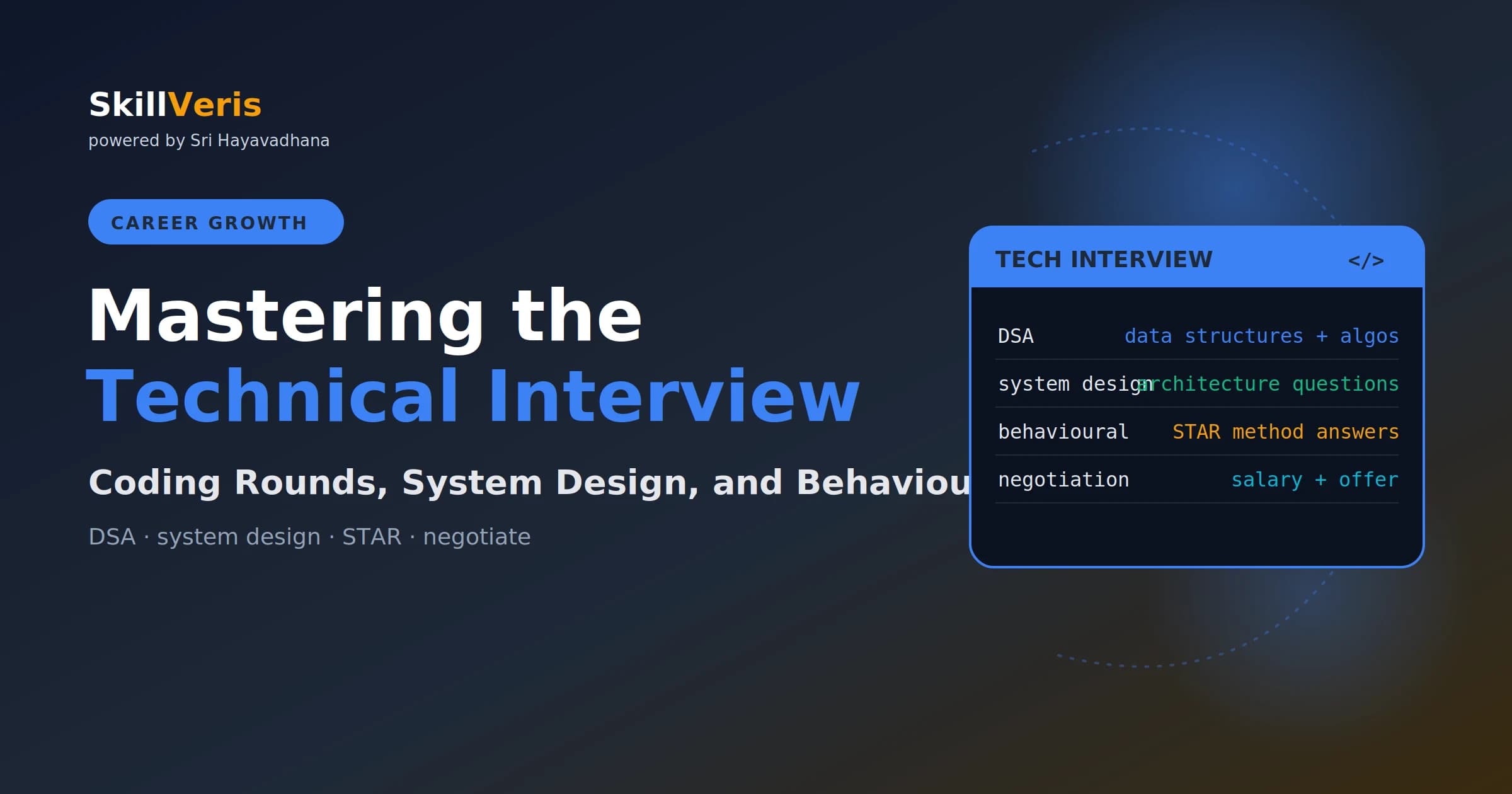
Technical interviews test three learnable skills: coding ability, system design thinking, and communication.
In this guide, you'll learn:
- Prepare deliberately for four to eight weeks with daily practice and the process becomes predictable.
- Coding problems follow a finite set of patterns — recognising the pattern is most of the work.
- Approach every coding problem in steps: clarify, plan, code, test, then optimise.
- System design rounds reward clear scoping, scale estimates, and explicit trade-offs over a single right answer.
1The Interview Process at Most Companies
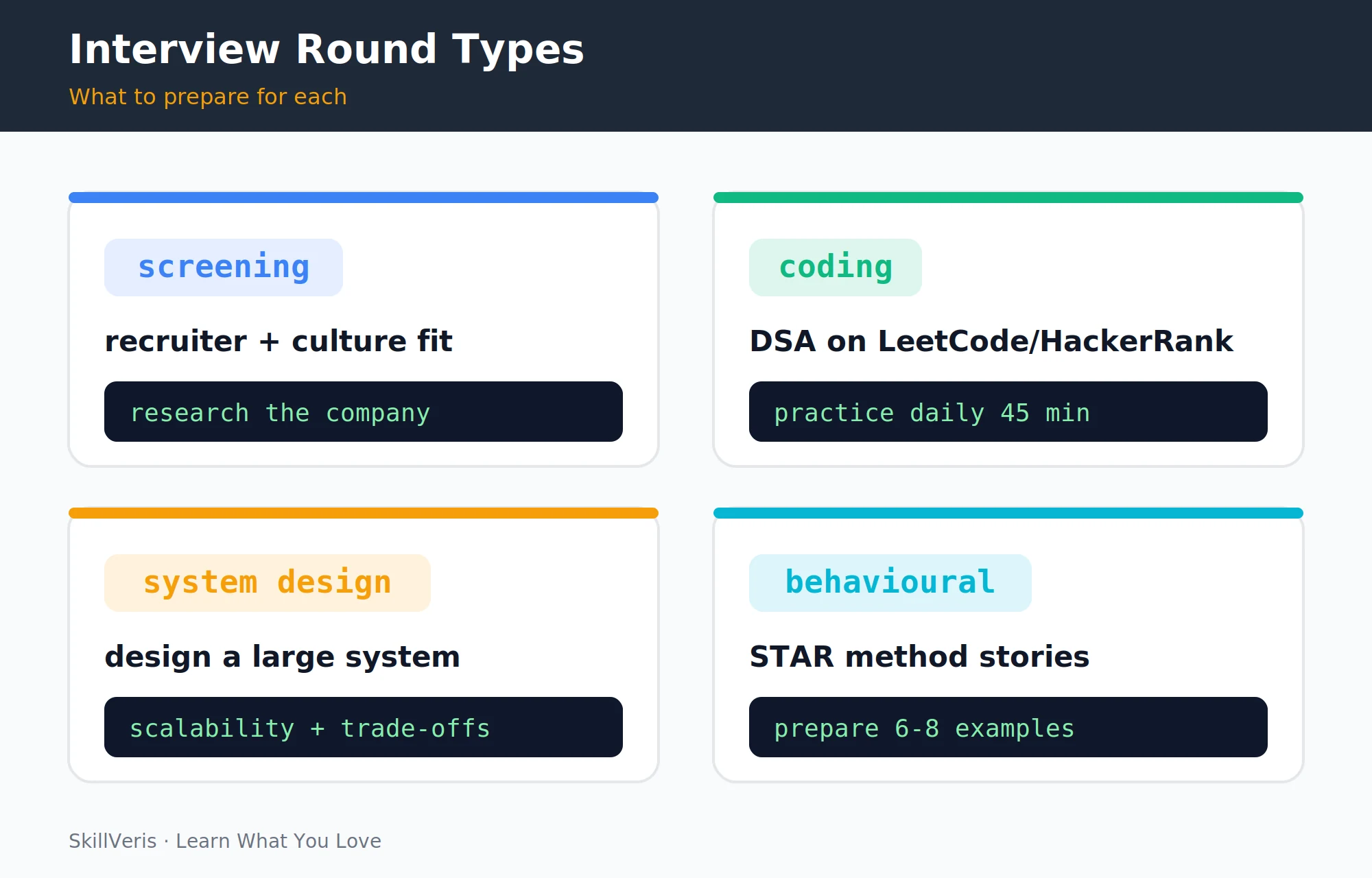
Most technical interview processes follow a consistent structure: a recruiter screen, one or two coding rounds, a system design round, and a behavioural round. The exact format varies — startups often skip system design, while FAANG companies add more rounds — but preparing for this structure covers most scenarios.
The interview is a learnable process. The DSA problems follow patterns, the system design questions have frameworks, and the behavioural questions have templates. Preparation time is the most reliable predictor of outcomes.
2Coding Rounds: The DSA Mindset
Coding rounds test your ability to solve algorithmic problems with clean, correct code under time pressure. The key insight is that interview problems are not random — they draw from a finite set of patterns, and recognising the pattern is most of the work.
Structure your daily practice around 45 minutes on LeetCode or HackerRank. Start with Easy problems, move to Medium after two weeks, and track which patterns appear in problems you couldn't solve — those are your weak spots.
- Jumping to code before understanding the problem.
- Solving the wrong problem by not clarifying edge cases and constraints first.
- Getting stuck and going silent when interviewers want to hear your thinking.
- Writing correct but unreadable code without time to clean it up.
3The Most Important DSA Patterns
A small set of patterns covers the vast majority of coding problems. Learn to recognise each one and what kinds of inputs signal it, and most Medium problems become tractable.
The table below pairs each pattern with when to use it and representative problems.
- Two Pointers — sorted array, palindrome, pair sum · Valid Palindrome, 3Sum
- Sliding Window — contiguous subarray or substring · Max Subarray, Longest Substring
- Binary Search — sorted array, "find minimum that satisfies" · Search in Rotated Array
- BFS/DFS — trees, graphs, matrix traversal · Level Order Traversal, Number of Islands
- Dynamic Programming — optimal substructure, overlapping subproblems · Coin Change, Longest Common Subsequence
- Hash Map — frequency counts, two-sum patterns · Two Sum, Group Anagrams
- Stack/Queue — balanced brackets, next greater element · Valid Parentheses, Daily Temperatures
- Heap/Priority Queue — top-K elements, merge K sorted · Kth Largest Element, Meeting Rooms
4How to Approach a Coding Problem
A disciplined sequence keeps you from the most common failure modes. Clarify the problem first, plan your approach and state its complexity, then write clean code while thinking aloud.
After coding, trace through an example and check edge cases, and use any remaining time to discuss complexity and improvements.
Step 1: Clarify (2 min)
Make sure you're solving the right problem:
Repeat the problem in your own words.
Ask about constraints: input size, data types, edge cases.
Example: "If input is empty, what should I return?"
Step 2: Plan (3-5 min)
Commit to an approach before coding:
Identify the pattern (Two Pointers? HashMap? BFS?).
State your approach before writing code.
Give time/space complexity upfront: "This is O(n) time, O(1) space."
Step 3: Code (20-25 min)
Write for correctness and clarity:
Write clean, readable code with meaningful variable names.
Think aloud: "I'm using a sliding window here because..."
Don't prematurely optimise; get correct first.
Step 4: Test (5 min)
Verify before declaring done:
Trace through your example manually.
Check edge cases: empty input, single element, duplicates.
Fix any bugs you find.
Step 5: Optimise (remaining time)
Use leftover time well:
Discuss time/space complexity.
Suggest improvements if time allows.5System Design Interviews
System design rounds assess your ability to architect a large-scale distributed system. The questions are deliberately open-ended — "Design Twitter" or "Design a URL shortener" — and there's no single correct answer; the interviewer evaluates your thinking process, awareness of trade-offs, and ability to scope and prioritise.
These rounds typically appear at mid-senior level (3+ years of experience). For junior roles, you may get a simplified version or be asked to design a smaller component.
6A System Design Framework
A repeatable framework keeps an open-ended question on track. Clarify requirements, estimate scale, sketch a high-level design, deep-dive a few components, and close with trade-offs and bottlenecks.
1. Clarify requirements (5 min)
Define what the system must do:
Functional: what does the system do? (post tweets, follow users, see feed)
Non-functional: scale? (Twitter: 300M users, 500M tweets/day)
Constraints: latency requirements, consistency vs availability trade-off
2. Estimate scale (2 min)
Put rough numbers on the system:
Reads vs writes ratio, storage needed, bandwidth.
"500M tweets/day = ~6K tweets/second write, read is 100x heavier"
3. High-level design (10 min)
Draw the major components:
Draw the components: clients, load balancers, API servers, databases, cache.
Walk through a key user flow: "User posts a tweet..."
4. Deep dive (20 min)
Go deeper where it's interesting:
Pick 2-3 interesting components to go deeper on.
Database schema, caching strategy, message queues, CDN.
5. Trade-offs and bottlenecks (5 min)
Name the costs of your choices:
"This approach prioritises availability over consistency."
"The main bottleneck is the fan-out for users with many followers."7Common System Design Topics
A handful of recurring topics show up across most system design questions. Knowing the trade-offs in each area lets you reason fluently during the deep dive.
- Databases — SQL vs NoSQL trade-offs, read replicas, sharding, CAP theorem.
- Caching — where to cache (CDN, application, database query), cache invalidation strategies, Redis vs Memcached.
- Load balancing — round-robin, least connections, consistent hashing.
- Message queues — async processing with Kafka/RabbitMQ, event-driven architecture.
- Rate limiting — token bucket and sliding window algorithms.
- CDN — static asset delivery and geographic distribution.
- Microservices — service decomposition, API gateway, service discovery.
8Behavioural Interviews and the STAR Method
Behavioural questions ask you to demonstrate past behaviour as a predictor of future behaviour, such as "Tell me about a time you disagreed with a technical decision." The STAR method structures your answer into four clear parts.
Aim for 90 to 120 seconds per answer — shorter feels evasive, and longer loses the interviewer.
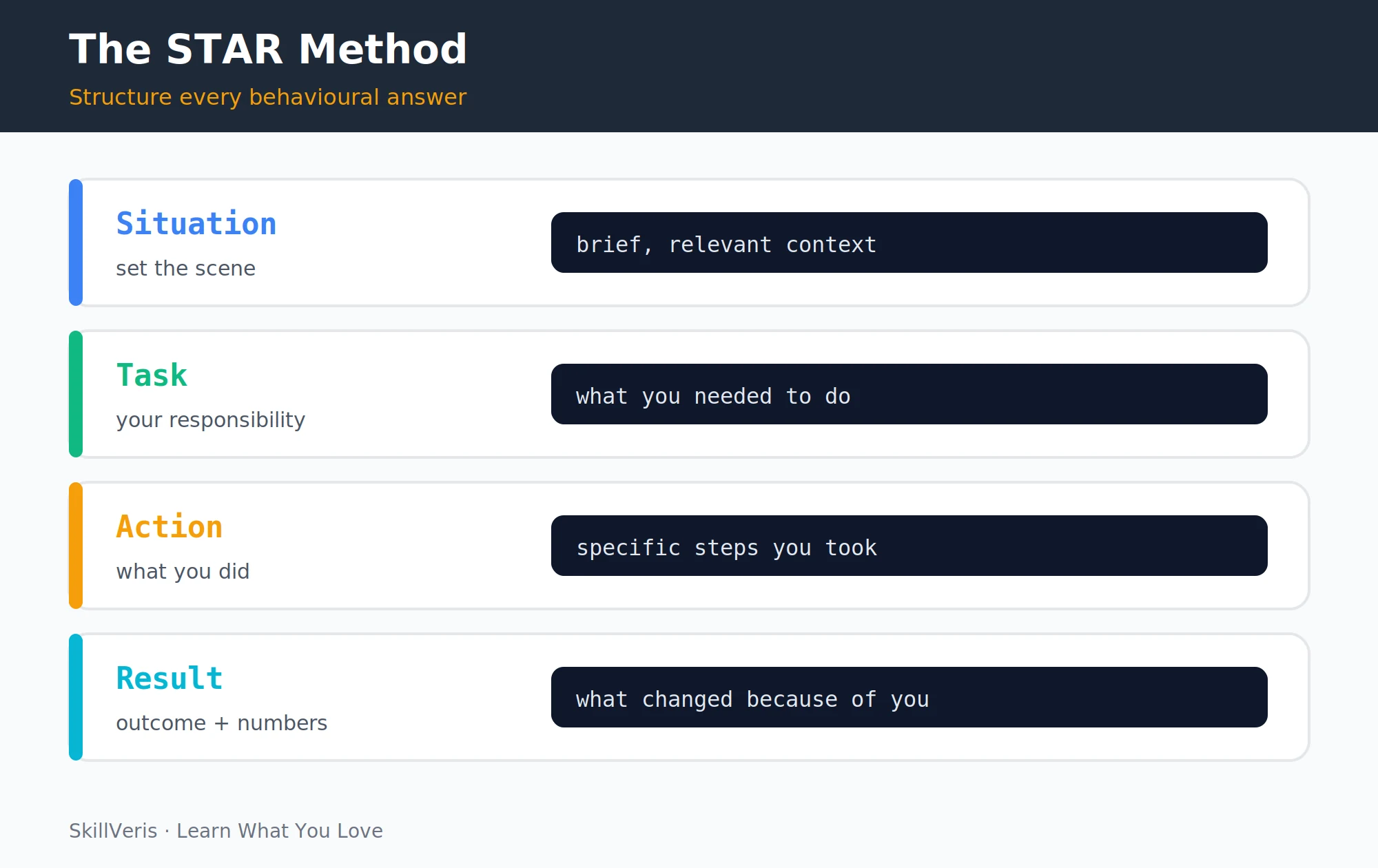
- Situation — brief context in one or two sentences; set the scene without unnecessary detail.
- Task — your specific responsibility; what were you accountable for?
- Action — what you specifically did (not "we did"); be concrete about your individual contribution.
- Result — the outcome, ideally with a number; what changed and what did you learn?
9STAR Stories to Prepare
Prepare six to eight stories before any interview, each reusable across multiple question types. Mapping common question themes to specific stories ensures you're never caught without an example.
The table below pairs each question type with a story theme to prepare.
- Challenge overcome — a technically difficult problem you solved under pressure.
- Conflict resolution — a disagreement with a teammate or manager you navigated constructively.
- Leadership — a time you led without formal authority.
- Failure and learning — a project or decision that went wrong and what changed.
- Impact and initiative — something you built or improved that wasn't explicitly asked for.
- Collaboration — working effectively with a difficult colleague or cross-functional team.
💡Pro Tip
Write your STAR stories in a document and read them aloud. The first time you tell a story it feels clunky; by the fifth time it flows. Practice with a friend or record yourself — awkward delivery costs you in behavioural rounds as much as a weak story does.
10Offer Evaluation and Negotiation
Most candidates accept the first number offered, but negotiating is almost always worth it: over a five-year tenure a 10% salary difference compounds significantly, and employers rarely rescind offers over professional counter-offers.
Evaluate beyond base salary — equity, signing and annual bonuses, benefits, learning budget, role clarity, team quality, and growth trajectory all matter. Research market rates on Glassdoor, Levels.fyi, LinkedIn Salary, and by asking peers, and know your number before the conversation.
A simple negotiation script
Deliver it calmly, then wait — the silence is theirs to fill:
"Thank you for the offer — I'm very excited about this role.
Based on my research and the value I'll bring, I was hoping for [X].
Is there flexibility on the base salary?"11Interview Preparation Timeline
A structured eight-week plan builds from coding fundamentals through system design to behavioural practice and mock interviews. Apply for jobs from week five onwards — you learn more from real interviews than from additional preparation.
Early interviews are free practice, and their feedback shapes your last two weeks of prep.
- Weeks 1-2 — DSA fundamentals: arrays, strings, hash maps, two pointers, binary search.
- Weeks 3-4 — trees, graphs, BFS/DFS, dynamic programming basics.
- Weeks 5-6 — system design concepts: databases, caching, load balancing, queues.
- Week 7 — behavioural stories: write and practice all 6-8 STAR examples aloud.
- Week 8 — mock interviews: full 45-minute sessions with a friend or on Pramp/interviewing.io.
12Key Takeaways
Every part of the technical interview is a skill you can train, and a deliberate process beats raw talent under pressure.
- Coding rounds follow patterns — learn the 8 core patterns and most Medium LeetCode problems become recognisable.
- In coding rounds: clarify, plan, code, test. Never skip straight to coding.
- System design: clarify requirements and scale first, draw a high-level design, deep-dive 2-3 components, discuss trade-offs.
- Behavioural: 6-8 prepared STAR stories cover most question types. Practice aloud.
- Negotiate every offer. The worst likely outcome is "we can't move" — you're no worse off.
13What to Learn Next
Round out your job search with the steps that come before and around the interview itself.
- How to Build a Standout Tech Resume — get your resume interview-ready first.
- LinkedIn Profile Tips — inbound recruitment reduces the need for cold applications.
- How to Switch to a Tech Career — the full path from zero to offer.
14Frequently Asked Questions
How many LeetCode problems do I need to solve? Quality over quantity. 75-100 problems solved thoroughly — meaning you understand the pattern, can explain the approach, and could implement it again — beats 300 problems completed mechanically. The Blind 75 and NeetCode 150 lists are curated to cover the most common patterns efficiently.
Is system design required for junior roles? Generally not for 0-2 year roles. You may get component-level design questions like "Design a REST API for a blog" rather than full distributed systems. Focus on coding rounds and behavioural questions for junior applications, and add system design depth as you target mid-senior roles.
How do I handle a problem I can't solve? Think aloud throughout — interviewers give hints more readily to candidates who show their reasoning. State what you know, such as "I recognise this is a graph problem; I'm not sure of the exact approach yet," and ask for hints when stuck. Partial credit is real: a stuck candidate who communicates well often passes; one who goes silent often doesn't.
What if I get a low-ball offer? Counter with a specific number based on market research: "I've researched the market and similar roles at comparable companies range from [X] to [Y]; I was hoping for [X+10-15%] to reflect my background in [specific area]." If the company can't meet market rate, that's useful information about how they value their engineers.
Get The Print Version
Download a PDF of this article for offline reading.
About the Publisher
SkillVeris Team
Careers Team
Our careers team helps you navigate tech job markets, build portfolios, and land the roles you want.
View all postsRelated Posts
Never miss an update
Get the latest tutorials and guides delivered to your inbox.
No spam. Unsubscribe anytime.