React Hooks Explained: useState, useEffect, and Beyond
SkillVeris Team
Engineering Team
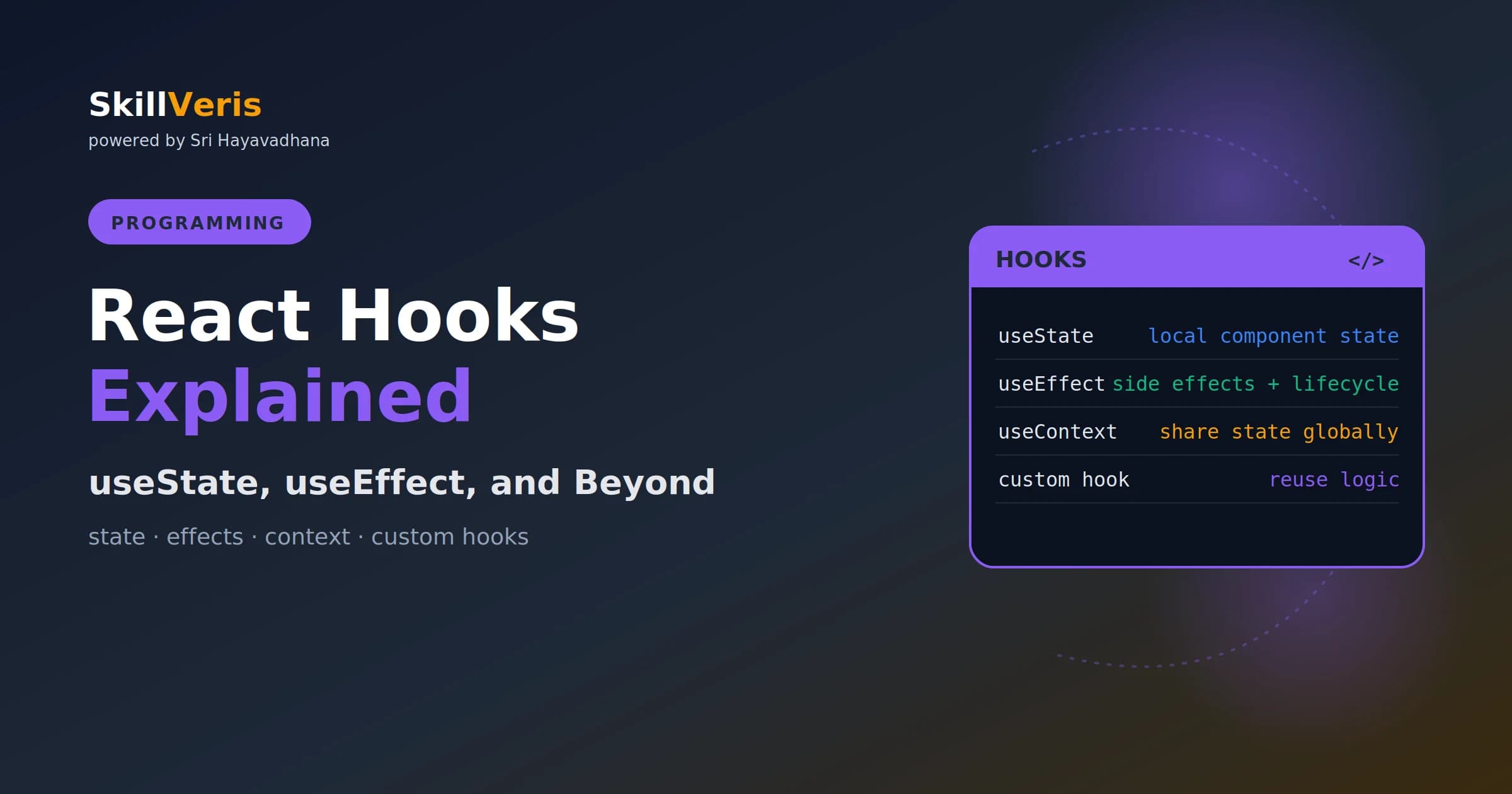
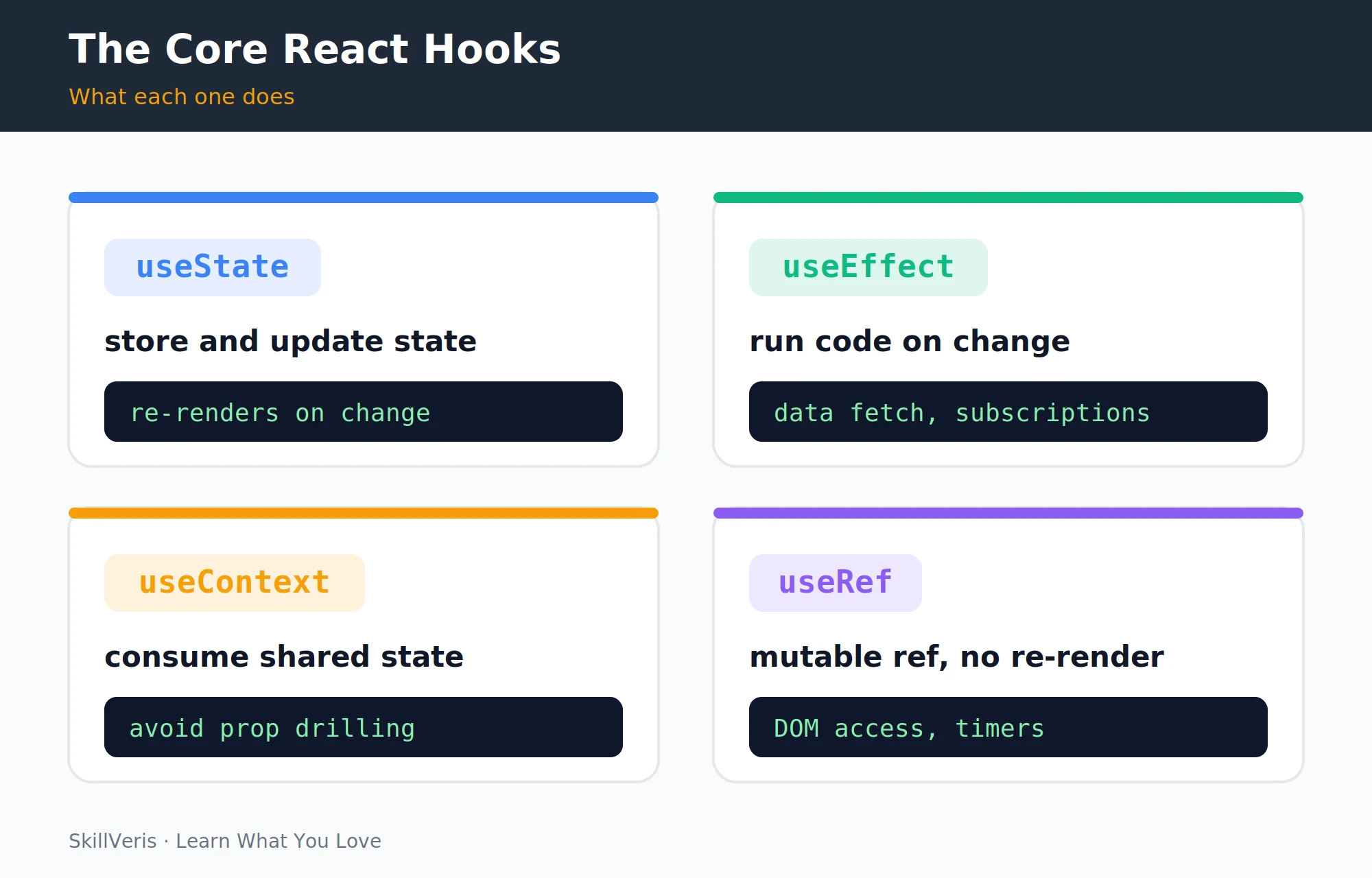
React Hooks let functional components manage state (useState), run side effects (useEffect), share data across the tree (useContext), and access DOM elements (useRef).
In this guide, you'll learn:
- The dependency array in useEffect controls when effects run — getting it right is the single most important hooks skill to practise.
- Hooks must be called at the top level of React functions only, never inside loops, conditions, or nested functions.
- Always update state with the setter and a new object or array; never mutate state directly, because React compares by reference.
- Effects that subscribe to anything must return a cleanup function to avoid memory leaks on unmount.
1What Are Hooks and Why They Matter
Hooks are functions that let you "hook into" React features from functional components. Before hooks (React < 16.8), state and lifecycle methods were only available in class components.
Hooks changed everything: the same component that renders JSX can now manage state, run side effects, and access context — all in a function. Today, class components are effectively legacy, and all new React code uses hooks.
2Rules of Hooks
React enforces two rules that keep hook state consistent between renders. The ESLint plugin eslint-plugin-react-hooks enforces these automatically — install it in every React project.
- Only call hooks at the top level: not inside loops, conditions, or nested functions. React relies on call order to keep hook state consistent between renders.
- Only call hooks from React functions: functional components or custom hooks, not from regular JavaScript functions.
3useState: Local State
useState gives a functional component a piece of local state. It returns a pair: the current value and a setter function. Every call to the setter triggers a re-render with the new value, and React batches multiple state updates in the same event handler for efficiency.
💡Pro Tip
When the new state depends on the previous state, use the functional update form: setCount(prev => prev + 1) instead of setCount(count + 1). This avoids stale closure bugs in async code and event handlers that fire in quick succession.
A Counter with useState
The setter triggers a re-render each time it is called.
import { useState } from 'react';
function Counter() {
  // [currentValue, setterFunction] = useState(initialValue)
  const [count, setCount] = useState(0);
  return (
    <div>
      <p>Count: {count}</p>
      <button onClick={() => setCount(count + 1)}>+</button>
      <button onClick={() => setCount(count - 1)}>-</button>
      <button onClick={() => setCount(0)}>Reset</button>
    </div>
  );
}4useState with Objects and Arrays
When state is an object or array, you must produce a new reference rather than mutating the existing one. Spread the previous value to preserve other fields when updating just one.
⚠️Watch Out
Never mutate state directly: user.name = "New" won't trigger a re-render. Always call the setter with a new object or array — React compares by reference, not by value.
Updating Objects and Arrays Immutably
Always return a new object or array from the setter.
const [user, setUser] = useState({ name: "", email: "" });
// Spread to preserve other fields when updating one
const handleNameChange = (e) => {
  setUser(prev => ({ ...prev, name: e.target.value }));
};
// Arrays: always return a new array
const [items, setItems] = useState([]);
const addItem = (item) => setItems(prev => [...prev, item]);
const removeItem = (id) => setItems(prev => prev.filter(i => i.id !== id));5useEffect: Side Effects
Side effects are anything that reaches outside the component: data fetching, subscriptions, timers, DOM manipulation, and analytics. useEffect is where all of these live.
The example below fetches a user when the component mounts and re-fetches whenever userId changes, driven entirely by the dependency array.
Fetching Data in an Effect
The dependency array [userId] re-runs the fetch when userId changes.
import { useState, useEffect } from 'react';
function UserProfile({ userId }) {
  const [user, setUser] = useState(null);
  const [loading, setLoading] = useState(true);
  useEffect(() => {
    const fetchUser = async () => {
      const res = await fetch(`/api/users/${userId}`);
      const data = await res.json();
      setUser(data);
      setLoading(false);
    };
    fetchUser();
  }, [userId]); // re-fetch when userId changes
  if (loading) return <p>Loading...</p>;
  return <h1>{user.name}</h1>;
}6The Dependency Array
The second argument to useEffect controls when it runs. Include every value from the component scope that the effect uses; the eslint-plugin-react-hooks exhaustive-deps rule enforces this and prevents subtle bugs.
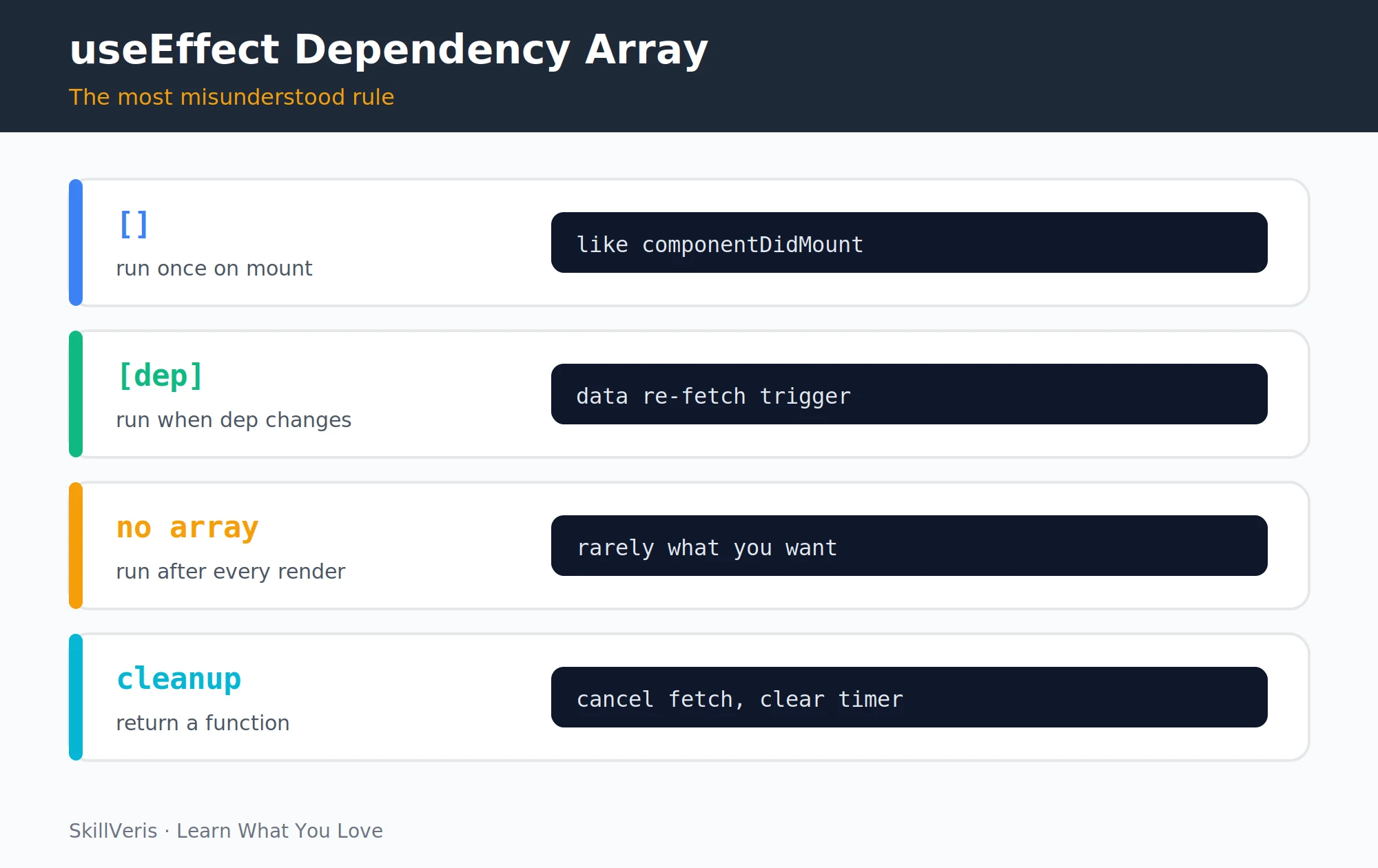
- No argument — runs after every render (class equivalent: componentDidUpdate).
- [] (empty array) — runs once after the first render (class equivalent: componentDidMount).
- [a, b] (with deps) — runs after the first render and whenever a or b changes (class equivalent: componentDidUpdate with a check).
7useEffect Cleanup
Effects that subscribe to something (WebSocket, event listener, timer) must clean up when the component unmounts or before the effect re-runs. Return a cleanup function from the effect.
Without the cleanup, the timer continues running after the component unmounts, causing memory leaks and errors when it tries to update state on an unmounted component.
Cleaning Up a Timer
Return a function that tears down the subscription.
useEffect(() => {
  const timer = setInterval(() => {
    setCount(prev => prev + 1);
  }, 1000);
  // Cleanup: runs on unmount or before next effect
  return () => clearInterval(timer);
}, []); // empty array: set up once, clean up on unmount9useRef: DOM Access and Mutable Values
useRef gives you a stable reference you can attach to a DOM element — for example, to focus an input on mount.
useRef also stores mutable values that persist across renders without triggering a re-render — useful for storing previous prop values, debounce timers, or animation frame IDs.
Focusing an Input on Mount
The ref points at the DOM node so you can call focus() directly.
import { useRef, useEffect } from 'react';
function SearchInput() {
  const inputRef = useRef(null);
  // Focus the input on mount
  useEffect(() => {
    inputRef.current.focus();
  }, []);
  return <input ref={inputRef} placeholder="Search..." />;
}10useMemo and useCallback
These hooks optimise performance by memoising (caching) values and functions. useMemo caches an expensive computed value; useCallback caches a function reference so it stays stable when passed as a prop.
💡Pro Tip
Don't reach for useMemo and useCallback prematurely — they add complexity and the memoisation itself has a cost. Profile your app first and add these only where you can measure a real performance improvement.
Memoising a Value and a Callback
Each recomputes only when its dependencies change.
import { useMemo, useCallback } from 'react';
// useMemo: cache an expensive computed value
const sortedList = useMemo(() =>
  items.slice().sort((a, b) => a.name.localeCompare(b.name)),
  [items] // recompute only when items changes
);
// useCallback: cache a function reference
const handleDelete = useCallback((id) => {
  setItems(prev => prev.filter(i => i.id !== id));
}, []); // stable reference, safe to pass as prop11Custom Hooks
Extract reusable stateful logic into a custom hook — a function whose name starts with use that calls other hooks. Custom hooks are the React equivalent of utility functions: DRY, testable, and composable.
A Reusable useFetch Hook
Define the hook once, then call it from any component.
// useFetch: reusable data fetching hook
function useFetch(url) {
  const [data, setData] = useState(null);
  const [loading, setLoading] = useState(true);
  const [error, setError] = useState(null);
  useEffect(() => {
    setLoading(true);
    fetch(url)
      .then(r => r.json())
      .then(d => { setData(d); setLoading(false); })
      .catch(e => { setError(e); setLoading(false); });
  }, [url]);
  return { data, loading, error };
}
// Usage in any component
function UserList() {
  const { data, loading, error } = useFetch("/api/users");
  if (loading) return <Spinner />;
  if (error) return <Error msg={error.message} />;
  return <ul>{data.map(u => <li key={u.id}>{u.name}</li>)}</ul>;
}12Key Takeaways
The hooks essentials boil down to a handful of habits worth internalising.
- useState stores local state; always use the setter function, never mutate directly.
- useEffect handles side effects; the dependency array controls when it runs.
- Always return a cleanup function from effects that subscribe or create timers.
- useContext shares state across the component tree without prop drilling.
- Custom hooks extract reusable stateful logic into composable, testable units.
13What to Learn Next
Build on your React hooks knowledge with these next steps.
- TypeScript for Beginners — type your hooks and component props.
- Full-Stack To-Do App — apply hooks in a complete project.
- JavaScript ES6+ Features — the JS foundations hooks build on.
14Frequently Asked Questions
Why can't I call useEffect inside an if statement? React tracks hooks by their call order on every render. If a hook is inside a condition, it might not be called on some renders, breaking React's internal tracking. Always call hooks unconditionally at the top level; put the condition inside the hook if needed.
What's the difference between useEffect and useLayoutEffect? useEffect runs asynchronously after the browser has painted. useLayoutEffect runs synchronously before the browser paints — use it when you need to measure DOM elements or make visual changes that must happen before the user sees the render. Stick with useEffect for everything else.
Should I use Context + useContext or a library like Redux for global state? For simple, infrequently-updated global state (theme, auth user, language), Context is fine. For frequently-updated state (shopping carts, real-time data, complex UI state), a library like Zustand or Redux Toolkit is more performant and easier to debug. Start with Context and switch when you feel the pain.
What is the stale closure problem in useEffect? If a useEffect captures a variable from outside but that variable isn't in the dependency array, the effect "closes over" the initial value and never sees updates. The solution: add the variable to the dependency array, or use the functional update form of state setters (setState(prev => ...)) inside effects.
Related Reading
Get The Print Version
Download a PDF of this article for offline reading.
About the Publisher
SkillVeris Team
Engineering Team
Our engineering writers turn abstract code concepts into hands-on, project-driven learning experiences.
View all postsRelated Posts




Never miss an update
Get the latest tutorials and guides delivered to your inbox.
No spam. Unsubscribe anytime.