Project: Build a REST API with Python and FastAPI
SkillVeris Team
Engineering Team
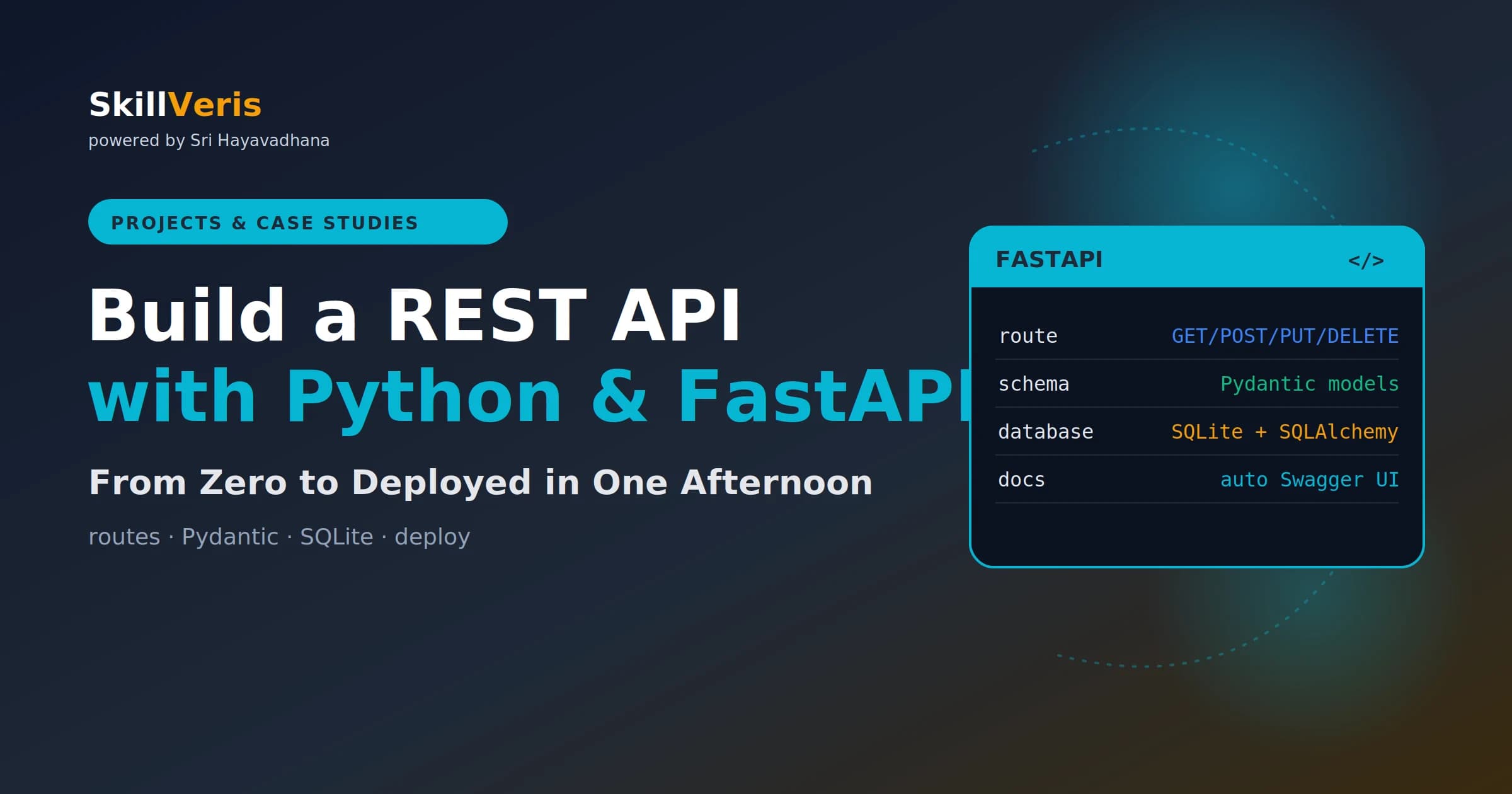
FastAPI builds production-ready REST APIs with Python type hints, automatic Swagger documentation, and Pydantic validation that catches bad data before it reaches your database.
In this guide, you'll learn:
- The full stack — routes, schemas, database, and deployment — fits in under 150 lines of clean Python.
- Pydantic schemas separate your API contract from your database model, so what clients send and how data is stored stay independent.
- SQLAlchemy provides a clean, testable database session per request that scales cleanly as the app grows.
- FastAPI's auto-generated Swagger and ReDoc docs stay in sync with your code, removing the need for Postman during development.
1What You'll Build
You'll build a working REST API for a simple book library that can create, read, update, and delete books. The project combines FastAPI for routing, Pydantic for validation, and SQLAlchemy for persistence.
This pattern — FastAPI + Pydantic + SQLAlchemy — is used in production APIs at companies of all sizes, so the skills transfer directly to real work.
- A FastAPI app with full CRUD endpoints.
- Pydantic models for request validation and response shaping.
- A SQLite database via the SQLAlchemy ORM.
- Auto-generated interactive Swagger docs.
- The API deployed publicly on Render's free tier.
2Why FastAPI?
FastAPI has become the default choice for new Python APIs because it combines speed, developer experience, and production readiness in a single framework.
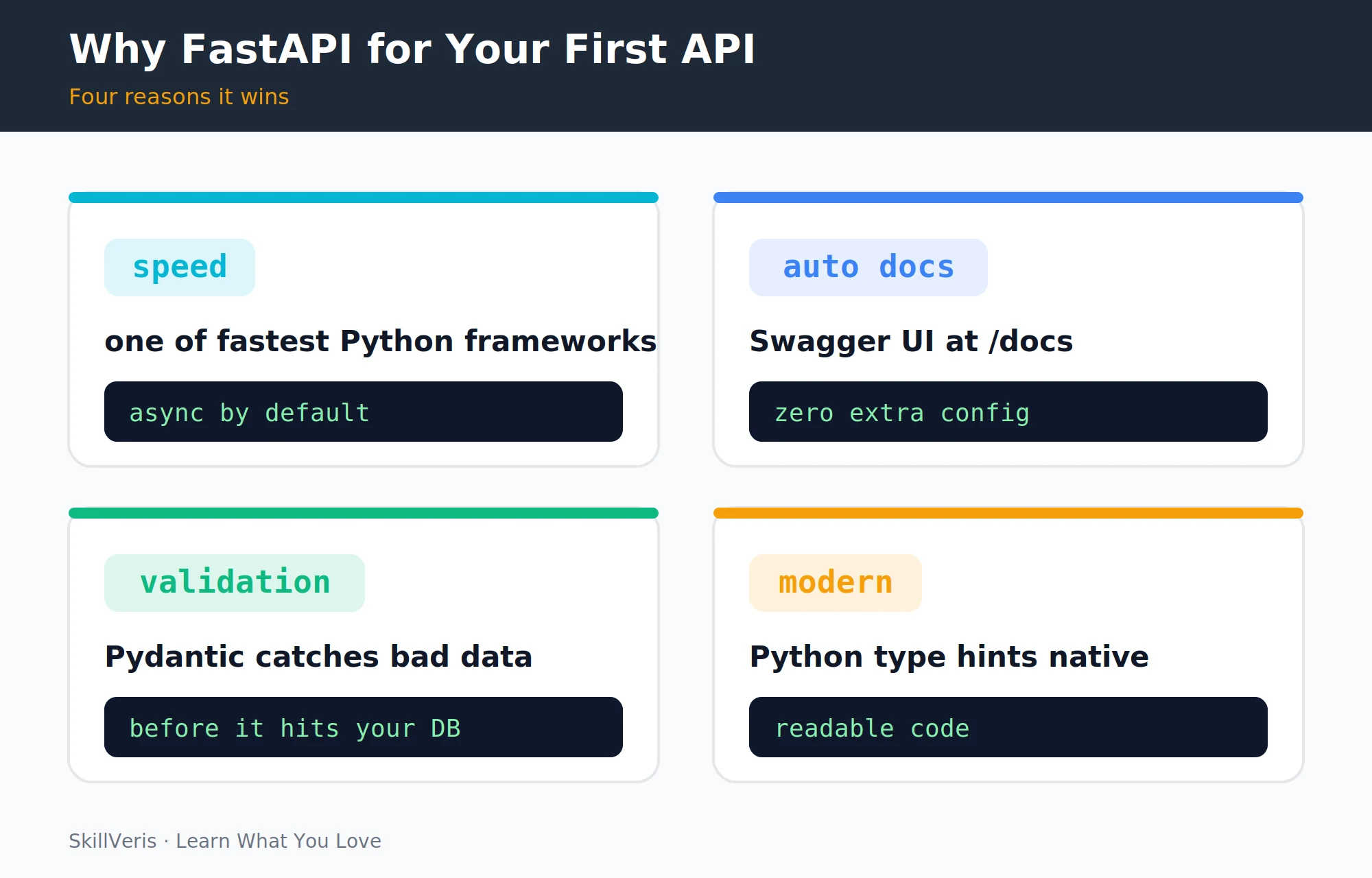
It is the best starting point for Python APIs for four key reasons.
- Performance — async-first design makes it one of the fastest Python frameworks, competitive with Node.js.
- Auto docs — visit the docs route and get a full interactive Swagger UI with zero configuration.
- Validation — Pydantic validates every request body and query parameter automatically, with no manual input checking.
- Type hints — your IDE understands every request and response object, catching bugs before you run the code.
3Setup and Installation
Start by creating the project structure and installing the core dependencies. FastAPI, Uvicorn, SQLAlchemy, and Pydantic are all you need to begin.
Install dependencies
Create a virtual environment and install the stack:
python -m venv venv
source venv/bin/activate
pip install fastapi uvicorn sqlalchemy4Your First Route
Create your main application file and add a health-check route to verify everything works. Run the server with Uvicorn, and the reload flag restarts it automatically on every file save.
Visit the root URL to see the JSON response, then visit the docs route to see the auto-generated Swagger UI.
main.py
A minimal app with a health-check endpoint:
from fastapi import FastAPI

app = FastAPI()

@app.get("/")
def health():
    return {"status": "ok"}

# run with: uvicorn main:app --reload5Pydantic Schemas
Schemas define what data comes in and goes out of each endpoint. A Pydantic model declares the fields and their types for a book.
If a client sends a wrong type or an empty required field, FastAPI returns a clear 422 error automatically — no manual validation code needed.
schemas.py
Define the request and response shapes:
from pydantic import BaseModel

class BookCreate(BaseModel):
    title: str
    author: str
    year: int

class Book(BookCreate):
    id: int

    class Config:
from_attributes = True6Adding a Database (SQLite + SQLAlchemy)
Configure SQLite via SQLAlchemy in a database module, then define the Books table as an ORM model. SQLite needs no server and stores everything in a single file.
The engine and session factory give each request its own database session, which keeps the code testable and free of shared-state bugs.
database.py
Configure the engine and session:
from sqlalchemy import create_engine
from sqlalchemy.orm import sessionmaker, declarative_base

engine = create_engine("sqlite:///./books.db",
                       connect_args={"check_same_thread": False})
SessionLocal = sessionmaker(bind=engine)
Base = declarative_base()
models.py
Define the Books table:
from sqlalchemy import Column, Integer, String
from database import Base

class Book(Base):
    __tablename__ = "books"
    id = Column(Integer, primary_key=True, index=True)
    title = Column(String)
    author = Column(String)
year = Column(Integer)7Full CRUD Routes
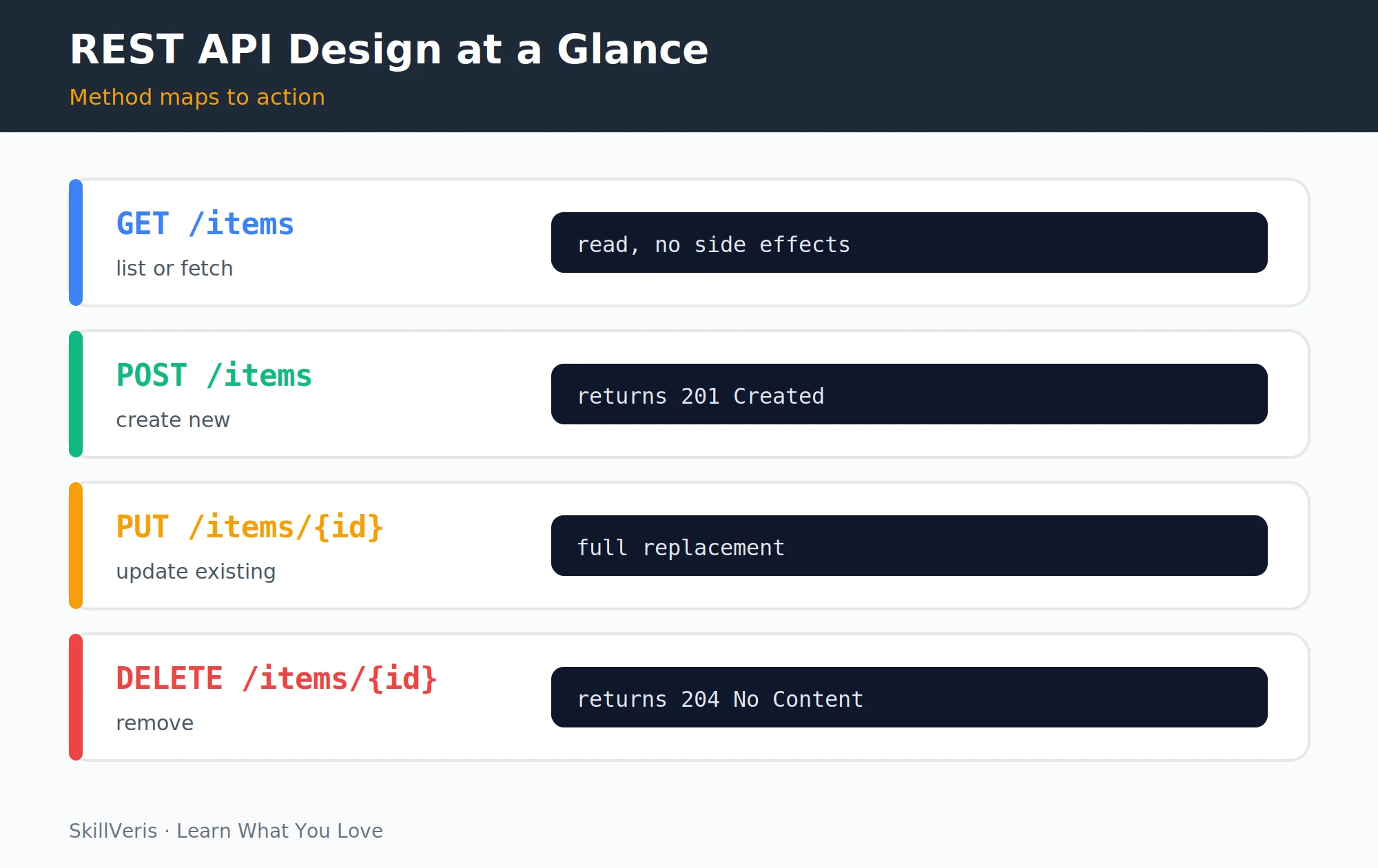
Each HTTP method maps to one CRUD operation: GET lists or reads, POST creates, PUT updates, and DELETE removes. Update your main file with all four routes wired to the database session.
A dependency injects a fresh session into every route and closes it afterward, so connection handling stays consistent.
CRUD endpoints
The four routes for the books resource:
@app.post("/books", response_model=Book)
def create_book(book: BookCreate, db: Session = Depends(get_db)):
    db_book = models.Book(**book.dict())
    db.add(db_book); db.commit(); db.refresh(db_book)
    return db_book

@app.get("/books", response_model=list[Book])
def list_books(db: Session = Depends(get_db)):
    return db.query(models.Book).all()

@app.put("/books/{book_id}", response_model=Book)
def update_book(book_id: int, book: BookCreate, db: Session = Depends(get_db)):
    db_book = db.query(models.Book).get(book_id)
    for k, v in book.dict().items(): setattr(db_book, k, v)
    db.commit(); return db_book

@app.delete("/books/{book_id}")
def delete_book(book_id: int, db: Session = Depends(get_db)):
    db.query(models.Book).filter_by(id=book_id).delete()
db.commit(); return {"deleted": book_id}8Exploring the Auto-Generated Docs
With your server running, visit the docs route to see the Swagger UI with every route listed, complete with request body schemas, response models, and a "Try it out" button to test each endpoint directly in the browser. An alternative ReDoc route offers a different documentation style.
This is one of FastAPI's biggest developer-experience wins — no Postman setup needed during development, and the docs stay in sync with your code automatically.
9Adding Authentication
Protect your routes with HTTP Bearer token authentication using FastAPI's security utilities. A dependency reads the token from the Authorization header and rejects requests that don't match.
For production auth, replace the hardcoded token with proper JWT verification — the flow is the same: issue a token on login and verify it on every protected request.
💡Pro Tip
For production auth, replace the hardcoded token with JWT verification using a dedicated library. The pattern is identical to the Node.js JWT approach — sign a token on login, verify it on every protected request.
Bearer token guard
A simple dependency that checks a token:
from fastapi import Depends, HTTPException
from fastapi.security import HTTPBearer, HTTPAuthorizationCredentials

security = HTTPBearer()

def verify(creds: HTTPAuthorizationCredentials = Depends(security)):
    if creds.credentials != "secret-token":
raise HTTPException(status_code=401, detail="Invalid token")10Testing Your API
FastAPI ships with a test client powered by Starlette's TestClient, so you can call your endpoints in tests without running a live server. Write at least a few tests covering the main routes.
Tests run fast and give you confidence that each endpoint returns the expected status code and body.
test_main.py
A basic endpoint test:
from fastapi.testclient import TestClient
from main import app

client = TestClient(app)

def test_health():
    res = client.get("/")
    assert res.status_code == 200
assert res.json() == {"status": "ok"}11Deploying to Render
Add a requirements file listing your dependencies, then push the project to GitHub. On Render's free tier, connect the repo and configure the build and start commands.
After deploying, Render gives you a public URL, and your API plus its docs page are immediately accessible. Add the URL to your portfolio README.
⚠️Watch Out
Render's free tier spins down after 15 minutes of inactivity. Add the note "API may take 30 seconds to cold-start" to your README so recruiters don't think it's broken.
Render configuration
Build and start commands for the web service:
# Build command
pip install -r requirements.txt

# Start command
uvicorn main:app --host 0.0.0.0 --port $PORT12Key Takeaways
FastAPI gives you a complete, production-shaped API in remarkably little code while keeping each concern cleanly separated.
- FastAPI = routes + Pydantic validation + auto Swagger docs in under 150 lines of Python.
- Pydantic schemas separate your API contract (what clients send and receive) from your database model (how data is stored).
- SQLAlchemy's session-per-request pattern provides a clean, testable database connection.
- Always write at least a few tests — FastAPI's TestClient makes it trivial.
13What to Build Next
Extend this project to make it more production-realistic, or move on to a frontend that consumes it.
- Add search and filter endpoints driven by query parameters.
- Swap SQLite for PostgreSQL (free on Render or Supabase) for a more production-realistic setup.
- Add a React frontend that consumes this API.
14Frequently Asked Questions
Should I use FastAPI or Django for a new Python project? FastAPI is best for APIs such as mobile backends, microservices, and data pipelines. Django suits full-stack web apps with templates, admin panels, and built-in auth. For an API-only backend, FastAPI is faster to build and easier to test.
What is Pydantic and why does it matter? Pydantic is a data validation library that uses Python type hints to enforce data shapes. In FastAPI it automatically validates incoming request bodies and serialises response objects, replacing dozens of lines of manual validation with a single class definition.
Is SQLite suitable for production? SQLite is excellent for development and low-traffic production apps. For anything with concurrent writes, multiple servers, or large data volume, switch to PostgreSQL. The SQLAlchemy ORM code doesn't change — only the connection string.
Can I use FastAPI for a machine learning API? Yes — it's one of the most common patterns for serving ML models. Load your model once at startup, accept feature inputs via a Pydantic schema, and return predictions in the response. Libraries like scikit-learn, TensorFlow, and PyTorch all work seamlessly.
Related Reading
Get The Print Version
Download a PDF of this article for offline reading.
About the Publisher
SkillVeris Team
Engineering Team
Our engineering team documents real build journeys so you can learn by doing, not just reading.
View all postsRelated Posts
Never miss an update
Get the latest tutorials and guides delivered to your inbox.
No spam. Unsubscribe anytime.