Regular Expressions in Python: A Practical Guide
SkillVeris Team
Engineering Team

A regular expression is a pattern that describes a set of strings rather than one exact string.
In this guide, you'll learn:
- In Python's re module, use re.search to find a pattern anywhere and re.match to anchor at the start.
- re.findall returns all matches and re.sub replaces them, while parentheses capture specific parts of a match.
- Metacharacters, character classes, quantifiers, and anchors are the building blocks of every pattern.
- Compile reusable patterns with re.compile and use re.VERBOSE to add whitespace and comments.
1What Are Regular Expressions?
A regular expression (regex) is a sequence of characters that defines a search pattern. Instead of searching for an exact string, you describe the shape of what you want, such as 'four digits, a dash, two digits, a dash, two digits' for a date. The regex engine then finds every string matching that shape.
Common uses include validating email addresses and phone numbers, extracting data from logs, parsing structured text such as CSV, HTML, and config files, and search-and-replace in editors. Once you can read regex, you'll see it everywhere.
2Python's re Module
Python's regex support lives in the built-in re module, which exposes functions like search, match, findall, sub, and compile. Always write patterns as raw strings using the r'' prefix so backslashes are treated literally.
Without raw strings you'd have to double every backslash, turning a simple pattern like \d into \\d and making it far harder to read.
Importing and a first pattern
A raw-string pattern passed to re.search.
import re
text = "Order 2024-06-25 shipped"
match = re.search(r"\d{4}-\d{2}-\d{2}", text)
print(match.group()) # 2024-06-253Literal Characters and Metacharacters
Most characters match themselves literally, so the pattern cat matches the string 'cat'. Certain characters, called metacharacters, have special meaning instead.
These metacharacters fall into four families: ones that match single characters, character-class shorthands, anchors, and grouping. Escaping a metacharacter with a backslash makes it literal again.
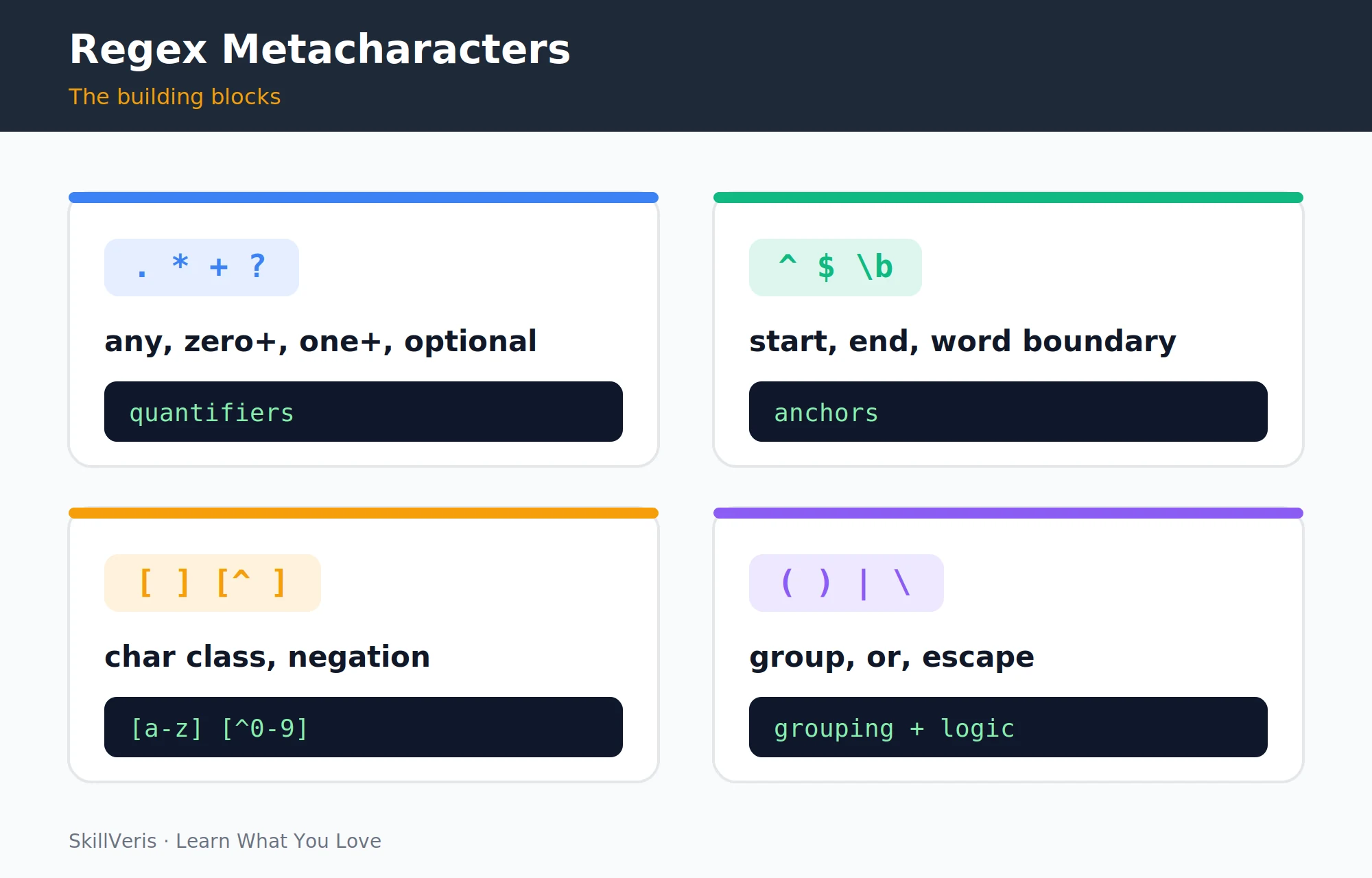
- . — any character except newline — c.t matches 'cat', 'cut', 'c9t'
- \d — any digit [0-9] — \d\d matches '42', '07'
- \w — word char [a-zA-Z0-9_] — \w+ matches 'hello_world'
- \s — whitespace (space, tab, newline) — \s+ matches spaces
- \D \W \S — uppercase is the negation of lowercase — \D matches a non-digit
- \. — literal dot (escaped) — 3\.14 matches '3.14'
4Character Classes
A character class, written in square brackets, matches any single character from the set inside. For example, [aeiou] matches one vowel and [0-9] matches one digit, with ranges expressed using a hyphen.
Placing a caret at the start negates the class, so [^0-9] matches any single non-digit character. Character classes are the most flexible way to specify exactly which characters are allowed at a position.
Class examples
Sets, ranges, and negation inside square brackets.
[aeiou]        # any one vowel
[A-Za-z]       # any one letter
[0-9]          # any one digit (same as \d)
[^0-9]         # any one NON-digit
[A-Fa-f0-9] # a single hex digit5Quantifiers
Quantifiers specify how many times the preceding element may repeat. By default quantifiers are greedy, matching as much as possible; adding a ? after a quantifier makes it lazy, matching as little as possible.
For parsing HTML-like structures, lazy matching is almost always what you want, because greedy matching tends to swallow far more text than intended.
- * — 0 or more — ab* matches 'a', 'ab', 'abbb'
- + — 1 or more — ab+ matches 'ab', 'abb' but not 'a'
- ? — 0 or 1 (optional) — colou?r matches 'color' and 'colour'
- {n} — exactly n — \d{4} matches exactly 4 digits
- {n,m} — between n and m — \d{2,4} matches 2, 3, or 4 digits
- {n,} — n or more — \w{3,} matches 3+ word chars
6Anchors
Anchors don't match characters; they match positions. The caret ^ anchors to the start of the string (or line), the dollar sign $ anchors to the end, and \b matches a word boundary between a word character and a non-word character.
Anchoring a pattern with ^ and $ forces it to match the entire string, which is exactly what you want for validation tasks such as checking that an entire input is a valid email.
Anchor examples
Start, end, and word-boundary anchors.
^Hello       # matches 'Hello' only at the start
world$       # matches 'world' only at the end
^\d{4}$      # the whole string must be exactly 4 digits
\bcat\b # 'cat' as a whole word, not in 'category'7Groups and Capturing
Parentheses create a capturing group, letting you extract specific parts of a match rather than the whole thing. Each group is numbered from left to right and accessible via the match object's group() method.
Named groups, written (?P<name>...), make match objects easier to work with by letting you refer to a captured value by name instead of by position.
Capturing date parts
Numbered and named groups extract pieces of a match.
m = re.search(r"(\d{4})-(\d{2})-(\d{2})", "2024-06-25")
m.group(1)   # '2024'
m.group(2)   # '06'
# Named groups
m = re.search(r"(?P<year>\d{4})-(?P<month>\d{2})", "2024-06")
m.group("year") # '2024'8re.match vs re.search vs re.findall
These functions differ in where and how they look for a match. re.match only matches at the start of the string, re.search matches anywhere, and re.findall returns every non-overlapping match as a list of strings.
re.finditer returns an iterator of match objects, and re.fullmatch requires the pattern to cover the entire string, which is ideal for validation.
- re.match(p, s) — match at the start of the string only — returns a Match object or None
- re.search(p, s) — match anywhere in the string — returns a Match object or None
- re.findall(p, s) — all non-overlapping matches — returns a list of strings
- re.finditer(p, s) — iterator of match objects — returns an iterator
- re.fullmatch(p, s) — match must cover the entire string — returns a Match object or None
💡Pro Tip
Prefer re.search over re.match in most cases. re.match silently restricts matching to the start of the string, which causes subtle bugs when you later process multi-line text or strings with leading whitespace.
9re.sub: Find and Replace
re.sub replaces every match of a pattern with a replacement string, making it the regex equivalent of search-and-replace. You can reference captured groups in the replacement using \1, \2, and so on.
Passing a function as the replacement lets you compute each substitution dynamically, which is useful for tasks like reformatting dates or masking sensitive data.
Substitution examples
Static replacements and group references.
# Collapse multiple spaces into one
re.sub(r"\s+", " ", "too    many   spaces")
# Reformat YYYY-MM-DD to DD/MM/YYYY using group references
re.sub(r"(\d{4})-(\d{2})-(\d{2})", r"\3/\2/\1", "2024-06-25")
# -> '25/06/2024'10Compiling Patterns
re.compile turns a pattern string into a reusable pattern object, which is cleaner and slightly faster when the same pattern is used in a tight loop or across many calls. The compiled object exposes the same search, match, findall, and sub methods.
The re.VERBOSE flag lets you write complex patterns with whitespace and inline comments, making them far more readable than a dense one-liner.
A compiled, commented pattern
re.VERBOSE allows whitespace and comments inside the pattern.
phone = re.compile(r"""
    (\d{3})      # area code
    [-.\s]?      # optional separator
    (\d{3})      # first three digits
    [-.\s]?      # optional separator
    (\d{4})      # last four digits
""", re.VERBOSE)
phone.search("Call 415-555-1234 today")11Real-World Patterns
A handful of ready-to-use patterns cover the most common validation and extraction tasks: email addresses, phone numbers, URLs, and ISO dates. Treat these as practical starting points and adapt them to your data.
For strict validation, anchor the pattern with ^ and $ or use re.fullmatch so the whole string must match, not just a substring.
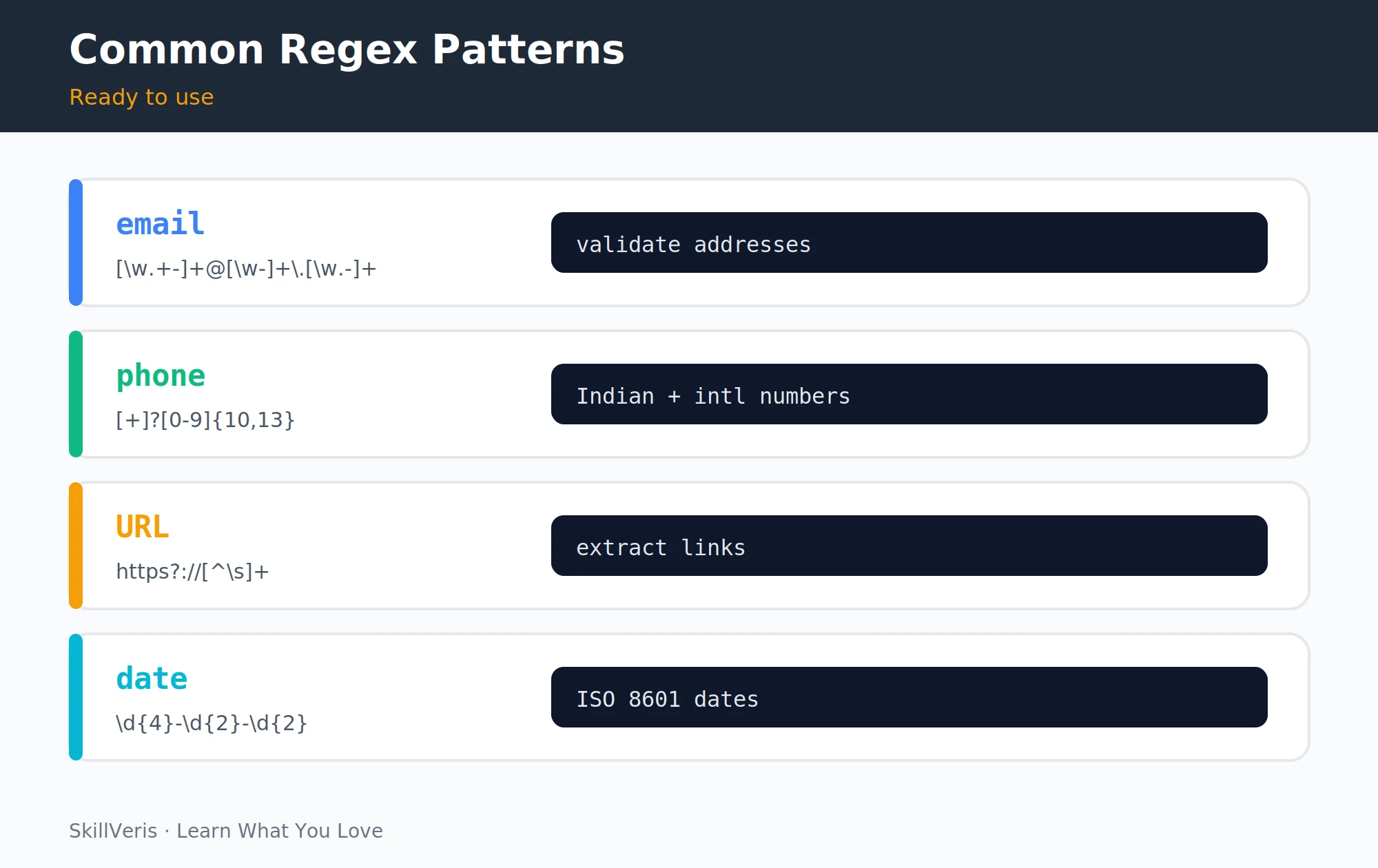
Common validation patterns
Starting points for everyday text validation and extraction.
# Email
r"[\w.+-]+@[\w-]+\.[\w.-]+"
# Phone (US-style, optional separators)
r"\d{3}[-.\s]?\d{3}[-.\s]?\d{4}"
# URL
r"https?://[\w.-]+(?:/[\w./?%&=-]*)?"
# ISO date YYYY-MM-DD
r"\d{4}-\d{2}-\d{2}"12Key Takeaways
Regex rewards a small amount of practice: a few core concepts handle the vast majority of real text-processing tasks.
- Use raw strings (r'') for all regex patterns to avoid backslash confusion.
- re.search finds a pattern anywhere, re.findall returns all matches, and re.sub replaces them.
- Parentheses create capturing groups, and named groups make match objects easier to work with.
- Compile patterns with re.compile when reusing them, and use re.VERBOSE to add comments to complex patterns.
- Test regex interactively on regex101.com before embedding it in code.
13What to Learn Next
Apply regex in real Python work where parsing and validation come up constantly.
- Python File I/O: use regex to parse log files and structured text files.
- Python Error Handling: combine regex validation with proper error handling.
- Testing with pytest: write parametrized tests for your regex patterns.
14Frequently Asked Questions
When should I use regex vs str.split() or str.replace()? Use string methods when the pattern is simple and exact, such as splitting on a known delimiter or replacing a known substring. Use regex when the pattern is structural (any email, any date) rather than literal, when you need to capture parts of a match, or when you need to handle multiple variations of a pattern at once.
How do I test a regex pattern without running my program? regex101.com is the standard interactive regex tester. Paste your pattern and test strings; it highlights matches, explains each part of the pattern, and shows what each group captures. Use it before embedding any non-trivial regex in code.
What is the difference between re.match() and re.fullmatch()? re.match() matches the pattern at the start of the string but doesn't require it to match the entire string, whereas re.fullmatch() requires the pattern to match the entire string. For validation, such as checking whether something is a valid email, use re.fullmatch() or anchor the pattern with ^ and $.
Are regex patterns reused internally by Python's re module? Python caches the most recently compiled patterns automatically, so calling functions like re.search repeatedly with the same pattern string is reasonably fast. Explicit re.compile is cleaner for patterns used in tight loops or across many function calls and makes the intent explicit.
Related Reading
Get The Print Version
Download a PDF of this article for offline reading.
About the Publisher
SkillVeris Team
Engineering Team
Our engineering writers turn abstract code concepts into hands-on, project-driven learning experiences.
View all postsRelated Posts




Never miss an update
Get the latest tutorials and guides delivered to your inbox.
No spam. Unsubscribe anytime.