Python Virtual Environments: venv, conda, and poetry Explained
SkillVeris Team
Engineering Team
Every Python project should have its own virtual environment to keep dependencies isolated and reproducible.
In this guide, you'll learn:
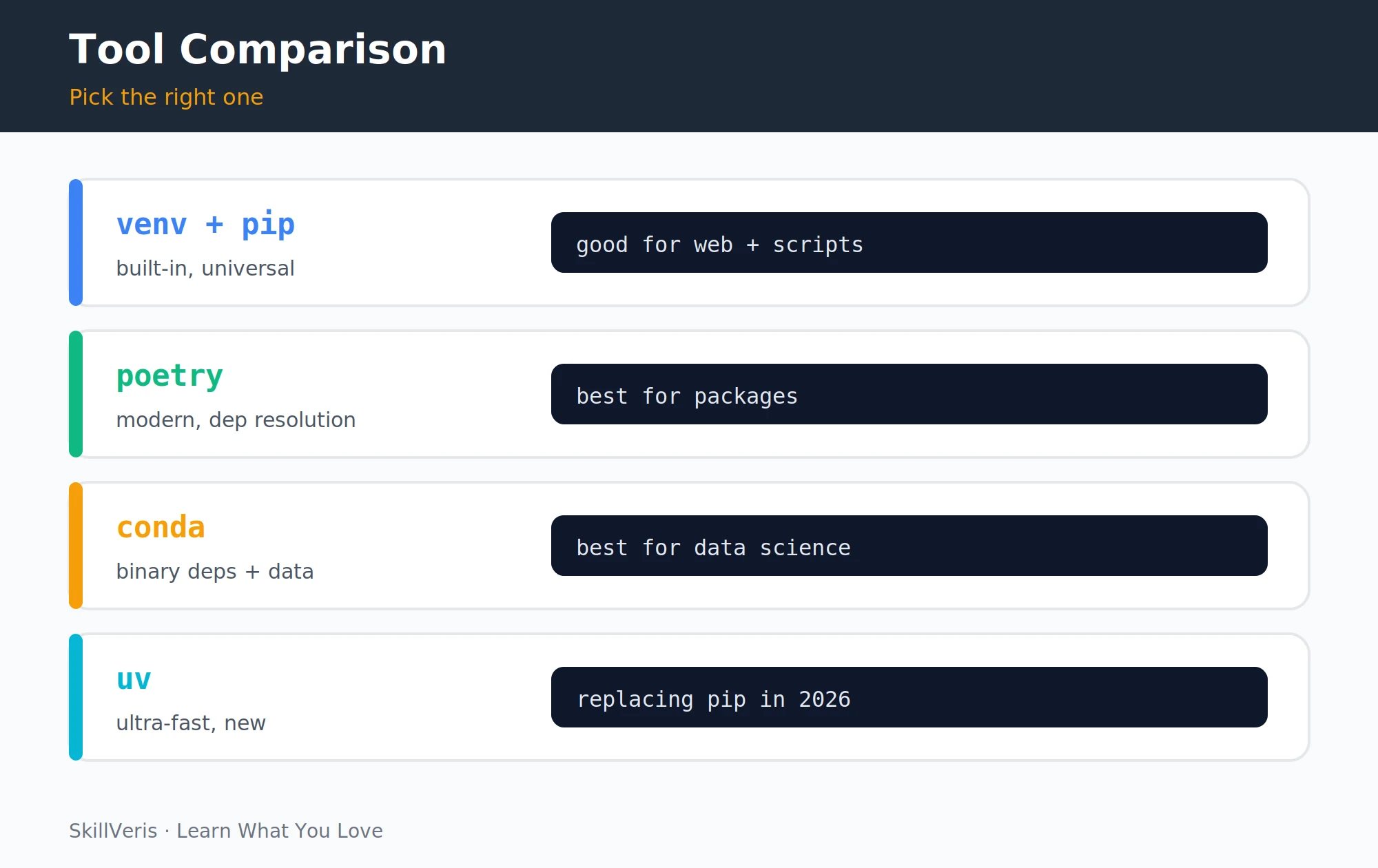
- Use venv for quick projects and scripts, poetry for packages where dependency management matters, and conda for data science with binary dependencies.
- Virtual environments solve version conflicts by giving each project its own isolated Python installation.
- Always commit your dependency lockfile so others can reproduce your environment exactly.
- Never commit the virtual environment directory itself — add it to .gitignore and recreate it from the dependency list.
1Why Virtual Environments Exist
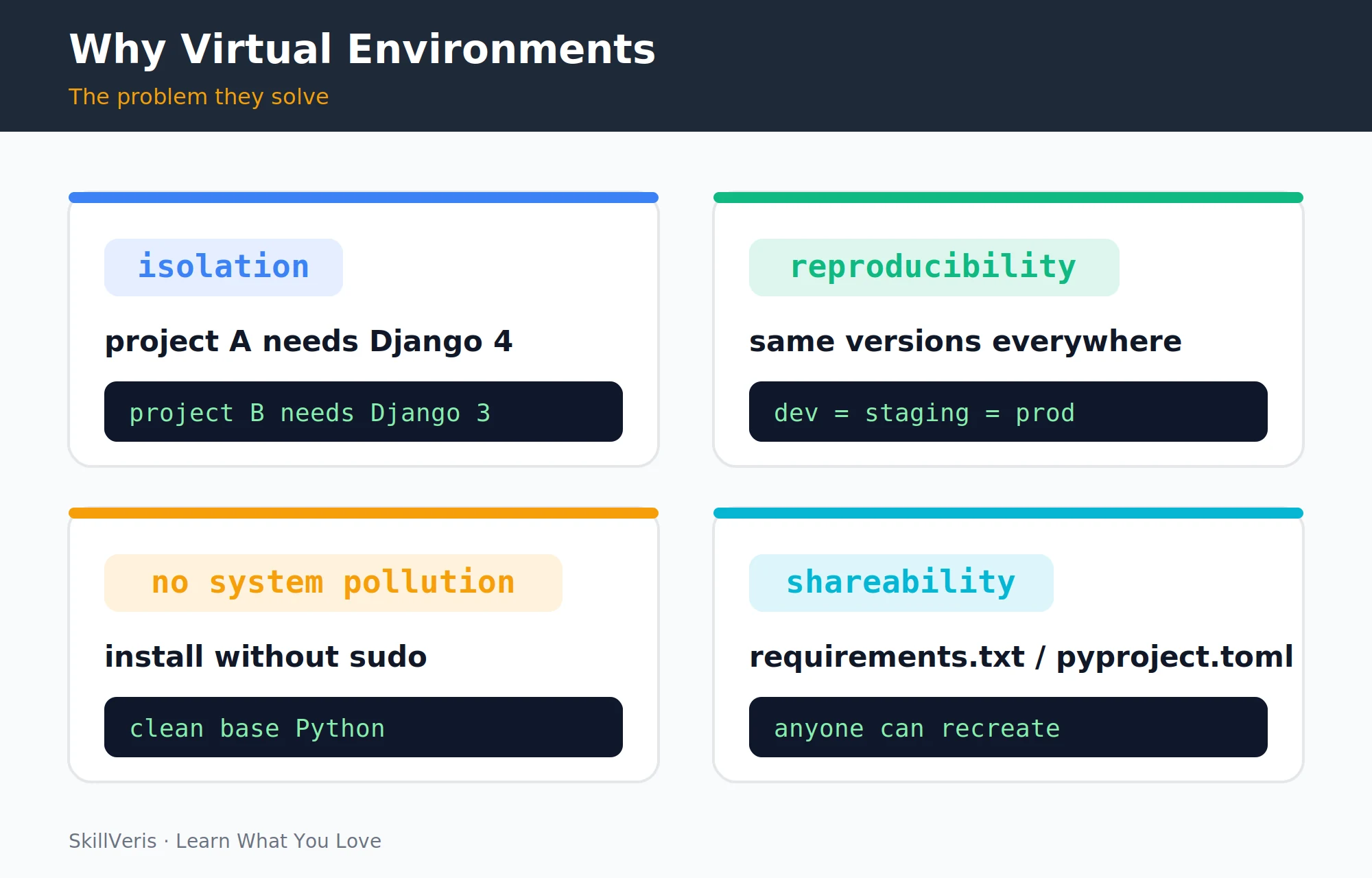
Imagine two projects: Project A needs Django 4.2, and Project B needs Django 3.2 because it hasn't been upgraded yet. If you install packages globally (into your system Python), only one version of Django can exist. Install 4.2 and Project B might break; keep 3.2 and Project A can't use new features.
Virtual environments solve this by giving each project its own isolated Python installation with its own set of packages. Projects don't share packages; changes to one don't affect any other.
2How Virtual Environments Work
A virtual environment is a directory containing a copy (or symlink) of the Python interpreter and a separate folder for that project's packages. When the environment is activated, the python and pip commands refer to the environment's copies, not the system Python.
This isolation is what makes environments reproducible and keeps your system Python clean — each project carries its own dependencies rather than polluting a shared global install.
3venv: The Built-In Solution
venv is included with Python 3.3+ and needs no installation. Always activate the environment before installing packages or running your code — if you forget, packages install into the system Python and defeat the purpose.
💡Pro Tip
Add the virtual environment directory to your .gitignore file — never commit the virtual environment itself. It's large, platform-specific, and can be recreated from requirements.txt. Only commit the dependency list, not the environment.
Create and Activate
Create the environment, activate it, then deactivate when you're done.
# Create a virtual environment
python -m venv venv
# Activate it (macOS / Linux)
source venv/bin/activate
# Activate it (Windows)
venv\Scripts\activate
# Leave the environment
deactivate4Managing Packages with pip
Once an environment is active, pip installs packages into it rather than the system Python. The everyday commands cover installing, listing, and freezing the current dependency set.
Everyday pip Commands
Install packages, inspect what's installed, and capture the exact versions.
# Install a package
pip install requests
# Install a specific version
pip install django==4.2
# List installed packages
pip list
# Freeze exact versions to a file
pip freeze > requirements.txt5requirements.txt: Sharing Dependencies
Committing requirements.txt ensures anyone who clones your repo can recreate the exact same environment with one command. This is how "it works on my machine" becomes "it works everywhere."
A common pattern is to keep two files — requirements.txt (pinned exact versions for reproducibility) and requirements-dev.txt (development tools such as pytest, black, and mypy that aren't needed in production).
Recreate an Environment
Anyone cloning the repo installs the exact dependency set from the file.
# Recreate the environment from the committed file
pip install -r requirements.txt6poetry: Modern Dependency Management
Poetry is a more powerful dependency manager that handles virtual environments, dependency resolution, and package publishing in one tool. It creates a pyproject.toml (human-readable dependency declarations) and a poetry.lock (exact resolved versions for all dependencies and sub-dependencies). Commit both files.
The key advantage over pip: Poetry resolves dependency conflicts upfront, telling you immediately if two packages require incompatible versions of a shared dependency, rather than silently breaking at runtime.
Common Poetry Commands
Start a project, add dependencies, and install the locked set.
# Start a new project
poetry new my-project
# Add a dependency (updates pyproject.toml and poetry.lock)
poetry add requests
# Install everything from the lockfile
poetry install7conda: For Data Science
conda is not just a package manager for Python — it manages entire environments including non-Python binary dependencies. This makes it essential for data science, where packages like NumPy, PyTorch, and OpenCV depend on C/Fortran libraries that pip cannot install.
Use conda when working with NumPy/SciPy (BLAS/LAPACK dependencies), PyTorch/TensorFlow with GPU support, geospatial libraries (GDAL, PROJ), or any package that requires compiled C extensions.
Create and Activate a conda Environment
Create an environment with a chosen Python version, activate it, and install packages from conda channels.
# Create an environment with a specific Python version
conda create -n myenv python=3.11
# Activate it
conda activate myenv
# Install a package from conda channels
conda install numpy pytorch8uv: The New Fast Standard
uv is a new Python package manager written in Rust, developed by the team behind ruff. It is 10–100x faster than pip and is rapidly becoming the default choice for new Python projects in 2026.
uv is a drop-in replacement for pip and venv for most use cases. Its speed is particularly noticeable in CI/CD pipelines where environment creation runs on every build.
Common uv Commands
Create an environment and install packages with the faster tooling.
# Create a virtual environment
uv venv
# Install a package
uv pip install requests
# Install from a requirements file
uv pip install -r requirements.txt9Choosing the Right Tool
Each tool has a sweet spot. For most beginners, start with venv + pip — they're built-in, well-documented, and universal. Switch to poetry or uv once you feel the pain points of pip's dependency resolution.
- Quick script or learning project — venv + pip
- Professional Python project or package — poetry or uv
- Data science (NumPy, PyTorch, GPU) — conda (Miniconda or Mambaforge)
- CI/CD pipeline where speed matters — uv
- Existing project already using pip — venv + pip (don't switch mid-project)
10Best Practices
A handful of habits keep environments reproducible and conflict-free across machines and teammates.
- One environment per project: never share a virtual environment between projects.
- Always activate before installing: check your prompt shows the environment name.
- Commit the dependency file, not the environment: requirements.txt or pyproject.toml in Git; the venv folder in .gitignore.
- Pin versions for deployment: pip freeze gives exact versions; use these in production to prevent surprise breakage when packages update.
- Separate dev dependencies: testing and linting tools (pytest, black, mypy) don't belong in production dependencies.
11Common Mistakes
The same few errors catch most newcomers. Each has a simple fix once you know to look for it.
- Forgetting to activate: the most common mistake. If your prompt doesn't show the environment name, you're installing globally.
- Committing the venv folder: large, platform-specific, and unnecessary. Add it to .gitignore.
- Not pinning versions: an unpinned dependency might work today; six months later a new release breaks your code. Pin versions in production.
- Using the wrong Python: if you have multiple Python versions, create the venv explicitly, e.g. python3.11 -m venv venv.
12Key Takeaways
Isolation and reproducibility are the whole point — pick the tool that fits the project and commit the dependency list, not the environment.
- Virtual environments isolate project dependencies — always use one per project.
- python -m venv creates; source venv/bin/activate activates; deactivate exits.
- pip freeze captures exact versions; pip install -r requirements.txt recreates.
- Use poetry for professional projects with complex dependencies; conda for data science with binary packages; uv when speed matters.
- Always add the venv folder to .gitignore; commit the dependency list, not the environment.
13What to Learn Next
Apply virtual environments in real projects with these follow-up guides.
- Build a REST API with FastAPI — every FastAPI project needs a proper virtual environment.
- CI/CD Explained — pipelines recreate virtual environments from requirements.txt on every run.
- Docker for Beginners — Docker images go one step further, packaging the environment and the OS together.
14Frequently Asked Questions
What's the difference between venv and virtualenv? venv is Python's built-in virtual environment tool (Python 3.3+). virtualenv is a third-party package that predates venv and has some additional features (more Python version flexibility). For most use cases, the built-in venv is sufficient and requires no installation.
Why does VS Code sometimes use the wrong Python? VS Code needs to be told which Python interpreter to use. Open the Command Palette (Ctrl+Shift+P), search "Python: Select Interpreter", and choose the one in your venv folder. VS Code usually detects venvs in the workspace folder automatically.
Should I use conda or pip inside a conda environment? Prefer conda for packages available on conda channels (especially those with binary dependencies). Use pip for packages only available on PyPI. Mixing them is supported but can occasionally cause conflicts — install as much as possible with conda first, then use pip for what remains.
What is Pipenv and is it still relevant? Pipenv is an older dependency management tool that combined pip and virtualenv. It's largely been superseded by poetry (for project management) and uv (for speed). If you encounter a project using Pipenv, it works fine; for new projects in 2026, poetry or uv are the better choices.
Get The Print Version
Download a PDF of this article for offline reading.
About the Publisher
SkillVeris Team
Engineering Team
Our engineering writers turn abstract code concepts into hands-on, project-driven learning experiences.
View all postsRelated Posts




Never miss an update
Get the latest tutorials and guides delivered to your inbox.
No spam. Unsubscribe anytime.