Python List Comprehensions Made Easy
SkillVeris Team
Engineering Team
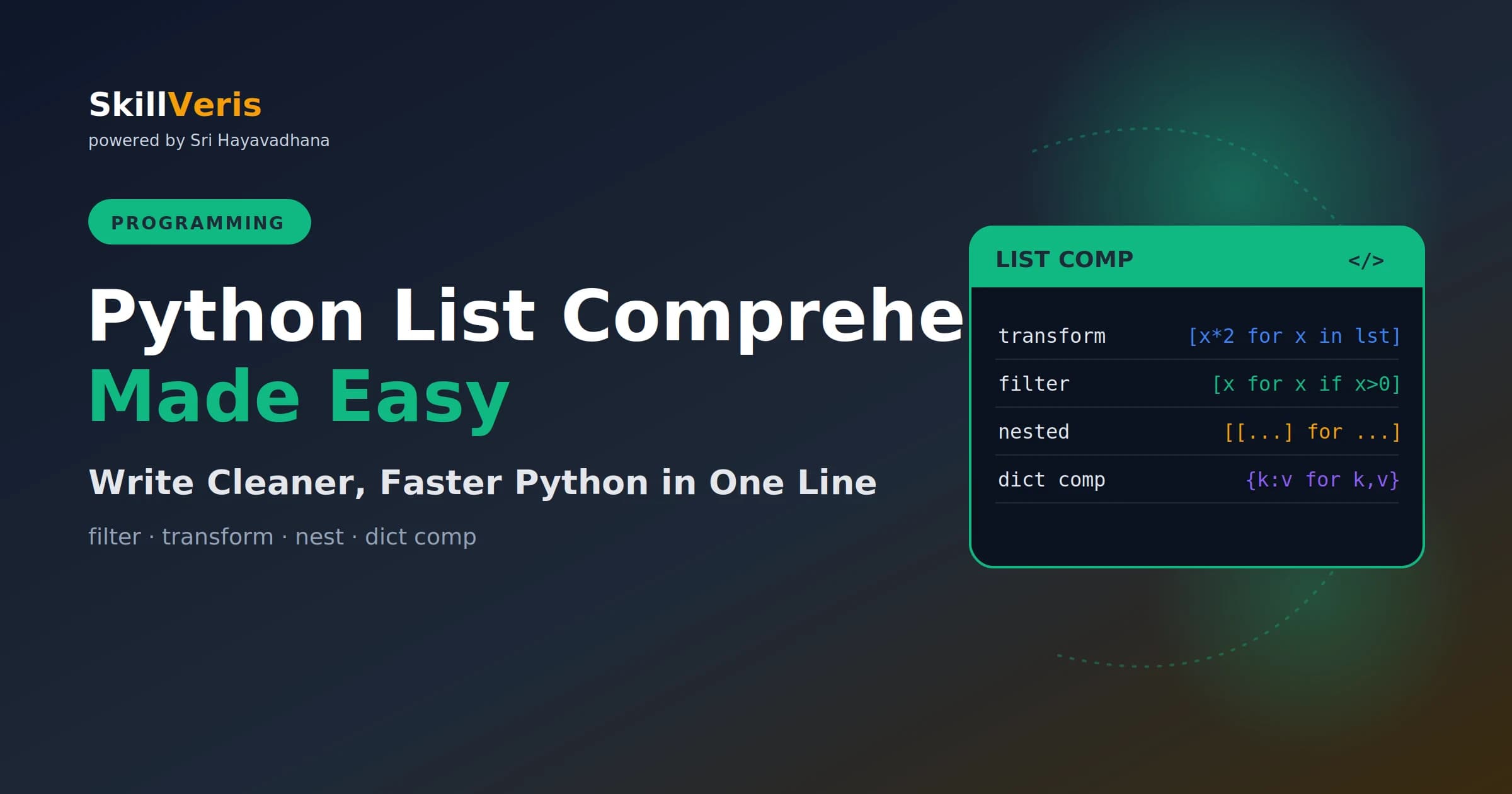
A list comprehension is [expression for item in iterable if condition] — use it when the logic fits on one readable line.
In this guide, you'll learn:
- Comprehensions replace the empty-list-loop-append pattern with a single concise expression.
- Add an if clause to filter items, and combine a transform with a filter in the same comprehension.
- Dict comprehensions use {key: value for ...} and set comprehensions use {expression for ...}.
- Generator expressions swap brackets for parentheses to produce items lazily with O(1) memory.
1What Is a List Comprehension?
A list comprehension is a concise way to create a new list by applying an expression to each item in an iterable, optionally filtering items with a condition. It replaces the common pattern of creating an empty list, looping over something, and appending.
Python programmers use list comprehensions constantly. They appear in data transformations, filtering, API response processing, and anywhere a list needs to be built from another iterable.
From Loop to Comprehension
Both produce an identical result; the comprehension fits on one line.
# Traditional for loop
squares = []
for x in range(10):
    squares.append(x ** 2)
# List comprehension: identical result, one line
squares = [x ** 2 for x in range(10)]
print(squares)
# [0, 1, 4, 9, 16, 25, 36, 49, 64, 81]2The Basic Syntax
Read a comprehension left to right: "produce expression for each item in iterable, but only if condition is true." This left-to-right reading is why comprehensions feel natural once you've learned the pattern.
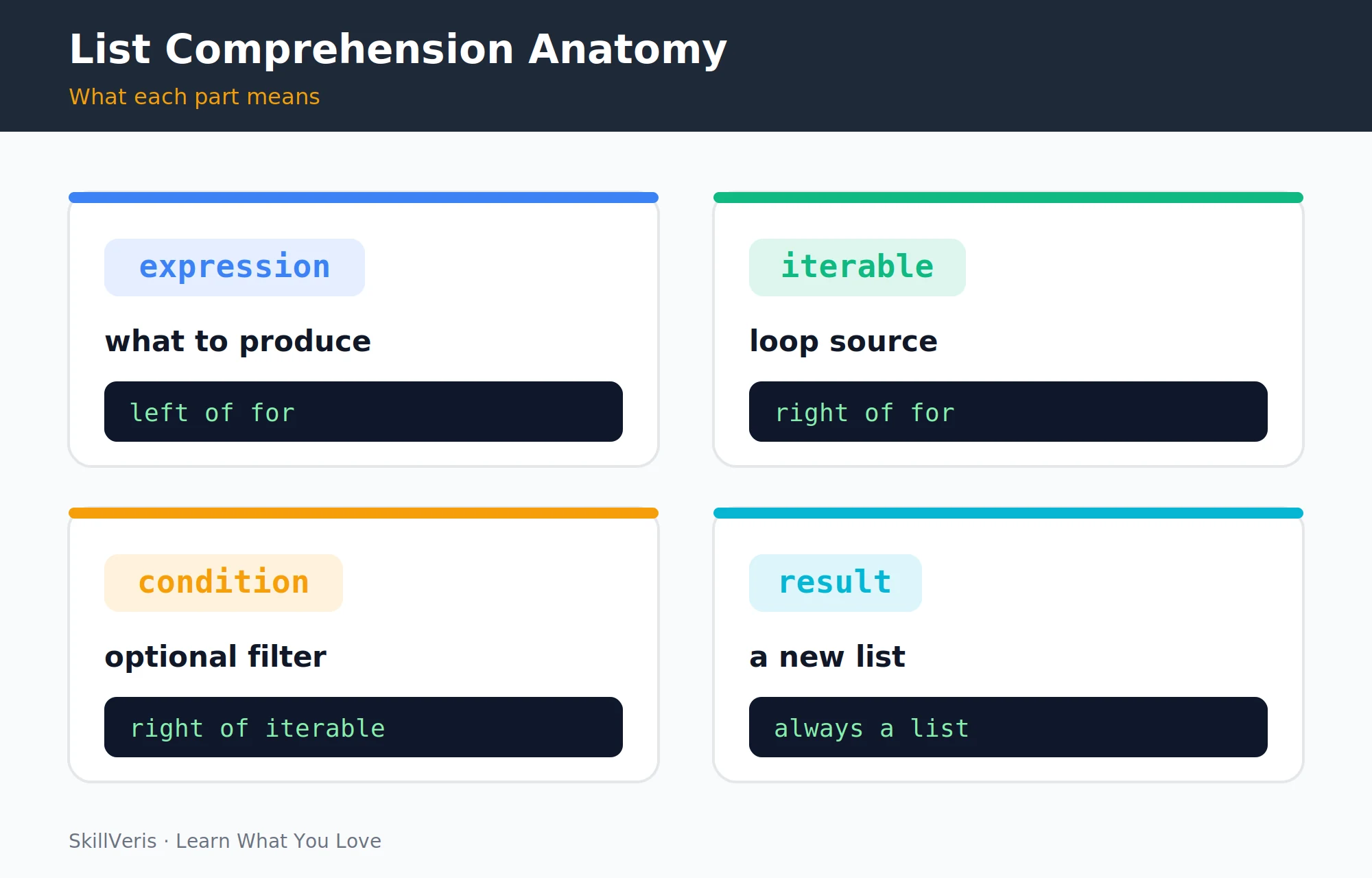
Anatomy of the Syntax
Expression, iterable, and an optional filter.
[expression for item in iterable if condition]
#  what to       source of    optional
# produce items filter3Transforming Lists
The most common use is transforming each element — uppercasing strings, extracting a field, converting units, or calling a method on every item.
Transformation Examples
Each comprehension maps every input to a transformed output.
# Uppercase every string
names = ["sathya", "nagaraja", "priya"]
upper = [n.upper() for n in names]
# ["SATHYA", "NAGARAJA", "PRIYA"]
# Extract a field from a list of dicts
users = [{"name": "Alice", "age": 30}, {"name": "Bob", "age": 25}]
names_only = [u["name"] for u in users]
# ["Alice", "Bob"]
# Convert temperatures
celsius = [0, 20, 37, 100]
fahrenheit = [(c * 9/5) + 32 for c in celsius]
# [32.0, 68.0, 98.6, 212.0]
# Call a method on each item
raw = [" hello ", " world ", "python "]
cleaned = [s.strip() for s in raw]
# ["hello", "world", "python"]4Filtering with if
Add an if clause at the end to keep only the items that satisfy a condition. A bare if x even filters out falsy values like None, empty strings, and zero.
Filtering Examples
The condition decides which items make it into the result.
# Keep only even numbers
numbers = range(20)
evens = [n for n in numbers if n % 2 == 0]
# [0, 2, 4, 6, 8, 10, 12, 14, 16, 18]
# Filter a list of strings
words = ["apple", "banana", "cherry", "avocado", "blueberry"]
a_words = [w for w in words if w.startswith("a")]
# ["apple", "avocado"]
# Filter None / falsy values
data = [1, None, "", 2, 0, "hello", False, 3]
truthy = [x for x in data if x]
# [1, 2, "hello", 3]5Combining Transform and Filter
A single comprehension can both filter and transform: the if clause decides which items survive, and the expression transforms the survivors.
Transform-and-Filter Examples
Filter first, then transform what remains.
# Square only the positive numbers
nums = [-3, -1, 0, 2, 4, 7]
pos_sq = [x**2 for x in nums if x > 0]
# [4, 16, 49]
# Extract email domains from valid emails
emails = ["[email protected]", "invalid", "[email protected]"]
domains = [e.split("@")[1] for e in emails if "@" in e]
# ["example.com", "work.org"]
# Get names of users over 18 as uppercase
users = [{"name": "alice", "age": 16}, {"name": "bob", "age": 22},
         {"name": "carol", "age": 19}]
adults = [u["name"].title() for u in users if u["age"] >= 18]
# ["Bob", "Carol"]6Nested List Comprehensions
Comprehensions can contain multiple for clauses to flatten 2D structures, build nested lists, or produce all pairs from two iterables.
⚠️Watch Out
Nested comprehensions with more than two loops or complex conditions become hard to read. At that point, rewrite as a regular for loop with comments. The rule: if you have to re-read it twice to understand it, it's too complex for a comprehension.
Nested Examples
Multiple for clauses read left to right like nested loops.
# Flatten a 2D list
matrix = [[1, 2, 3], [4, 5, 6], [7, 8, 9]]
flat = [n for row in matrix for n in row]
# [1, 2, 3, 4, 5, 6, 7, 8, 9]
# Build a multiplication table as a 2D list
table = [[i*j for j in range(1, 6)] for i in range(1, 6)]
# [[1,2,3,4,5], [2,4,6,8,10], [3,6,9,12,15], ...]
# All pairs from two lists
colours = ["red", "blue"]
sizes = ["S", "M", "L"]
combos = [(c, s) for c in colours for s in sizes]
# [("red","S"), ("red","M"), ("red","L"), ("blue","S"), ...]7Dictionary Comprehensions
Dictionary comprehensions build a dict with {key: value for ...} syntax. They're ideal for zipping two lists into a dict, inverting a dictionary, counting occurrences, or filtering existing dicts.
Dict Comprehension Examples
Each iteration yields a key-value pair.
# Build a dict from two lists
keys = ["a", "b", "c"]
values = [1, 2, 3]
d = {k: v for k, v in zip(keys, values)}
# {"a": 1, "b": 2, "c": 3}
# Invert a dictionary (swap keys and values)
original = {"a": 1, "b": 2, "c": 3}
inverted = {v: k for k, v in original.items()}
# {1: "a", 2: "b", 3: "c"}
# Count character occurrences
text = "cricket"
counts = {char: text.count(char) for char in set(text)}
# {"c": 2, "r": 1, "i": 1, "k": 1, "e": 1, "t": 1}
# Filter a dict (keep only items where value > 2)
scores = {"Alice": 5, "Bob": 1, "Carol": 3}
passing = {k: v for k, v in scores.items() if v > 2}
# {"Alice": 5, "Carol": 3}8Set Comprehensions
Set comprehensions use {} like dict comprehensions but contain a single expression instead of a key-value pair. The result is an unordered set with no duplicates.
Set Comprehension Examples
Useful for deduplicating while transforming.
# Remove duplicates while transforming
words = ["Apple", "banana", "APPLE", "Cherry", "cherry"]
unique = {w.lower() for w in words}
# {"apple", "banana", "cherry"} — order not guaranteed
# Get unique domain names from a list of emails
emails = ["[email protected]", "[email protected]", "[email protected]"]
domains = {e.split("@")[1] for e in emails}
# {"gmail.com", "yahoo.com"}9Generator Expressions
Replace square brackets with parentheses to get a generator expression — it produces items lazily, one at a time, instead of building the whole list in memory.
Use generator expressions inside functions like sum(), any(), all(), max(), and min(). They're more memory-efficient and often faster because they can short-circuit.
Generator Expression Examples
Lazy evaluation saves memory and can stop early.
# List comprehension: builds entire list in memory
total = sum([x**2 for x in range(1_000_000)])
# Generator expression: computes one value at a time
total = sum(x**2 for x in range(1_000_000))  # no extra parens needed inside sum()
# Useful when you don't need the intermediate list
any_negative = any(x < 0 for x in data)  # stops at first negative
all_positive = all(x > 0 for x in data) # stops at first non-positive10When to Use vs When Not To
Reach for a comprehension when the logic is simple and reads on one line; switch to a regular for loop when complexity rises or you need side effects.
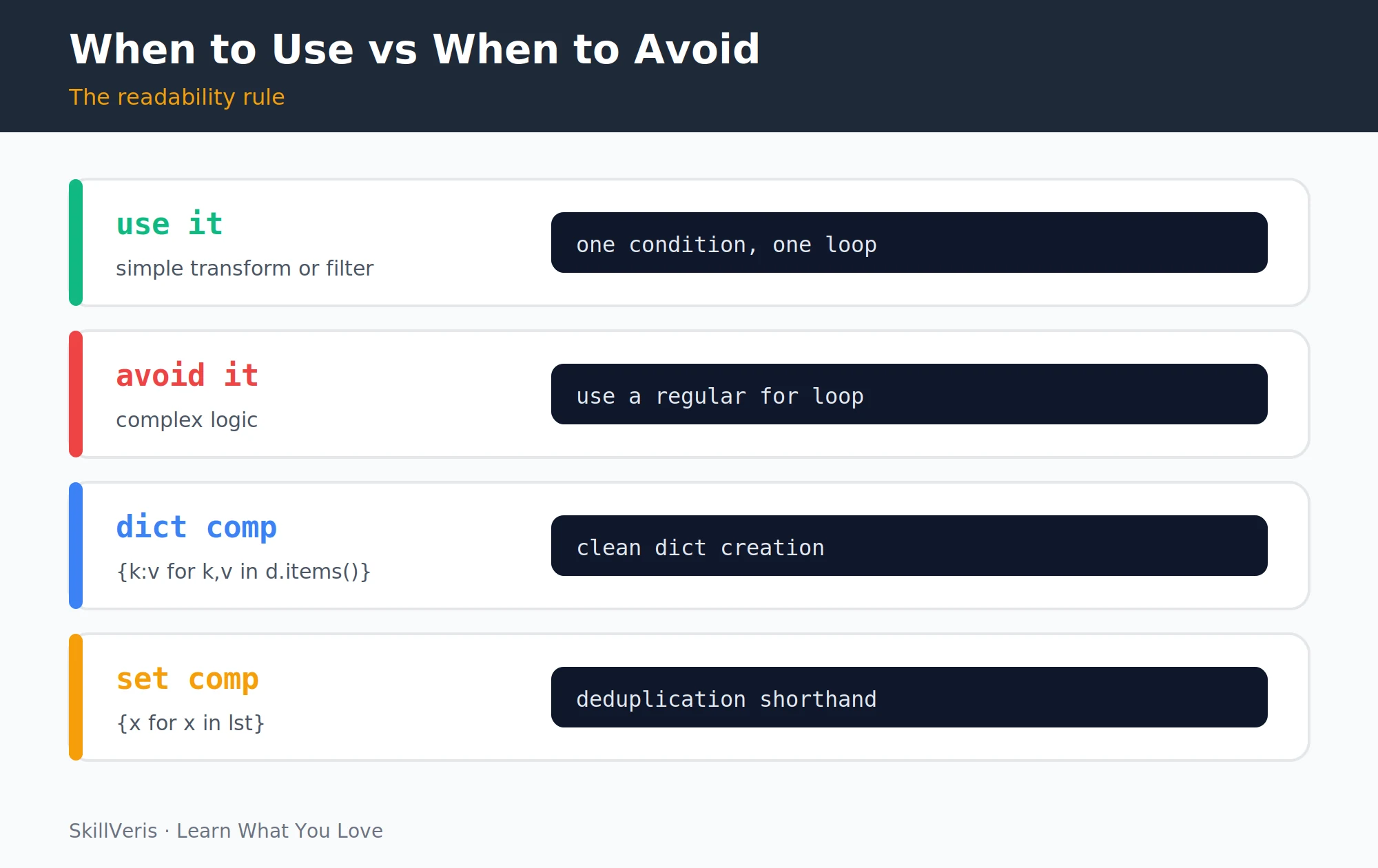
- Use a comprehension for: a simple transformation, a single filter condition, building a list/dict/set you'll use, and logic that fits on one readable line.
- Use a for loop for: complex multi-step logic, multiple nested conditions, side effects (print, write, append elsewhere), and anything that needs comments to explain.
Good vs Bad
Clarity is the deciding factor.
# Good: clear and readable
active_emails = [u.email for u in users if u.is_active]
# Bad: too complex, use a regular loop
result = [
    process(item)
    for item in fetch_items()
    if item.valid and not item.processed and item.category in allowed
]11Performance Notes
List comprehensions are generally faster than equivalent for loops because they're optimised at the CPython level — but the difference is usually small. A few points matter more in practice.
- Comprehensions are faster than map() + lambda for most cases and more readable.
- Generator expressions use O(1) memory vs O(n) for list comprehensions — use them when passing directly to a function that iterates once.
- For very large datasets, consider NumPy vectorised operations instead of any Python-level comprehension.
Timing a Comprehension
A quick timeit comparison against loop + append.
import timeit
# List comp is typically 20-50% faster than equivalent for loop + append
t1 = timeit.timeit("[x**2 for x in range(1000)]", number=10000)
t2 = timeit.timeit(
    "r=[]; [r.append(x**2) for x in range(1000)]", number=10000)
print(f"Comp: {t1:.3f}s, Loop+append: {t2:.3f}s")12Key Takeaways
Comprehensions are a core Python idiom — reach for them when they make code clearer.
- Syntax: [expression for item in iterable if condition].
- Dict comprehension: {key: value for ...}; set comprehension: {expression for ...}.
- Generator expression: (expression for ...) — lazy and memory-efficient.
- Use comprehensions for simple transforms and filters; switch to for loops when complexity rises.
- Readability over cleverness: if it needs a comment, it needs a loop.
13What to Learn Next
Apply list comprehensions in real code with these next steps.
- Pandas for Beginners — comprehensions are common for processing DataFrames.
- Python Decorators — another concise Python pattern to master.
- Python OOP — comprehensions inside class methods are idiomatic.
14Frequently Asked Questions
Are list comprehensions always better than for loops? No. They're better for simple, readable transformations. For complex logic, side effects, or anything that needs comments to understand, a named for loop is clearer. Code is read far more often than it is written; clarity wins over brevity.
What is the difference between a list comprehension and map()? map(function, iterable) applies a function to every element and returns an iterator. List comprehensions do the same but use expression syntax, are more readable to most Python programmers, and work naturally with filtering. Prefer comprehensions; use map() when passing a named function makes the code clearer.
Can I use list comprehensions with multiple if conditions? Yes: [x for x in lst if x > 0 if x < 100] is equivalent to [x for x in lst if x > 0 and x < 100]. Both work; the and form is more readable for most readers.
Do list comprehensions create a new scope in Python? Yes, in Python 3. The loop variable is local to the comprehension and doesn't leak into the enclosing scope. This differs from a regular for loop, where the loop variable remains in scope after the loop ends. Generator expressions and dict/set comprehensions also have their own scope.
Related Reading
Get The Print Version
Download a PDF of this article for offline reading.
About the Publisher
SkillVeris Team
Engineering Team
Our engineering writers turn abstract code concepts into hands-on, project-driven learning experiences.
View all postsRelated Posts




Never miss an update
Get the latest tutorials and guides delivered to your inbox.
No spam. Unsubscribe anytime.