Cybersecurity for Developers: The OWASP Top 10 Explained
SkillVeris Team
Cloud & Security Team
Most web breaches exploit the same handful of preventable flaws — SQL injection, broken authentication, XSS, and misconfiguration — and security is not a feature you bolt on later.
In this guide, you'll learn:
- The OWASP Top 10 is the industry-standard list of critical web application risks, and in 2026 secure coding is a baseline expectation for every developer.
- Broken Access Control is now the #1 risk: enforce authorisation on every endpoint server-side, deny by default, and verify ownership before returning data.
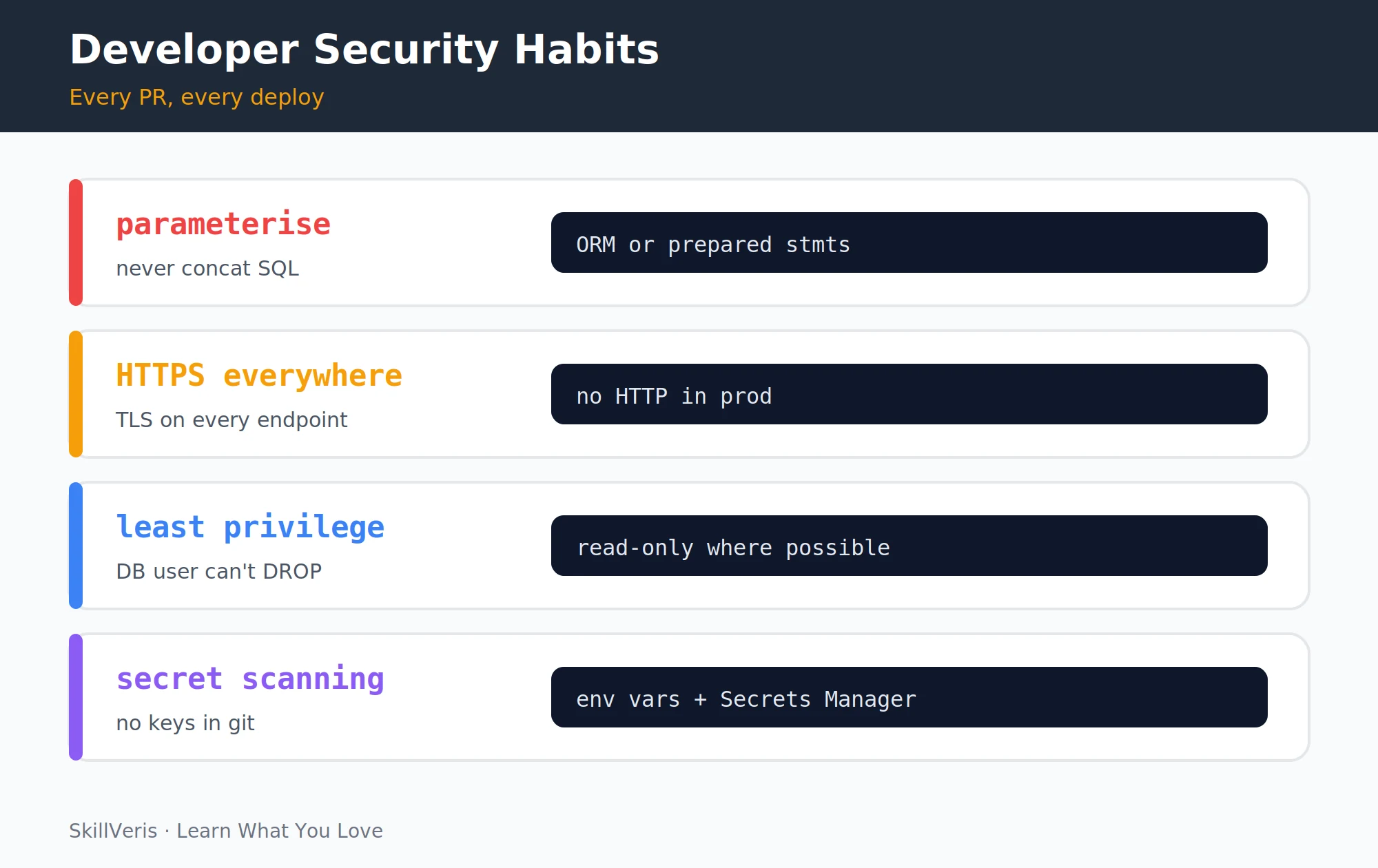
- Never concatenate user input into SQL, shell, or other queries — use parameterised queries, prepared statements, or an ORM to defeat injection.
- Hash passwords with bcrypt or Argon2, never MD5 or SHA-1, and scan every dependency for known CVEs in your CI pipeline.
1Why OWASP Matters
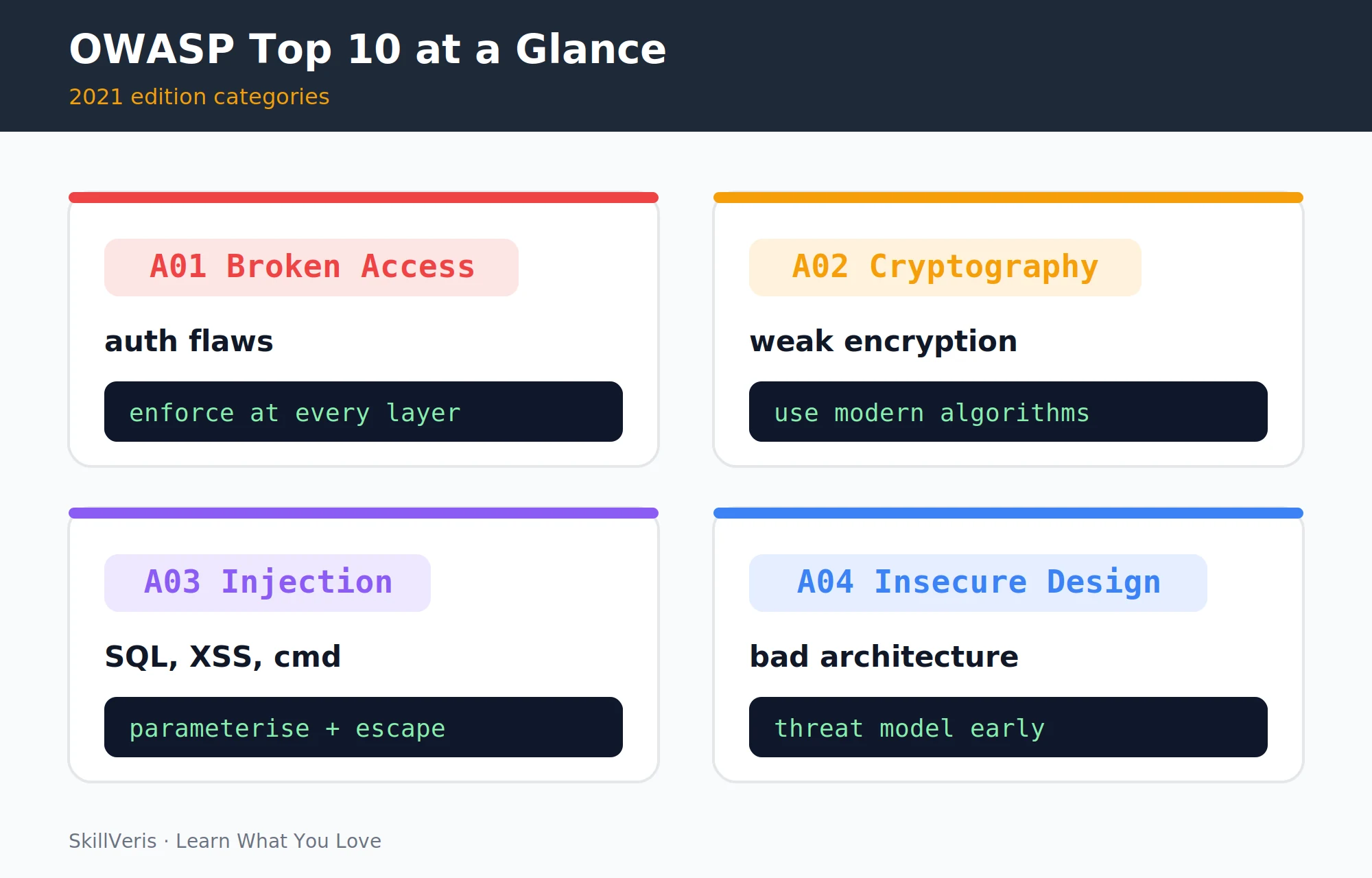
The Open Web Application Security Project (OWASP) maintains the Top 10 — the consensus list of the most critical web application security risks, updated based on data from real-world vulnerabilities. The 2021 edition is the current standard, referenced in security audits, compliance frameworks, and job descriptions worldwide.
Security is not a specialist skill in 2026 — it's a baseline expectation for every developer. Most data breaches exploit vulnerabilities that should have been caught during development. This guide gives you the knowledge to write more secure code starting today.
2A01: Broken Access Control
Broken access control moved to #1 in 2021. It occurs when users can access resources or perform actions beyond their authorisation.
Preventions: enforce access control on every endpoint, not just the UI; deny by default and explicitly allow; log and alert on access control failures; and test with unprivileged accounts trying to access privileged resources (forced browsing tests).
Verify Ownership Before Returning Data
The vulnerable version trusts an ID from the URL with no ownership check, so anyone can read any order by changing the number. The fixed version verifies the record belongs to the current user.
# VULNERABLE: user ID from URL, no ownership check
@app.get("/api/orders/{order_id}")
async def get_order(order_id: int, current_user = Depends(get_user)):
    order = db.get(Order, order_id)  # anyone can get any order by changing the ID!
    return order

# FIXED: verify ownership before returning
@app.get("/api/orders/{order_id}")
async def get_order(order_id: int, current_user = Depends(get_user)):
    order = db.get(Order, order_id)
    if not order or order.user_id != current_user.id:
        raise HTTPException(403, "Access denied")
return order3A02: Cryptographic Failures
Other cryptographic failures to avoid: sending sensitive data over HTTP (use HTTPS everywhere); storing credit card numbers or passwords in plaintext; using weak encryption (DES, RC4, MD5, SHA-1 for security purposes); and hardcoding encryption keys in source code.
⚠️Watch Out
MD5 and SHA-1 are not suitable for password hashing — they're too fast. Password hashing algorithms (bcrypt, Argon2, PBKDF2) are deliberately slow and include a salt to prevent rainbow table attacks. Always use a purpose-built password hashing library, never raw hash functions.
Hash Passwords with bcrypt, Not MD5
MD5 can be brute-forced in under a second. Use a purpose-built password hashing library such as bcrypt or Argon2 instead.
# VULNERABLE: MD5 for password hashing (broken in <1 second)
import hashlib
hashed = hashlib.md5(password.encode()).hexdigest()  # NEVER do this

# FIXED: use bcrypt or Argon2 (designed for password hashing)
import bcrypt
hashed = bcrypt.hashpw(password.encode(), bcrypt.gensalt(rounds=12))
is_valid = bcrypt.checkpw(password.encode(), hashed)4A03: Injection (SQL, NoSQL, OS)
Injection attacks trick an application into executing attacker-controlled code in a backend system. SQL injection is the classic example.
Rule: never concatenate user input into SQL strings. Use parameterised queries, prepared statements, or an ORM. This applies to NoSQL queries, LDAP queries, and OS commands too.
Parameterise SQL Queries
String concatenation lets an attacker rewrite the query — '\'' OR '\''1'\''='\''1 returns all users, and a stacked statement can drop the table. Parameterised queries and ORMs prevent this entirely.
# VULNERABLE: string concatenation in SQL
username = request.json["username"]
query = f"SELECT * FROM users WHERE username = '{username}'"
# Attacker sends: ' OR '1'='1 -> returns all users
# Attacker sends: '; DROP TABLE users; -- -> deletes table

# FIXED: parameterised query
cursor.execute("SELECT * FROM users WHERE username = %s", (username,))

# With SQLAlchemy ORM (prevents injection entirely)
user = db.query(User).filter(User.username == username).first()
Avoid OS Command Injection
Building a shell command from user input lets an attacker append their own commands. Pass arguments as a list and avoid shell=True.
# VULNERABLE: OS command injection
import subprocess
filename = request.args.get("file")
subprocess.run(f"convert {filename} output.pdf", shell=True)
# Attacker sends: "image.jpg; rm -rf /"

# FIXED: avoid shell=True, pass args as list
subprocess.run(["convert", filename, "output.pdf"], shell=False)5A04: Insecure Design
Insecure design is a broad category covering architectural weaknesses — security risks that arise from how the system was designed, not just how it was coded.
The fix is threat modelling: before building, ask "what would an attacker try to do?" for each feature. STRIDE (Spoofing, Tampering, Repudiation, Information disclosure, Denial of service, Elevation of privilege) is a simple framework for this.
- Password reset via security questions (guessable).
- Rate limiting not implemented on login or API endpoints.
- Sensitive operations (delete account, change email) not requiring re-authentication.
- Designing a multi-tenant system where one tenant's data is stored without isolation from others.
6A05: Security Misconfiguration
Security misconfiguration spans the whole stack: default credentials left unchanged, debug mode enabled in production, permissive CORS, directory listing, and publicly accessible cloud storage. Each is an easy win for an attacker scanning your deployment.
The fix is to harden every layer — change defaults, disable debug in production, scope CORS to specific origins, turn off directory listing, and lock down storage buckets.
Common Misconfigurations and a CORS Fix
Review this checklist against every deployment, then scope CORS to your real origin rather than a wildcard.
# Common misconfigurations to check
# 1. Default credentials left unchanged
#    admin/admin, postgres/postgres, root/root
# 2. Debug mode enabled in production
#    Flask: app.run(debug=True)  <- exposes interactive shell
# 3. CORS misconfiguration
#    Allow-Origin: *  <- allows any site to make authenticated requests
# 4. Directory listing enabled on web server
#    Nginx: autoindex on;  <- exposes file structure
# 5. Cloud storage publicly accessible
#    S3 bucket with public read + contains sensitive files

# FIXED CORS (FastAPI example)
from fastapi.middleware.cors import CORSMiddleware
app.add_middleware(CORSMiddleware,
    allow_origins=["https://yourdomain.com"],  # specific origin, not *
    allow_credentials=True,
    allow_methods=["GET", "POST"],
    allow_headers=["Authorization", "Content-Type"]
)7A06: Vulnerable and Outdated Components
Automated dependency scanning should run in your CI pipeline on every PR. GitHub Dependabot and Snyk can automatically create PRs when new CVEs are published for your dependencies.
The most dangerous vulnerabilities are often in transitive dependencies — the packages that your packages depend on.
Scan Dependencies for Known CVEs
Use safety or pip-audit for Python and npm audit for JavaScript to match installed versions against the vulnerability database.
# Check for known vulnerabilities in your dependencies
pip install safety
safety check  # scans requirements.txt against vulnerability database

# Or use pip-audit
pip install pip-audit
pip-audit

# For JavaScript
npm audit
npm audit fix8A07: Identification and Authentication Failures
Strong authentication comes down to a few habits: rate limit login attempts, issue secure session tokens, never leak whether an account exists, and require MFA for privileged accounts.
Together these defeat the most common credential attacks — brute force, session hijacking, user enumeration, and account takeover of admins.
Authentication Security Checklist
Rate limit logins, use short-lived tokens with refresh, return identical messages for bad email or password, and verify a TOTP for admin accounts.
# Checklist for authentication security
# 1. Rate limit login attempts
from slowapi import Limiter
limiter = Limiter(key_func=get_remote_address)
@app.post("/login")
@limiter.limit("5/minute")  # 5 attempts per minute per IP
async def login(request: Request, ...): ...

# 2. Use secure session tokens
# JWT with short expiry + refresh token pattern
# access_token expires in 15 minutes
# refresh_token expires in 7 days, stored httpOnly cookie

# 3. Never expose user enumeration
# WRONG: "Email not found" vs "Incorrect password"
# RIGHT: "Invalid email or password" (same message always)

# 4. Require MFA for admin accounts
# pyotp for TOTP (Google Authenticator compatible)
import pyotp
totp = pyotp.TOTP(user.totp_secret)
if not totp.verify(request_otp):
raise HTTPException(401, "Invalid MFA code")9A08: Software and Data Integrity Failures
This category covers insecure deserialization (loading untrusted data into objects), CI/CD pipeline tampering, and dependency confusion attacks.
For CI/CD pipelines: verify checksums of downloaded dependencies, use pinned versions in requirements, and use signed commits and pipeline artifacts to prevent tampering.
Never Deserialize Untrusted Data with pickle
Unpickling attacker-controlled bytes can execute arbitrary code. Exchange data as JSON, which carries data only and never code.
# VULNERABLE: loading untrusted pickle data
import pickle
data = pickle.loads(user_provided_bytes)  # arbitrary code execution!

# FIXED: use JSON for data exchange, never pickle from untrusted sources
import json
data = json.loads(user_provided_string) # safe: only data, no code10A09: Security Logging and Monitoring Failures
Security events to always log: login successes and failures, access control failures (403s), input validation failures, and admin actions.
Store logs in a centralised system (CloudWatch, Datadog), set alerts for anomalies, and retain logs for at least 90 days.
Log Security Events, Not Just Errors
Record both failed and successful logins with enough context to spot brute-force patterns from a single IP.
import logging
log = logging.getLogger(__name__)

# Log security events (not just errors)
def login(email, password):
    user = db.get_user_by_email(email)
    if not user or not verify_password(password, user.password_hash):
        log.warning(f"Failed login for {email} from {get_client_ip()}")
        # alert on repeated failures from same IP = brute force
        raise HTTPException(401, "Invalid credentials")
    log.info(f"Successful login: user_id={user.id}")
return create_token(user)11A10: Server-Side Request Forgery (SSRF)
SSRF lets an attacker make your server issue requests on their behalf. A user-supplied URL can point at internal endpoints such as the AWS metadata service at http://169.254.169.254/, exposing instance credentials.
The fix is to whitelist allowed domains and reject any request whose hostname is not on the list.
Whitelist Allowed Domains
Parse the hostname from the requested URL and only proceed if it is in your explicit allow list.
# VULNERABLE: fetch a URL provided by the user
@app.get("/fetch")
async def fetch_url(url: str):
    response = httpx.get(url)  # attacker can request http://169.254.169.254/
    return response.text  # AWS metadata service: exposes instance credentials!

# FIXED: whitelist allowed domains
ALLOWED_DOMAINS = {"api.weather.com", "data.example.com"}
@app.get("/fetch")
async def fetch_url(url: str):
    from urllib.parse import urlparse
    domain = urlparse(url).hostname
    if domain not in ALLOWED_DOMAINS:
        raise HTTPException(400, "Domain not allowed")
    response = httpx.get(url)
return response.text12Key Takeaways
These five habits address the bulk of the OWASP Top 10 and are within reach of every developer on every project.
- Parameterise all queries — never concatenate user input into SQL or shell commands.
- Hash passwords with bcrypt or Argon2 — never MD5, SHA-1, or any general-purpose hash.
- Enforce access control server-side on every endpoint; don't rely on the UI to hide sensitive actions.
- Scan dependencies for known CVEs in every CI pipeline run.
- Log security events and monitor for anomalies; you can't respond to an attack you can't see.
13What to Learn Next
Go deeper on security with these complementary topics.
- Linux for Cloud/DevOps — understanding the OS layer is key to server security.
- CI/CD Explained — integrate security scanning into your pipeline.
- CompTIA Security+ — the entry-level security certification that validates these concepts.
14Frequently Asked Questions
Is security only for security specialists? No. Most vulnerabilities are introduced during development and are preventable with basic secure coding practices. Every developer is a security practitioner: you write the code that either prevents or enables attacks. The OWASP Top 10 is the minimum knowledge baseline for any professional developer.
What is the difference between authentication and authorisation? Authentication (authn) verifies who you are: username + password, OAuth token, biometric. Authorisation (authz) determines what you can do: can you access this resource, perform this action? Both must be enforced server-side. A01 (Broken Access Control) is an authorisation failure; A07 (Authentication Failures) is an authentication failure.
How do I safely store secrets in a web app? Never in source code or version control. Use environment variables for local development (a .env file, never committed). In production, use a secrets manager: AWS Secrets Manager, HashiCorp Vault, or GCP Secret Manager. These provide auditing, rotation, and access control. Most cloud providers also offer service-to-service authentication via roles, eliminating the need for secrets entirely for internal calls.
What is a CVE and where do I check for them? CVE (Common Vulnerabilities and Exposures) is a standardised identifier for publicly known security vulnerabilities. Check NVD (nvd.nist.gov) for details on specific CVEs. For your dependencies, use pip-audit, npm audit, Snyk, or GitHub Dependabot to automatically match your dependency versions against the CVE database.
Related Reading
Get The Print Version
Download a PDF of this article for offline reading.
About the Publisher
SkillVeris Team
Cloud & Security Team
Our cloud and security experts break down complex infrastructure topics into practical, beginner-friendly guides.
View all postsRelated Posts




Never miss an update
Get the latest tutorials and guides delivered to your inbox.
No spam. Unsubscribe anytime.